• Administrator
  •  
    Support Ukraine
    If you experience any problems with the forum (it is not visible, there is no way to post messages, or some functionality does not work), please let us know. If you have problems with registration or you did not receive confirmation letter, let us know and we will activate your account manually.
    If you get an "The submitted form was invalid. Try submitting again" error, delete cookies, then try again.
     

ZeppOS Player 2

This forum is designed to discuss and develop tools creating watch faces.

Moderators: asoo, lvpokka, Internal error, Watchmens

Forum rules
All communication in this branch should only be in English.
To discuss tools that are not in this section, use the “Watchfaces tools (discussion)” forum.
Lattenknaller
Posts: 173
Joined: 09 Aug 2022, 08:43
Location: Hamburg
Has thanked: 61 times
Been thanked: 161 times
Contact:

ZeppOS Player 2

Post by Lattenknaller »

Hi everyone,

Since melianmiko's Zepplayer hasn't been updated for 3 years, I decided to create a modern version.
All currently available watches are selectable, and it also includes special features such as animations, smooth second, circle second, etc. Both short and long tabs are supported.
It’s an alternative to the original ZEPP Simulator, which some users have had trouble with. It includes standard .GIF creation, where you can select the number of frames and the speed. The highlight is the screen recording feature, where you can test your watch face and, for example, execute color changes or other scripts supported by the player.

ZeppOS Player 2
Newest Release
Download v2.3.4
CHANGELOG
2.3.4 · September 17, 2026
- Corrected TEXT_IMG angle rendering so that the configured X/Y coordinates remain the widget origin after rotation.
2.3.3 · September 17, 2026
- Combined compatibility reports and live performance diagnostics in a single analysis window.
- Metrics for live render time, widgets, assets, memory, errors, and warnings have been added
- Added watch face-specific reports for unsupported hmUI properties and current runtime issues.
- “Compatibility & Performance” has been integrated as a fixed third Studio window; the Explorer has been moved to the fourth position; and one-click report export has been added.
- The rendering of rotated TEXT_IMG elements for the Zepp OS “angle” property has been corrected.
- The display of circular TEXT/TEXT_FONT elements for “start_angle,” “end_angle,” “radius,” and “mode” has been corrected to match the inner/outer direction and alignment in the watch face editor, including the output of TEXT_FONT “unit_type.”
2.3.2 · September 16, 2026
- A full-featured editor for the seven-day weather forecast has been added, with separate entries for current, high, and low temperatures, as well as a weather icon for each day.
- The values from the forecast editor are now fed directly into the simulated Zepp OS weather forecast API.
- Translations for the forecast editor have been added for all six included languages, and the “Translations.xlsx” file has been synchronized.
2.3.1 · September 16, 2026
- All six user interface translations have been moved to separate language files for easier maintenance and review.
- Tooltip localization has been expanded so that dynamically assigned title attributes now use the selected user interface language.
2.3 · September 16, 2026
- The Status Editor now indicates whether each value is actually required by the loaded watch face.
- Compact function indicators have been added without altering the approved layout of the Status Editor: green means “used by the watch face,” a gray border means “supported but not used,” and yellow means “not yet supported.”
- The dial usage diagnostics are reset every time a different project is loaded to prevent outdated status information.
- Placeholder controls for custom scripts, which previously could be edited without affecting the dial, have been disabled; they are now explicitly marked as not yet supported, rather than appearing to function.
- The Studio layout has been redesigned and now includes a fixed preview area measuring 650 × 820, an 800 × 820 Status Editor/Console stack with a 70/30 split, and a flexible, full-height Object Explorer.
- Automatic tool rearrangement has been added when the Status Editor, Console, or Object Explorer is hidden.
- The Status Editor has been divided into tabs.
- Translated drop-down values have been added for time, months, days of the week, weather conditions, and forecast days.
Older Versions
VERSION 2.2.1
Download Release 2.2.1
CHANGELOG
- 33 standardized watch skins in 800 × 800 format with corrected alignment have been added.
- Support for Amazfit Active 3 Premium, Active Edge, Cheetah Square, and GTS 3, as well as additional hardware IDs for existing models, has been added.
- Czech has been added, and a revised Thai translation has been integrated.
Missing translations for the labels in the Status Editor have been restored in all supported languages.
VERSION 2.1.3
Download Release 2.1.3
CHANGELOG
- Older generated callbacks such as “checkConnection,” “minute_circle_call,” and “hour_circle_call” no longer interrupt the watch face initialization.
- Zepp groups with a size of zero now render their child elements correctly, restoring generated multi-day weather forecasts.
- Russian and Ukrainian have been added as user interface languages.
- Animations on watch faces, in the editor, and in custom scripts continue to run when “Auto-Increment” is disabled, while second hands, “smooth_second,” and SECOND-based circles remain frozen.
- “Smooth Second” hands remain fixed in still-image preview mode and run in real time during auto-incrementing without affecting the speed of other preview values.
- The link in the footer of the original ZeppPlayer now opens the official GitHub repository.
VERSION 2.1
Download Release 2.1
Release Start
Future Versions
VERSION 2.4
Select a folder that contains incomplete works started with Editor 3 but not yet finished.
These will then be recognized in the player with the label “- Editor,” and you can test your unfinished WF files.
VERSION 2.X
If everything works and we're at nearly 99.9% Zepp compatibility, the next step is to develop our own editor.
But that's still a long way off.
Translate missing language
TRANSLATE
Translations.xlsx
For a new language fill out the Excel file and send it to me via private message.
Rename ROW 5 in the new column and fill it out completely. Keep the placeholders in {curly braces} unchanged. Then fill out the table at the bottom of the “Languages” tab (note can be left blank)
Please post any errors, requests, suggestions, etc., here in the forum and not via private message. Private messages with this content will be deleted without a response.
A detailed description of the issue in English is required.
Last edited by Lattenknaller on 17 Sep 2026, 14:33, edited 18 times in total.
User avatar
asoo
Posts: 2217
Joined: 03 Jan 2019, 01:48
Location: ͼͽ Thailand ͼͽ
Has thanked: 436 times
Been thanked: 2137 times
Contact:

Post by asoo »

Is it possible to create a version where the ZIP file is extracted into a folder—similar to ZeppPlayer—so that the `index.js` file can be edited directly when testing watch face scripts?
ͼͽ To request please use the interrelated forum in action ͼͽ
Please do not PM to me for requests ported watchface.
Lattenknaller
Posts: 173
Joined: 09 Aug 2022, 08:43
Location: Hamburg
Has thanked: 61 times
Been thanked: 161 times
Contact:

Post by Lattenknaller »

That's easily possible in the STANDALONE version. I've also extracted all my WF files there and am editing the index.js file in real time. That doesn't work in the online version. The online version is actually meant for users who want to quickly test their first (or even third :-) ) WF. The STANDALONE version is clearly intended for power users.

Unfortunately, I can’t send you a private message; otherwise, I would have sent you a download link. I’d rather not post the link publicly here.

But let's wait for an admin—maybe I'll get the chance to post the tool here, and then there will be updates for new watches or, for example, for ZeppOS 6. Users could also post their errors, and I'll take a look at them.
User avatar
asoo
Posts: 2217
Joined: 03 Jan 2019, 01:48
Location: ͼͽ Thailand ͼͽ
Has thanked: 436 times
Been thanked: 2137 times
Contact:

Post by asoo »

Lattenknaller wrote: 10 Sep 2026, 11:33
That's easily possible in the STANDALONE version. I've also extracted all my WF files there and am editing the index.js file in real time. That doesn't work in the online version. The online version is actually meant for users who want to quickly test their first (or even third :-) ) WF. The STANDALONE version is clearly intended for power users.

Unfortunately, I can’t send you a private message; otherwise, I would have sent you a download link. I’d rather not post the link publicly here.

But let's wait for an admin—maybe I'll get the chance to post the tool here, and then there will be updates for new watches or, for example, for ZeppOS 6. Users could also post their errors, and I'll take a look at them.
Thanks for the information, and that’s great news about the standalone version allowing direct edits to `index.js`.

As for the PMs, I apologize; I had them turned off for so long that I completely forgot.
ͼͽ To request please use the interrelated forum in action ͼͽ
Please do not PM to me for requests ported watchface.
User avatar
GIK-Team
root
Posts: 1033
Joined: 22 Mar 2018, 10:00
Location: Ukraine
Has thanked: 1179 times
Been thanked: 281 times
Contact:

Post by GIK-Team »

Lattenknaller wrote: 10 Sep 2026, 09:29
I would have liked to attach the STANDALONE version here as well, but the limit is only 5 MB, and the tool is 10 MB. Maybe an admin could increase my upload limit; then I could even keep the package up to date here and post new updates right away.
Unfortunately, we can't increase the attachment limit just for one user. The attachment rules are global for the entire forum, so changing them would affect everyone.

As an alternative, you can upload the standalone package to any file hosting service and send us the download link via private message. We'll host the file separately on our server and update it for you when new versions are released.

We could even try hosting it as a dedicated tool on our website, similar to the Watch Face Generator. If everything works well, we'd be happy to provide it with a permanent home on our server so users can always download/use the latest version.

If you're interested, just send us the file and we'll discuss the best way to organize it.
"sometimes it's scary but it's still just you and me” — Leaving Laurel
Lattenknaller
Posts: 173
Joined: 09 Aug 2022, 08:43
Location: Hamburg
Has thanked: 61 times
Been thanked: 161 times
Contact:

Post by Lattenknaller »

Okay, I'll make a few more tweaks tonight and then send you the files for the web version tomorrow. Thanks for agreeing to host the tool.
For now, 2–3 users will get the standalone version to test—uncompiled. As soon as everything is running smoothly, I'll host the tool on a file-hosting service and then offer support and updates. But as I said, that will come later. Thank you very much for your time.
Lattenknaller
Posts: 173
Joined: 09 Aug 2022, 08:43
Location: Hamburg
Has thanked: 61 times
Been thanked: 161 times
Contact:

Post by Lattenknaller »

New Version ONLINE 2.7.17
- Fixed an issue with the analog hour display
- Custom .ttf fonts are now used from the WF (this may cause some misalignment in the display, which is due to the font being used)
- Added various scripts, including sleep tracking and pulse charts.
- All types of animations should now work

I will first fix all reported bugs and then upload the ONLINE version to host it here. The STANDALONE version is being thoroughly tested and will soon be available for everyone to download here.
Lattenknaller
Posts: 173
Joined: 09 Aug 2022, 08:43
Location: Hamburg
Has thanked: 61 times
Been thanked: 161 times
Contact:

Post by Lattenknaller »

New Version ONLINE 2.8.17
- Fixed a bug where the digital time display was offset by a few pixels.
- BIP5 and similar older watch faces are now recognized and displayed correctly.
- Option to test the watch face with the original watch border (Skins imported from Sasha's Editor)
- Option to create .GIFs with or without the watch skin
User avatar
frankh93
Posts: 39
Joined: 20 Jun 2025, 00:32
Location: CDMX
Has thanked: 26 times
Been thanked: 3 times
Contact:

Post by frankh93 »

Lattenknaller wrote: 11 Sep 2026, 11:33
New Version ONLINE 2.8.17
- Fixed a bug where the digital time display was offset by a few pixels.
- BIP5 and similar older watch faces are now recognized and displayed correctly.
- Option to test the watch face with the original watch border (Skins imported from Sasha's Editor)
- Option to create .GIFs with or without the watch skin
Sorry for disturbing, could I get access to the standalone build too? Thank you in advance
you should be doing something productive instead of reading this caption :lol:
taw_bip
WF maker
Posts: 134
Joined: 12 Apr 2018, 16:29
Has thanked: 132 times
Been thanked: 21 times
Contact:

Post by taw_bip »

Wow @Lattenknaller This is quite the undertaking and much appreciated!
I really liked Melian's tool because I had a number of issues trying to get the Zepp simulator running on my laptop.
Your tool removes all these technical hurdles. I look forward to the release of the standalone version.
Nice!
User avatar
SashaCX75
Posts: 828
Joined: 26 Oct 2019, 15:18
Location: Ukraine
Has thanked: 15 times
Been thanked: 1044 times
Contact:

Post by SashaCX75 »

Lattenknaller wrote: 10 Sep 2026, 09:29
I would have liked to attach the STANDALONE version here as well, but the limit is only 5 MB, and the tool is 10 MB.
You can upload the archive containing the portable version to any file-sharing site or to GitHub. Then post a link to that archive here. That’s what I do with my editor. If the portable version handles watch faces in the same way as Zepplayer, it will be much easier to make changes to the watch face and test new features.
User avatar
SashaCX75
Posts: 828
Joined: 26 Oct 2019, 15:18
Location: Ukraine
Has thanked: 15 times
Been thanked: 1044 times
Contact:

Post by SashaCX75 »

In edit mode (blue pencil when you press and hold the dial), the element labels are not displayed. Also, in this mode, you cannot switch between the different windows (element selection and background selection). Just in case, I’ve attached the dial I used to test this.

It would be nice if, when you opened the dial, it switched straight away to the correct watch model.
In the list of models, some of the names begin with ‘Amazfit’ whilst others do not. This makes it a little difficult to choose the right model. It would be better to write all the names in the same style.
Attachments
Razaa Digital.zip
(351.56 KiB) Downloaded 10 times
User avatar
SashaCX75
Posts: 828
Joined: 26 Oct 2019, 15:18
Location: Ukraine
Has thanked: 15 times
Been thanked: 1044 times
Contact:

Post by SashaCX75 »

Lattenknaller wrote: 11 Sep 2026, 11:33
Skins imported from Sasha's Editor
I don’t seem to have skins for all the models. If necessary, I can have a search for skins for the missing models.
Lattenknaller
Posts: 173
Joined: 09 Aug 2022, 08:43
Location: Hamburg
Has thanked: 61 times
Been thanked: 161 times
Contact:

Post by Lattenknaller »

VERSION 2.1
RELEASE
Last edited by Lattenknaller on 14 Sep 2026, 10:41, edited 1 time in total.
MarioLie
WF maker
Posts: 68
Joined: 12 May 2025, 19:37
Location: Berlin
Has thanked: 56 times
Been thanked: 37 times
Contact:

Post by MarioLie »

I will create watch models for you.
Preview
Image
Lattenknaller
Posts: 173
Joined: 09 Aug 2022, 08:43
Location: Hamburg
Has thanked: 61 times
Been thanked: 161 times
Contact:

Post by Lattenknaller »

MarioLie wrote: 14 Sep 2026, 08:04
I will create watch models for you.
Preview
Image
Sure, I'd be happy to. You can see what's missing. But in addition to the images, I'll also need the internal dimensions—that is, how big the preview needs to be. And the images shouldn't be taller than 800px; shorter is fine.
User avatar
asoo
Posts: 2217
Joined: 03 Jan 2019, 01:48
Location: ͼͽ Thailand ͼͽ
Has thanked: 436 times
Been thanked: 2137 times
Contact:

Post by asoo »

@Lattenknaller
I am unsure whether this is an error or if the new version imposes limitations on animation rendering. In the previous test version, animations—whether generated via the editor or custom scripts—rendered perfectly. However, in Version 2.1.1, the animation display differs from the test version, It doesn't seem to be displaying the animation.
as shown in the attached image.
Preview Report
AnimationScreen2Gif1.1.gif
AnimationScreen2Gif1.1.gif (3.21 MiB) Viewed 1428 times
solartest.gif
solartest.gif (3.67 MiB) Viewed 1418 times
analog.gif
analog.gif (1.74 MiB) Viewed 1378 times
Best regards,
Thank you.
ͼͽ To request please use the interrelated forum in action ͼͽ
Please do not PM to me for requests ported watchface.
Lattenknaller
Posts: 173
Joined: 09 Aug 2022, 08:43
Location: Hamburg
Has thanked: 61 times
Been thanked: 161 times
Contact:

Post by Lattenknaller »

asoo wrote: 14 Sep 2026, 11:54
@Lattenknaller
I am unsure whether this is an error or if the new version imposes limitations on animation rendering. In the previous test version, animations—whether generated via the editor or custom scripts—rendered perfectly. However, in Version 2.1.1, the animation display differs from the test version, It doesn't seem to be displaying the animation.
as shown in the attached image.
Preview Report
AnimationScreen2Gif1.1.gif
solartest.gif

Best regards,
Thank you.
@asoo That's probably a direct result of my last change: Smooth Second has always been choppy in the preview. I'll see if I can get Smooth Second to run smoothly without stopping the animations.
Will try to fix it
User avatar
asoo
Posts: 2217
Joined: 03 Jan 2019, 01:48
Location: ͼͽ Thailand ͼͽ
Has thanked: 436 times
Been thanked: 2137 times
Contact:

Post by asoo »

Lattenknaller wrote: 14 Sep 2026, 12:55
starts the animation at auto-increment? can you pn me the WF?
That's probably a direct result of my last change: Smooth Second has always been choppy in the preview. I'll see if I can get Smooth Second to run smoothly without stopping the animations.
@Lattenknaller
I’ve sent the WF link I used for testing via PM.
ͼͽ To request please use the interrelated forum in action ͼͽ
Please do not PM to me for requests ported watchface.
MarioLie
WF maker
Posts: 68
Joined: 12 May 2025, 19:37
Location: Berlin
Has thanked: 56 times
Been thanked: 37 times
Contact:

Post by MarioLie »

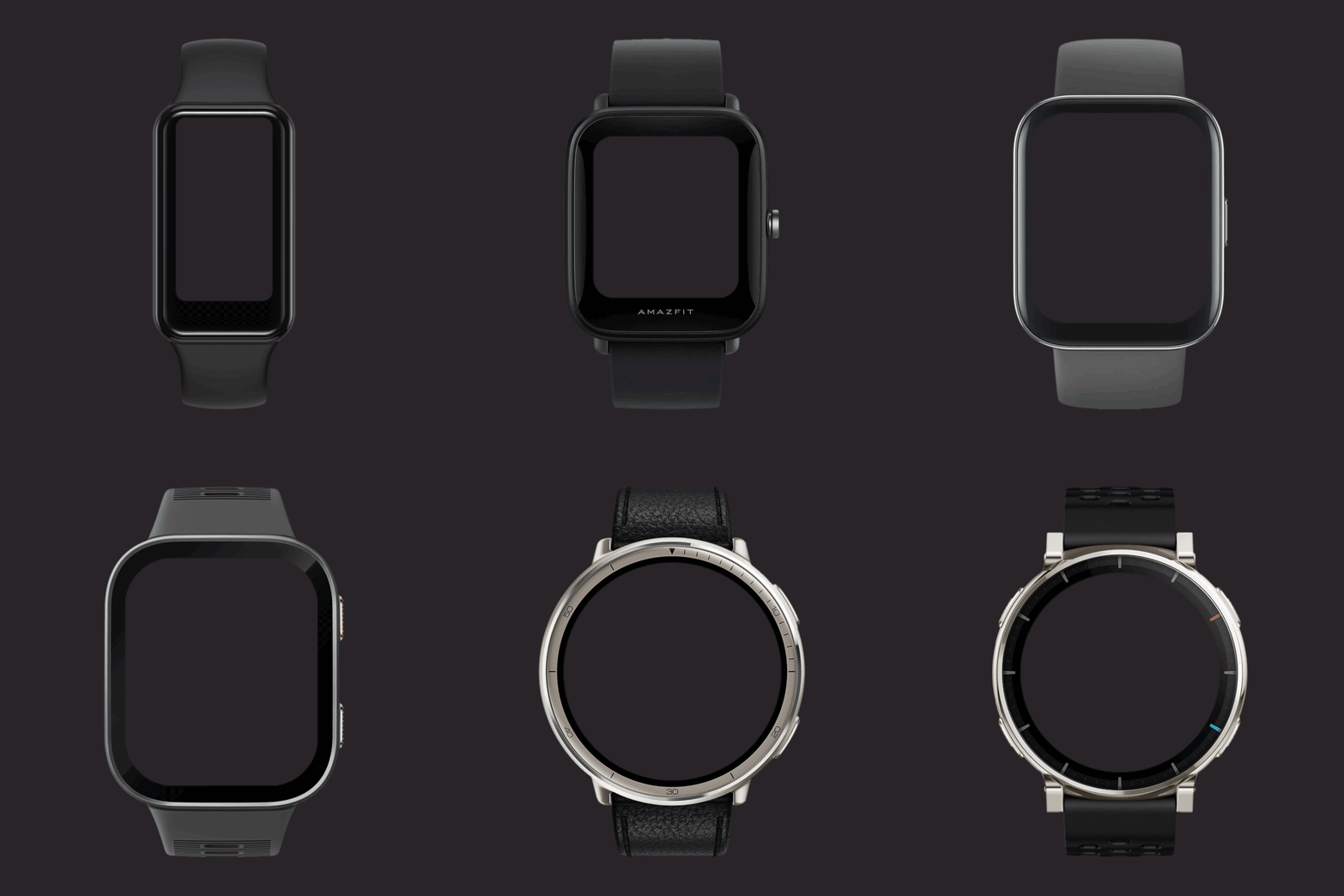
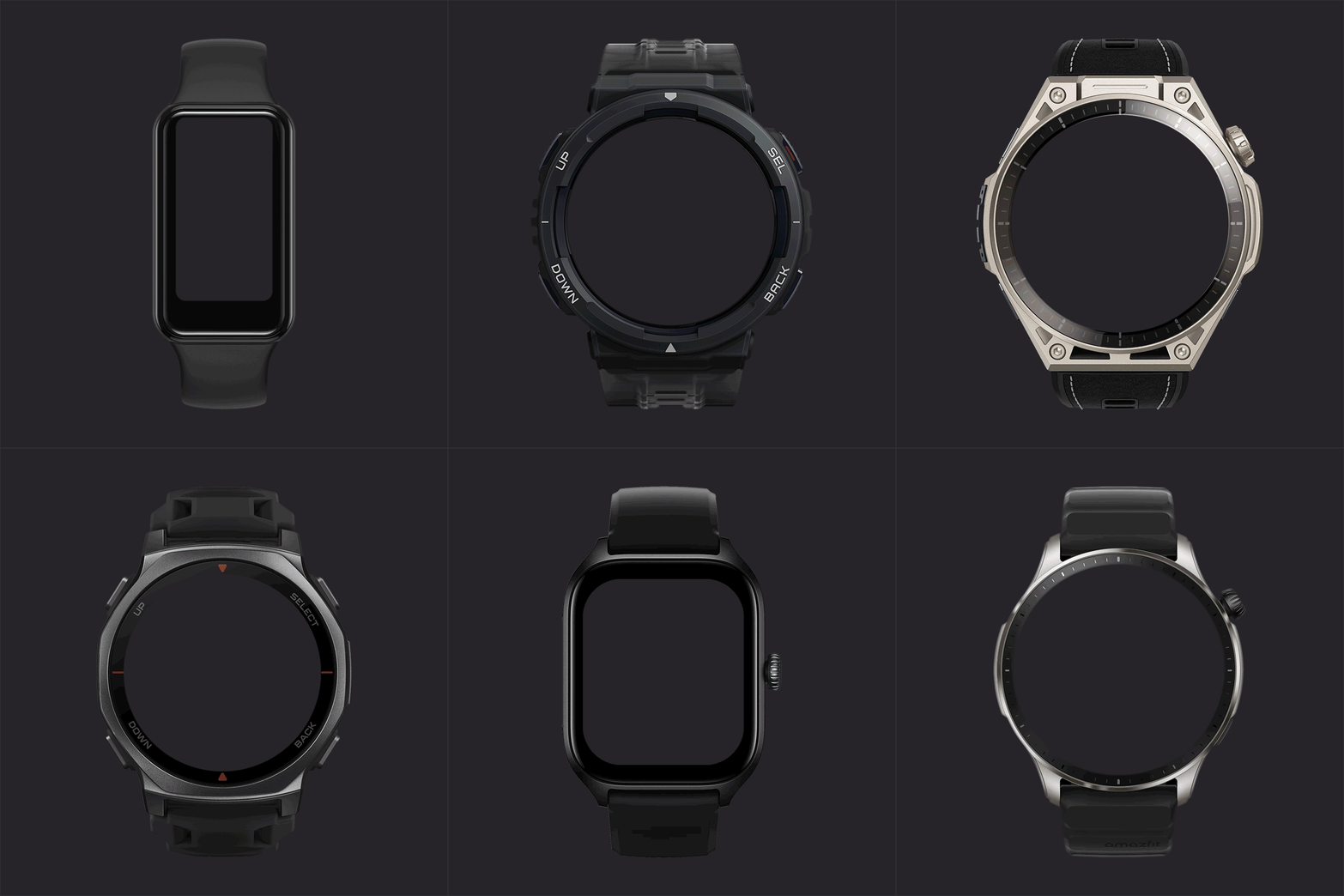
Here's one complete Amazfit offer. The size of the picture is 800x800 px, and the height of the appearance is 644px. Shading is created for the web's colour #262428. If you'd like something created, let me know. I'd be happy to help.
Preview
Image
Attachments
watches3.zip
(3.06 MiB) Downloaded 3 times
watches2.zip
(3.91 MiB) Downloaded 4 times
watches1.zip
PSD watches
(4.21 MiB) Downloaded 5 times
Lattenknaller
Posts: 173
Joined: 09 Aug 2022, 08:43
Location: Hamburg
Has thanked: 61 times
Been thanked: 161 times
Contact:

Post by Lattenknaller »

VERSION 2.1.3
RELEASE
CHANGELOG
- Smooth-second image pointers remain fixed when Auto-Increment is disabled, while unrelated watchface and script animations continue normally.
- Legacy generated callbacks such as checkConnection, minute_circle_call and hour_circle_call no longer abort watchface initialisation.
- Zero-sized Zepp groups now render their children correctly, restoring generated multi-day weather forecasts.
- Added Russian and Ukrainian interface languages, translated by SashaCX75.
- Completed Compass translations, including Thai, Russian and Ukrainian.
Lattenknaller
Posts: 173
Joined: 09 Aug 2022, 08:43
Location: Hamburg
Has thanked: 61 times
Been thanked: 161 times
Contact:

Post by Lattenknaller »

VERSION 2.2.1
ZeppOS Player 2.2
CHANGELOG
- Added 33 watch skins with corrected display alignment ( skin credits for MarioLie)
- Added support for Amazfit Active 3 Premium, Active Edge, Cheetah Square and GTS 3, plus additional hardware IDs for existing models.
- Added Czech, translated by MarioLie, and included the revised Thai translation by Asoo.
ZeppOS Player 2.2.1
CHANGELOG
- Several set phrases was being translated; I probably cleaned them up too much. (fixed in 2.2.1)
- The buttons for the widgets was always active at startup. (fixed in 2.2.1)
User avatar
SashaCX75
Posts: 828
Joined: 26 Oct 2019, 15:18
Location: Ukraine
Has thanked: 15 times
Been thanked: 1044 times
Contact:

Post by SashaCX75 »

screenshots
Image
Image
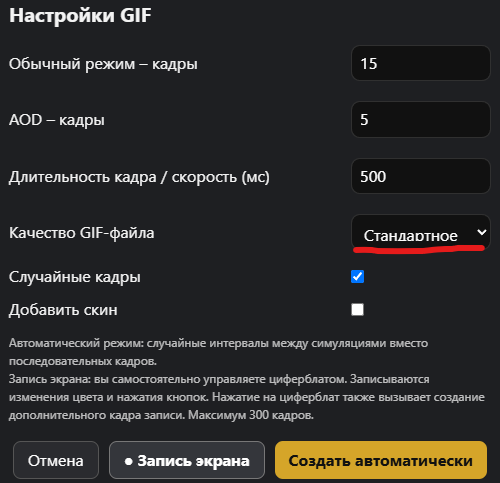
In the GIF file settings menu, the letters in the drop-down list are cut off at the bottom.
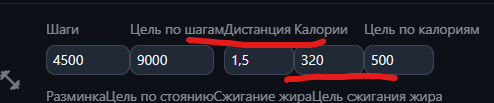
In the data configuration section, the display elements are positioned very close together. It would be better if there were some space between them.
Lattenknaller
Posts: 173
Joined: 09 Aug 2022, 08:43
Location: Hamburg
Has thanked: 61 times
Been thanked: 161 times
Contact:

Post by Lattenknaller »

A complete redesign of the three windows next to the preview is planned for version 2.3. So it'll look different anyway.
I'll take a look at the cropping at the bottom.
MarioLie
WF maker
Posts: 68
Joined: 12 May 2025, 19:37
Location: Berlin
Has thanked: 56 times
Been thanked: 37 times
Contact:

Post by MarioLie »

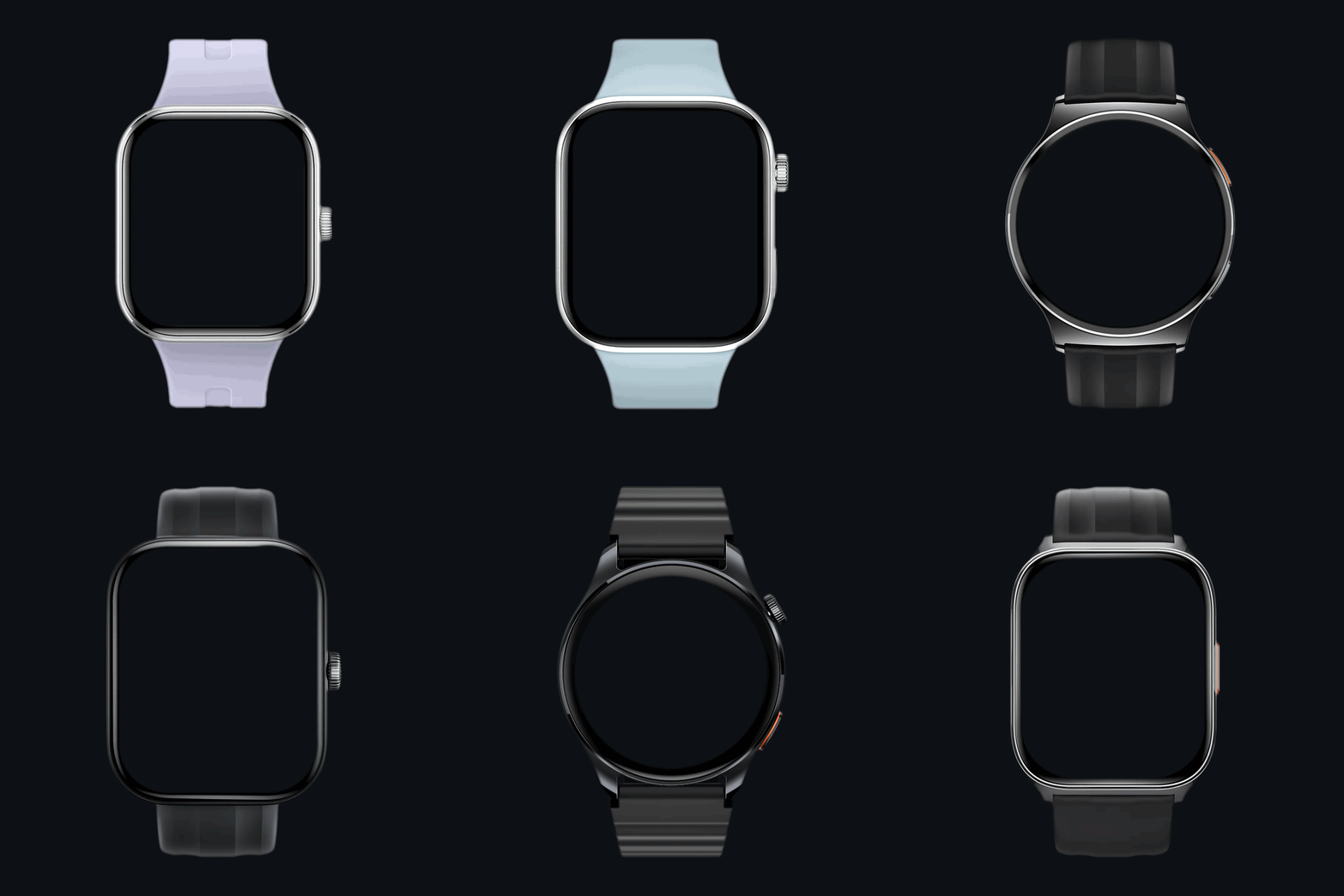
I will add HAYLOU and Redmi models.
Preview
Image
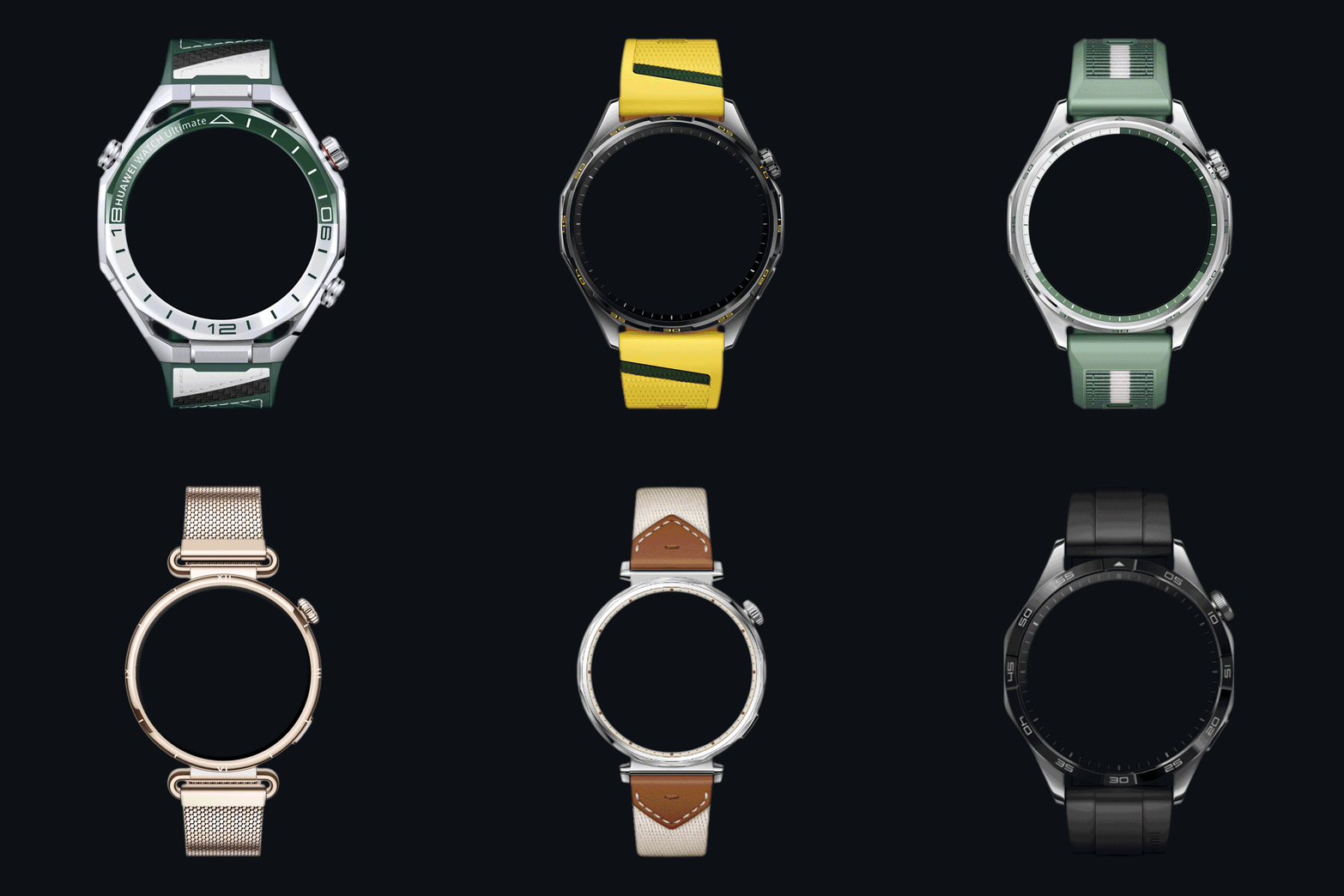
Added HUAWEI WATCH GT
Huawei
Image
Files
redmi.zip
(627.27 KiB) Downloaded 1 time
HAYLOU.zip
(2.9 MiB) Downloaded 1 time
HUAWEI WATCH part 1.zip
(2.98 MiB) Downloaded 1 time
HUAWEI WATCH part 2.zip
(3.11 MiB) Downloaded 1 time
HUAWEI WATCH part 3.zip
(2.52 MiB) Downloaded 1 time
HUAWEI WATCH part 4.zip
(3.41 MiB) Downloaded 1 time
Post Reply

Return to “Watchfaces tools”

Who is online

Users browsing this forum: SashaCX75 and 4 guests