-
- Administrator
-
-
Support Ukraine
If you experience any problems with the forum (it is not visible, there is no way to post messages, or some functionality does not work), please let us know. If you have problems with registration or you did not receive confirmation letter, let us know and we will activate your account manually.
If you get an "The submitted form was invalid. Try submitting again" error, delete cookies, then try again.
Help with simulating watchface using Zepp OS [ balance]
Moderators: asoo, lvpokka, Internal error, Watchmens
Forum rules
All communication in this branch should only be in English.
-
piotarock
- WF maker
- Posts: 40
- Joined: 22 Aug 2024, 07:53
- Location: Kenya
- Has thanked: 15 times
- Been thanked: 1 time
- Contact:
Help with simulating watchface using Zepp OS [ balance]
Hello community,
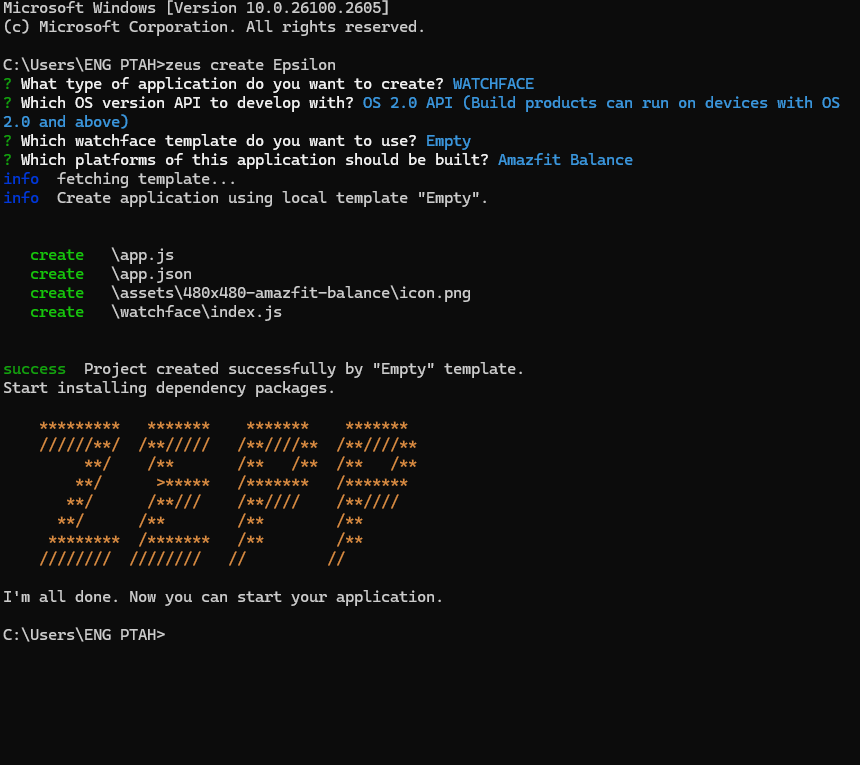
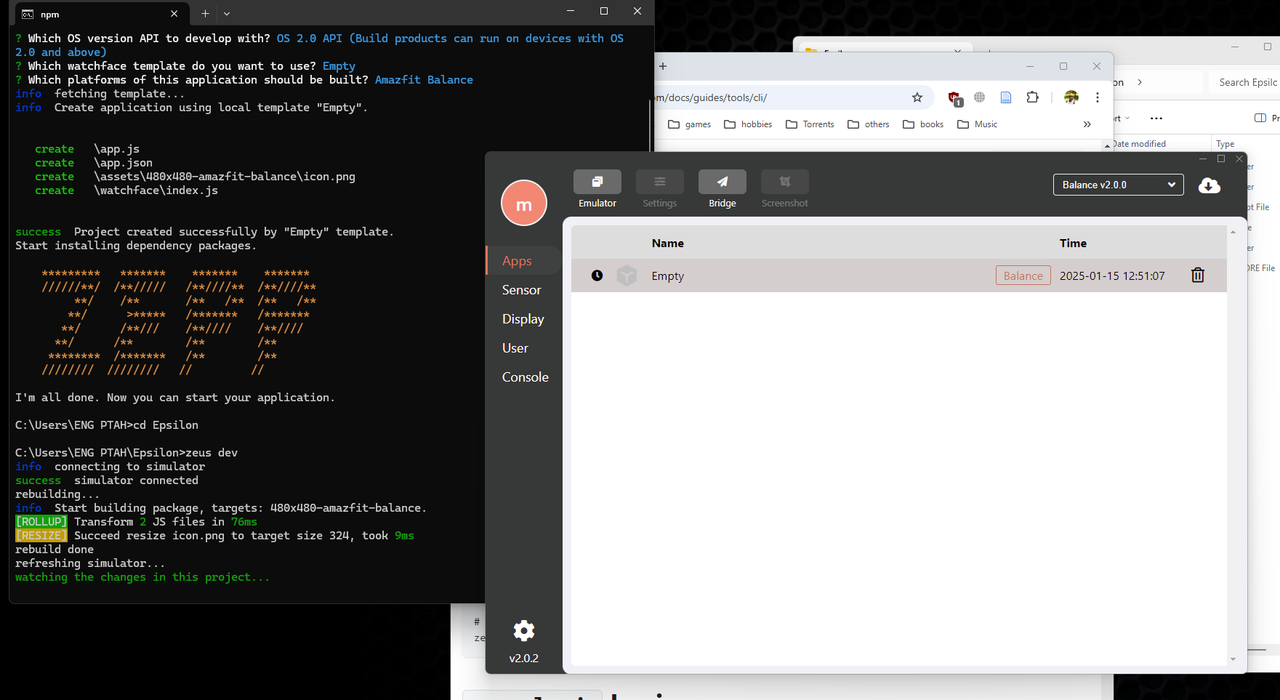
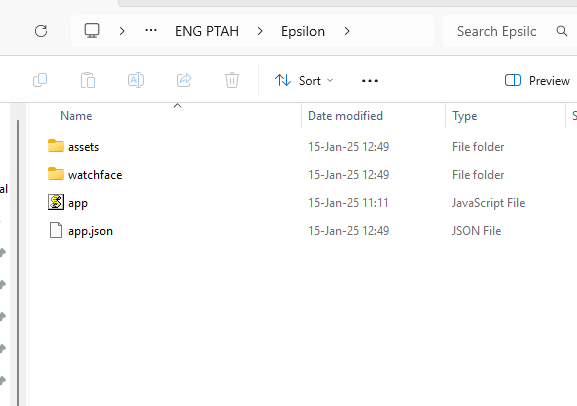
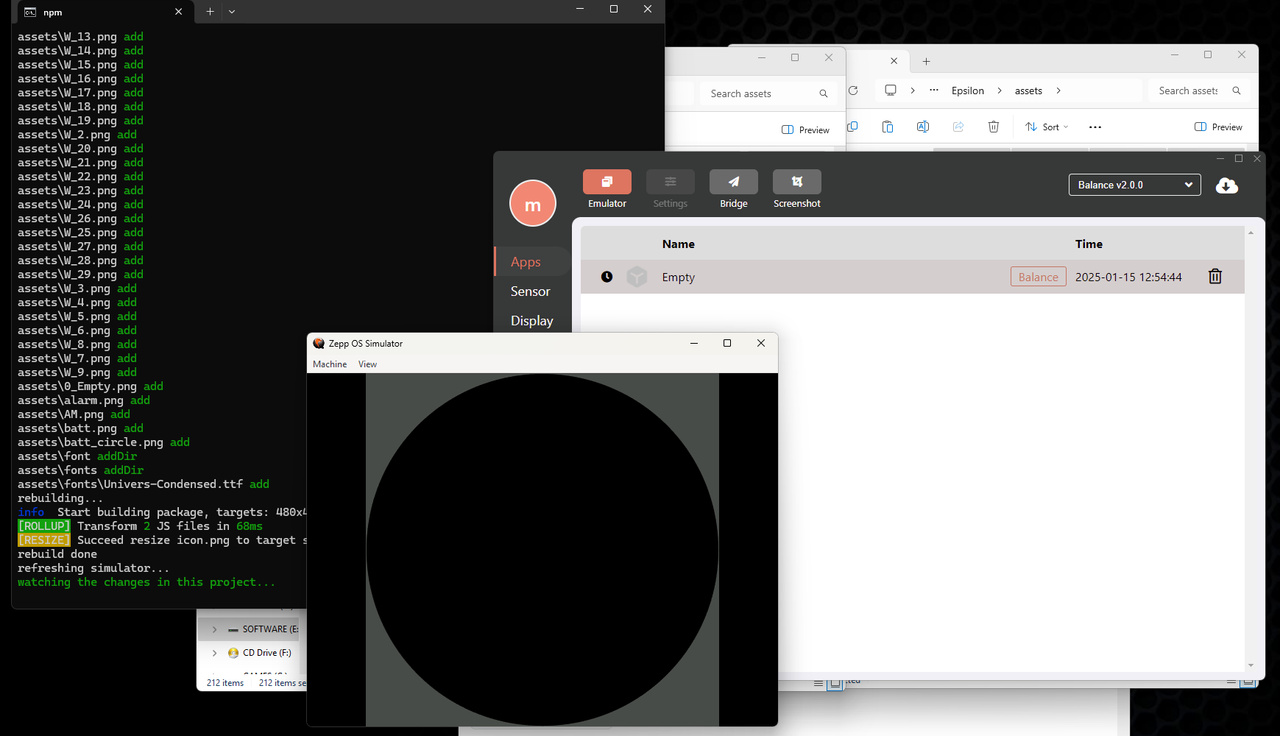
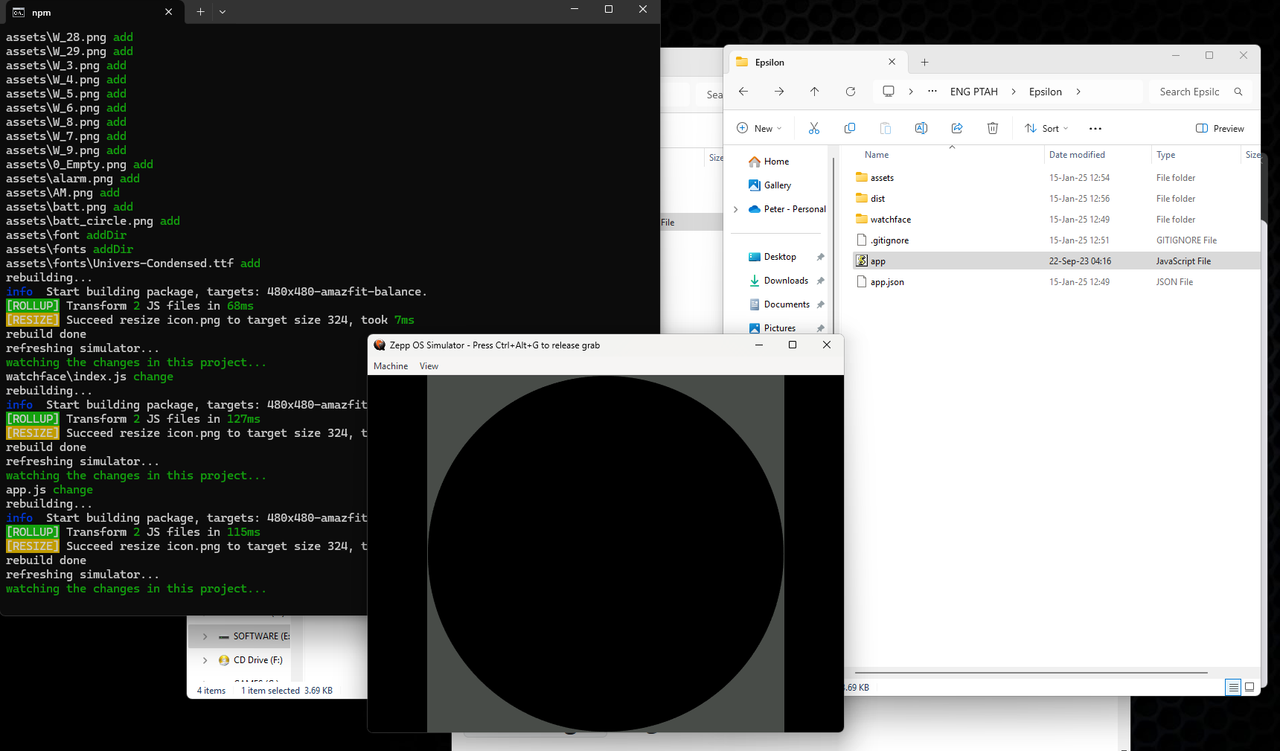
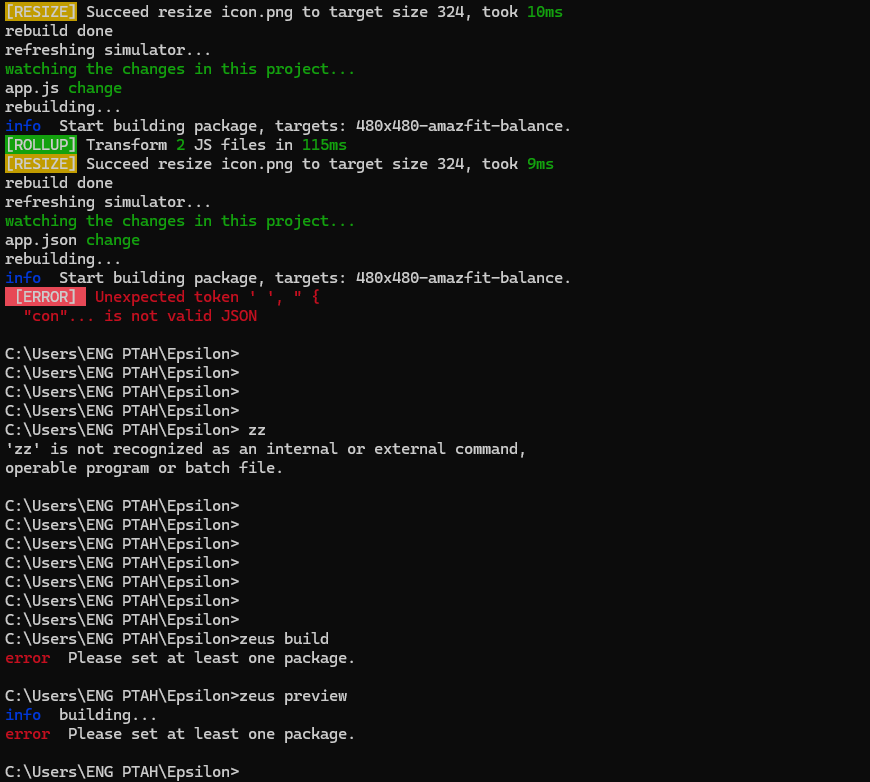
How are you? I am trying to preview my watchface via the Zeus simulator. I have been able to install Zeus SLI and simulator. However, I am stuck at making the preview/simulation. I am attaching the screen shots and when you have some time, please let me know where I am making a mistake. Plus, screenshot 7 includes an error that I get after copying the app.json file from my packed watchface. In addition, my project appears to be empty in the simulator regardless of making changes to the project.
Note: I have tried the unofficial online simulator but as suggested it cannot fully simulate the watchfaces.
Kind regards.
How are you? I am trying to preview my watchface via the Zeus simulator. I have been able to install Zeus SLI and simulator. However, I am stuck at making the preview/simulation. I am attaching the screen shots and when you have some time, please let me know where I am making a mistake. Plus, screenshot 7 includes an error that I get after copying the app.json file from my packed watchface. In addition, my project appears to be empty in the simulator regardless of making changes to the project.
Note: I have tried the unofficial online simulator but as suggested it cannot fully simulate the watchfaces.
Kind regards.
Last edited by piotarock on 16 Jan 2025, 21:41, edited 1 time in total.
- SashaCX75
- Posts: 820
- Joined: 26 Oct 2019, 15:18
- Location: Ukraine
- Has thanked: 13 times
- Been thanked: 1029 times
- Contact:
The sequence of actions is correct. You have an error somewhere in your code.
-
piotarock
- WF maker
- Posts: 40
- Joined: 22 Aug 2024, 07:53
- Location: Kenya
- Has thanked: 15 times
- Been thanked: 1 time
- Contact:
Thank you for the reply. Yes, there is a problem. First, I created the watchface using the amazing watchface maker you made (v13.0). I packed the watchface but I needed to simulate it via Zepp OS and zeus CLI.SashaCX75 wrote: 16 Jan 2025, 15:55The sequence of actions is correct. You have an error somewhere in your code.
I created a job using the command zeus create Epsilon
Then, I selected the type of application, in this case, watchface.
I chose balance as my watch. New folders were created. Now, here is where the challenge is, I cannot get to so the simulation from here. I tried to copy my images to the assets folder, the index.js to the watchface folder and the app.js file to the root of working folder. However, nothing seems to be working.
After copying the app.json, I get the error select at least one package.
Is there a specific code that I am supposed to use to start the simulation?
I am really confused about this.
Kind regards.
- SashaCX75
- Posts: 820
- Joined: 26 Oct 2019, 15:18
- Location: Ukraine
- Has thanked: 13 times
- Been thanked: 1029 times
- Contact:
Of course it's going to cause an error. Because if you look at the structure of the files before changing them, you will see that it is different. In the best case you can copy the init_view() function from one file to another. But you also need to m,eltn copy other elements besides the function.
-
piotarock
- WF maker
- Posts: 40
- Joined: 22 Aug 2024, 07:53
- Location: Kenya
- Has thanked: 15 times
- Been thanked: 1 time
- Contact:
Thank you. Yes, I realized that the files have a different structure. I will try that out.SashaCX75 wrote: 17 Jan 2025, 07:27Of course it's going to cause an error. Because if you look at the structure of the files before changing them, you will see that it is different. In the best case you can copy the init_view() function from one file to another. But you also need to m,eltn copy other elements besides the function.
What do you mean by "m,eltn copy"?
-
piotarock
- WF maker
- Posts: 40
- Joined: 22 Aug 2024, 07:53
- Location: Kenya
- Has thanked: 15 times
- Been thanked: 1 time
- Contact:
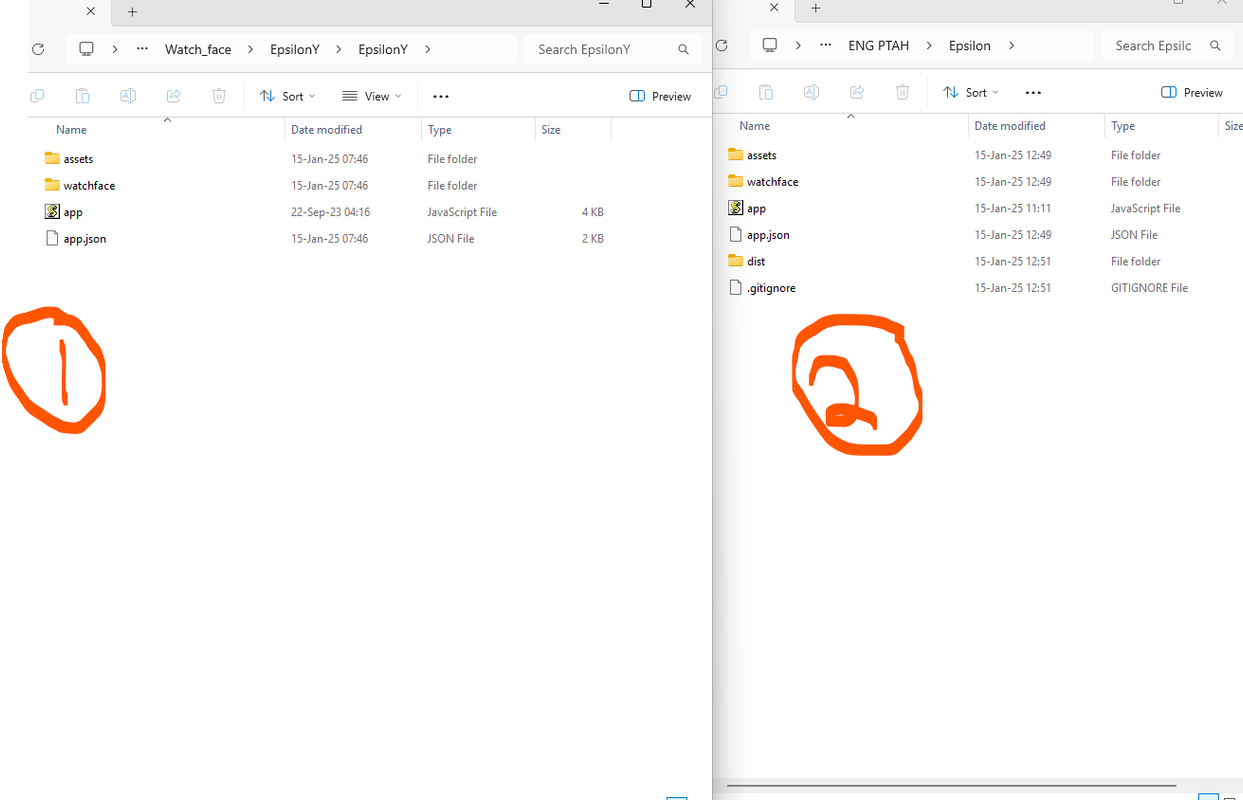
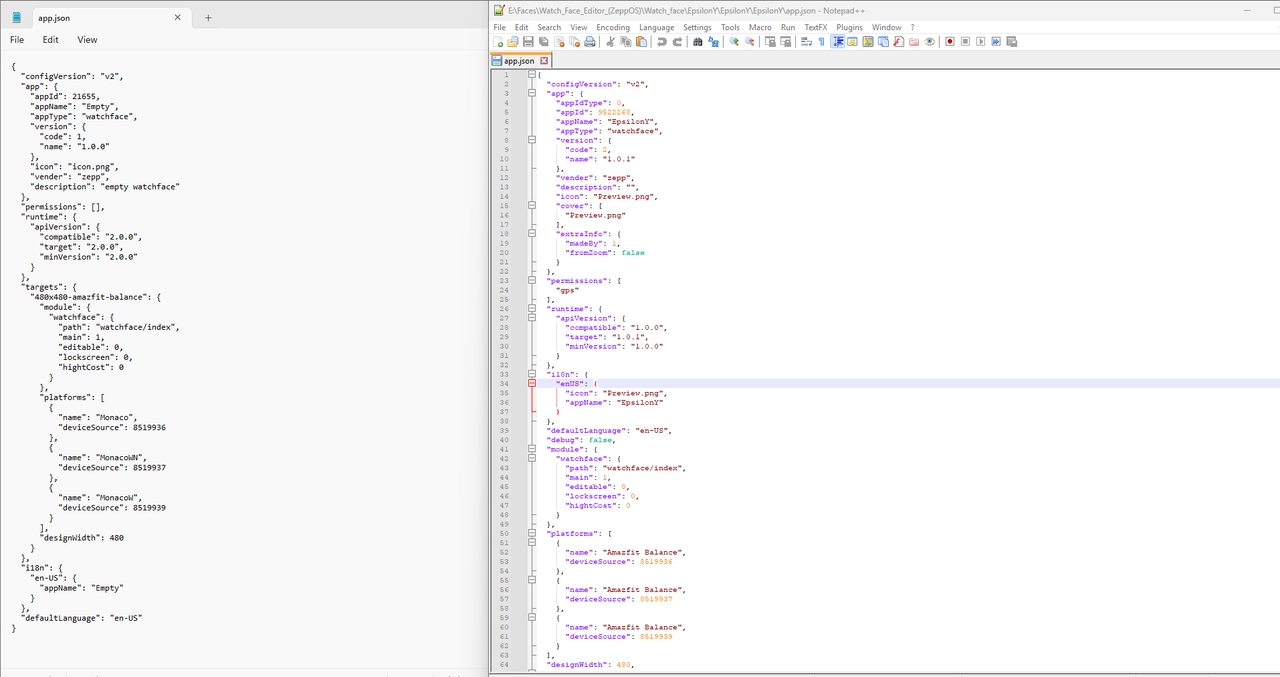
Here are the screen shots of the two json files. The one on the right is generated by Zeus CLI while the one on the left is from the packed watch face. I cannot find the init_view() function. Which lines should I specifically copy to the zeus app.json for the simulation to commence?
- SashaCX75
- Posts: 820
- Joined: 26 Oct 2019, 15:18
- Location: Ukraine
- Has thanked: 13 times
- Been thanked: 1029 times
- Contact:
"But you will need to copy other elements besides the function."
A typo in the translation.
- SashaCX75
- Posts: 820
- Joined: 26 Oct 2019, 15:18
- Location: Ukraine
- Has thanked: 13 times
- Been thanked: 1029 times
- Contact:
@piotarock
1. The editor makes watch faces on API 1. In Zeus CLI you have created code on API 2. They have fundamentally different code and cannot be copied. Create a watch face on API 1. If it is important for your design to use functions that are available only on API 2, you can take only coordinates of elements from the editor, and the whole code will have to be rewritten.
2. You don't need to change the app.json file. You only need to change the lockscreen parameter in it if you want to add AOD. And permissions section if you use API 2. You need to change the *.js file in the watchface folder.
3. Maybe you don't need to use Zeus CLI. If you need to make small changes in the code, it is easier to edit the code in any editor and test the result in ZeppPlayer. But not everything works in it.
1. The editor makes watch faces on API 1. In Zeus CLI you have created code on API 2. They have fundamentally different code and cannot be copied. Create a watch face on API 1. If it is important for your design to use functions that are available only on API 2, you can take only coordinates of elements from the editor, and the whole code will have to be rewritten.
2. You don't need to change the app.json file. You only need to change the lockscreen parameter in it if you want to add AOD. And permissions section if you use API 2. You need to change the *.js file in the watchface folder.
3. Maybe you don't need to use Zeus CLI. If you need to make small changes in the code, it is easier to edit the code in any editor and test the result in ZeppPlayer. But not everything works in it.
Who is online
Users browsing this forum: Amazon [Bot] and 1 guest