• Administrador
  •  
    Support Ukraine
    If you experience any problems with the forum (it is not visible, there is no way to post messages, or some functionality does not work), please let us know. If you have problems with registration or you did not receive confirmation letter, let us know and we will activate your account manually.
    If you get an "The submitted form was invalid. Try submitting again" error, delete cookies, then try again.
     

Seonds progress (linear mode) and also step

This forum is designed to discuss existing tools for creating watch faces.

Moderadores: asoo, lvpokka, Internal error, Watchmens

Reglas del Foro
All communication in this branch should only be in English.
Responder
piotarock
WF maker
Mensajes: 40
Registrado: 22 Ago 2024, 07:53
Ubicación: Kenya
Has thanked: 15 times
Been thanked: 1 time
Contactar:

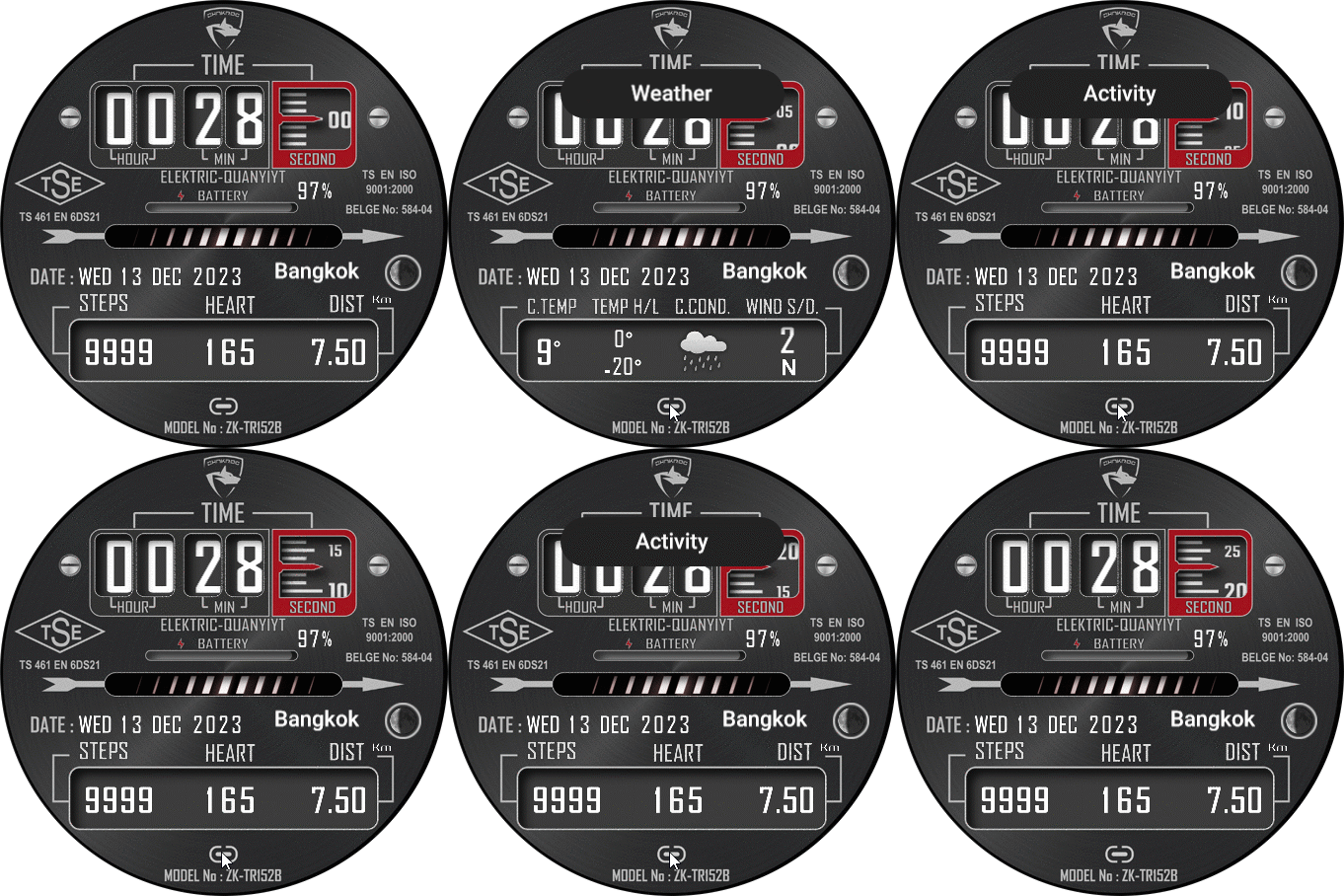
Seonds progress (linear mode) and also step

Mensaje por piotarock »

Hello devs,

Is it possible to use the editor to make second and step progress as shown in the image? Seondly, how can I add the week number using the editor by sasha? For example, week 10, day 100, etc.
Spoiler
Imagen
Avatar de Usuario
asoo
Mensajes: 2153
Registrado: 03 Ene 2019, 01:48
Ubicación: ͼͽ Thailand ͼͽ
Has thanked: 415 times
Been thanked: 2075 times

Mensaje por asoo »

piotarock escribió: 23 Feb 2026, 08:49
Hello devs,

Is it possible to use the editor to make second and step progress as shown in the image? Seondly, how can I add the week number using the editor by sasha? For example, week 10, day 100, etc.
Spoiler
Imagen
Regarding the week section, I'm not sure.
But the "show seconds by using step progress" section in the editor doesn't have this widget.
However, if you want it, you'll have to write a script to add it yourself.
This script can be written in many different ways, depending on each person's idea.
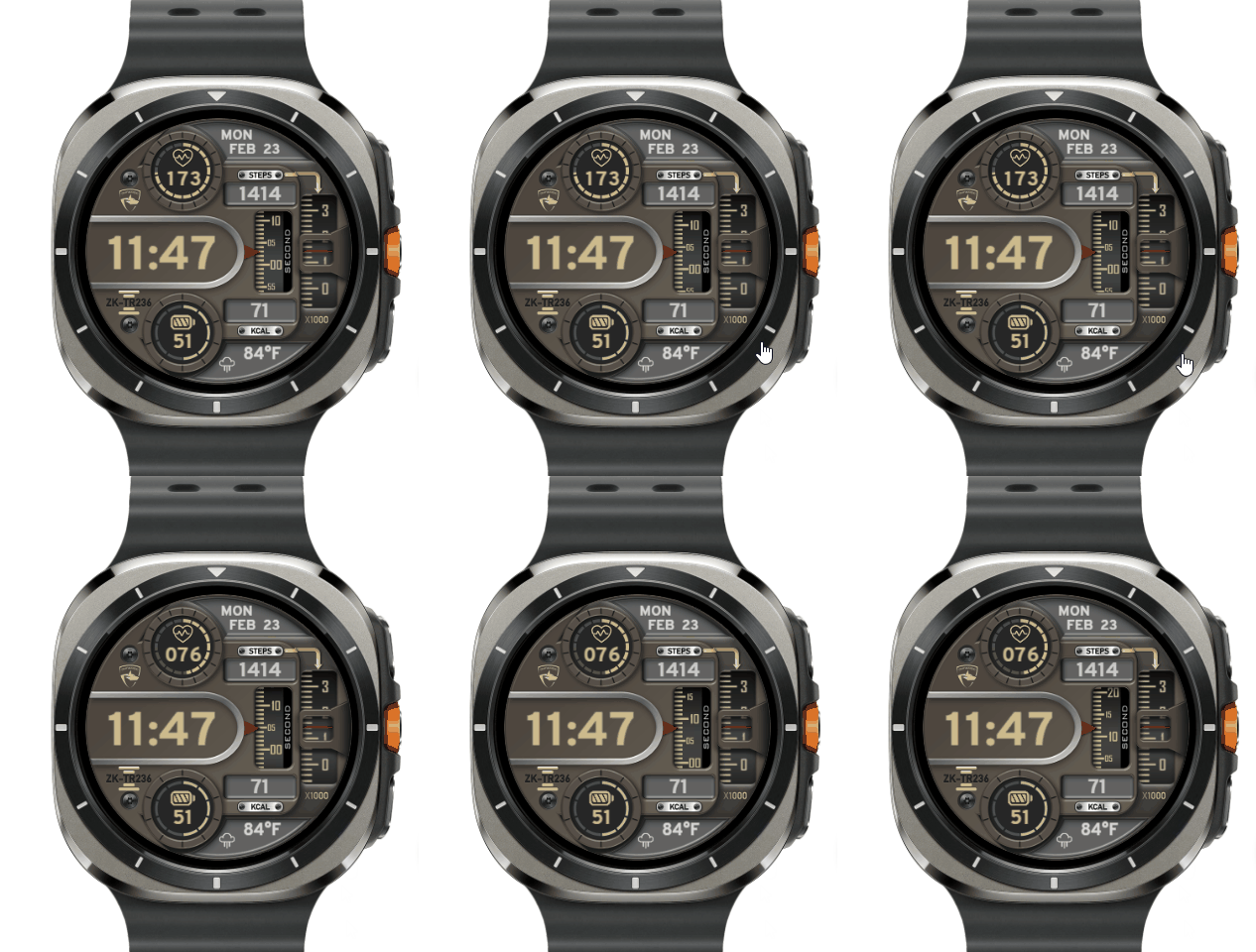
This is an example I've created; it's the simplest method I can think of.
But you need to create a 60-frame image to show this progress.
Preview
Imagen
https://amazfitwatchfaces.com/gtr/view/37212
ͼͽ To request please use the interrelated forum in action ͼͽ
Please do not PM to me for requests ported watchface.
Avatar de Usuario
SashaCX75
Mensajes: 820
Registrado: 26 Oct 2019, 15:18
Ubicación: Ukraine
Has thanked: 13 times
Been thanked: 1030 times
Contactar:

Mensaje por SashaCX75 »

asoo escribió: 23 Feb 2026, 14:31
This is an example I've created; it's the simplest method I can think of.
But you need to create a 60-frame image to show this progress.
This is the simplest option and the easiest to adapt to different models.
But you can also make one image with the background as a mask. And under it, place one image with a seconds scale and move it vertically.
piotarock
WF maker
Mensajes: 40
Registrado: 22 Ago 2024, 07:53
Ubicación: Kenya
Has thanked: 15 times
Been thanked: 1 time
Contactar:

Mensaje por piotarock »

Thank you very much for the ideas @asoo
Avatar de Usuario
asoo
Mensajes: 2153
Registrado: 03 Ene 2019, 01:48
Ubicación: ͼͽ Thailand ͼͽ
Has thanked: 415 times
Been thanked: 2075 times

Mensaje por asoo »

piotarock escribió: 24 Feb 2026, 03:14
Thank you very much for the ideas @asoo
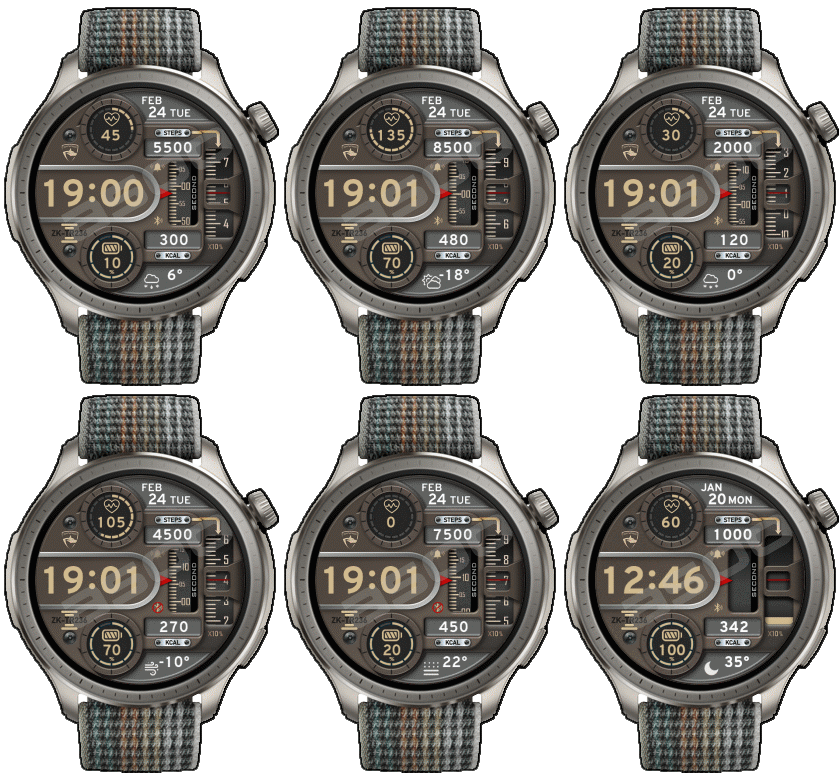
This is another example of using a single image, scrolling up and down by changing the x,y values ​​(in this case, the Y value) to show seconds and steps. Hope this is useful to you.
Preview
Imagen
https://amazfitwatchfaces.com/balance/view/6553
ͼͽ To request please use the interrelated forum in action ͼͽ
Please do not PM to me for requests ported watchface.
piotarock
WF maker
Mensajes: 40
Registrado: 22 Ago 2024, 07:53
Ubicación: Kenya
Has thanked: 15 times
Been thanked: 1 time
Contactar:

Mensaje por piotarock »

It is very useful sir. Let me check it out.
Responder

Volver a “Watchfaces tools (discussion)”

¿Quién está conectado?

Usuarios navegando por este Foro: No hay usuarios registrados visitando el Foro y 1 invitado