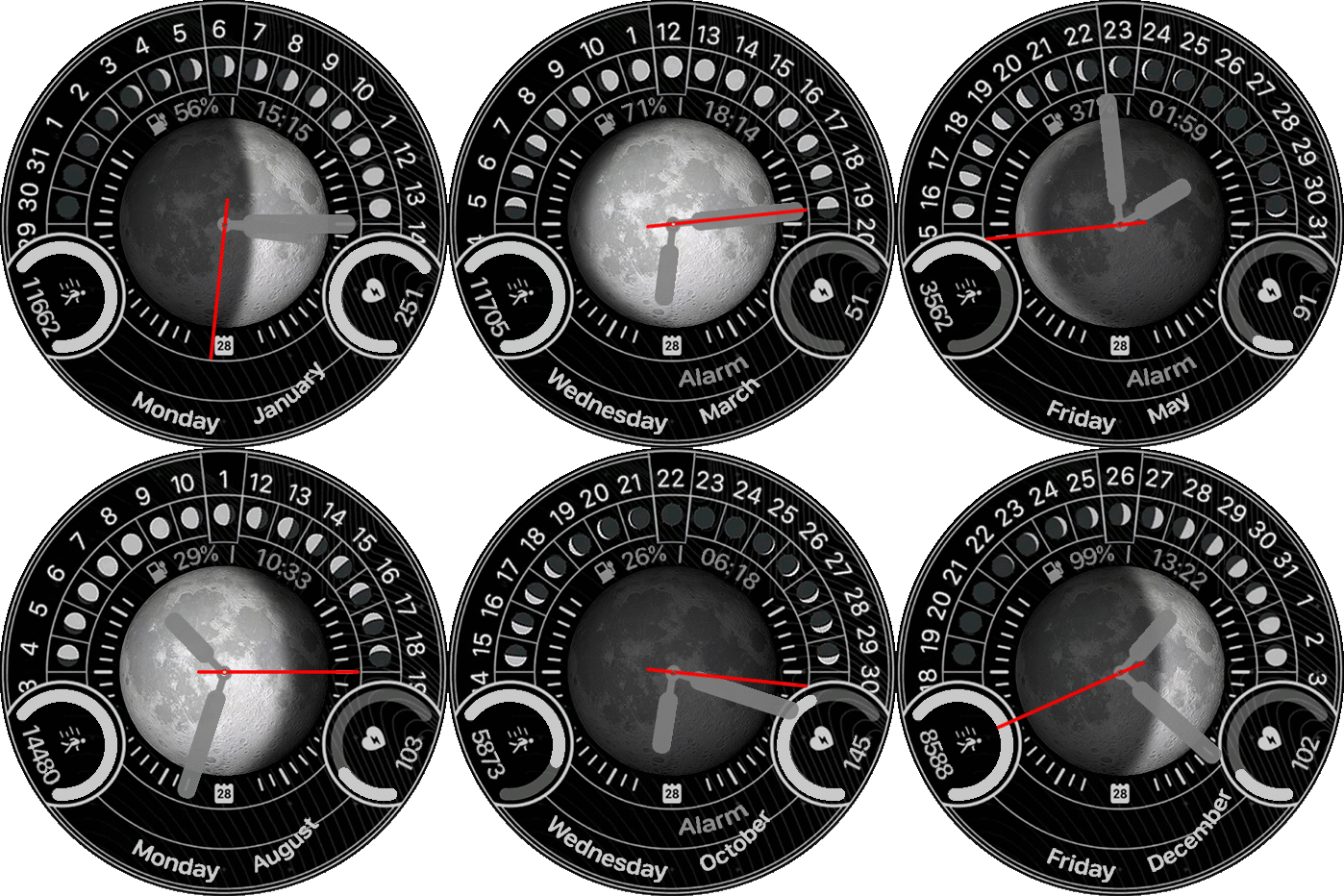
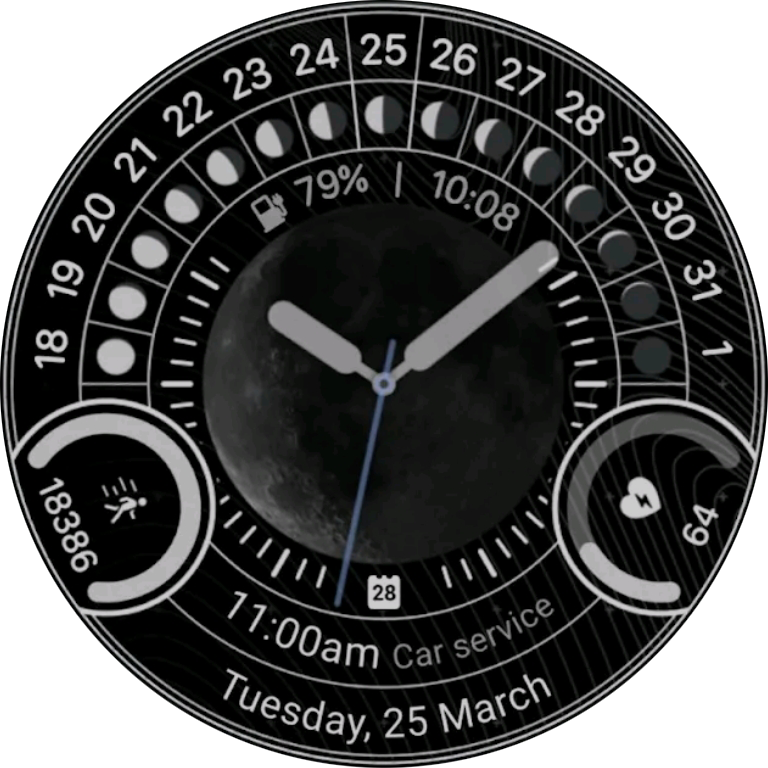
Hey Guys!
I'm working on apple watch lunar watchface which is also made for wear os. As a graphic expert I remake all the images need for this watch face but due to sasha's watchface creator I can't finish it. I will be pleased with any help. So these are my problems:
1. I want to add the next alarm clock when the user enables the alarm.
2.I want add numbers(simple 0 to 9 images) as well as number dial( all over the edge of the screen. But since I'm using an image to cover half of the number dial and because both of them located in the "Date" section of the watchface, I can't add both of them in the watchface creator.
PS: I know the Month Names are not aligned and that can be fixed easily.
-
- Administrator
-
-
Support Ukraine
If you experience any problems with the forum (it is not visible, there is no way to post messages, or some functionality does not work), please let us know. If you have problems with registration or you did not receive confirmation letter, let us know and we will activate your account manually.
If you get an "The submitted form was invalid. Try submitting again" error, delete cookies, then try again.
Lunar Watchface
Forum rules
When adding a new topic, use the template: Topic title [device name]
For example: How to create watch face [GTR 3 Pro]
All communication in this branch should only be in English.
When adding a new topic, use the template: Topic title [device name]
For example: How to create watch face [GTR 3 Pro]
All communication in this branch should only be in English.
-
MSKefayati
- WF maker
- Posts: 39
- Joined: 03 Aug 2020, 15:32
- Location: Austin, US
- Has thanked: 3 times
- Been thanked: 1 time
- Contact:
- SashaCX75
- Posts: 820
- Joined: 26 Oct 2019, 15:18
- Location: Ukraine
- Has thanked: 13 times
- Been thanked: 1029 times
- Contact:
You can't do what you want in the editor. You have to edit the code to do it.
1. To display the alarm clock time you can make any widget in the editor instead of it and place it in the necessary place. It is better to use for this distance or sunrise, because they have a separator in the data. And then in the ready watch face change its type to data_type.ALARM_CLOCK.
2. I didn't understand what you want to get in the end and why you need to place numbers on the edge of the screen.
1. To display the alarm clock time you can make any widget in the editor instead of it and place it in the necessary place. It is better to use for this distance or sunrise, because they have a separator in the data. And then in the ready watch face change its type to data_type.ALARM_CLOCK.
2. I didn't understand what you want to get in the end and why you need to place numbers on the edge of the screen.
Who is online
Users browsing this forum: No registered users and 0 guests