• Administrador
  •  
    Support Ukraine
    If you experience any problems with the forum (it is not visible, there is no way to post messages, or some functionality does not work), please let us know. If you have problems with registration or you did not receive confirmation letter, let us know and we will activate your account manually.
    If you get an "The submitted form was invalid. Try submitting again" error, delete cookies, then try again.
     

Date format is incorrectly displayed as month/day. [T-Rex 3 Pro]

Topics related to the creation, development, and designing of the watch faces.

Moderadores: asoo, Watchmens

Reglas del Foro
When adding a new topic, use the template: Topic title [device name]
For example: How to create watch face [T-Rex Pro]
All communication in this branch should only be in English.
Responder
mbmuch
Mensajes: 5
Registrado: 01 Feb 2026, 19:21
Ubicación: Bonn
Has thanked: 5 times
Contactar:

Date format is incorrectly displayed as month/day. [T-Rex 3 Pro]

Mensaje por mbmuch »

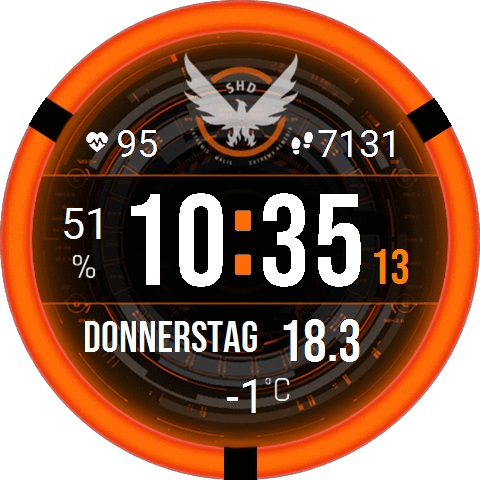
The date is displayed correctly in the watch face editor, including in the PNG preview. After installation on the watch, the date is displayed incorrectly, not in the European day/month format. What do I need to change?
Spoiler
Imagen
Cheers
Adjuntos
mbmuch_spartan_v3_T_Rex_3_Pro_48mm.zip
(120.79 KiB) Descargado 82 veces
Avatar de Usuario
asoo
Mensajes: 2153
Registrado: 03 Ene 2019, 01:48
Ubicación: ͼͽ Thailand ͼͽ
Has thanked: 415 times
Been thanked: 2075 times

Mensaje por asoo »

mbmuch escribió: 10 Mar 2026, 08:58
The date is displayed correctly in the watch face editor, including in the PNG preview. After installation on the watch, the date is displayed incorrectly, not in the European day/month format. What do I need to change?
Spoiler
Imagen
Cheers
My country also uses the day-month format.
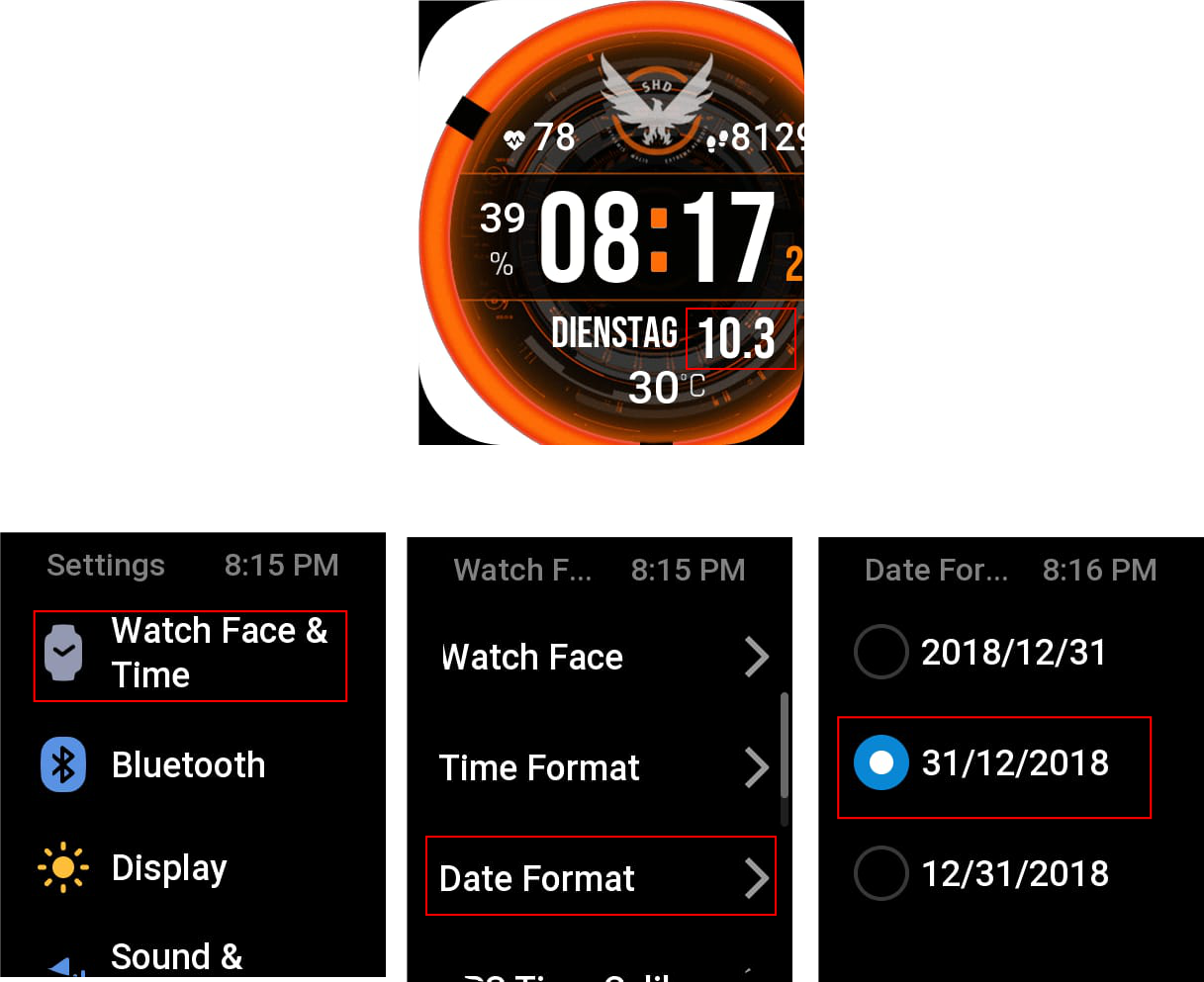
I tried installing your watch face on my Bip6, and it displayed the date format as day-month. I'm not sure if it's due to the T_Rex_3_Pro_48mm firmware or if there's a setting for changing the date format, which I'm not sure if the Trex 3pro 48mm has a menu to change the format.
But on the Bip6, you can change the date format.
Settings --> watchface & time ---> Date Format
Images in the test.
Imagen
ͼͽ To request please use the interrelated forum in action ͼͽ
Please do not PM to me for requests ported watchface.
mbmuch
Mensajes: 5
Registrado: 01 Feb 2026, 19:21
Ubicación: Bonn
Has thanked: 5 times
Contactar:

Mensaje por mbmuch »

Dude, you're right, I have that menu on my TRex3 Pro too. But tell me why it changed with this face? I haven't had any problems with the display before. But whatever. You've got the answer. Thanks a lot!
Cheers from Germany
Responder

Volver a “Watchfaces discussion”

¿Quién está conectado?

Usuarios navegando por este Foro: No hay usuarios registrados visitando el Foro y 1 invitado