• Administrator
  •  
    Support Ukraine
    If you experience any problems with the forum (it is not visible, there is no way to post messages, or some functionality does not work), please let us know. If you have problems with registration or you did not receive confirmation letter, let us know and we will activate your account manually.
    If you get an "The submitted form was invalid. Try submitting again" error, delete cookies, then try again.
     

Date format is incorrectly displayed as month/day. [T-Rex 3 Pro]

Topics related to the creation, development, and designing of the watch faces.

Moderators: asoo, Watchmens

Forum rules
When adding a new topic, use the template: Topic title [device name]
For example: How to create watch face [T-Rex Pro]
All communication in this branch should only be in English.
Post Reply
mbmuch
Posts: 5
Joined: 01 Feb 2026, 19:21
Location: Bonn
Has thanked: 5 times
Contact:

Date format is incorrectly displayed as month/day. [T-Rex 3 Pro]

Post by mbmuch »

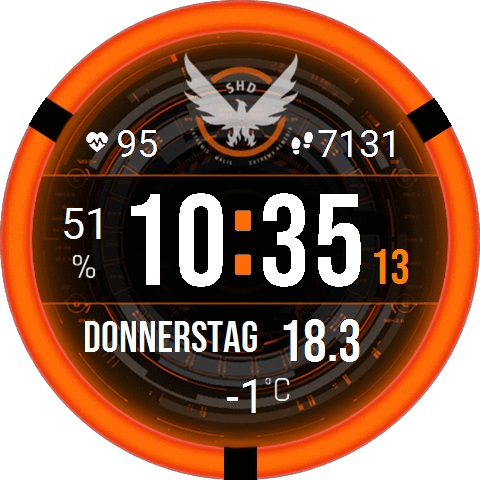
The date is displayed correctly in the watch face editor, including in the PNG preview. After installation on the watch, the date is displayed incorrectly, not in the European day/month format. What do I need to change?
Spoiler
Image
Cheers
Attachments
mbmuch_spartan_v3_T_Rex_3_Pro_48mm.zip
(120.79 KiB) Downloaded 66 times
User avatar
asoo
Posts: 2109
Joined: 03 Jan 2019, 01:48
Location: ͼͽ Thailand ͼͽ
Has thanked: 404 times
Been thanked: 2023 times

Post by asoo »

mbmuch wrote: 10 Mar 2026, 08:58
The date is displayed correctly in the watch face editor, including in the PNG preview. After installation on the watch, the date is displayed incorrectly, not in the European day/month format. What do I need to change?
Spoiler
Image
Cheers
My country also uses the day-month format.
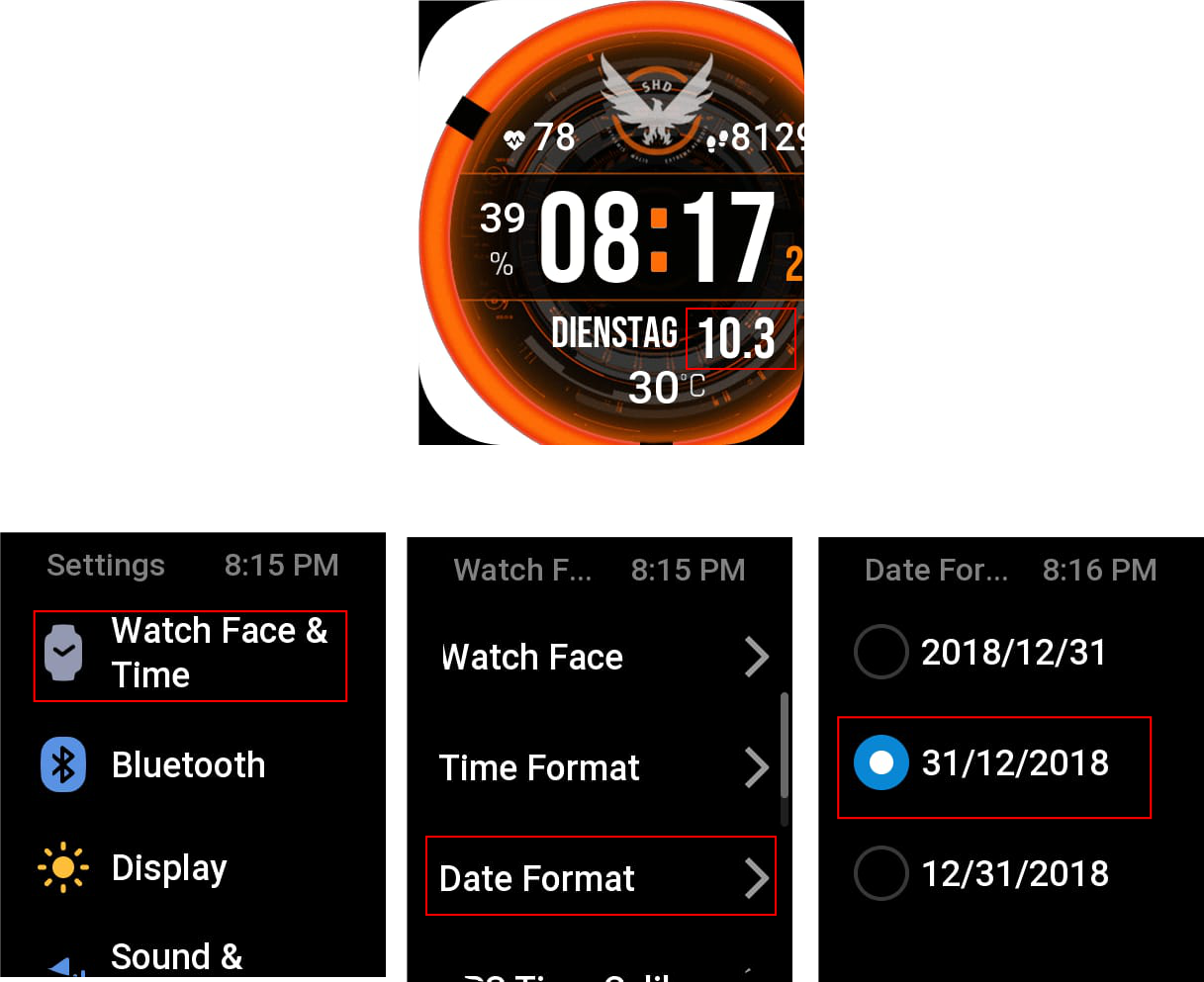
I tried installing your watch face on my Bip6, and it displayed the date format as day-month. I'm not sure if it's due to the T_Rex_3_Pro_48mm firmware or if there's a setting for changing the date format, which I'm not sure if the Trex 3pro 48mm has a menu to change the format.
But on the Bip6, you can change the date format.
Settings --> watchface & time ---> Date Format
Images in the test.
Image
ͼͽ To request please use the interrelated forum in action ͼͽ
Please do not PM to me for requests ported watchface.
mbmuch
Posts: 5
Joined: 01 Feb 2026, 19:21
Location: Bonn
Has thanked: 5 times
Contact:

Post by mbmuch »

Dude, you're right, I have that menu on my TRex3 Pro too. But tell me why it changed with this face? I haven't had any problems with the display before. But whatever. You've got the answer. Thanks a lot!
Cheers from Germany
Post Reply

Return to “Watchfaces discussion”

Who is online

Users browsing this forum: No registered users and 1 guest