• Administrator
  •  
    Support Ukraine
    If you experience any problems with the forum (it is not visible, there is no way to post messages, or some functionality does not work), please let us know. If you have problems with registration or you did not receive confirmation letter, let us know and we will activate your account manually.
    If you get an "The submitted form was invalid. Try submitting again" error, delete cookies, then try again.
     

GTS 4 Battery percentage images

Topics related to the creation, development, and designing of the watch faces.

Moderators: asoo, Watchmens

Forum rules
When adding a new topic, use the template: Topic title [device name]
For example: How to create watch face [GTR 3 Pro]
All communication in this branch should only be in English.
Post Reply
Emiliomc
WF maker
Posts: 63
Joined: 31 Jul 2022, 10:43
Location: España
Contact:

GTS 4 Battery percentage images

Post by Emiliomc »

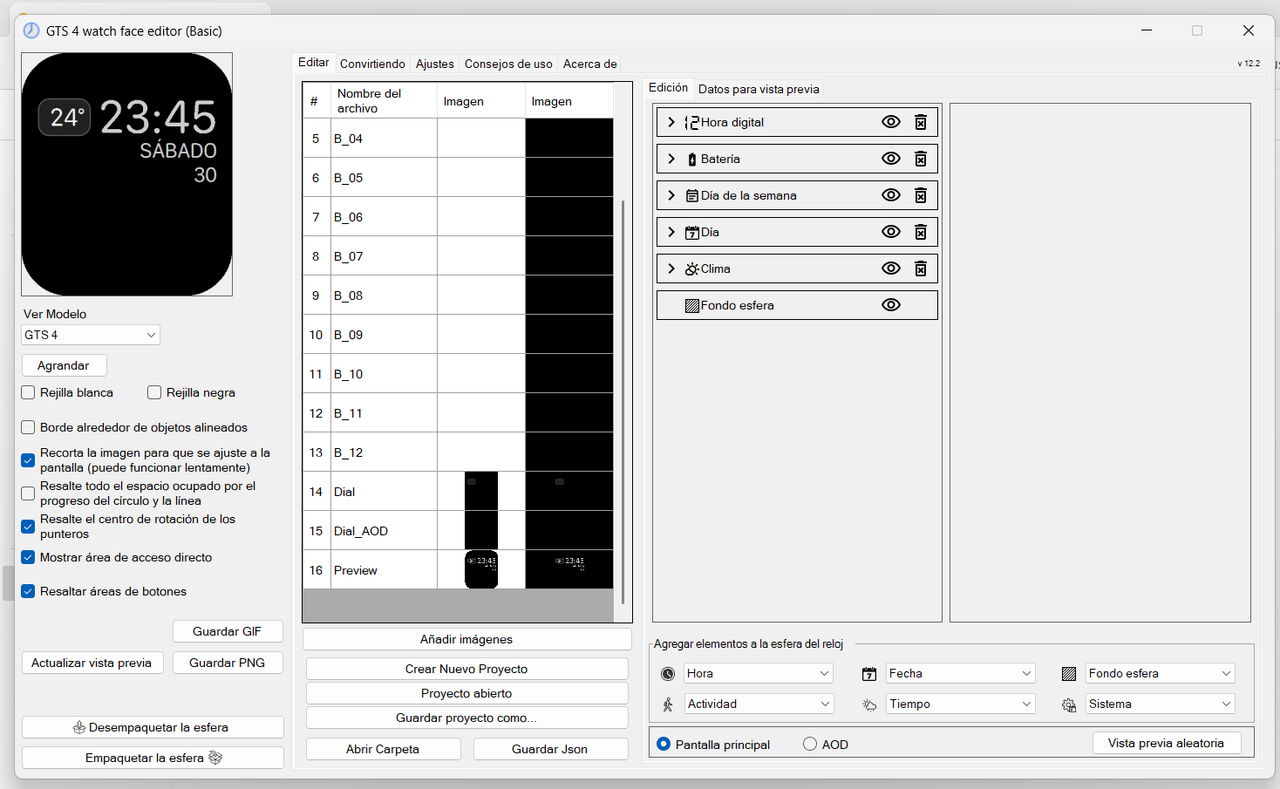
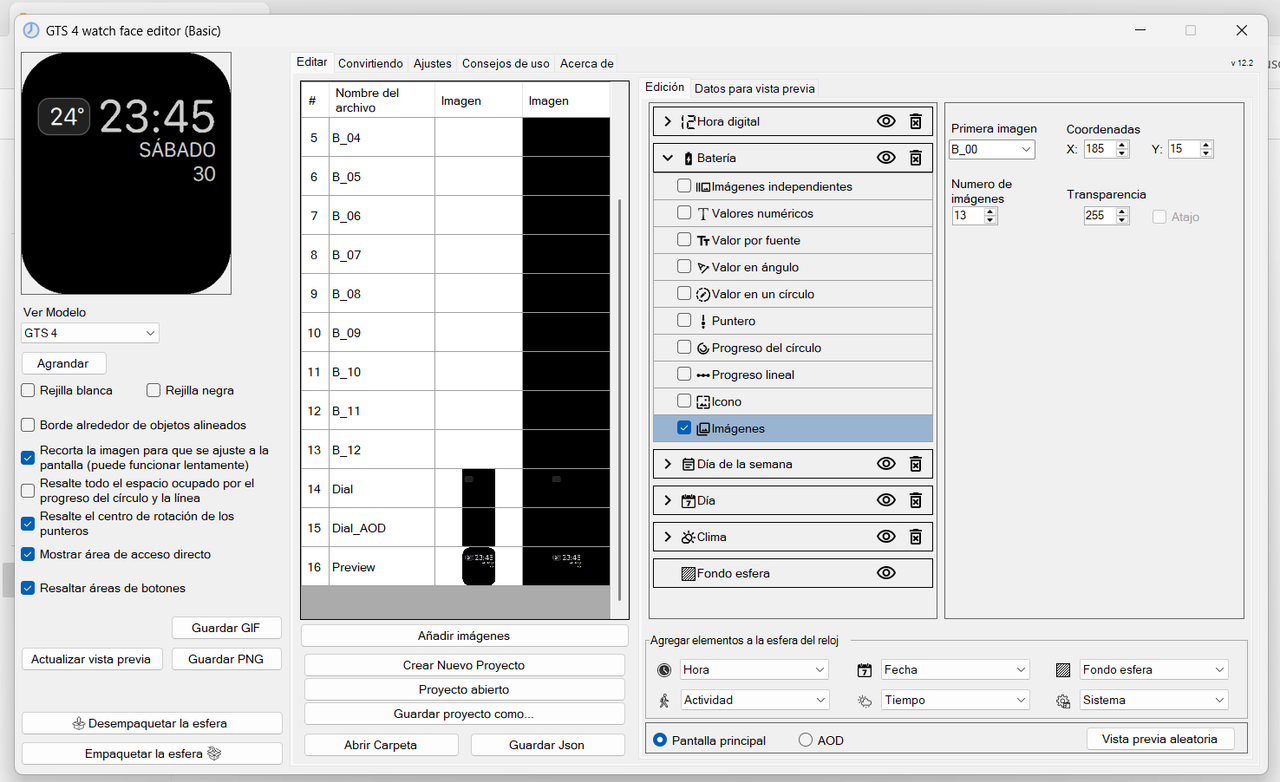
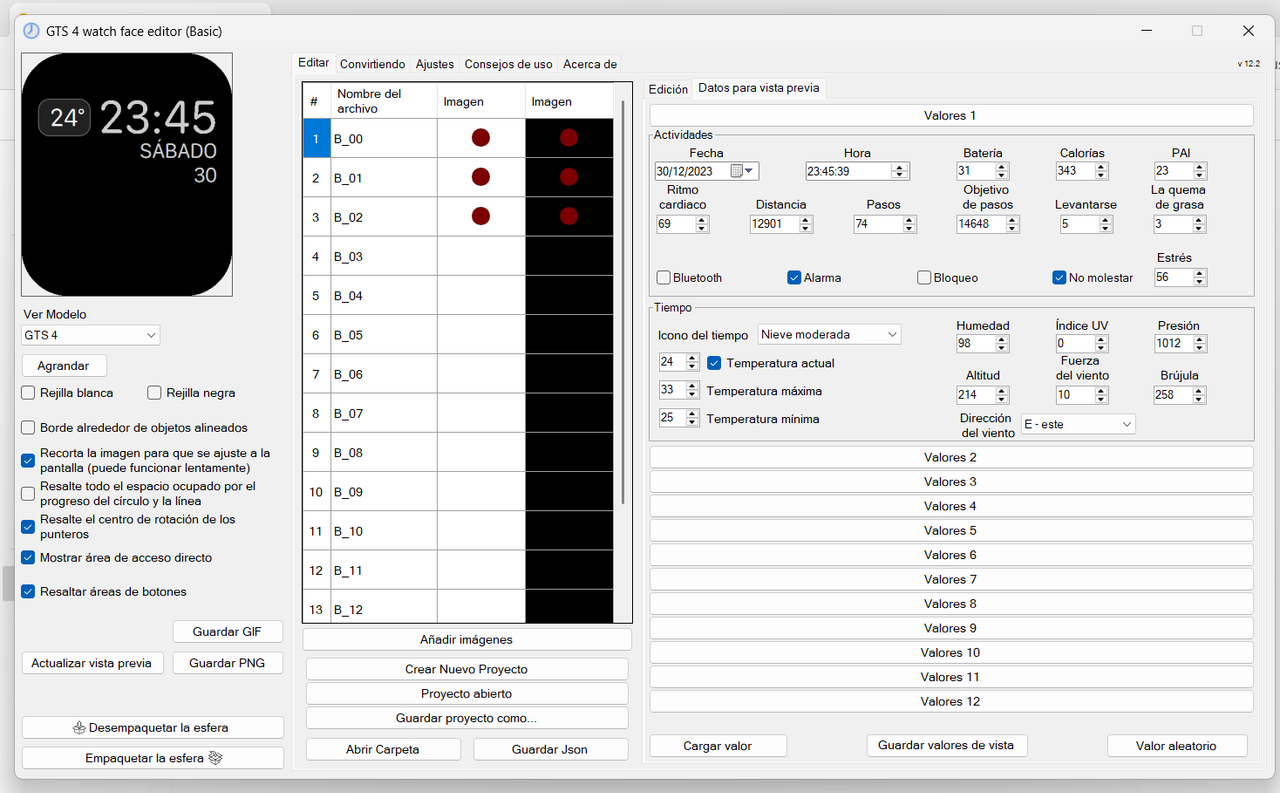
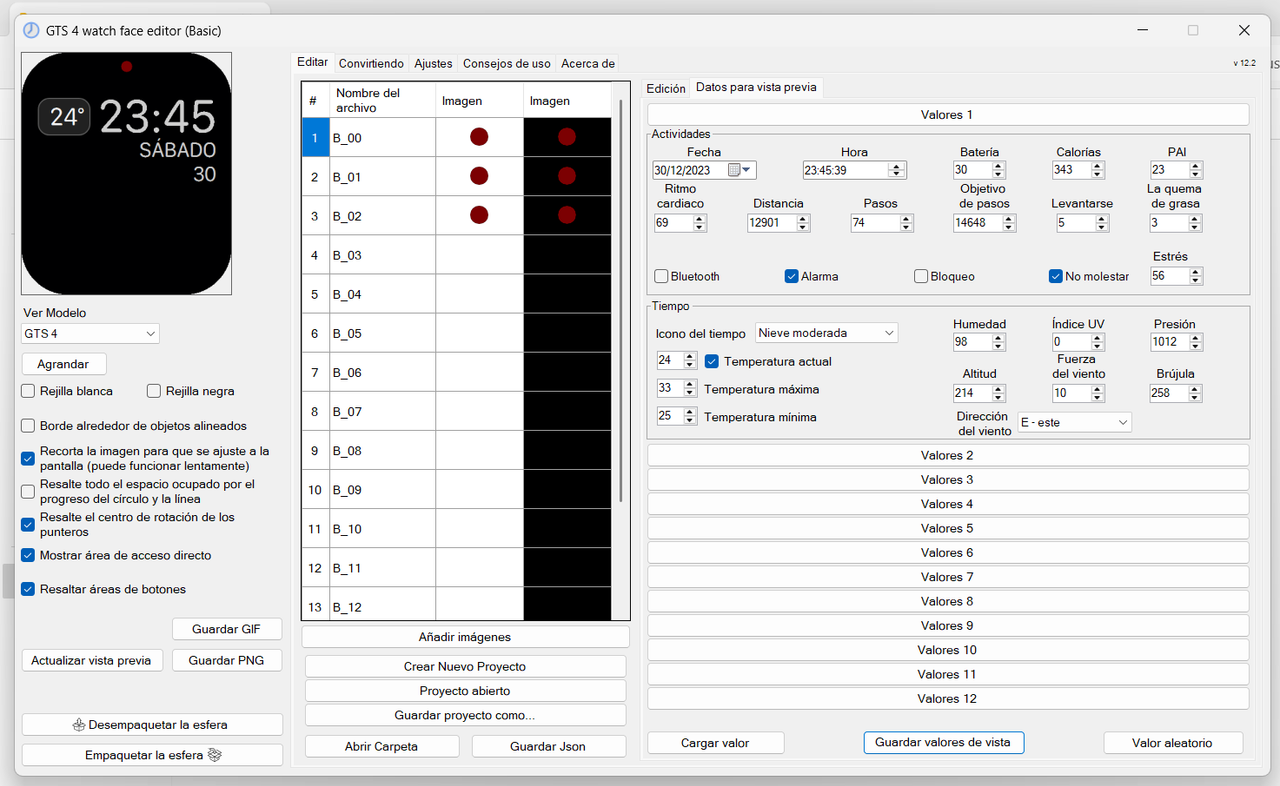
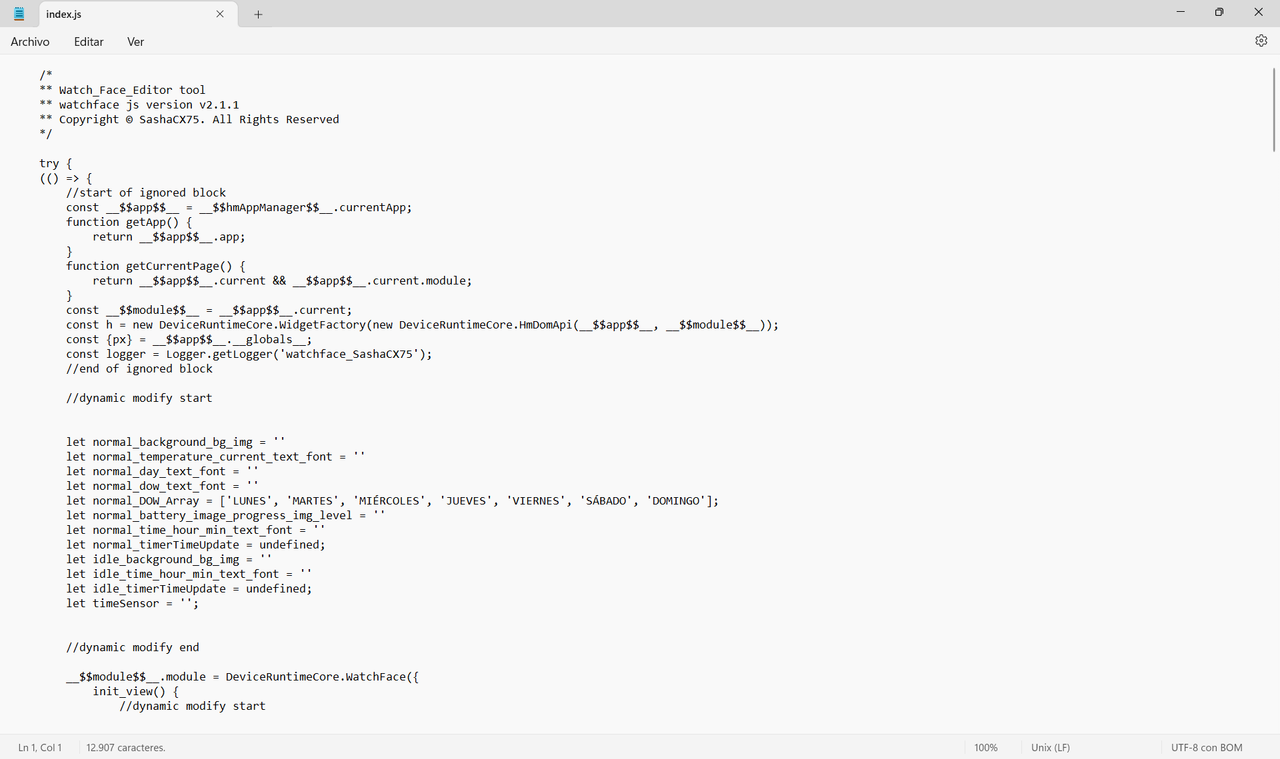
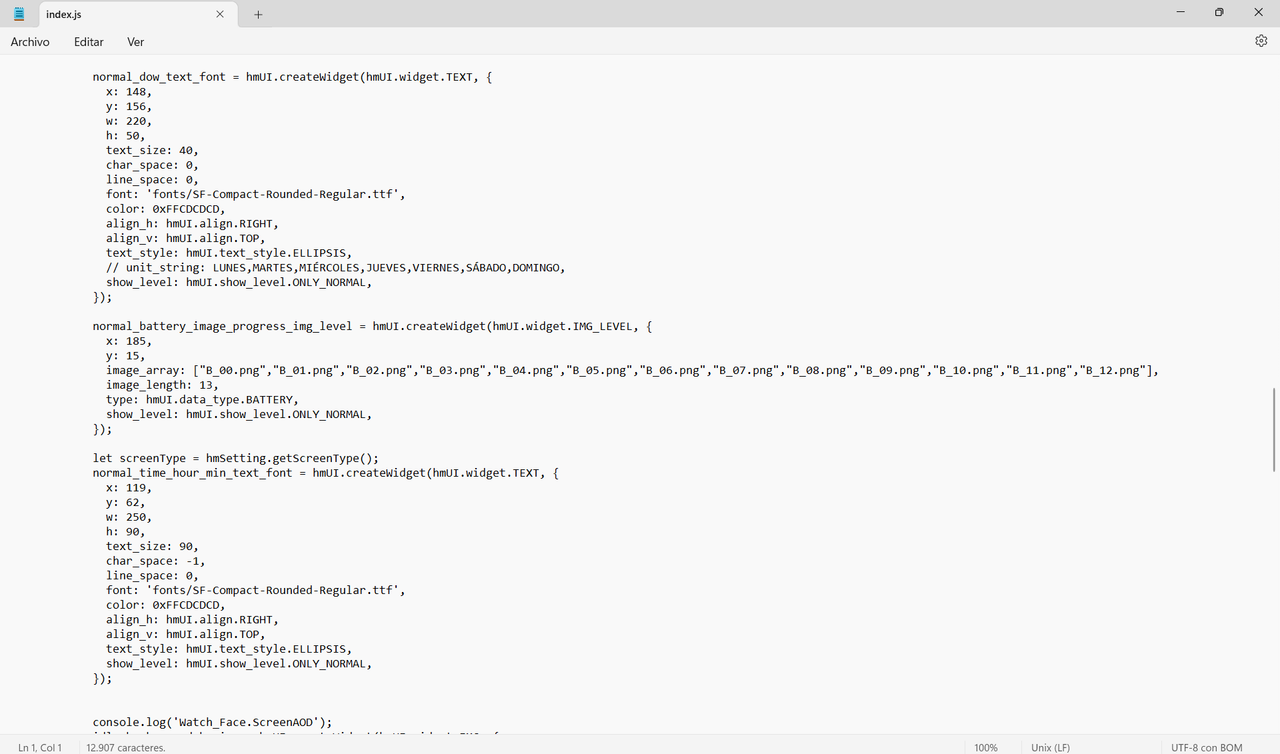
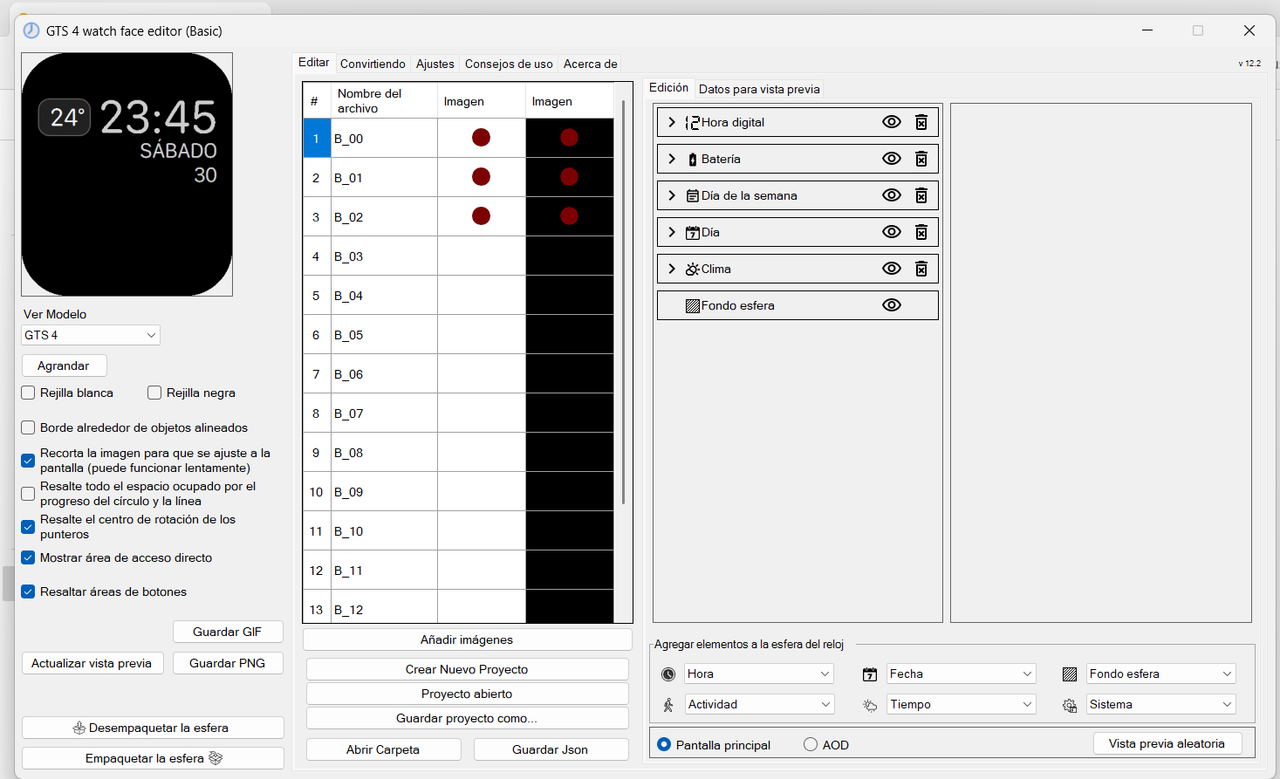
Hello. I apologize if this is not the subforum where you can consult this. I have created a very simple watchface. I have created 13 png images for battery percentage. The calculation I found for the red png image to be displayed when it reaches 30% is with 13 images. The first three are red and the following are transparent. In the previous image it works correctly as you can see in the images I attached, but on the device (Even after having restarted it) it does not work. I know it depends on the firmware. And I think it can be achieved with code. But I have no idea about code. Could you help me, please?
Spoiler
Image


Image


Image


Image


Image


Image


Image
User avatar
asoo
Posts: 2134
Joined: 03 Jan 2019, 01:48
Location: ͼͽ Thailand ͼͽ
Has thanked: 412 times
Been thanked: 2055 times

Post by asoo »

Emiliomc wrote: 18 Dec 2024, 16:28
Hello. I apologize if this is not the subforum where you can consult this. I have created a very simple watchface. I have created 13 png images for battery percentage. The calculation I found for the red png image to be displayed when it reaches 30% is with 13 images. The first three are red and the following are transparent. In the previous image it works correctly as you can see in the images I attached, but on the device (Even after having restarted it) it does not work. I know it depends on the firmware. And I think it can be achieved with code. But I have no idea about code. Could you help me, please?
Spoiler
Image


Image


Image


Image


Image


Image


Image
If I understand what you are saying correctly, you mean the display in the editor and in the clock do not match.

Which is the problem with each version of firmware that has different display requirements as you have mentioned.

I guess that the test you did before at 30% did not show the red dot on real device , I think , it's because the standard widget of the system brought one of the "transparent images" you created to show on 30% ,which does not match the results obtained in the editor ( I just only guess because I do not use GTS4 for tested).

So I think the solution is , if you still need to use the main standard widget of the system to do "image progress of battery".
You will have to test what color it shows at what % by changing the color of your 13 icons to 13 different colors to test for sure what color it shows at 30% or other value.

When you have tested on GTS4 for sure which % shows which color, you can then use the test results to create the color icon according to the format you want.

I think you will have to do all the testing yourself because as I said, I do not have GTS4 and each device has a different algorithm for displaying.

And please do not forget some of the requirements that "Sasha" mentioned:
"You can also choose the necessary number of images for your model. But please note that in the standard widget at a small value of charge (about less than 5%) images may not be displayed at all."

Hopefully this information will help you a little bit. .. ..
ͼͽ To request please use the interrelated forum in action ͼͽ
Please do not PM to me for requests ported watchface.
Emiliomc
WF maker
Posts: 63
Joined: 31 Jul 2022, 10:43
Location: España
Contact:

Post by Emiliomc »

Thank you very much for responding. Yours seems like a very good idea. You could put 26 png, instead of 13 (so there are more images) and all with color ranges to find out when it reaches 30%. Thank you very much for your help.
User avatar
SashaCX75
Posts: 820
Joined: 26 Oct 2019, 15:18
Location: Ukraine
Has thanked: 13 times
Been thanked: 1029 times
Contact:

Post by SashaCX75 »

I would suggest using 20 images. Then the images are likely to change every 5% and there is a good chance that you will get what you want.

For tests it is easier to use images with numbers. Then it will be clear at what level of charge which image is displayed. It is also more convenient to test when charging the watch. Then in a few hours you can check the display of images for the whole range of values.
Post Reply

Return to “Watchfaces discussion”

Who is online

Users browsing this forum: No registered users and 1 guest