• Administrator
  •  
    Support Ukraine
    If you experience any problems with the forum (it is not visible, there is no way to post messages, or some functionality does not work), please let us know. If you have problems with registration or you did not receive confirmation letter, let us know and we will activate your account manually.
    If you get an "The submitted form was invalid. Try submitting again" error, delete cookies, then try again.
     

Collaboration Request

Topics related to the creation, development, and designing of the watch faces.

Moderators: asoo, Watchmens

Forum rules
When adding a new topic, use the template: Topic title [device name]
For example: How to create watch face [GTR 3 Pro]
All communication in this branch should only be in English.
MSKefayati
WF maker
Posts: 39
Joined: 03 Aug 2020, 15:32
Location: Austin, US
Has thanked: 3 times
Been thanked: 1 time
Contact:

Collaboration Request

Post by MSKefayati »

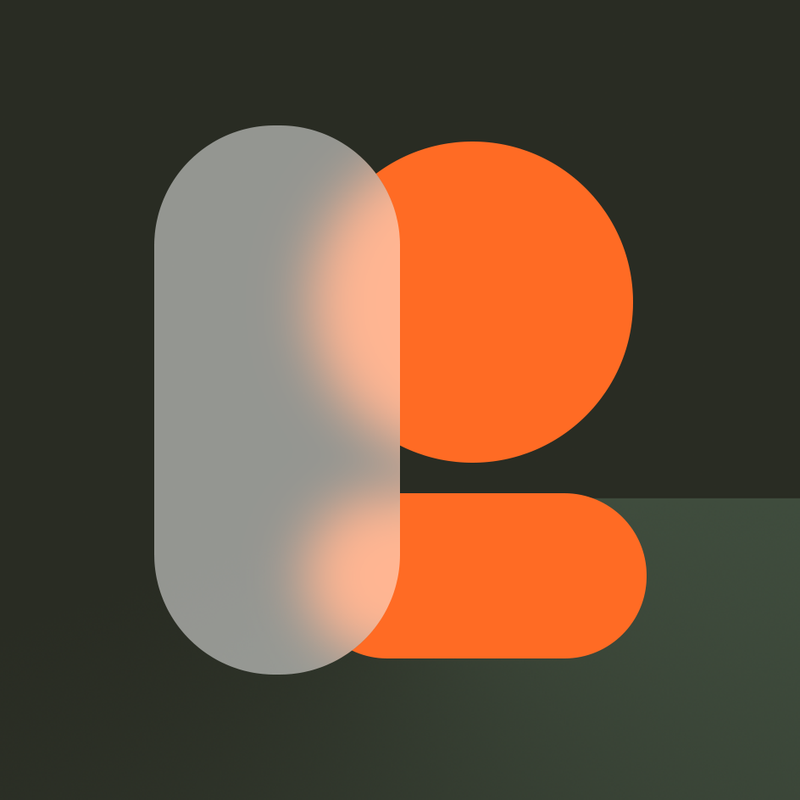
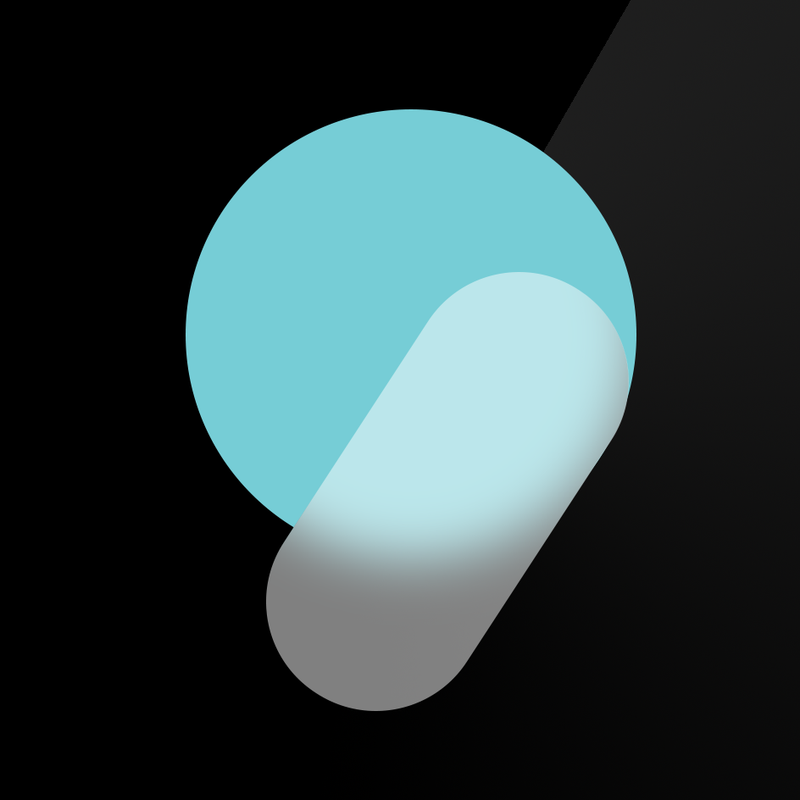
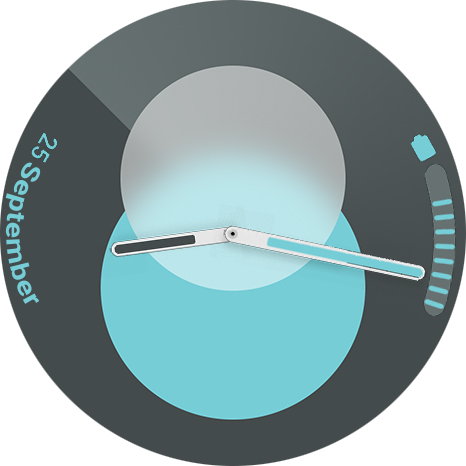
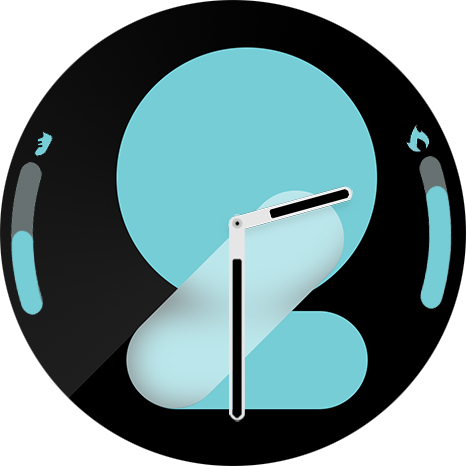
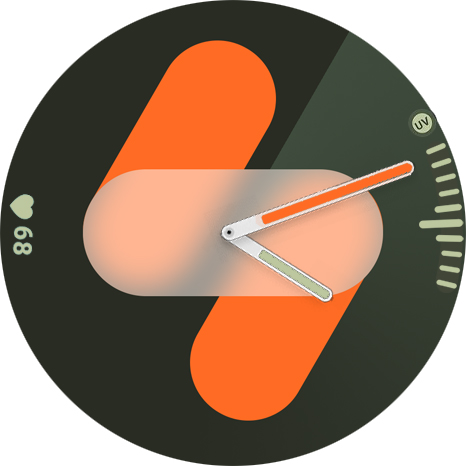
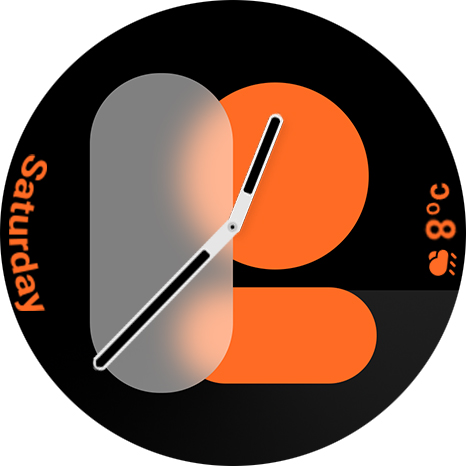
Hi. I'm master in graphics and photoshop and I've remade all the "Spatial Number" watchface of Galaxy watch 7 but I need a programmer who can make watchface with complicated editable elements and different color versions of numbers. :geek:
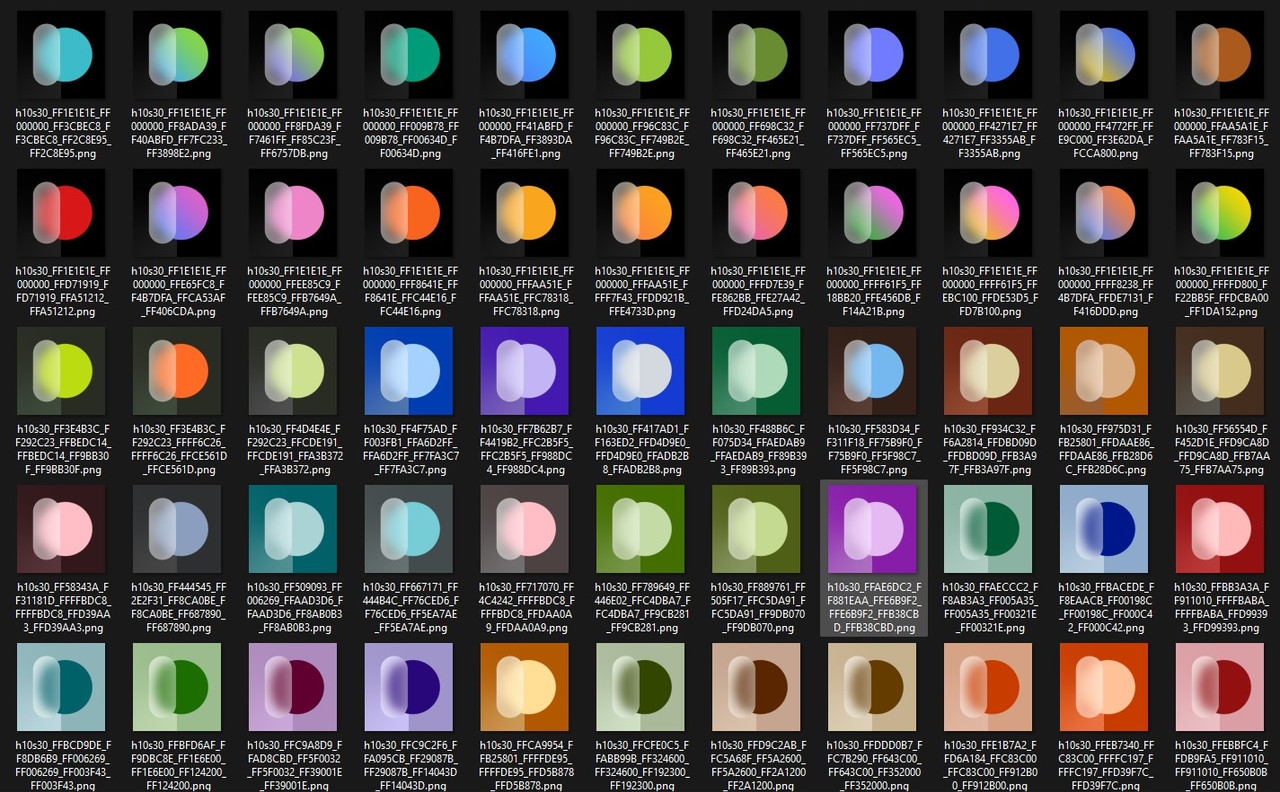
Here are some elements and colors I've made:
Spoiler

Image
Image
Image
Image
If anyone is interested and can program this watchface, contact me for collaboration. ;)
Thanks
User avatar
SashaCX75
Posts: 820
Joined: 26 Oct 2019, 15:18
Location: Ukraine
Has thanked: 13 times
Been thanked: 1029 times
Contact:

Post by SashaCX75 »

Describe in more detail what you want to get. Preferably a Sketch of your watch face design.
I haven't seen the Spatial Number watch face work, and in the preview it always shows the same numbers, so it's not clear what it is. Also need to know if you want to change only these numbers or if other design elements should change colour too.

And most importantly, for which model do you want to make the watch face?
MSKefayati
WF maker
Posts: 39
Joined: 03 Aug 2020, 15:32
Location: Austin, US
Has thanked: 3 times
Been thanked: 1 time
Contact:

Post by MSKefayati »

I've made some prototypes for you. I attached them along with color palette.This watchface is basically the default watchface of galaxy watch7. Just search it.
Now to describe it:
-The Background number is based on current hour.
-The left and right edge of the screen is fully customizable(Pulse, Calories, Step progress, Battery, Weather,UV Level,month,weekday)
-The AOD color is Based On the screen on color(I put two normal and 2 AOD Screen to see the difference, also in the color palette image you can see the screen on and AOD version colors)
-The Hour Hand Color is also based on Back ground color
- I have amazfit GTR 4. I think it's a beautiful watchface for amazfit GTR4 and Balance.

PS: I know How to make simple watchface that the BG number follows the hour but i can't add Customizable color and elements to it since the BG is actually hour number and not a simple BG.
Spoiler
Image

Image

Image

Image

Image
User avatar
SashaCX75
Posts: 820
Joined: 26 Oct 2019, 15:18
Location: Ukraine
Has thanked: 13 times
Been thanked: 1029 times
Contact:

Post by SashaCX75 »

- In the original, these numbers are animated. You can't do that here.
- Due to the fact that the figures can overlap each other and have a blurring effect (frost) it will not be possible to just make 10 images, one for each figure. You need to make a set of 24 images. And that's all still multiplied by the number of colours. I'm not sure that watch face with so many files (1 320 only for these numbers) will work normally.
- If you want the colour of the minute and hour hands to change they also need to be made by the number of colours.
- The rest of the elements will most likely be made in the form of a mask, under which will be the selected main colour. So you won't have to make them for each colour. But they will still need to be made separately for the left and right parts. But this will happen only if the background colour next to them will always be the same (e.g. black).

As you can see there are a lot of limitations and maybe the final result will not be as you want.
MSKefayati
WF maker
Posts: 39
Joined: 03 Aug 2020, 15:32
Location: Austin, US
Has thanked: 3 times
Been thanked: 1 time
Contact:

Post by MSKefayati »

Thank you so much for your complete answer.
- yes I know they have animation but without animation it is still fine.
- As you see we have 12 different images(from 1 to 12) for each color. I've found a way to make a watchface with 12 images without special programming( I will attach the sample for you to see).
- As you said due to Limitations, I think it would be great to create seperate .zip files for each color)
- if we do this the elements and hands can mach the numbers color.

-I tested your watchface app maker for creating this watchface but the problem is for numbers( in pulse, date,etc) the angle option is not available in editable elements section.
-also it seems if you configure one element for one side it can't be configured for the other side.
and to be honest i couldn't understand the image configuration section in general setting of an editable element setting.

I think if you help me to make a sample watchface for one color, I can do the rest and make it for multiple colors.In the file I sent you some of the elements are made just for two sides. make it for just one side is also enough.
Thank you so much for your time and energy :)
Attachments
Galaxy-Test.zip
(1.18 MiB) Downloaded 120 times
User avatar
SashaCX75
Posts: 820
Joined: 26 Oct 2019, 15:18
Location: Ukraine
Has thanked: 13 times
Been thanked: 1029 times
Contact:

Post by SashaCX75 »

Some of the images are blank. I don't know if it's an image conversion error or if it's just not finished yet.

I'm not sure that the editor will be able to make such a watch face. That's why I wouldn't even start, I would start writing the code right away. Besides, if you don't do it in the editor, you can put different colours in different folders.

You use editable elements to switch widgets. Taking into account that they always have the same preview and the colour can change, I wouldn't do that. In this case I think it's better to switch elements by tapping on it.

You don't take into account that not everyone has a 12-hour time format. That's why I said there should be 24 images for each colour.

Using images of different colours for the rest of the widgets simplifies the code, but greatly increases the size of the watch face. As I wrote earlier you can use masks instead of colour images. This greatly reduces the number of images needed, but such will only work if the background near the widgets is always the same.

There is no need to make images with tilted numbers. It is easier to tilt them in the code.
MSKefayati
WF maker
Posts: 39
Joined: 03 Aug 2020, 15:32
Location: Austin, US
Has thanked: 3 times
Been thanked: 1 time
Contact:

Post by MSKefayati »

The blank images are basically the trick I use for making 12 hour format instead of 10 as i said earlier I know nothing about programming and your perfect watchface maker helps me all the time(Thanks alot). I know this trick does not work on 24 hour format.
I know I can use masks but as in the current situation because of the big number backgrounds, I think we can't use masks.
So I kindly ask you to make a sample watchface and I make the looking for different colors. users can choose the color when they want to download the watchface. I will design unique widgets for each color. but the big problem right now is we don't have angle option for some editable elements like it is in their seperate section. Also I still have some problems creating editable elements with your watchface app.
That's why I'm asking you to program the watchface.
Thanks
User avatar
SashaCX75
Posts: 820
Joined: 26 Oct 2019, 15:18
Location: Ukraine
Has thanked: 13 times
Been thanked: 1029 times
Contact:

Post by SashaCX75 »

Need 2 sets of numbers from 0 to 23
Need two sets of pointers in the same colours
If steel widgets will be mask then need masks of numbers for them and icons. If regular coloured images with numbers then you also need a set with 2 colours.
You have 3 types of scales (steps, battery, UV). If you do all the same type as on the steps, then images for scales are not needed, it is easier to draw in the code will probably be.
List of widgets that you want to see on the left and right.

If everything works out, I will make 2 folders with a set of images for 2 colours. The code will just toggle the link to the folder. Then you can just add the number of colours you want.
Last edited by SashaCX75 on 18 Nov 2024, 21:20, edited 1 time in total.
User avatar
SashaCX75
Posts: 820
Joined: 26 Oct 2019, 15:18
Location: Ukraine
Has thanked: 13 times
Been thanked: 1029 times
Contact:

Post by SashaCX75 »

Probably will need more am/pm images in the same style. I don't use the 12 hour time format so I don't know how correct it is to use that format without the am/pm inscription.
User avatar
SashaCX75
Posts: 820
Joined: 26 Oct 2019, 15:18
Location: Ukraine
Has thanked: 13 times
Been thanked: 1029 times
Contact:

Post by SashaCX75 »

I should warn you that I don't think there will be time to do it before the weekend. So if there are those who want to do it earlier I don't mind.
MSKefayati
WF maker
Posts: 39
Joined: 03 Aug 2020, 15:32
Location: Austin, US
Has thanked: 3 times
Been thanked: 1 time
Contact:

Post by MSKefayati »

Thank you so much sasha🤩 I'll do my best to provide the images you want. Don't worry I know you are the best for this work and I'll wait for you.
But one thing. As I know the original watchface is always in 12 hour mode. So there is no 13 to 24 number version of this watchface.
MSKefayati
WF maker
Posts: 39
Joined: 03 Aug 2020, 15:32
Location: Austin, US
Has thanked: 3 times
Been thanked: 1 time
Contact:

Post by MSKefayati »

SashaCX75 wrote: 18 Nov 2024, 21:20
I should warn you that I don't think there will be time to do it before the weekend. So if there are those who want to do it earlier I don't mind.
Hi Sasha. Hope you have good time. I attached the basic files in bigger ratio so you can adjust them for any watch with any resolution. Thank you for your help and good luck!

https://drive.google.com/file/d/1QnT8si ... sp=sharing
User avatar
SashaCX75
Posts: 820
Joined: 26 Oct 2019, 15:18
Location: Ukraine
Has thanked: 13 times
Been thanked: 1029 times
Contact:

Post by SashaCX75 »

@MSKefayati
How do you want the colours to switch? The easiest way is to tap on the centre of the screen. In this case you don't need to make a preview for each colour. Judging by the fact that there is a folder with a preview for each colour you want it to switch by standard means (long press on the watch face and the button with a blue pencil)?

There's no point in making images that big. Images should be designed for 480x480 screen. Besides, it is desirable to crop them to fit the round screen. Otherwise it may look ugly when switching watch faces. You'll see it on the watch face.

I don't see weather images for each colour. The available images don't match the standard weather icons for our watch. So I will use the images I have, you can then replace them with your own. If you don't want the weather icons to change colour as well, you can tell me so right away

I can't see some of the images. So I will use my own instead. When the watch face is ready you will understand which images are needed and you can fix them.
User avatar
SashaCX75
Posts: 820
Joined: 26 Oct 2019, 15:18
Location: Ukraine
Has thanked: 13 times
Been thanked: 1029 times
Contact:

Post by SashaCX75 »

Tell me the list of widgets you want to see on the left and right side.
User avatar
SashaCX75
Posts: 820
Joined: 26 Oct 2019, 15:18
Location: Ukraine
Has thanked: 13 times
Been thanked: 1029 times
Contact:

Post by SashaCX75 »

And of course because of the fact that the numbers are only 12 the time will not be quite right for those who are used to the 24-hour time format.
User avatar
SashaCX75
Posts: 820
Joined: 26 Oct 2019, 15:18
Location: Ukraine
Has thanked: 13 times
Been thanked: 1029 times
Contact:

Post by SashaCX75 »

Should the items on the left and right be displayed on the AOD or only on the main screen?
User avatar
SashaCX75
Posts: 820
Joined: 26 Oct 2019, 15:18
Location: Ukraine
Has thanked: 13 times
Been thanked: 1029 times
Contact:

Post by SashaCX75 »

Check out this watch face. I'm not the author. But it uses a mask approach. This allows to reduce the size of the watch face a lot. Maybe you'll be okay with that. Switching is done by clicking on the centre of the screen and on the left element.
Attachments
Spatial+Number.zip
(353.14 KiB) Downloaded 128 times
User avatar
SashaCX75
Posts: 820
Joined: 26 Oct 2019, 15:18
Location: Ukraine
Has thanked: 13 times
Been thanked: 1029 times
Contact:

Post by SashaCX75 »

For example watch face made using your images only for 2 colours. And its size is already 10 x bigger.
Attachments
Spatial_Number-1.0.zip
(3.37 MiB) Downloaded 86 times
MSKefayati
WF maker
Posts: 39
Joined: 03 Aug 2020, 15:32
Location: Austin, US
Has thanked: 3 times
Been thanked: 1 time
Contact:

Post by MSKefayati »

Thank you for your attention. I think in general you yourself are the best reference for best decisions but I will share my opinions for your questions:
1. I agree with you tapping is the best choice but I should tell you that the preview folder is extracted from the original watchface apk and it's not mine but I will sample the colors to make my own numbers.
2. I know there is no need for high resolution images but I created the images based on higher resolution photos. higher resolution images can be down-sized easily at any time. (like the content on the 466 folder for GTR 4)
3. Thank you for attention to the weather icons. Yes, I think it's better to use your own and I’ll modify them later.
5. for the list of images I think we can use these items:
Activity: Steps (filling bar and number), pulse (number), calories ((filling bar and number), Distance (filling bar and number)
Date: Day (with the right angle), month (full name), Day of week.
Air: weather(current) and weather icon, humidity, UV Level (you can use the images in UV folder for humidity too)
System: battery (multiple images and number percent)
6. Yes, the Original watchface doesn’t support 24-hour format but if you want that I'll happily make that for you.
7. yes showing the items in AOD is preferred but not necessary. But pay attention to AOD and normal screen versions of numbers.
8. I checked the watchface. As you see it's just a fake one without any changeable number or element. I can create such a watchface myself with your perfect and user-friendly app (Thank you so much) but I’m thinking about something bigger. As i said earlier if adding multiple colors in one watchface file is not possible due to file size limitation, I think it's better to upload multiple files for each color like the old times. :D
User avatar
SashaCX75
Posts: 820
Joined: 26 Oct 2019, 15:18
Location: Ukraine
Has thanked: 13 times
Been thanked: 1029 times
Contact:

Post by SashaCX75 »

The colour of the main numerals changes in both watch faces. Here is a video for comparison.
https://litter.catbox.moe/o4pwsw.zip
Yes, not all elements change colour in the first watch face. But the other elements are not so big and can be made a set of colour images.
I'm talking about the big time digits. They take up the most space in the watch face. If you use images for each colour, it is unlikely that you will be able to add more than 10 colours. Maybe there will be more, but it will be very long to set. Already now only for 2 colours the watch face is noticeably long to set.

When using a mask there is no such problem. But this method will not be able to repeat all the options that are in the preview. The background can be only one colour and the mask is also always one.

It doesn't matter to me what method to use. But I want you to understand the limitations of each of these two methods and decide which one we will use next.
MSKefayati
WF maker
Posts: 39
Joined: 03 Aug 2020, 15:32
Location: Austin, US
Has thanked: 3 times
Been thanked: 1 time
Contact:

Post by MSKefayati »

I know how the mask method work and how it can be done. Thank you for your suggestion but as you yourself notice in the first place due to blur effect and more importantly the second color of the original images (the gradient colors around the numbers) I don't think about mask method.(Mask images are single and can't have different colors). My alternative is creating different watchface files and upload them in a single page and user decides which color he/she wants.
Of coarse we can do it in an easier method and not apply the full version of colors but I think and feel behind these watchfaces that are the default and advertising watchfaces of each watch, there is a psychological story and reason and I feel how more pleasant they are compare to most of the other watchfaces :roll:
I just share my opinion but as you are the programmer you decide which and how to use images and my job is create and procure the images. So ask me what you want. :)
MSKefayati
WF maker
Posts: 39
Joined: 03 Aug 2020, 15:32
Location: Austin, US
Has thanked: 3 times
Been thanked: 1 time
Contact:

Post by MSKefayati »

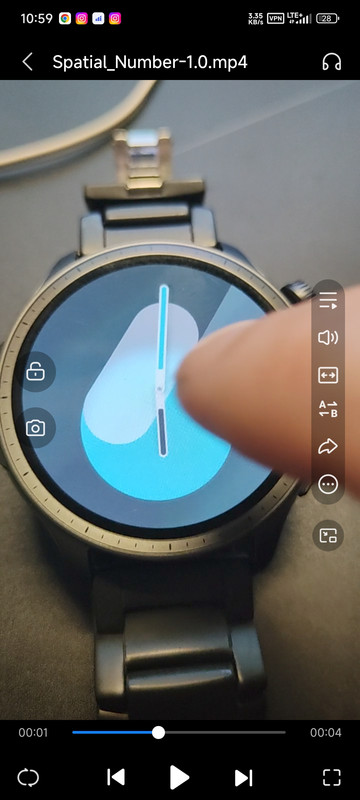
Wow. Now I see them! I'm happy with this watchface. Is the method I asked?
Spoiler
Image
User avatar
SashaCX75
Posts: 820
Joined: 26 Oct 2019, 15:18
Location: Ukraine
Has thanked: 13 times
Been thanked: 1029 times
Contact:

Post by SashaCX75 »

This is a watch face where the time is displayed by a set of coloured pictures.

The other videos show a watch face where there is a mask and underneath it is filled with different colours. It looks cropped because it's not made for my watch.

I would also add a second hand.
MSKefayati
WF maker
Posts: 39
Joined: 03 Aug 2020, 15:32
Location: Austin, US
Has thanked: 3 times
Been thanked: 1 time
Contact:

Post by MSKefayati »

SashaCX75 wrote: 24 Nov 2024, 11:04
This is a watch face where the time is displayed by a set of coloured pictures.

The other videos show a watch face where there is a mask and underneath it is filled with different colours. It looks cropped because it's not made for my watch.

I would also add a second hand.
Perfect. I think the version I mentioned is better than the mask versions. If you need any image for your balance or GTR4 Just ask me.
MSKefayati
WF maker
Posts: 39
Joined: 03 Aug 2020, 15:32
Location: Austin, US
Has thanked: 3 times
Been thanked: 1 time
Contact:

Post by MSKefayati »

And if you want and permit, please create a single watchface with tapping support for changing colors of numbers and elements.(I know i didn't send you orange colors. If you approve, i will make them today.) I will change them myself (with your guidance, your app support preferred) to see how it works and perform.
Thanks.
Post Reply

Return to “Watchfaces discussion”

Who is online

Users browsing this forum: No registered users and 1 guest