• Administrator
  •  
    Support Ukraine
    If you experience any problems with the forum (it is not visible, there is no way to post messages, or some functionality does not work), please let us know. If you have problems with registration or you did not receive confirmation letter, let us know and we will activate your account manually.
    If you get an "The submitted form was invalid. Try submitting again" error, delete cookies, then try again.
     

Doubts about the "sunrise and sunset" option [GTS 2]

Topics for the request of watch faces development.

Moderators: asoo, Watchmens

Forum rules
When adding a new topic, use the template: Topic title [device name]
For example: Requesting creation of watch face [GTR 3 Pro]
All communication in this branch should only be in English.
Post Reply
Seb ú
Posts: 2
Joined: 16 Aug 2024, 04:14
Location: Peru
Has thanked: 2 times
Contact:

Doubts about the "sunrise and sunset" option [GTS 2]

Post by Seb ú »

Hello, first of all, I'm not a native English speaker, but I hope it can be understood
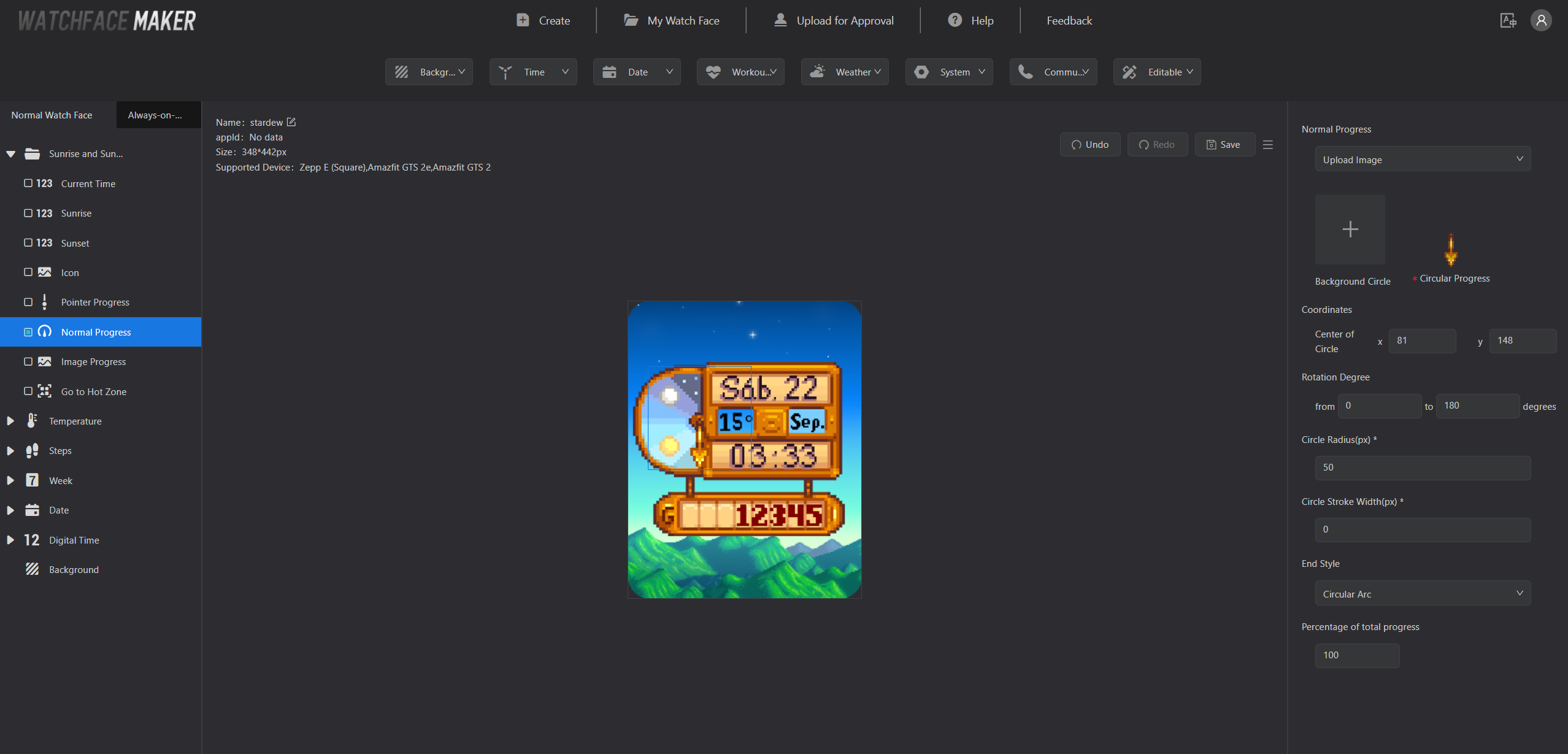
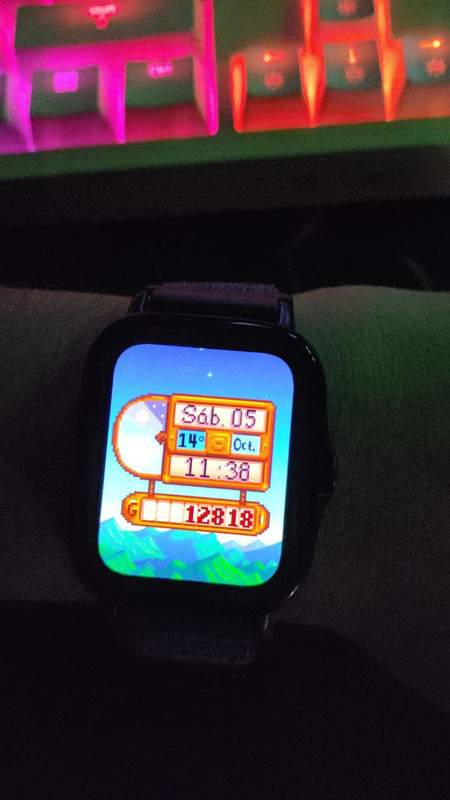
I was about to finish my Stardew Valley watchface for my GTS 2, everything works great regarding the time and date, but I can't quite understand how the "sunrise and sunset" option works, I see that other watchfaces work with that option but I can't find any tutorial or documentation about how that option works, so the last thing I can do is check here, I hope you can guide me to finish this watchface as it should be and publish it in the community :)
Spoiler
Image

Image
User avatar
SashaCX75
Posts: 816
Joined: 26 Oct 2019, 15:18
Location: Ukraine
Has thanked: 13 times
Been thanked: 1025 times
Contact:

Post by SashaCX75 »

Normal Progress - A circular scale that fills in over time. Set the line width and you will see it in the preview.
Pointer Progress - Arrow Pointer. The arrow will move from the start angle during sunrise to the end angle during sunset. Judging by the screenshot this looks more like what you need.
User avatar
SashaCX75
Posts: 816
Joined: 26 Oct 2019, 15:18
Location: Ukraine
Has thanked: 13 times
Been thanked: 1025 times
Contact:

Post by SashaCX75 »

I didn't notice that the watch face here is for the GTS 2 and not the GTS 3. I haven't dealt with those models in a long time and don't remember how the circular progression works there.
I think the pointers are usually drawn pointing upwards. Maybe there are some other image constraints for circular progress. I don't see that the centre of rotation of the image is specified in the settings, so maybe it should be square, the same size as the circular progress bar?
Seb ú
Posts: 2
Joined: 16 Aug 2024, 04:14
Location: Peru
Has thanked: 2 times
Contact:

Post by Seb ú »

SashaCX75 wrote: 09 Oct 2024, 19:21
I didn't notice that the watch face here is for the GTS 2 and not the GTS 3. I haven't dealt with those models in a long time and don't remember how the circular progression works there.
I think the pointers are usually drawn pointing upwards. Maybe there are some other image constraints for circular progress. I don't see that the centre of rotation of the image is specified in the settings, so maybe it should be square, the same size as the circular progress bar?
I understand, so there is no documentation or example to guide me? I really want to finish this watchface and upload it :(
taw_bip
WF maker
Posts: 130
Joined: 12 Apr 2018, 16:29
Has thanked: 127 times
Been thanked: 19 times
Contact:

Post by taw_bip »

You will get quicker responses by using the Zepp discord where you can ask the developers directly.
https://discord.com/invite/ze2KK8UBNF
Post Reply

Return to “Watchfaces creation (order table)”

Who is online

Users browsing this forum: No registered users and 1 guest