• Адміністратор
  •  
    Support Ukraine
    If you experience any problems with the forum (it is not visible, there is no way to post messages, or some functionality does not work), please let us know. If you have problems with registration or you did not receive confirmation letter, let us know and we will activate your account manually.
    If you get an "The submitted form was invalid. Try submitting again" error, delete cookies, then try again.
     

A lil help with JS with Bip 6

Topics related to the creation, development, and designing of the watch faces.

Модератори: asoo, Watchmens

Правила форуму
When adding a new topic, use the template: Topic title [device name]
For example: How to create watch face [Bip U]
All communication in this branch should only be in English.
Відповісти
Fearless-Week
WF maker
Повідомлень: 12
З нами з: 27 березня 2020, 13:35
Звідки: Amsterdam
Контактна інформація:

A lil help with JS with Bip 6

Повідомлення Fearless-Week »

I dont know where to ask so, I ask here, please move this topic if is in the wrong section.

Well, I was trying literally for hours this and I dont know what is wrong. This is my "user_script_end.js"

Код: Виділити все

let secondImages = ["0089.png","0090.png","0091.png","0092.png","0093.png","0094.png","0095.png","0096.png","0097.png","0098.png","0099.png","0100.png","0101.png","0102.png","0103.png","0104.png","0105.png","0106.png","0107.png","0108.png","0109.png","0110.png","0111.png","0112.png","0113.png","0114.png","0115.png","0116.png","0117.png","0118.png","0119.png","0120.png","0121.png","0122.png","0123.png","0124.png","0125.png","0126.png","0127.png","0128.png","0129.png","0130.png","0131.png","0132.png","0133.png","0134.png","0135.png","0136.png","0137.png","0138.png","0139.png","0140.png","0141.png","0142.png","0143.png","0144.png","0145.png","0146.png","0147.png","0148.png"];


const time = hmSensor.createSensor(hmSensor.id.TIME);

function updateSeconds() {
  let sec = time.second; // 0–59
  normal_digital_clock_img_time.setProperty(hmUI.prop.SRC, secondImages[sec]);
}

let timer = timer.createTimer(0, 1000, updateSeconds);
I did "secondImages" explicit, just in case something went wrong.
The idea is simple, the files from "0089.png" to "0148.png" has the seconds and should show the said seconds in "where normal_digital_clock_img".
And as you can see, every second updates normal_digital_clock_img.
Doesnt work. I dont know if is the wrong place to do this or what is wrong.
When it gets to "ten seconds", shows "0090.png", when is in the 20th second shows "0091.png" and so on.
Аватар користувача
asoo
Повідомлень: 2104
З нами з: 03 січня 2019, 01:48
Звідки: ͼͽ Thailand ͼͽ
Has thanked: 404 times
Been thanked: 2019 times

Повідомлення asoo »

Fearless-Week писав: 07 березня 2026, 00:56
Spoiler
I dont know where to ask so, I ask here, please move this topic if is in the wrong section.

Well, I was trying literally for hours this and I dont know what is wrong. This is my "user_script_end.js"

Код: Виділити все

let secondImages = ["0089.png","0090.png","0091.png","0092.png","0093.png","0094.png","0095.png","0096.png","0097.png","0098.png","0099.png","0100.png","0101.png","0102.png","0103.png","0104.png","0105.png","0106.png","0107.png","0108.png","0109.png","0110.png","0111.png","0112.png","0113.png","0114.png","0115.png","0116.png","0117.png","0118.png","0119.png","0120.png","0121.png","0122.png","0123.png","0124.png","0125.png","0126.png","0127.png","0128.png","0129.png","0130.png","0131.png","0132.png","0133.png","0134.png","0135.png","0136.png","0137.png","0138.png","0139.png","0140.png","0141.png","0142.png","0143.png","0144.png","0145.png","0146.png","0147.png","0148.png"];


const time = hmSensor.createSensor(hmSensor.id.TIME);

function updateSeconds() {
  let sec = time.second; // 0–59
  normal_digital_clock_img_time.setProperty(hmUI.prop.SRC, secondImages[sec]);
}

let timer = timer.createTimer(0, 1000, updateSeconds);
I did "secondImages" explicit, just in case something went wrong.
The idea is simple, the files from "0089.png" to "0148.png" has the seconds and should show the said seconds in "where normal_digital_clock_img".
And as you can see, every second updates normal_digital_clock_img.
Doesnt work. I dont know if is the wrong place to do this or what is wrong.
When it gets to "ten seconds", shows "0090.png", when is in the 20th second shows "0091.png" and so on.

The code you attached seems to work, but I have a few observations:
1. I don't see the `normal_digital_clock_img_time` widget in your code, so I can't verify that part.
2. `let timer = timer.......`
Declaring a variable like this might cause errors with the `timer = timer.....` value due to potential duplication. I recommend changing it to a different name, such as `timersecond = time......`.
Or, if you don't want to reuse the variable, simply call

Код: Виділити все

timer.createTimer(0, 1000, updateSeconds);
directly without using `let` the variable.

I've attached a modified and tested example on zeppPlayer.
Next time you ask a similar question, please attach the entire project.

This is project file ( it is not watchface )
compress by use Winrar 7.20 https://www.rarlab.com/download.htm
testSecond.rar
(154.92 Кіб) Завантажено 49 разів
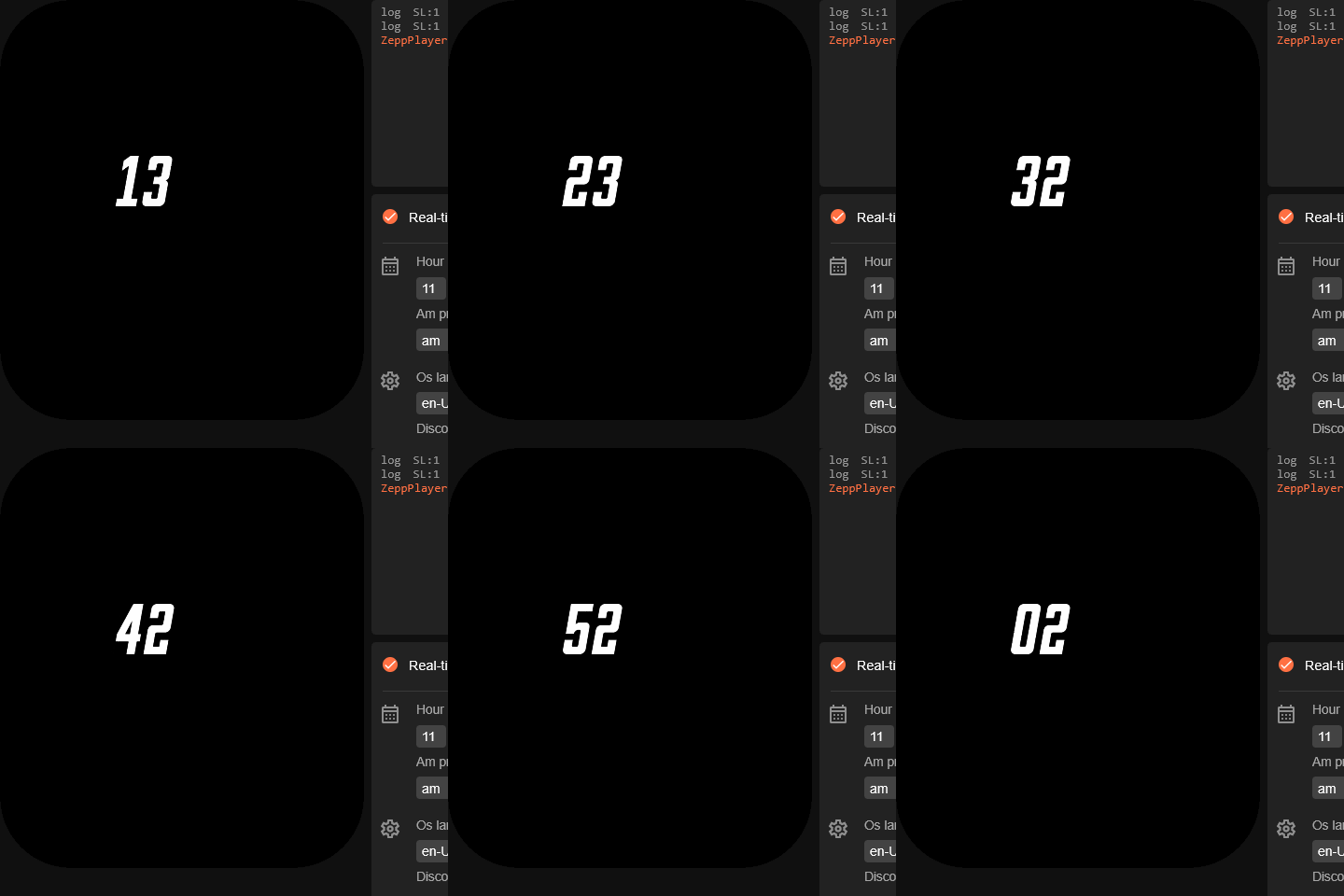
Preview
Зображення
ͼͽ To request please use the interrelated forum in action ͼͽ
Please do not PM to me for requests ported watchface.
Fearless-Week
WF maker
Повідомлень: 12
З нами з: 27 березня 2020, 13:35
Звідки: Amsterdam
Контактна інформація:

Повідомлення Fearless-Week »

Thanks so much asoo but I still dont know what Im doing wrong.
Could you please check this?
All I get is all black when I upload this skin to the watch
Вкладення
NovaMK1-Bip6.zip
(501.02 Кіб) Завантажено 48 разів
Fearless-Week
WF maker
Повідомлень: 12
З нами з: 27 березня 2020, 13:35
Звідки: Amsterdam
Контактна інформація:

Повідомлення Fearless-Week »

wow... After hours and hours, I solve it!!
Very hard to find a way to make it work but I discover that using the extended functions (hour_startX: 129,
hour_startY: 79,) , doesnt work at all. and that destroy everthing I update to the widget. So, the solutio is not that nice as I would like but if it works, it works!
Later on I will upload the working skin
Аватар користувача
asoo
Повідомлень: 2104
З нами з: 03 січня 2019, 01:48
Звідки: ͼͽ Thailand ͼͽ
Has thanked: 404 times
Been thanked: 2019 times

Повідомлення asoo »

Fearless-Week писав: 07 березня 2026, 15:12
Thanks so much asoo but I still dont know what Im doing wrong.
Could you please check this?
All I get is all black when I upload this skin to the watch
@Fearless-Week
I'm not sure if you've resolved the issue yet, but based on my inspection of the files this morning, I found that the problem wasn't displaying correctly in Bip6 because:
- There was redundant use of variables in user_functions.js and user_script_end.js.
- The widget and variable values ​​were declared redundantly in user_script_end.js.
- There was an incorrect layering; user_script.js should be used, and the "JS script" widget should be moved below the "image".
Preview and project

This is not watchface , it is the project I modified, based on my understanding of your script.
add function switchTime() in user_functions.js
NovaMK1-Bip6.rar
(1.05 МіБ) Завантажено 57 разів
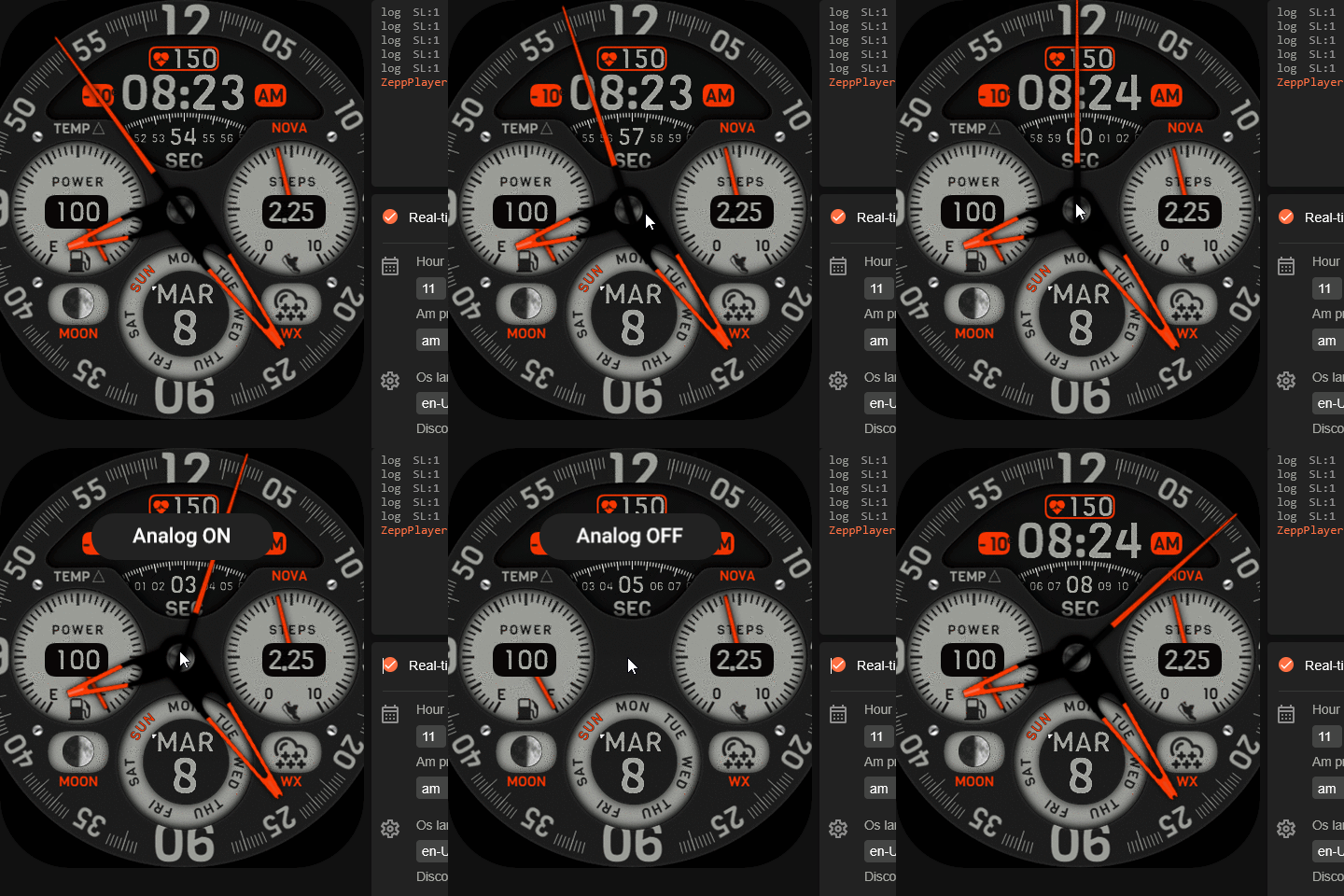
You can see the result in this preview.
Зображення
ͼͽ To request please use the interrelated forum in action ͼͽ
Please do not PM to me for requests ported watchface.
Fearless-Week
WF maker
Повідомлень: 12
З нами з: 27 березня 2020, 13:35
Звідки: Amsterdam
Контактна інформація:

Повідомлення Fearless-Week »

asoo писав: 08 березня 2026, 00:29
I'm not sure if you've resolved the issue yet
By far more cleaner than my version. Remember, I have to upload to the watch to check the results each time. And that process its very stressful and tedious, even drain may battery of both, phone and watch.

Could you please tell me that sort of Zepp Emulator you are trying this? Cause that would be very helpful at the time to edit the JavaScript code.

Thanks again!
Аватар користувача
asoo
Повідомлень: 2104
З нами з: 03 січня 2019, 01:48
Звідки: ͼͽ Thailand ͼͽ
Has thanked: 404 times
Been thanked: 2019 times

Повідомлення asoo »

Fearless-Week писав: 08 березня 2026, 14:06
asoo писав: 08 березня 2026, 00:29
I'm not sure if you've resolved the issue yet
By far more cleaner than my version. Remember, I have to upload to the watch to check the results each time. And that process its very stressful and tedious, even drain may battery of both, phone and watch.

Could you please tell me that sort of Zepp Emulator you are trying this? Cause that would be very helpful at the time to edit the JavaScript code.

Thanks again!
If you're creating a watchface with functions and widgets that don't exceed ZeppOS V2, try ZeppPlayer.
https://mmk.pw/en/zepp_player/
It's easy to use; just unzip and it's ready to go.
The watchface I used as an example can also be tested on ZeppPlayer.

However, if you need a better simulator, you'll need to install the official ZeppOS simulator. The installation process is more complicated.
You can find installation instructions for simulators and Zeus here:
https://docs.zepp.com/docs/guides/tools ... /download/
I won't go into the installation process here; you can follow the instructions on the website. I also followed the instructions on the website.
ͼͽ To request please use the interrelated forum in action ͼͽ
Please do not PM to me for requests ported watchface.
Fearless-Week
WF maker
Повідомлень: 12
З нами з: 27 березня 2020, 13:35
Звідки: Amsterdam
Контактна інформація:

Повідомлення Fearless-Week »

Thanks for everthing asoo!
Im gonna try the second one cause the 1st one didnt worked for me
DeepEye
Повідомлень: 2
З нами з: 27 жовтня 2025, 12:59
Звідки: Egypt
Has thanked: 2 times
Контактна інформація:

Повідомлення DeepEye »

asoo писав: 08 березня 2026, 14:23
Fearless-Week писав: 08 березня 2026, 14:06
asoo писав: 08 березня 2026, 00:29
I'm not sure if you've resolved the issue yet
By far more cleaner than my version. Remember, I have to upload to the watch to check the results each time. And that process its very stressful and tedious, even drain may battery of both, phone and watch.

Could you please tell me that sort of Zepp Emulator you are trying this? Cause that would be very helpful at the time to edit the JavaScript code.

Thanks again!
If you're creating a watchface with functions and widgets that don't exceed ZeppOS V2, try ZeppPlayer.
https://mmk.pw/en/zepp_player/
It's easy to use; just unzip and it's ready to go.
The watchface I used as an example can also be tested on ZeppPlayer.

However, if you need a better simulator, you'll need to install the official ZeppOS simulator. The installation process is more complicated.
You can find installation instructions for simulators and Zeus here:
https://docs.zepp.com/docs/guides/tools ... /download/
I won't go into the installation process here; you can follow the instructions on the website. I also followed the instructions on the website.
Where can i find the documentation that explains al these for different amazfit watch models ? your response is very valuable , but what about V3?
Аватар користувача
asoo
Повідомлень: 2104
З нами з: 03 січня 2019, 01:48
Звідки: ͼͽ Thailand ͼͽ
Has thanked: 404 times
Been thanked: 2019 times

Повідомлення asoo »

DeepEye писав: 05 квітня 2026, 16:29

Where can i find the documentation that explains al these for different amazfit watch models ? your response is very valuable , but what about V3?
If you need information on various devices that use zeppOS, I recommend checking out the five pages on their official website.
For example, information in V3+. ( you can select 1.0 , 2.0 , 3+ in page )
https://docs.zepp.com/docs/intro/
ͼͽ To request please use the interrelated forum in action ͼͽ
Please do not PM to me for requests ported watchface.
DeepEye
Повідомлень: 2
З нами з: 27 жовтня 2025, 12:59
Звідки: Egypt
Has thanked: 2 times
Контактна інформація:

Повідомлення DeepEye »

Thanks a lot , it really helped !!
Відповісти

Повернутись до “Watchfaces discussion”

Хто зараз онлайн

Зараз переглядають цей форум: Немає зареєстрованих користувачів і 1 гість