• Administrator
  •  
    Support Ukraine
    If you experience any problems with the forum (it is not visible, there is no way to post messages, or some functionality does not work), please let us know. If you have problems with registration or you did not receive confirmation letter, let us know and we will activate your account manually.
    If you get an "The submitted form was invalid. Try submitting again" error, delete cookies, then try again.
     

A lil help with JS with Bip 6

Topics related to the creation, development, and designing of the watch faces.

Moderators: asoo, Watchmens

Forum rules
When adding a new topic, use the template: Topic title [device name]
For example: How to create watch face [Bip U]
All communication in this branch should only be in English.
Post Reply
Fearless-Week
WF maker
Posts: 12
Joined: 27 Mar 2020, 13:35
Location: Amsterdam
Contact:

A lil help with JS with Bip 6

Post by Fearless-Week »

I dont know where to ask so, I ask here, please move this topic if is in the wrong section.

Well, I was trying literally for hours this and I dont know what is wrong. This is my "user_script_end.js"

Code: Select all

let secondImages = ["0089.png","0090.png","0091.png","0092.png","0093.png","0094.png","0095.png","0096.png","0097.png","0098.png","0099.png","0100.png","0101.png","0102.png","0103.png","0104.png","0105.png","0106.png","0107.png","0108.png","0109.png","0110.png","0111.png","0112.png","0113.png","0114.png","0115.png","0116.png","0117.png","0118.png","0119.png","0120.png","0121.png","0122.png","0123.png","0124.png","0125.png","0126.png","0127.png","0128.png","0129.png","0130.png","0131.png","0132.png","0133.png","0134.png","0135.png","0136.png","0137.png","0138.png","0139.png","0140.png","0141.png","0142.png","0143.png","0144.png","0145.png","0146.png","0147.png","0148.png"];


const time = hmSensor.createSensor(hmSensor.id.TIME);

function updateSeconds() {
  let sec = time.second; // 0–59
  normal_digital_clock_img_time.setProperty(hmUI.prop.SRC, secondImages[sec]);
}

let timer = timer.createTimer(0, 1000, updateSeconds);
I did "secondImages" explicit, just in case something went wrong.
The idea is simple, the files from "0089.png" to "0148.png" has the seconds and should show the said seconds in "where normal_digital_clock_img".
And as you can see, every second updates normal_digital_clock_img.
Doesnt work. I dont know if is the wrong place to do this or what is wrong.
When it gets to "ten seconds", shows "0090.png", when is in the 20th second shows "0091.png" and so on.
User avatar
asoo
Posts: 2147
Joined: 03 Jan 2019, 01:48
Location: ͼͽ Thailand ͼͽ
Has thanked: 414 times
Been thanked: 2072 times

Post by asoo »

Fearless-Week wrote: 07 Mar 2026, 00:56
Spoiler
I dont know where to ask so, I ask here, please move this topic if is in the wrong section.

Well, I was trying literally for hours this and I dont know what is wrong. This is my "user_script_end.js"

Code: Select all

let secondImages = ["0089.png","0090.png","0091.png","0092.png","0093.png","0094.png","0095.png","0096.png","0097.png","0098.png","0099.png","0100.png","0101.png","0102.png","0103.png","0104.png","0105.png","0106.png","0107.png","0108.png","0109.png","0110.png","0111.png","0112.png","0113.png","0114.png","0115.png","0116.png","0117.png","0118.png","0119.png","0120.png","0121.png","0122.png","0123.png","0124.png","0125.png","0126.png","0127.png","0128.png","0129.png","0130.png","0131.png","0132.png","0133.png","0134.png","0135.png","0136.png","0137.png","0138.png","0139.png","0140.png","0141.png","0142.png","0143.png","0144.png","0145.png","0146.png","0147.png","0148.png"];


const time = hmSensor.createSensor(hmSensor.id.TIME);

function updateSeconds() {
  let sec = time.second; // 0–59
  normal_digital_clock_img_time.setProperty(hmUI.prop.SRC, secondImages[sec]);
}

let timer = timer.createTimer(0, 1000, updateSeconds);
I did "secondImages" explicit, just in case something went wrong.
The idea is simple, the files from "0089.png" to "0148.png" has the seconds and should show the said seconds in "where normal_digital_clock_img".
And as you can see, every second updates normal_digital_clock_img.
Doesnt work. I dont know if is the wrong place to do this or what is wrong.
When it gets to "ten seconds", shows "0090.png", when is in the 20th second shows "0091.png" and so on.

The code you attached seems to work, but I have a few observations:
1. I don't see the `normal_digital_clock_img_time` widget in your code, so I can't verify that part.
2. `let timer = timer.......`
Declaring a variable like this might cause errors with the `timer = timer.....` value due to potential duplication. I recommend changing it to a different name, such as `timersecond = time......`.
Or, if you don't want to reuse the variable, simply call

Code: Select all

timer.createTimer(0, 1000, updateSeconds);
directly without using `let` the variable.

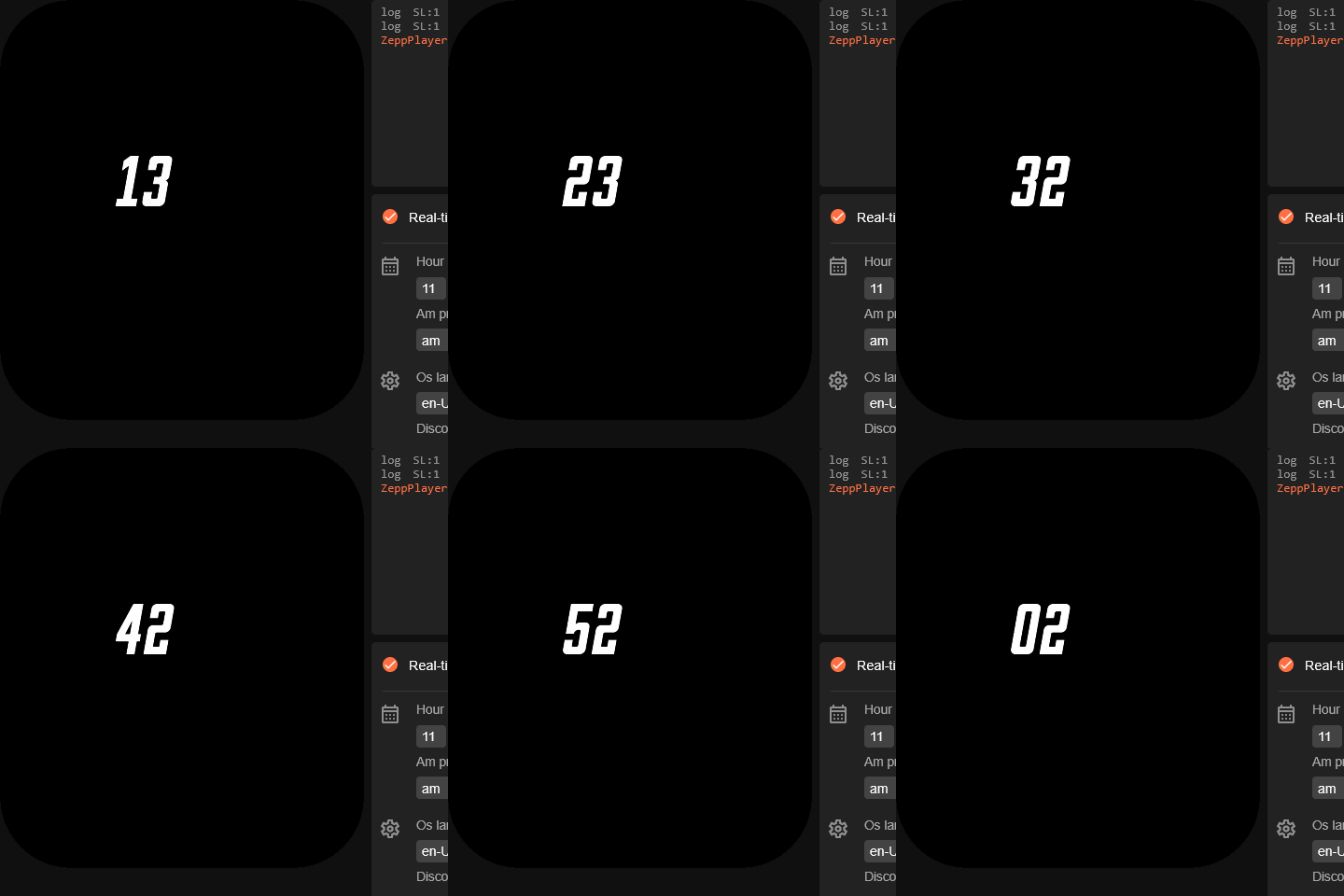
I've attached a modified and tested example on zeppPlayer.
Next time you ask a similar question, please attach the entire project.

This is project file ( it is not watchface )
compress by use Winrar 7.20 https://www.rarlab.com/download.htm
testSecond.rar
(154.92 KiB) Downloaded 66 times
Preview
Image
ͼͽ To request please use the interrelated forum in action ͼͽ
Please do not PM to me for requests ported watchface.
Fearless-Week
WF maker
Posts: 12
Joined: 27 Mar 2020, 13:35
Location: Amsterdam
Contact:

Post by Fearless-Week »

Thanks so much asoo but I still dont know what Im doing wrong.
Could you please check this?
All I get is all black when I upload this skin to the watch
Attachments
NovaMK1-Bip6.zip
(501.02 KiB) Downloaded 65 times
Fearless-Week
WF maker
Posts: 12
Joined: 27 Mar 2020, 13:35
Location: Amsterdam
Contact:

Post by Fearless-Week »

wow... After hours and hours, I solve it!!
Very hard to find a way to make it work but I discover that using the extended functions (hour_startX: 129,
hour_startY: 79,) , doesnt work at all. and that destroy everthing I update to the widget. So, the solutio is not that nice as I would like but if it works, it works!
Later on I will upload the working skin
User avatar
asoo
Posts: 2147
Joined: 03 Jan 2019, 01:48
Location: ͼͽ Thailand ͼͽ
Has thanked: 414 times
Been thanked: 2072 times

Post by asoo »

Fearless-Week wrote: 07 Mar 2026, 15:12
Thanks so much asoo but I still dont know what Im doing wrong.
Could you please check this?
All I get is all black when I upload this skin to the watch
@Fearless-Week
I'm not sure if you've resolved the issue yet, but based on my inspection of the files this morning, I found that the problem wasn't displaying correctly in Bip6 because:
- There was redundant use of variables in user_functions.js and user_script_end.js.
- The widget and variable values ​​were declared redundantly in user_script_end.js.
- There was an incorrect layering; user_script.js should be used, and the "JS script" widget should be moved below the "image".
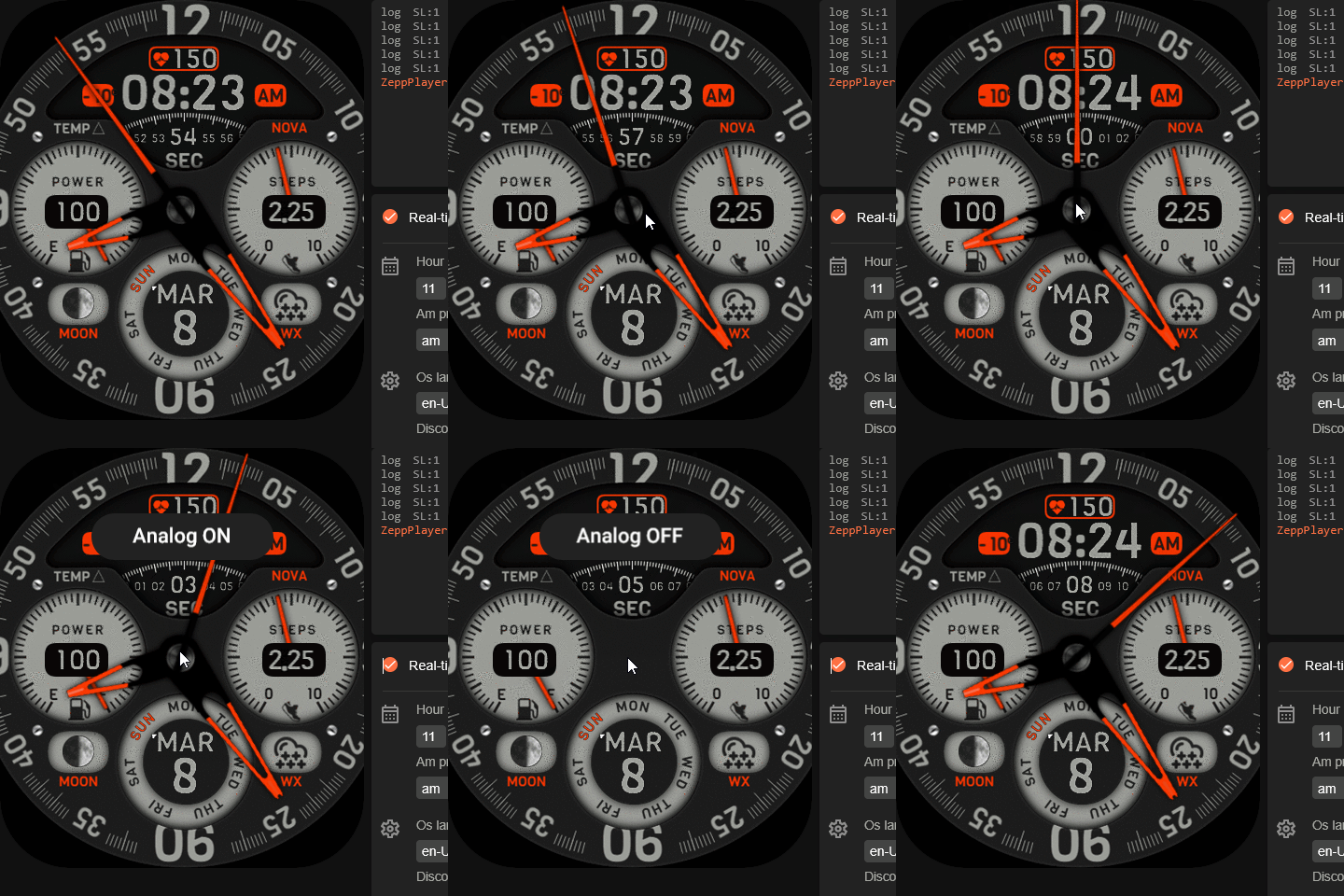
Preview and project

This is not watchface , it is the project I modified, based on my understanding of your script.
add function switchTime() in user_functions.js
NovaMK1-Bip6.rar
(1.05 MiB) Downloaded 74 times
You can see the result in this preview.
Image
ͼͽ To request please use the interrelated forum in action ͼͽ
Please do not PM to me for requests ported watchface.
Fearless-Week
WF maker
Posts: 12
Joined: 27 Mar 2020, 13:35
Location: Amsterdam
Contact:

Post by Fearless-Week »

asoo wrote: 08 Mar 2026, 00:29
I'm not sure if you've resolved the issue yet
By far more cleaner than my version. Remember, I have to upload to the watch to check the results each time. And that process its very stressful and tedious, even drain may battery of both, phone and watch.

Could you please tell me that sort of Zepp Emulator you are trying this? Cause that would be very helpful at the time to edit the JavaScript code.

Thanks again!
User avatar
asoo
Posts: 2147
Joined: 03 Jan 2019, 01:48
Location: ͼͽ Thailand ͼͽ
Has thanked: 414 times
Been thanked: 2072 times

Post by asoo »

Fearless-Week wrote: 08 Mar 2026, 14:06
asoo wrote: 08 Mar 2026, 00:29
I'm not sure if you've resolved the issue yet
By far more cleaner than my version. Remember, I have to upload to the watch to check the results each time. And that process its very stressful and tedious, even drain may battery of both, phone and watch.

Could you please tell me that sort of Zepp Emulator you are trying this? Cause that would be very helpful at the time to edit the JavaScript code.

Thanks again!
If you're creating a watchface with functions and widgets that don't exceed ZeppOS V2, try ZeppPlayer.
https://mmk.pw/en/zepp_player/
It's easy to use; just unzip and it's ready to go.
The watchface I used as an example can also be tested on ZeppPlayer.

However, if you need a better simulator, you'll need to install the official ZeppOS simulator. The installation process is more complicated.
You can find installation instructions for simulators and Zeus here:
https://docs.zepp.com/docs/guides/tools ... /download/
I won't go into the installation process here; you can follow the instructions on the website. I also followed the instructions on the website.
ͼͽ To request please use the interrelated forum in action ͼͽ
Please do not PM to me for requests ported watchface.
Fearless-Week
WF maker
Posts: 12
Joined: 27 Mar 2020, 13:35
Location: Amsterdam
Contact:

Post by Fearless-Week »

Thanks for everthing asoo!
Im gonna try the second one cause the 1st one didnt worked for me
DeepEye
Posts: 2
Joined: 27 Oct 2025, 12:59
Location: Egypt
Has thanked: 2 times
Contact:

Post by DeepEye »

asoo wrote: 08 Mar 2026, 14:23
Fearless-Week wrote: 08 Mar 2026, 14:06
asoo wrote: 08 Mar 2026, 00:29
I'm not sure if you've resolved the issue yet
By far more cleaner than my version. Remember, I have to upload to the watch to check the results each time. And that process its very stressful and tedious, even drain may battery of both, phone and watch.

Could you please tell me that sort of Zepp Emulator you are trying this? Cause that would be very helpful at the time to edit the JavaScript code.

Thanks again!
If you're creating a watchface with functions and widgets that don't exceed ZeppOS V2, try ZeppPlayer.
https://mmk.pw/en/zepp_player/
It's easy to use; just unzip and it's ready to go.
The watchface I used as an example can also be tested on ZeppPlayer.

However, if you need a better simulator, you'll need to install the official ZeppOS simulator. The installation process is more complicated.
You can find installation instructions for simulators and Zeus here:
https://docs.zepp.com/docs/guides/tools ... /download/
I won't go into the installation process here; you can follow the instructions on the website. I also followed the instructions on the website.
Where can i find the documentation that explains al these for different amazfit watch models ? your response is very valuable , but what about V3?
User avatar
asoo
Posts: 2147
Joined: 03 Jan 2019, 01:48
Location: ͼͽ Thailand ͼͽ
Has thanked: 414 times
Been thanked: 2072 times

Post by asoo »

DeepEye wrote: 05 Apr 2026, 16:29

Where can i find the documentation that explains al these for different amazfit watch models ? your response is very valuable , but what about V3?
If you need information on various devices that use zeppOS, I recommend checking out the five pages on their official website.
For example, information in V3+. ( you can select 1.0 , 2.0 , 3+ in page )
https://docs.zepp.com/docs/intro/
ͼͽ To request please use the interrelated forum in action ͼͽ
Please do not PM to me for requests ported watchface.
DeepEye
Posts: 2
Joined: 27 Oct 2025, 12:59
Location: Egypt
Has thanked: 2 times
Contact:

Post by DeepEye »

Thanks a lot , it really helped !!
Post Reply

Return to “Watchfaces discussion”

Who is online

Users browsing this forum: No registered users and 1 guest