You don't need to change anything yet. It could be unnecessary work. When I make a working code it will be clear what images are missing. I can send tonight what I have at the moment. You'll see what's there and maybe fix it. Because the missing orange files I did not try to match the colour exactly, just to see the difference with the other colour.
I'm making for 480x480 screen because it's easier for me to test on Amazfit Balance. Then I need to reduce all the images for other screens.
Now there are many images that take up the whole screen, but they use a small area. It's easy to test because you don't have to adjust the coordinates. But at the final stage you'll have to crop them to reduce the size of the watch face.
-
- Administrador
-
-
Support Ukraine
If you experience any problems with the forum (it is not visible, there is no way to post messages, or some functionality does not work), please let us know. If you have problems with registration or you did not receive confirmation letter, let us know and we will activate your account manually.
If you get an "The submitted form was invalid. Try submitting again" error, delete cookies, then try again.
Collaboration Request
Regras do fórum
When adding a new topic, use the template: Topic title [device name]
For example: How to create watch face [GTR 3 Pro]
All communication in this branch should only be in English.
When adding a new topic, use the template: Topic title [device name]
For example: How to create watch face [GTR 3 Pro]
All communication in this branch should only be in English.
-
SashaCX75

- Mensagens: 823
- Registrado em: 26 Out 2019, 15:18
- Localização: Ukraine
- Has thanked: 13 times
- Been thanked: 1036 times
- Contato:
-
MSKefayati
- WF maker
- Mensagens: 39
- Registrado em: 03 Ago 2020, 15:32
- Localização: Austin, US
- Has thanked: 3 times
- Been thanked: 1 time
- Contato:

-
SashaCX75
- Mensagens: 823
- Registrado em: 26 Out 2019, 15:18
- Localização: Ukraine
- Has thanked: 13 times
- Been thanked: 1036 times
- Contato:
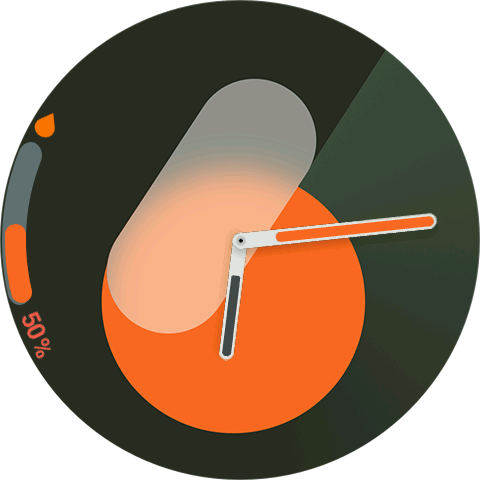
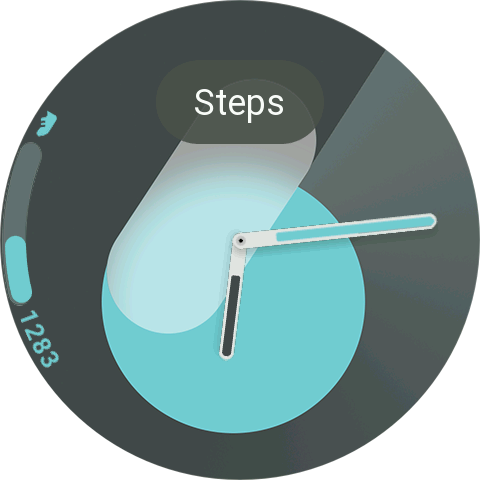
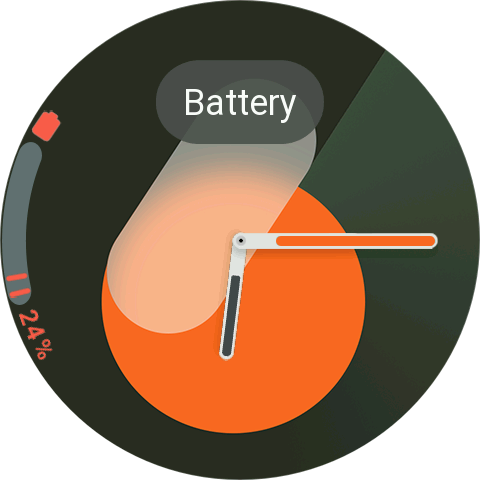
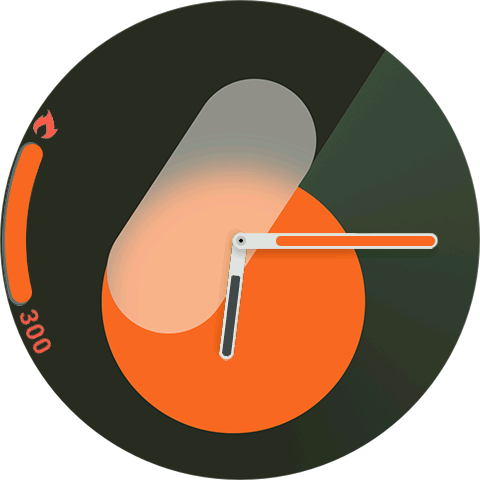
Here's a video of what it looks like now.
I'm also adding images. You can figure out what the folder structure will be and edit the existing images if you want.
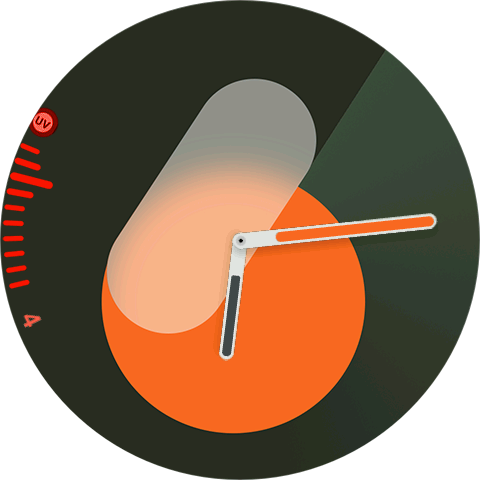
I think the image for the UV index needs to be lower. Otherwise it appears off-centre. You can see that by comparing it to the other parameters.
I'm also adding images. You can figure out what the folder structure will be and edit the existing images if you want.
I think the image for the UV index needs to be lower. Otherwise it appears off-centre. You can see that by comparing it to the other parameters.
- Anexos
-
 480x480.zip
- (3.59 MiB) Baixado 201 vezes
-
- video.zip
- (297.84 KiB) Baixado 160 vezes
-
SashaCX75
- Mensagens: 823
- Registrado em: 26 Out 2019, 15:18
- Localização: Ukraine
- Has thanked: 13 times
- Been thanked: 1036 times
- Contato:
-
MSKefayati
- WF maker
- Mensagens: 39
- Registrado em: 03 Ago 2020, 15:32
- Localização: Austin, US
- Has thanked: 3 times
- Been thanked: 1 time
- Contato:
This is perfect! Thanks! I will procure more images for other elements for you
Also another question. Can the AOD follow the screen on color? You can see that in cyan and orange i made screen on and AOD versions. Although i know the watchface file will be so much. Thank you again

Also another question. Can the AOD follow the screen on color? You can see that in cyan and orange i made screen on and AOD versions. Although i know the watchface file will be so much. Thank you again

-
SashaCX75
- Mensagens: 823
- Registrado em: 26 Out 2019, 15:18
- Localização: Ukraine
- Has thanked: 13 times
- Been thanked: 1036 times
- Contato:
The colours on the AOD will change too. Just in the simulator it is difficult to switch to AOD mode and I didn't show it. But in the file structure you can see that there is a separate folder for these images.
But the AOD images are very bright. That's why you can see a little flicker on them. Maybe on your model it's not so noticeable. Also on AOD some grey colours are distorted. You can see it in the last seconds of the video. That's why it's better to do monochrome black on AOD.
https://litter.catbox.moe/ybt1pn.mp4
But the AOD images are very bright. That's why you can see a little flicker on them. Maybe on your model it's not so noticeable. Also on AOD some grey colours are distorted. You can see it in the last seconds of the video. That's why it's better to do monochrome black on AOD.
https://litter.catbox.moe/ybt1pn.mp4
-
MSKefayati
- WF maker
- Mensagens: 39
- Registrado em: 03 Ago 2020, 15:32
- Localização: Austin, US
- Has thanked: 3 times
- Been thanked: 1 time
- Contato:
Ohhh. Thank you for your hard work and attention. I think now we are facing our watched compare to samsung ones.
-
MSKefayati
- WF maker
- Mensagens: 39
- Registrado em: 03 Ago 2020, 15:32
- Localização: Austin, US
- Has thanked: 3 times
- Been thanked: 1 time
- Contato:
I think it's because of the gradient background. I saw it earlier in some wathfaces I'e made. Even I remeber I asked one time in community and you answer me about changing the color mode in watchface creator. Well, that doesn't help nor using the official watchface maker. That was when I realize the amazfit screen limitations. Their color space in much limiter compare to smart phone displays.
-
SashaCX75
- Mensagens: 823
- Registrado em: 26 Out 2019, 15:18
- Localização: Ukraine
- Has thanked: 13 times
- Been thanked: 1036 times
- Contato:
-
MSKefayati
- WF maker
- Mensagens: 39
- Registrado em: 03 Ago 2020, 15:32
- Localização: Austin, US
- Has thanked: 3 times
- Been thanked: 1 time
- Contato:
Thanks. Just two questions:
1.Is it possible to add date number before monthg name instead of up side?
Can you provide any watchface file so I can see which images are missed and procure them? and also add more colors?
1.Is it possible to add date number before monthg name instead of up side?
Can you provide any watchface file so I can see which images are missed and procure them? and also add more colors?
-
SashaCX75
- Mensagens: 823
- Registrado em: 26 Out 2019, 15:18
- Localização: Ukraine
- Has thanked: 13 times
- Been thanked: 1036 times
- Contato:
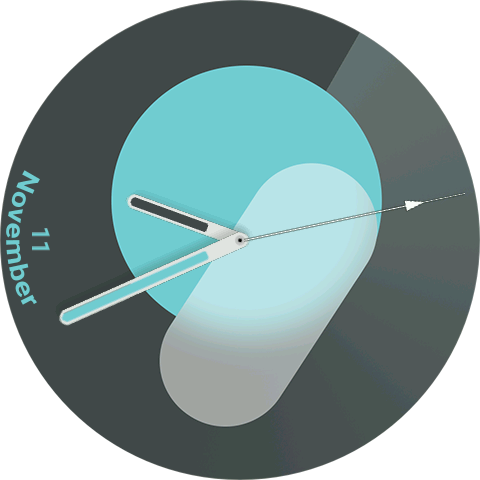
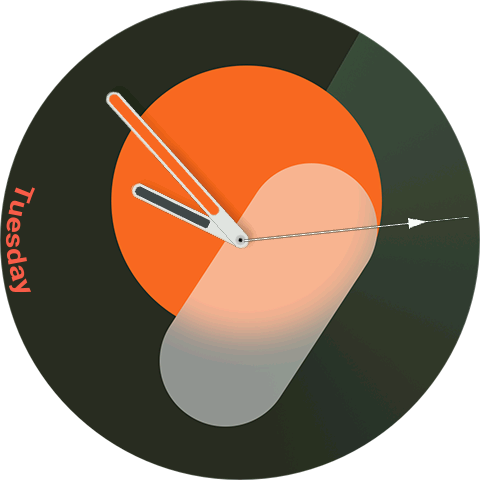
Because the month names have different lengths, it is difficult to calculate the position of the date. I can put it anywhere, but I can't move it. So I thought it would be better this way.
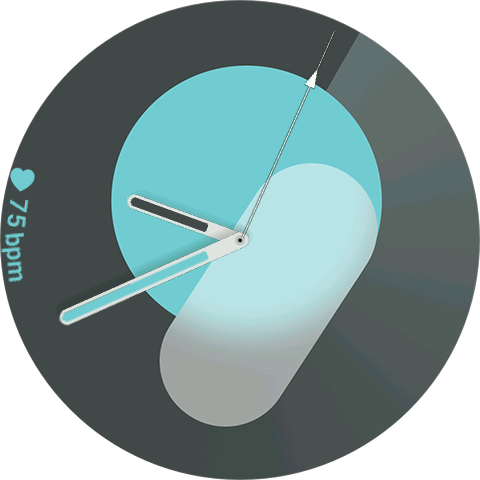
I added the weather. Tell me if you can leave the weather icon horizontal (as on the screenshot) or it is better to tilt it like text. Then it will be necessary to make 2 sets of icons, for left and right side.
I think I've added all the elements already. Copying them to the right side should not be difficult. This weekend I'll crop the extra parts of the images and assemble the dial for the GTR4. You can see how it looks on the watch.
Adding colours is not a problem. You just need images with those colours.
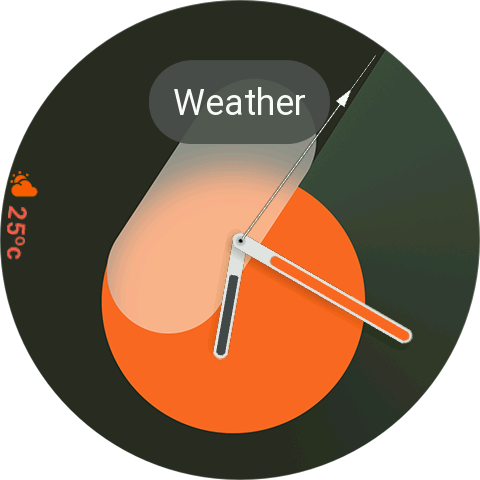
I added the weather. Tell me if you can leave the weather icon horizontal (as on the screenshot) or it is better to tilt it like text. Then it will be necessary to make 2 sets of icons, for left and right side.
I think I've added all the elements already. Copying them to the right side should not be difficult. This weekend I'll crop the extra parts of the images and assemble the dial for the GTR4. You can see how it looks on the watch.
Adding colours is not a problem. You just need images with those colours.
Spoiler
-
SashaCX75
- Mensagens: 823
- Registrado em: 26 Out 2019, 15:18
- Localização: Ukraine
- Has thanked: 13 times
- Been thanked: 1036 times
- Contato:
Here's the watch face. Everything seems to be working.
- Anexos
-
- Spatial Number 456x456.zip
- (1.86 MiB) Baixado 164 vezes
Editado pela última vez por SashaCX75 em 30 Nov 2024, 17:23, em um total de 1 vez.
-
SashaCX75
- Mensagens: 823
- Registrado em: 26 Out 2019, 15:18
- Localização: Ukraine
- Has thanked: 13 times
- Been thanked: 1036 times
- Contato:
These are the images for the watch face. I'm not good at graphics, so the ones I made myself you'd better fix yourself.
Note that the images of the time digits in the Orange folder are round, while in the Cyan folder they are not cropped. This difference is noticeable when you change watch faces. Therefore, it is better to make all such images round.
Note that the images of the time digits in the Orange folder are round, while in the Cyan folder they are not cropped. This difference is noticeable when you change watch faces. Therefore, it is better to make all such images round.
- Anexos
-
- 480x480.zip
- (4.05 MiB) Baixado 176 vezes
-
SashaCX75
- Mensagens: 823
- Registrado em: 26 Out 2019, 15:18
- Localização: Ukraine
- Has thanked: 13 times
- Been thanked: 1036 times
- Contato:
@MSKefayati Do you have the corrected images so I can paste them into the watch face?
-
MSKefayati
- WF maker
- Mensagens: 39
- Registrado em: 03 Ago 2020, 15:32
- Localização: Austin, US
- Has thanked: 3 times
- Been thanked: 1 time
- Contato:

-
MSKefayati
- WF maker
- Mensagens: 39
- Registrado em: 03 Ago 2020, 15:32
- Localização: Austin, US
- Has thanked: 3 times
- Been thanked: 1 time
- Contato:
Hi again! As I promise you earlier, I made the images. Now for 4 Colors! Thank you.
Good Luck!
https://drive.google.com/file/d/1lN3oVQ ... sp=sharing
Good Luck!
https://drive.google.com/file/d/1lN3oVQ ... sp=sharing
-
SashaCX75
- Mensagens: 823
- Registrado em: 26 Out 2019, 15:18
- Localização: Ukraine
- Has thanked: 13 times
- Been thanked: 1036 times
- Contato:
Updated the image files in the watch face
- Anexos
-
- Spatial Number 456x456.zip
- (1.78 MiB) Baixado 177 vezes
-
SashaCX75
- Mensagens: 823
- Registrado em: 26 Out 2019, 15:18
- Localização: Ukraine
- Has thanked: 13 times
- Been thanked: 1036 times
- Contato:
Pay attention to the folder structure, file names and image size.
I spent a lot of time renaming files and resizing them. So I only updated the files for the 2 colours that were originally there. I didn't add any new colours.
Also some of the images are missing. There's an icon calendar icon, but I don't know where you want to add it.
I spent a lot of time renaming files and resizing them. So I only updated the files for the 2 colours that were originally there. I didn't add any new colours.
Also some of the images are missing. There's an icon calendar icon, but I don't know where you want to add it.
- Anexos
-
- 480x480.zip
- (4.21 MiB) Baixado 178 vezes
-
MSKefayati
- WF maker
- Mensagens: 39
- Registrado em: 03 Ago 2020, 15:32
- Localização: Austin, US
- Has thanked: 3 times
- Been thanked: 1 time
- Contato:
-
MSKefayati
- WF maker
- Mensagens: 39
- Registrado em: 03 Ago 2020, 15:32
- Localização: Austin, US
- Has thanked: 3 times
- Been thanked: 1 time
- Contato:
Hi dear Sasha. Sorry for my delay as I didn't have acess to my pc for a couple of days. I added Red and Steel Blue and also modify some pictures of Orange and Cyan colors with correct name format as you did.
I Should also mention that hour hand of AOD is the Screen On hour hand in the Original so use it please instead of black one.
Also please add an option to hide second hand as I think it's not available in the original version.
Also all numbers incliding Date and battery percent are typed in the edge of the screen so please use angle or circle option instead of simple vertical typo.
https://drive.google.com/file/d/1O9ZEdx ... sp=sharing
Thanks.
I Should also mention that hour hand of AOD is the Screen On hour hand in the Original so use it please instead of black one.
Also please add an option to hide second hand as I think it's not available in the original version.
Also all numbers incliding Date and battery percent are typed in the edge of the screen so please use angle or circle option instead of simple vertical typo.
https://drive.google.com/file/d/1O9ZEdx ... sp=sharing
Thanks.
-
SashaCX75
- Mensagens: 823
- Registrado em: 26 Out 2019, 15:18
- Localização: Ukraine
- Has thanked: 13 times
- Been thanked: 1036 times
- Contato:
I will look at the images later.
For UVI and humidity it is not possible to display the numbers in a circle. Because they can only be displayed with the standard widget by rotating it to the desired angle. But there are maximum 2 digits, so it is not noticeable that they are not in a circle. For other data the digits are displayed in a circle and it is visible on the watch face.
About the hour hand I don't understand you. In previous archives there were 2 hour hands, for the main screen and for the AOD. Do you want the hour hand on the main screen and on the AOD to be the same?
I can add an option to hide the second hand or make 2 versions of the watch face. If you want it to be hidden, tell me where to put the button for that.
For UVI and humidity it is not possible to display the numbers in a circle. Because they can only be displayed with the standard widget by rotating it to the desired angle. But there are maximum 2 digits, so it is not noticeable that they are not in a circle. For other data the digits are displayed in a circle and it is visible on the watch face.
About the hour hand I don't understand you. In previous archives there were 2 hour hands, for the main screen and for the AOD. Do you want the hour hand on the main screen and on the AOD to be the same?
I can add an option to hide the second hand or make 2 versions of the watch face. If you want it to be hidden, tell me where to put the button for that.
-
MSKefayati
- WF maker
- Mensagens: 39
- Registrado em: 03 Ago 2020, 15:32
- Localização: Austin, US
- Has thanked: 3 times
- Been thanked: 1 time
- Contato:
Agree. Angle and circular format looks the same in two digit numbers.
In the sample images from the main apk, I see that the hour hand match the main color in the AOD as well as main screen so yes use the same image. It doesn't need to be black in AOD.
As you are a master in wf, I think create a button(maybe upper or lower edge of screen) makes your project so much more professional. Or you can use the center of watch for second hand and lower or upper edge for color change.
I also suggest you to use original galaxy watch second hand(I extracted and recreate it and attached) to match the design language of other hands.
Thanks.
In the sample images from the main apk, I see that the hour hand match the main color in the AOD as well as main screen so yes use the same image. It doesn't need to be black in AOD.
As you are a master in wf, I think create a button(maybe upper or lower edge of screen) makes your project so much more professional. Or you can use the center of watch for second hand and lower or upper edge for color change.
I also suggest you to use original galaxy watch second hand(I extracted and recreate it and attached) to match the design language of other hands.
Thanks.

- Anexos
-
- Second hand.png (3.43 KiB) Exibido 10565 vezes
-
SashaCX75
- Mensagens: 823
- Registrado em: 26 Out 2019, 15:18
- Localização: Ukraine
- Has thanked: 13 times
- Been thanked: 1036 times
- Contato:
Added colours.
Changed the second hand and made it switchable.
The hour and minute hands are the same on the main screen and on the AOD.
Clicking in the centre disables the second hand. Clicking on the top of the screen switches the colours.
Changed the second hand and made it switchable.
The hour and minute hands are the same on the main screen and on the AOD.
Clicking in the centre disables the second hand. Clicking on the top of the screen switches the colours.
- Anexos
-
- Spatial Number 456x456.zip
- (3.57 MiB) Baixado 180 vezes
-
MSKefayati
- WF maker
- Mensagens: 39
- Registrado em: 03 Ago 2020, 15:32
- Localização: Austin, US
- Has thanked: 3 times
- Been thanked: 1 time
- Contato:
So good. Thanks!
Just a small tip only the hour hand stays the same and the minute hand changes to black in AOD in all colors ( because the second main color in all AOD images are black. Also my watch is GTR 4 SO It should be 466x466.
Thanks sasha! Thank you so much
Just a small tip
 only the hour hand stays the same and the minute hand changes to black in AOD in all colors ( because the second main color in all AOD images are black. Also my watch is GTR 4 SO It should be 466x466.
Thanks sasha! Thank you so much

-
SashaCX75
- Mensagens: 823
- Registrado em: 26 Out 2019, 15:18
- Localização: Ukraine
- Has thanked: 13 times
- Been thanked: 1036 times
- Contato:
This is the watch face for the 466x466 size. Just a typo in the file name.
Will there be other colours?
Will there be other colours?
Quem está online
Usuários navegando neste fórum: Nenhum usuário registrado e 18 visitantes