• Amministratore
  •  
    Support Ukraine
    If you experience any problems with the forum (it is not visible, there is no way to post messages, or some functionality does not work), please let us know. If you have problems with registration or you did not receive confirmation letter, let us know and we will activate your account manually.
    If you get an "The submitted form was invalid. Try submitting again" error, delete cookies, then try again.
     

Pulse & Steps Won't Display

Archive closed topics

Moderatori: Internal error, Watchmens

Bloccato
Avatar utente
Kylevski
WF maker
Messaggi: 2
Iscritto il: 29 nov 2019, 20:13
Has thanked: 1 time
Contatta:

Pulse & Steps Won't Display

Messaggio da Kylevski »

I've been trying to get the steps and pulse to display on the background, but they keep disappearing in the preview. Everything looks fine in WF Editor, but they disappear after it packs the bin.


Here is what it looks like before I create the bin (remove the space before .cc - Who da think "Add image to post" would be blocked by it's own site? :? )
i.postimg .cc/ryQvBxXM/Neg1.png

Now, this is what it looks like on the preview and watch (remove the space before .cc)
i.postimg .cc/sgSHgZ8B/Negative-packed-static.png

I've attached the JSON file incase that helps see what I'm doing wrong. Had to change the extension to txt since someone thought it was a good idea to block JSON files on a board for watchface support. :roll:

Thanks!
Allegati
Negative.txt
(2.12 KiB) Scaricato 47 volte
Avatar utente
asoo
Messaggi: 2126
Iscritto il: 03 gen 2019, 01:48
Località: ͼͽ Thailand ͼͽ
Has thanked: 410 times
Been thanked: 2044 times

Messaggio da asoo »

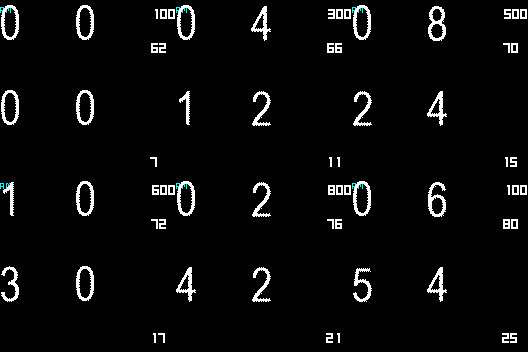
You don't send BIN to test . so I make my pictures and test it on your json Code

Immagine
B-test_packed.bin
(5.9 KiB) Scaricato 81 volte
I think issue is code in line "ImagesCount"
if your count set 1 it 's will show only 0130.png ( number 0 ) so if your number is not 0 the screen may be empty or black

Your code
Spoiler
},
"Activity": {
"Steps": {
"TopLeftX": 152,
"TopLeftY": 9,
"Spacing": 1,
"ImagesCount": 1,
"BottomRightY": 22,
"BottomRightX": 163,
"ImageIndex": 130,
"Alignment": "TopLeft"
},
"Pulse": {
"TopLeftX": 151,
"TopLeftY": 43,
"Spacing": 1,
"ImagesCount": 1,
"BottomRightY": 56,
"BottomRightX": 162,
"ImageIndex": 130,
"Alignment": "TopLeft"
}

Edited "ImagesCount": 10, ( change 1 to 10)
Spoiler
},
"Activity": {
"Steps": {
"TopLeftX": 152,
"TopLeftY": 9,
"Spacing": 1,
"ImagesCount": 10,
"BottomRightY": 22,
"BottomRightX": 163,
"ImageIndex": 130,
"Alignment": "TopLeft"
},
"Pulse": {
"TopLeftX": 151,
"TopLeftY": 43,
"Spacing": 1,
"ImagesCount": 10,
"BottomRightY": 56,
"BottomRightX": 162,
"ImageIndex": 130,
"Alignment": "TopLeft"
}
I am not sure 100% for this issue.
Because I don't have your BIN
ͼͽ To request please use the interrelated forum in action ͼͽ
Please do not PM to me for requests ported watchface.
Avatar utente
Kylevski
WF maker
Messaggi: 2
Iscritto il: 29 nov 2019, 20:13
Has thanked: 1 time
Contatta:

Messaggio da Kylevski »

Thanks so much [mention]asoo[/mention]! That did the trick. I thought I changed that earlier, but I guess WF Editor didn't save it to the JSON.
Bloccato

Torna a “Closed topics”

Chi c’è in linea

Visitano il forum: Nessuno e 1 ospite