In Zepp WatchfaceMaker, when I delete a background of a selfcreated watchface and reload it with little changes, so it is in foreground and covers all digits, pointers and images created before.
How can I put the new background behind digits etc. to continue editing?
-
- Administrator
-
-
Support Ukraine
If you experience any problems with the forum (it is not visible, there is no way to post messages, or some functionality does not work), please let us know. If you have problems with registration or you did not receive confirmation letter, let us know and we will activate your account manually.
If you get an "The submitted form was invalid. Try submitting again" error, delete cookies, then try again.
Edit Background
Moderators: asoo, lvpokka, Internal error, Watchmens
Forum rules
All communication in this branch should only be in English.
All communication in this branch should only be in English.
-
asoo
- Posts: 2202
- Joined: 03 Jan 2019, 01:48
- Location: ͼͽ Thailand ͼͽ
- Has thanked: 420 times
- Been thanked: 2122 times

If I guess correctly, your problem is likely caused bymarrud12 wrote: 04 Aug 2025, 09:30In Zepp WatchfaceMaker, when I delete a background of a selfcreated watchface and reload it with little changes, so it is in foreground and covers all digits, pointers and images created before.
How can I put the new background behind digits etc. to continue editing?
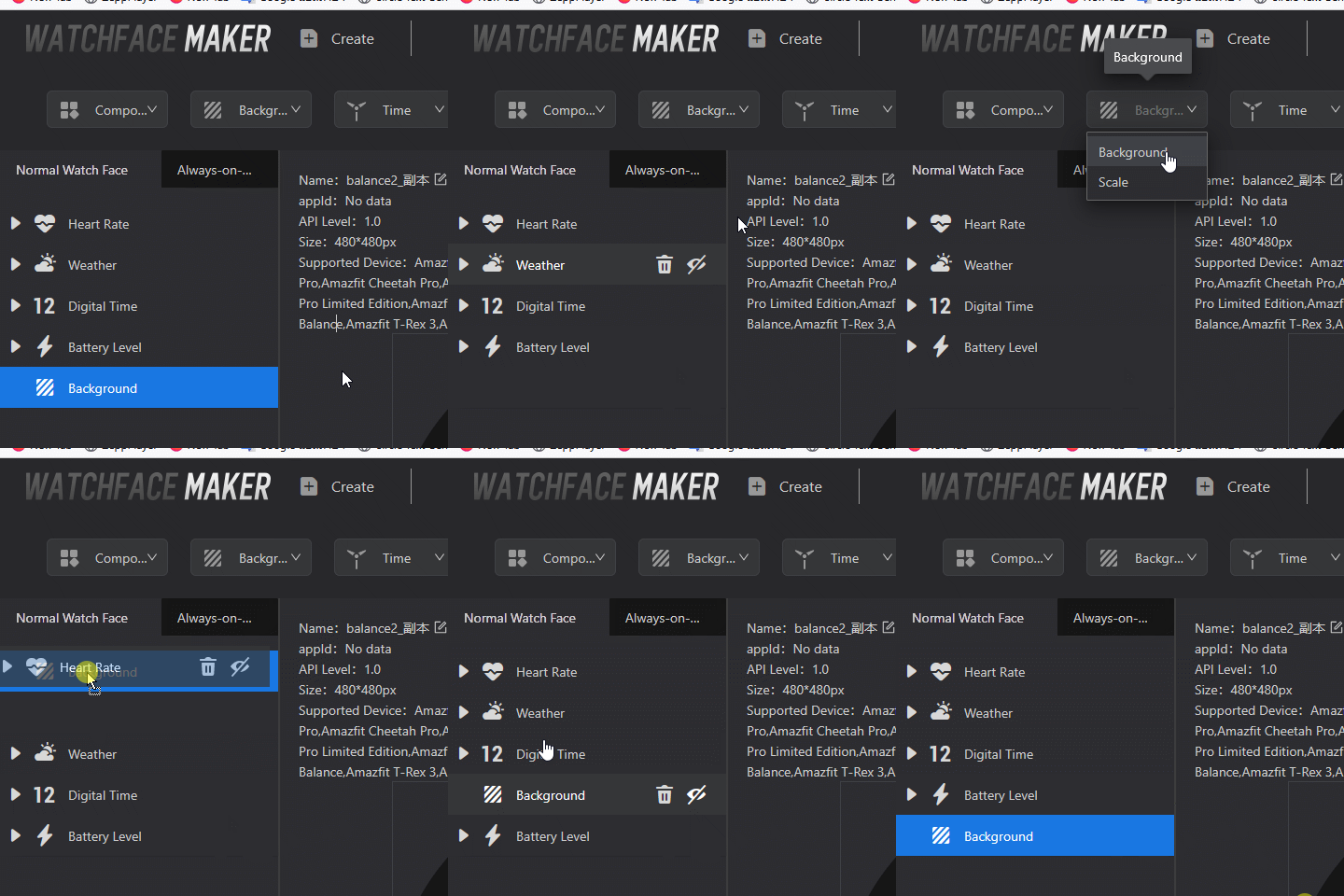
when you delete the background and re-add it, you'll notice that it's placed at the top, meaning it wil show on the top of all elements. So, you need to move the background to the end of the line.
Preview issue
ͼͽ To request please use the interrelated forum in action ͼͽ
Please do not PM to me for requests ported watchface.
Please do not PM to me for requests ported watchface.
Who is online
Users browsing this forum: No registered users and 1 guest