Hello translate the message from another thread,
I've followed the steps to install a watchface on my BIP 6, having done it for a GTS4, and it works fine, but I can't get the buttons to work. Is there anything special that needs to be done differently with previous versions of the program? I followed the same steps as I did previously for the BIP 5, but it doesn't work.
I attach the watchface that I have made with the buttons that do not work.
thankyou
-
- Administrator
-
-
Support Ukraine
If you experience any problems with the forum (it is not visible, there is no way to post messages, or some functionality does not work), please let us know. If you have problems with registration or you did not receive confirmation letter, let us know and we will activate your account manually.
If you get an "The submitted form was invalid. Try submitting again" error, delete cookies, then try again.
Watchface error with buttons in Watch face editor for Amazfit
Moderators: asoo, lvpokka, Internal error, Watchmens
Forum rules
All communication in this branch should only be in English.
All communication in this branch should only be in English.
Watchface error with buttons in Watch face editor for Amazfit
- Attachments
-
 IEPB6_01_GTS_4.zip
- (1.17 MiB) Downloaded 109 times
-
asoo
- Posts: 2202
- Joined: 03 Jan 2019, 01:48
- Location: ͼͽ Thailand ͼͽ
- Has thanked: 420 times
- Been thanked: 2122 times

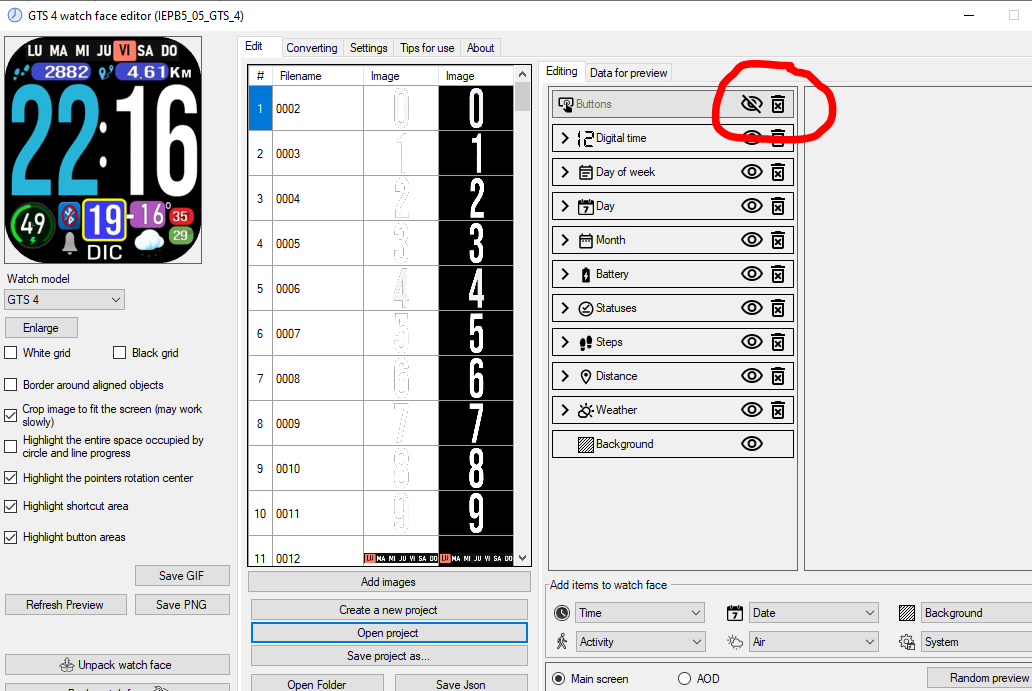
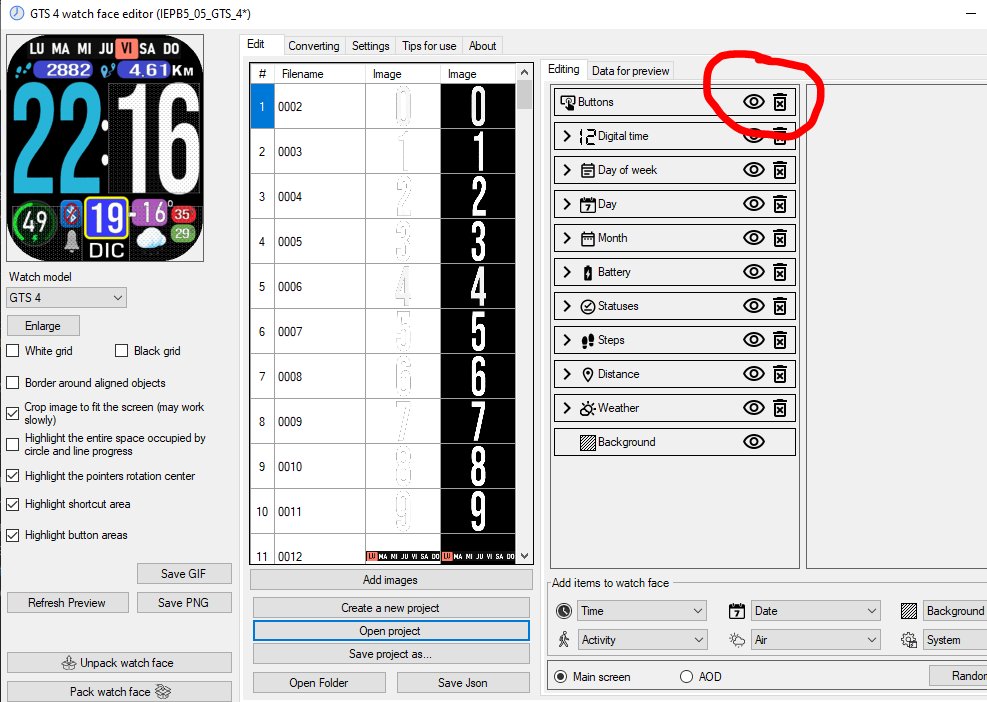
From the file you sent, I have done a preliminary check and found that the "button" not working is not due to a program error, but because the button has been disabled by the user. You can see from the attached image that the eye icon behind the button is crossed out. This means that when you pack the button, it will not be packed in the watchface. The solution is to click on the eye icon so that it is an eye icon with no crossed out, then pack it again, and the button will be able to work normally again.
If any button is pressed and does not action, it is possible that bip6 is not supported.
For example, music on phone
If you use hmApp.startApp({url: 'PhoneMusicCtrlScreen', native: true }); it will not work.
Use hmApp.startApp({url: 'MusicCommonScreen', native: true }); instead.
So in this part you have to test it on Bip6 yourself.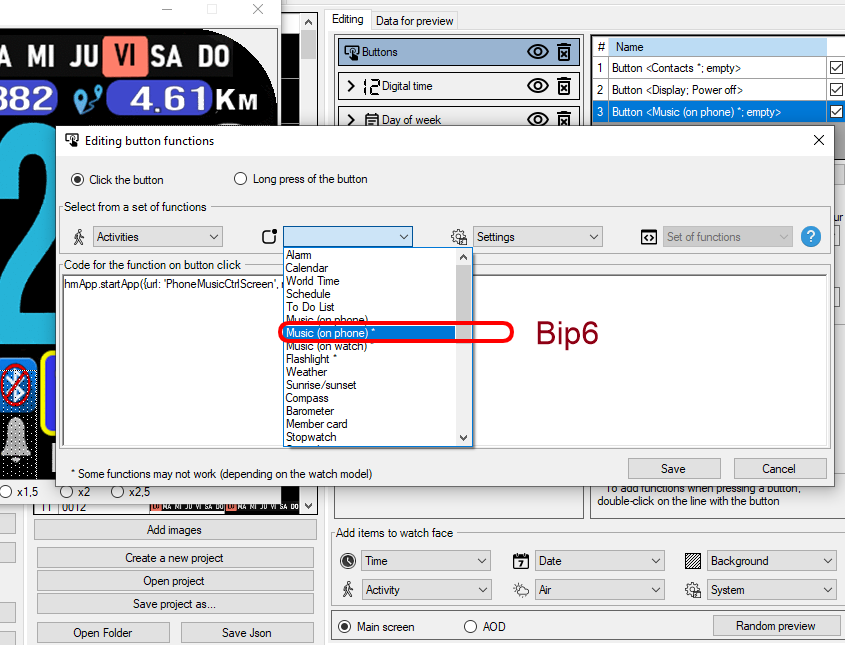 This is the watchface, that I tested and fixed. It button work normally.
All tested is do on Version 13.1
This is the watchface, that I tested and fixed. It button work normally.
All tested is do on Version 13.1
Attached image
For example, music on phone
If you use hmApp.startApp({url: 'PhoneMusicCtrlScreen', native: true }); it will not work.
Use hmApp.startApp({url: 'MusicCommonScreen', native: true }); instead.
So in this part you have to test it on Bip6 yourself.
Music on phone
QR-Code

ͼͽ To request please use the interrelated forum in action ͼͽ
Please do not PM to me for requests ported watchface.
Please do not PM to me for requests ported watchface.
Who is online
Users browsing this forum: No registered users and 1 guest