• Administrator
  •  
    Support Ukraine
    If you experience any problems with the forum (it is not visible, there is no way to post messages, or some functionality does not work), please let us know. If you have problems with registration or you did not receive confirmation letter, let us know and we will activate your account manually.
    If you get an "The submitted form was invalid. Try submitting again" error, delete cookies, then try again.
     

Mi Create - for Mi Band 7 Pro/8/9/10, Mi Watches & Redmi Watches

This forum is designed to discuss and develop tools creating watch faces.

Moderators: asoo, lvpokka, Internal error, Watchmens

Forum rules
All communication in this branch should only be in English.
To discuss tools that are not in this section, use the “Watchfaces tools (discussion)” forum.
tostr
Posts: 28
Joined: 17 Jun 2023, 08:41
Location: Australia
Has thanked: 3 times
Been thanked: 14 times
Contact:

Mi Create - for Mi Band 7 Pro/8/9/10, Mi Watches & Redmi Watches

Post by tostr »

Image

Mi Create
Open source watchface editor for Xiaomi wearables made ~2021 and above

Modern watchface creator for new Mi Bands, Xiaomi Watches and Redmi Watches. Spiritual successor to EasyFace, with compatibility for EasyFace .fprj projects.
  • Simple & good looking
  • Easy to learn (especially for EasyFace users)
  • Support for .fprj projects
  • Experimental support for Chinese GMF (wfDef.json) projects
  • Quick AOD creation
  • Live watchface preview
  • Multilingual
Runs on Windows (and Linux if you run from source code)

Requires 64-bit versions of Windows 10 (1809 and later) or Windows 11

Guides at https://ooflet.github.io/docs

Download from Github https://github.com/ooflet/Mi-Create/releases/latest
Screenshot
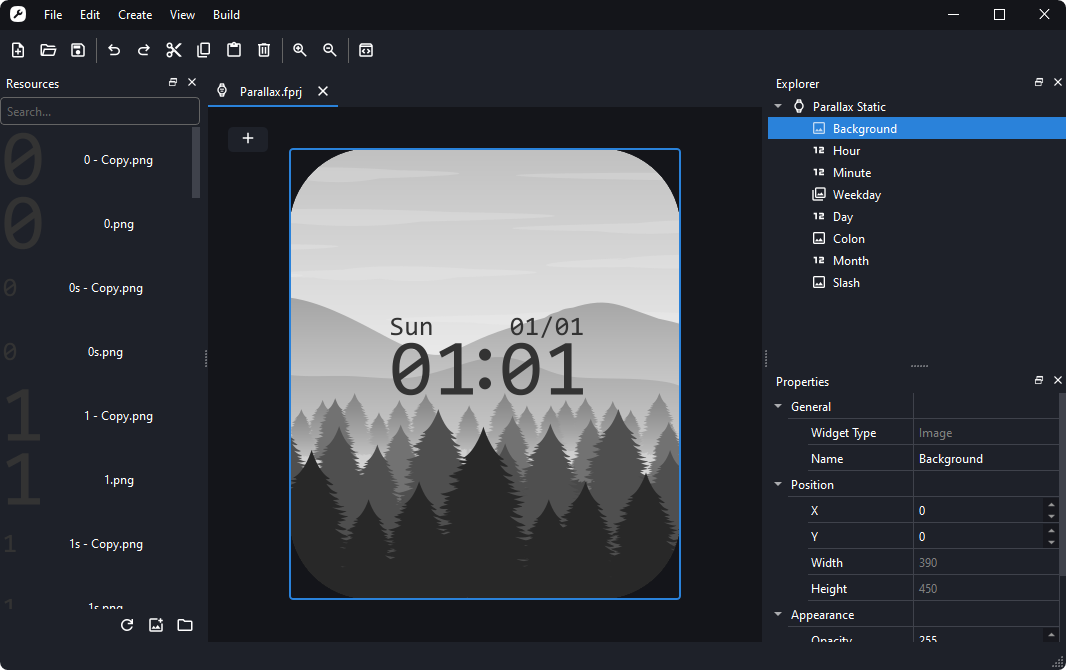
Image
Mi Create is unofficial and is not involved with Xiaomi.
Last edited by tostr on 13 Oct 2025, 06:43, edited 3 times in total.
waldo1234
WF maker
Posts: 3
Joined: 17 Mar 2021, 22:49
Location: France
Contact:

Post by waldo1234 »

Hi could you add value "next alarm time"
I want to see on main screen at what time is set the next alarm time
tostr
Posts: 28
Joined: 17 Jun 2023, 08:41
Location: Australia
Has thanked: 3 times
Been thanked: 14 times
Contact:

Post by tostr »

@waldo1234 What watch?
waldo1234
WF maker
Posts: 3
Joined: 17 Mar 2021, 22:49
Location: France
Contact:

Post by waldo1234 »

smart band 8
thanks
paulonardi
Posts: 2
Joined: 05 Sep 2024, 14:47
Location: Brasil
Been thanked: 1 time
Contact:

Post by paulonardi »

Hi.

Thanks for the work on Mi Create.

I'm trying to create the digital display to show the time (Mi Band 9). I already set the images of the numbers.

After that, I set DATA Source as hour. But if I click on digital numbers again it says Data source not found.
And this stack trace appears:

File "C:\PROGRA~2\MICREA~1\main.py", line 1156, in <lambda>
File "C:\PROGRA~2\MICREA~1\main.py", line 1049, in updateProjectSelections
File "C:\PROGRA~2\MICREA~1\main.py", line 772, in updateProperties
File "C:\PROGRA~2\MICREA~1\widgets\properties.py", line 510, in loadProperties
File "C:\PROGRA~2\MICREA~1\widgets\properties.py", line 300, in addProperties
File "C:\PROGRA~2\MICREA~1\widgets\properties.py", line 447, in addProperties
AttributeError: 'int' object has no attribute 'isnumeric'

Do you know what am I doing wrong?
tostr
Posts: 28
Joined: 17 Jun 2023, 08:41
Location: Australia
Has thanked: 3 times
Been thanked: 14 times
Contact:

Post by tostr »

@paulonardi Thank you for your bug report. I've uploaded a new revision that fixes this bug, try redownloading the latest release.
paulonardi
Posts: 2
Joined: 05 Sep 2024, 14:47
Location: Brasil
Been thanked: 1 time
Contact:

Post by paulonardi »

Now it works (just need to delete the digits and do it again to work)!

Thanks! And congrats for your work on that app.
xMadden91
Posts: 1
Joined: 13 Aug 2020, 10:29
Location: Italia
Contact:

Post by xMadden91 »

No way to create animations?
tostr
Posts: 28
Joined: 17 Jun 2023, 08:41
Location: Australia
Has thanked: 3 times
Been thanked: 14 times
Contact:

Post by tostr »

@xMadden91 Follow the instructions on https://github.com/m0tral/EasyFace/wiki/Animations to add animations on Mi Create
tostr
Posts: 28
Joined: 17 Jun 2023, 08:41
Location: Australia
Has thanked: 3 times
Been thanked: 14 times
Contact:

Post by tostr »

@andy88 Not yet, currently working on it
Firuflai
WF maker
Posts: 1
Joined: 21 Dec 2022, 13:54
Location: Buenos Aires
Contact:

Post by Firuflai »

Does it work to create watchfaces for the Miband 9 Pro?
tostr
Posts: 28
Joined: 17 Jun 2023, 08:41
Location: Australia
Has thanked: 3 times
Been thanked: 14 times
Contact:

Post by tostr »

@Firuflai Mi band 9 pro has been implemented but not packaged as a release yet. You can run the version with Mi Band 9 Pro implementation on the GMF branch of Mi Create https://github.com/ooflet/Mi-Create/tre ... ort-(json). If you want to get Mi Band 9 pro support, you can download the latest EasyFace release and update compiler through Settings > Update Compiler from EasyFace.

Otherwise you may prefer to wait, I plan on releasing v1.1 in a couple of weeks as I start to do bug fixes and prepare to merge with main branch.
infopalomo
Posts: 1
Joined: 28 Dec 2024, 17:30
Location: roma
Contact:

Post by infopalomo »

Hello @tostr , congratulation for your job.


I am trying to create a watchface for my Xiaomi S1.

I’m having trouble getting the ANALOG display to work.

I tried decompiling some working .bin files.
I also tried creating a watchface from scratch with MI CREATE, compiling it (and so far everything seems fine), then renaming the output .face file to .bin and decompiling it (just to verify that the file was compiled correctly ...and avoid to brick my watch).

In both cases, if I open the decompiled project with MI CREATE (the .fprj project file created by the decompiler), error messages appear only on the analog display component.
What am I doing wrong?


I also have another question: to upload a watch face created with MI CREATE, if I take the .face file and rename it to .bin, can I upload it directly to the phone (using the Notify for Xiaomi tool, which allows uploading .bin files)?
Or do I necessarily have to publish the .bin file onto m0tral's servers?

Thanks
tostr
Posts: 28
Joined: 17 Jun 2023, 08:41
Location: Australia
Has thanked: 3 times
Been thanked: 14 times
Contact:

Post by tostr »

@infopalomo replied on GitHub https://github.com/ooflet/Mi-Create/dis ... t-11688062:
This is an issue with Mi Create that has been fixed on main branch where missing image fields aren't accounted for, you can either run Mi Create from source on either the main or GMF branch (on the GMF branch there are some new features) or just simply add the missing property Background_ImageName="" into the analogClock_01 widget.

You can use the Notify for Xiaomi tool on your smartphone if you want to test out your watchface quickly or just want to use it personally, but if you decide to want to share your watchface with others you can use m0tral's servers to publish your watchface.
JazzyFox
Posts: 2
Joined: 30 Dec 2024, 08:02
Location: PT
Been thanked: 1 time
Contact:

Post by JazzyFox »

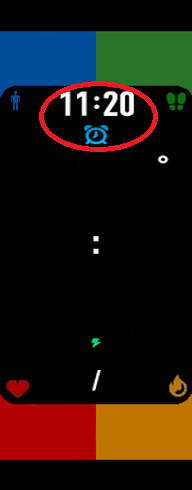
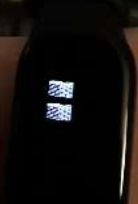
I'm trying to make a mi and 9 watchface, but the images are appearing like this:


Image


This was a test watchface, just to see if I could upload, but it happens with every single watchface

Has anyone had the same problem?
JazzyFox
Posts: 2
Joined: 30 Dec 2024, 08:02
Location: PT
Been thanked: 1 time
Contact:

Post by JazzyFox »

Nevermid, the antivirus was blocking the compiler.
Greenbloodtm
Posts: 1
Joined: 17 Jan 2025, 05:56
Location: Italia
Contact:

Post by Greenbloodtm »

Can you do an animated Watch face for Redmi Watch 5 active?
mayankleo
Posts: 1
Joined: 12 May 2022, 16:25
Location: india
Has thanked: 1 time
Contact:

Post by mayankleo »

is there any way to decompile the .bin or .face file of mi band 9?
tostr
Posts: 28
Joined: 17 Jun 2023, 08:41
Location: Australia
Has thanked: 3 times
Been thanked: 14 times
Contact:

Post by tostr »

@Greenbloodtm From what I know, no. That watch does not support animations, the closest you can get is using the seconds low data source so that an image can update every second.
nawadsama
Posts: 3
Joined: 11 Feb 2025, 12:45
Location: Poland
Has thanked: 1 time
Contact:

Post by nawadsama »

Is it possible to show distance traveled on watch face? I do not see it as a data source in the app.

[EDIT]
Answering my own question. Yes it can. You can find the answer here https://github.com/ooflet/Mi-Create/issues/70
nawadsama
Posts: 3
Joined: 11 Feb 2025, 12:45
Location: Poland
Has thanked: 1 time
Contact:

Post by nawadsama »

Hi,
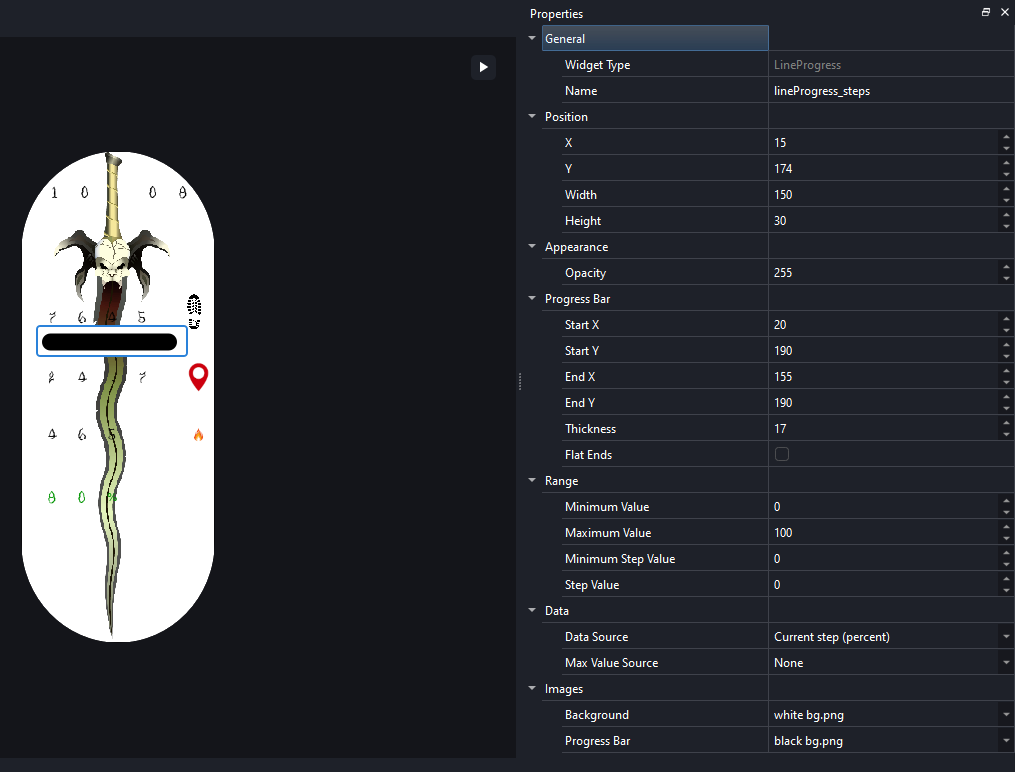
I'm looking for a detailed instruction on how to setup a horizontal progress bar?
I read russian version of m0tral's EasyFace wiki and managed to create what is shown on screen below. But after pushing it to Mi Band 9 it does not appear at all. Thanks in advance

Spoiler
Image
Xaobaco
Posts: 3
Joined: 17 Jan 2025, 04:43
Location: 653/44 quangtrung
Contact:

Post by Xaobaco »

How to export .bin file to install for mi band 9. It only allows exporting json file
tostr
Posts: 28
Joined: 17 Jun 2023, 08:41
Location: Australia
Has thanked: 3 times
Been thanked: 14 times
Contact:

Post by tostr »

@Xaobaco Can you elaborate? If you're talking about exporting a Chinese watchface using wfDef.json, you cannot export it in Mi Create yet. Download the compiler for your watch from Bandbbs and compile your watchface using that program.

If you made a project in Mi Create using the New Project dialog, then you must elaborate further, because Mi Create should allow exporting a .fprj project to a binary.
Post Reply

Return to “Watchfaces tools”

Who is online

Users browsing this forum: No registered users and 1 guest