• Administrator
  •  
    Support Ukraine
    If you experience any problems with the forum (it is not visible, there is no way to post messages, or some functionality does not work), please let us know. If you have problems with registration or you did not receive confirmation letter, let us know and we will activate your account manually.
    If you get an "The submitted form was invalid. Try submitting again" error, delete cookies, then try again.
     

Help to fix it watchface - GTS3

Topics related to the creation, development, and designing of the watch faces.

Moderators: asoo, Watchmens

Forum rules
When adding a new topic, use the template: Topic title [device name]
For example: How to create watch face [GTR 3 Pro]
All communication in this branch should only be in English.
Post Reply
ostgts
Posts: 5
Joined: 06 Jan 2022, 02:21
Location: Jakarta
Contact:

Help to fix it watchface - GTS3

Post by ostgts »

Can anyone please to fit it GTS3 watchface?

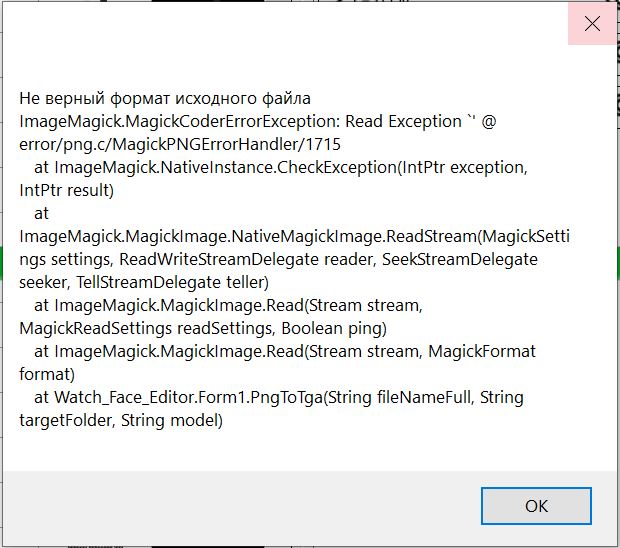
In editor, "pack the dial"
show error
Spoiler
Image
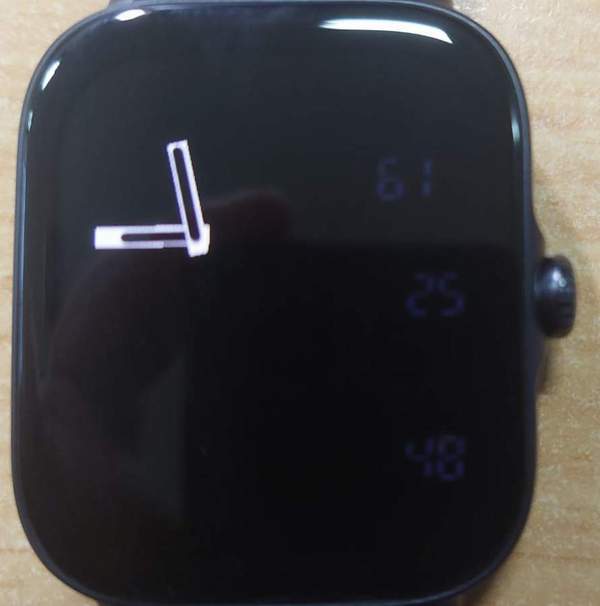
After upload to GTS3
Spoiler
Image
Please help me. Thanks
Attachments
Casio TwinGraph.zip
(61.2 KiB) Downloaded 107 times
User avatar
asoo
Posts: 2147
Joined: 03 Jan 2019, 01:48
Location: ͼͽ Thailand ͼͽ
Has thanked: 414 times
Been thanked: 2073 times

Post by asoo »

The problem you mentioned is most likely caused by the image format you used. does not meet the standards of the program
It is recommended that you use PNG images formatted as 24bit Transparency to create images that will be used in your watch face.

And found another problem from the file you sent.
In the background element that uses an image named main.png and mainaod.png
But in the zip file you sent, there is no main.png and mainaod.png in it.

example fixed issue some picture to 24bit format :
edited the picture which is problematic to pack , is 24bit transparency
Casio-TwinGraph_Fix_some_picture.zip
(59.93 KiB) Downloaded 83 times
ͼͽ To request please use the interrelated forum in action ͼͽ
Please do not PM to me for requests ported watchface.
ostgts
Posts: 5
Joined: 06 Jan 2022, 02:21
Location: Jakarta
Contact:

Post by ostgts »

To : Asoo

Can you to fit it again my watchface?

I try to convert png, failed again.
i sent main.png & mainaod.png

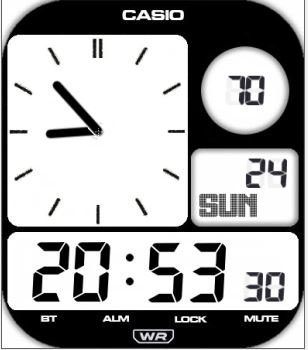
view in editor, like this

Thanks
Spoiler
Image
mainAOD.PNG
mainAOD.PNG (21.07 KiB) Viewed 670 times
main.PNG
main.PNG (56.07 KiB) Viewed 670 times
User avatar
asoo
Posts: 2147
Joined: 03 Jan 2019, 01:48
Location: ͼͽ Thailand ͼͽ
Has thanked: 414 times
Been thanked: 2073 times

Post by asoo »

ostgts wrote: 26 May 2023, 01:00
Spoiler
To : Asoo

Can you to fit it again my watchface?

I try to convert png, failed again.
i sent main.png & mainaod.png

view in editor, like this

Thanks

That you, failed again because you image does not meet the standards of the program
If you have to edit the image yourself. It is recommended to find an edit image program that can save the file to the standard 24 bit of png and the image file must not be compressed, such as "adobe photoshop , corel photo , GiMP" etc.

Or try this little program, it can open your problematic image file and export it as a PNG that can be used in any editor.
https://www.qualibyte.com/
The program is Free ware.
Fixed your issue is in the "spoiler"
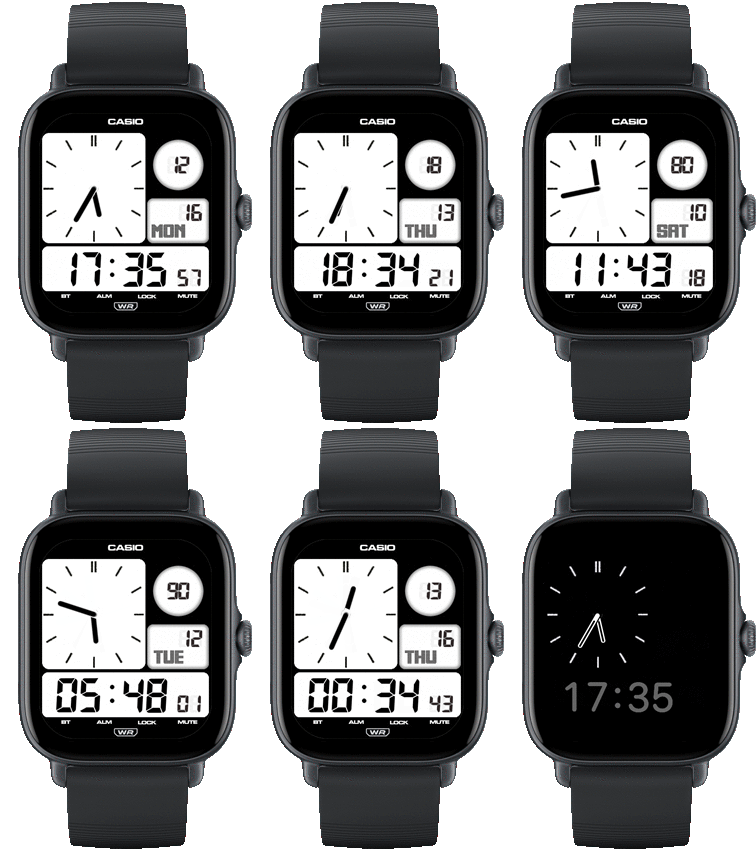
Spoiler
Preview.gif
Preview.gif (88.26 KiB) Viewed 666 times
Casio-TwinGraph_fix2.zip
(106.12 KiB) Downloaded 111 times
I will not test this watchface on real device because I do not have it.
I only tested on program editor
ͼͽ To request please use the interrelated forum in action ͼͽ
Please do not PM to me for requests ported watchface.
Post Reply

Return to “Watchfaces discussion”

Who is online

Users browsing this forum: No registered users and 0 guests