If you experience any problems with the forum (it is not visible, there is no way to post messages, or some functionality does not work), please let us know.
If you have problems with registration or you did not receive confirmation letter, let us know and we will activate your account manually.
If you get an "The submitted form was invalid. Try submitting again" error, delete cookies, then try again.
If you have problems with registration or you did not receive confirmation letter, let us know and we will activate your account manually.
If you get an "The submitted form was invalid. Try submitting again" error, delete cookies, then try again.
New User Here
Moderators: Internal error, Watchmens
-
technoloZEN
- WF maker
- Posts: 13
- Joined: 14 Jan 2019, 17:58
- Contact:
New User Here
Hello everyone. My name is Shawn, and I'm from Texas (US). I just bought a Bip this past weekend, so I've been looking at Youtube videos and forums to see what all I can do with it. I've already been playing with different watch faces on the Amazfitwatchfaces.com page, but have noticed that I may have some issues getting it to read US time/temp/distances correctly, since it is formatted in European/Asian format. Where would I go to find a good simple watch face that will work in my location? Also, can I make my own watchface and download it into the Mi Fit app on my iPhone? Thanks for any info
-
GIK-Team

- root
- Posts: 1033
- Joined: 22 Mar 2018, 10:00
- Location: Ukraine
- Has thanked: 1181 times
- Been thanked: 281 times
- Contact:
[mention]technoloZEN[/mention]
Bip WatchfaceEditor
Disassemble .bin file with AmazfitBipTools, click on Select images and select them from watchface folder by Ctrl+A, then select JSON file by clicking on JSON Select. After that you can set numbers to display by clicking Settings or edit the watchface
AmazTools is an app that aims to improve your experience with your device by bringing many new features to your wearable!
Bip WatchfaceEditor
Disassemble .bin file with AmazfitBipTools, click on Select images and select them from watchface folder by Ctrl+A, then select JSON file by clicking on JSON Select. After that you can set numbers to display by clicking Settings or edit the watchface
AmazTools is an app that aims to improve your experience with your device by bringing many new features to your wearable!
- The app is developed primarily for the Amazfit Bip, but also supports the MiBand 2 and MiBand 3.
- Detailed stats on your activities with the option of exporting them to Strava** or as a .gpx file.
- You can sync your workouts with Health Kit.
- You can export your heart rate to the Health App.
- The watchface of AmazFit Bip can be changed directly from your iPhone, with the ability to choose from a pre-made interface or create your own.
- Use your wearable device as a remote control for your iPhone's camera
- Use your wearable device as a remote control for your iPhone's flashlight
- Customisable language settings (Chinese, English, Spanish, Russian).
- Ability to flash a custom firmware.
"sometimes it's scary but it's still just you and me” — Leaving Laurel
-
technoloZEN
- WF maker
- Posts: 13
- Joined: 14 Jan 2019, 17:58
- Contact:
Great! Thanks for the information. I actually finally figured out how to make a watch face with the watch face editor, uploaded it to my profile and published it. I assume I did everything correct, but I don't actually have my new watch yet (just ordered it), so I don't know if it will work correctly. I'm just trying to get ahead of the game, so I'm familiar with it when it is delivered. I noticed that all the other watch faces are "animated" on the page, but mine isn't. Why are the others animated?
-
GIK-Team
- root
- Posts: 1033
- Joined: 22 Mar 2018, 10:00
- Location: Ukraine
- Has thanked: 1181 times
- Been thanked: 281 times
- Contact:
[mention]technoloZEN[/mention], you forgot to compile the file using WatchFace.exe.
- Attachments
-
- 5c3d104cba793_15012019_packed.bin
- (8.56 KiB) Downloaded 172 times
-
- 5c3d104cba793_15012019_packed_animated.gif (21.92 KiB) Viewed 14888 times
"sometimes it's scary but it's still just you and me” — Leaving Laurel
-
technoloZEN
- WF maker
- Posts: 13
- Joined: 14 Jan 2019, 17:58
- Contact:
Awesome! Thanks for fixing it. So, is it loaded into the website correctly now, or do I still need to re-upload it to my profile?
-
GIK-Team
- root
- Posts: 1033
- Joined: 22 Mar 2018, 10:00
- Location: Ukraine
- Has thanked: 1181 times
- Been thanked: 281 times
- Contact:
You need to update it by replacing the file and image.
"sometimes it's scary but it's still just you and me” — Leaving Laurel
-
technoloZEN
- WF maker
- Posts: 13
- Joined: 14 Jan 2019, 17:58
- Contact:
Ok, I took the bin file you have attached to it and ran it through the watchface.exe. It ran the code through the black screen popup, but then nothing happened. What else do I need to do to reload it in my profile?GIK-Team wrote: 15 Jan 2019, 06:00@technoloZEN, you forgot to compile the file using WatchFace.exe.
-
technoloZEN
- WF maker
- Posts: 13
- Joined: 14 Jan 2019, 17:58
- Contact:
Sorry, I'm completely new to this, so I'm still a little confused on all the different program parts to use to create one and how to save it as an animated image .
-
technoloZEN
- WF maker
- Posts: 13
- Joined: 14 Jan 2019, 17:58
- Contact:
-
technoloZEN
- WF maker
- Posts: 13
- Joined: 14 Jan 2019, 17:58
- Contact:
Ok, I made another watch face today, but again I'm not sure what to run through Watchface.exe to get it to animate like you did with my first wf. I have the PNG file and the json file both saved, but not sure what to do from there. Thanks again for the help.GIK-Team wrote: 15 Jan 2019, 06:00@technoloZEN, you forgot to compile the file using WatchFace.exe.
-
GIK-Team
- root
- Posts: 1033
- Joined: 22 Mar 2018, 10:00
- Location: Ukraine
- Has thanked: 1181 times
- Been thanked: 281 times
- Contact:
[mention]technoloZEN[/mention]
5c3d104cba793_15012019.bin - invalid file (edit your watchface and delete this file)
5c3dfa33dc43b_15012019.bin - is ok.
Put all your pngs and json in one folder, then drag&drop your json directly to Watchface.exe
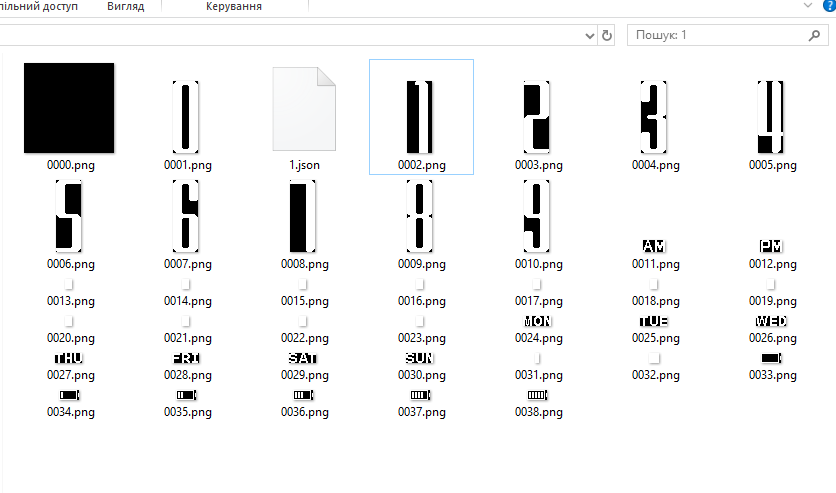
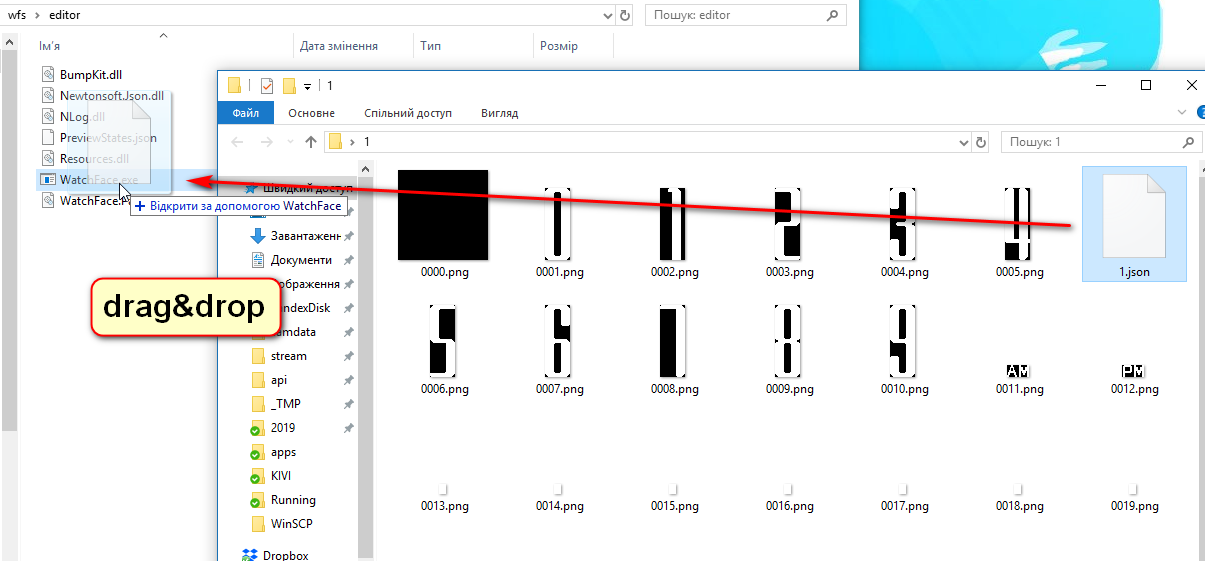
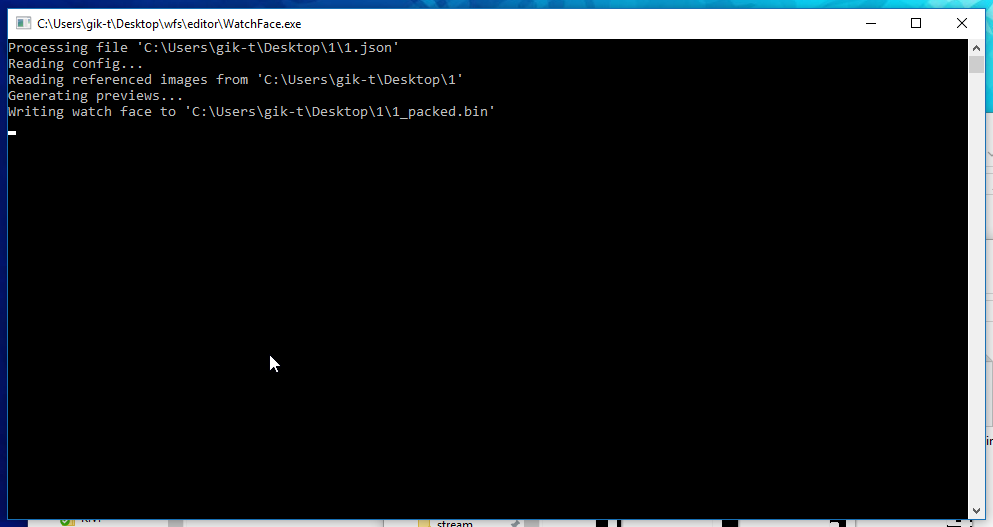
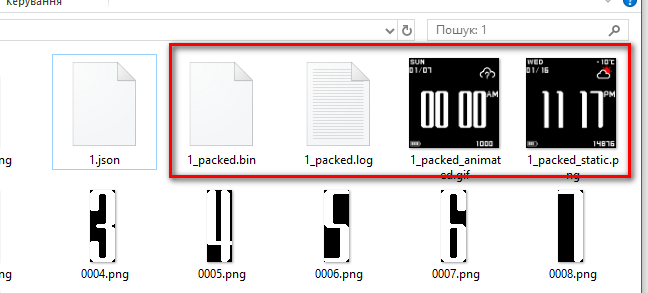 To unpack .bin drag&drop it directly to Watchface.exe
5c3d104cba793_15012019.bin - invalid file (edit your watchface and delete this file)
5c3dfa33dc43b_15012019.bin - is ok.
Put all your pngs and json in one folder, then drag&drop your json directly to Watchface.exe
screenshots
"sometimes it's scary but it's still just you and me” — Leaving Laurel
-
technoloZEN
- WF maker
- Posts: 13
- Joined: 14 Jan 2019, 17:58
- Contact:
I've already tried running the final json file back through watchface.exe, but when it populates the new folder with the new pngs and json file, it does not have a bin file located in it. It only has a text document in the list. I can't figure out how to turn everything back into a bin file.
-
technoloZEN
- WF maker
- Posts: 13
- Joined: 14 Jan 2019, 17:58
- Contact:
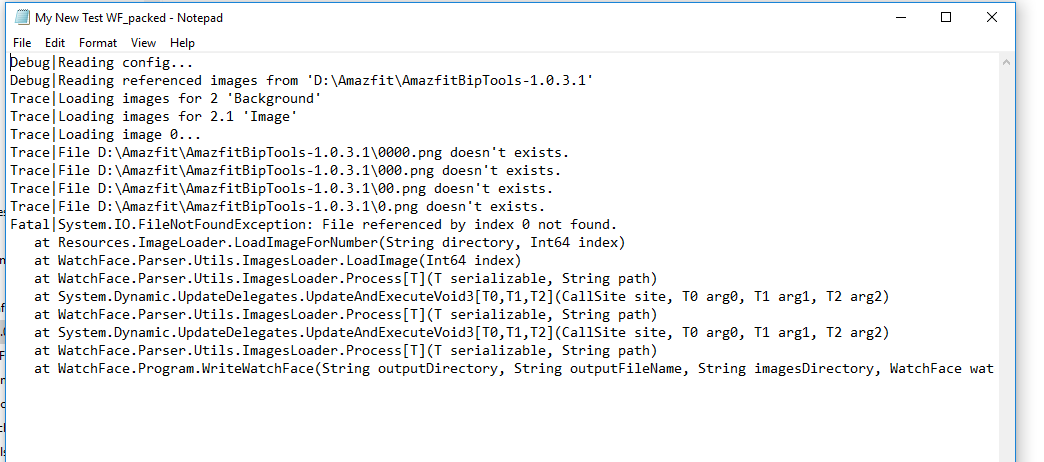
I keep getting this text document message when I try to send the new json file back through watchface.exe
-
GIK-Team
- root
- Posts: 1033
- Joined: 22 Mar 2018, 10:00
- Location: Ukraine
- Has thanked: 1181 times
- Been thanked: 281 times
- Contact:
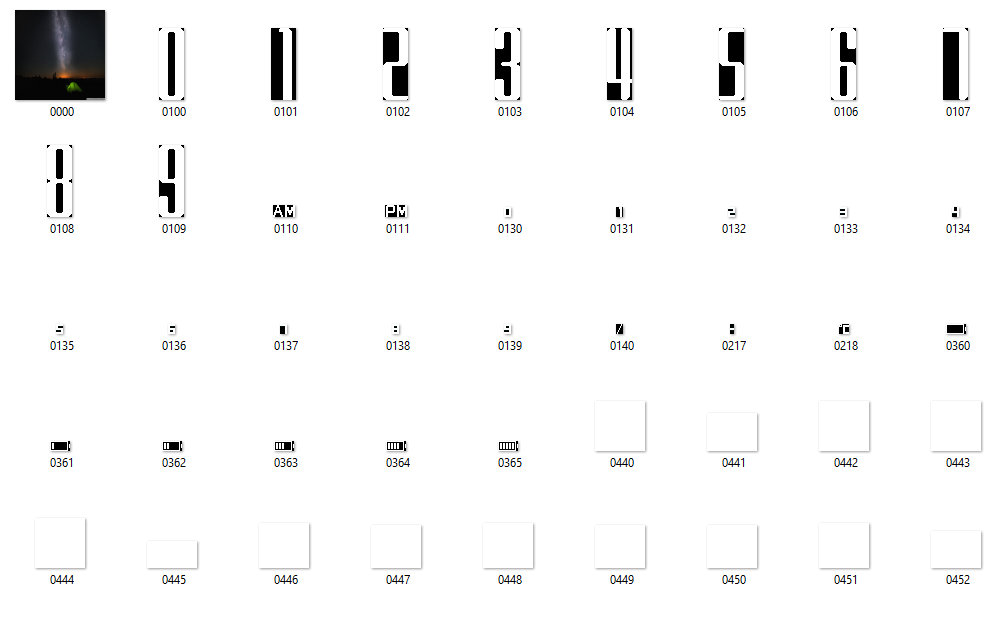
You do not have all the pngs in the folder. 0000.png, 000.png, 00.png, 0.png doesn't exist.
"sometimes it's scary but it's still just you and me” — Leaving Laurel
-
technoloZEN
- WF maker
- Posts: 13
- Joined: 14 Jan 2019, 17:58
- Contact:
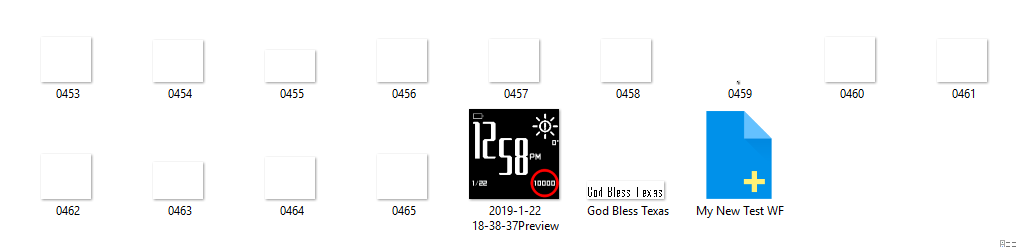
I don't even see any of those pngs in the folder, other than the 0000 pic, which is my background image. After I created the new json file from the WF Editor and ran it through the watchface.exe, this is everything it populated in the new folder (see below).
-
GIK-Team
- root
- Posts: 1033
- Joined: 22 Mar 2018, 10:00
- Location: Ukraine
- Has thanked: 1181 times
- Been thanked: 281 times
- Contact:
[mention]technoloZEN[/mention], pack your files (including .json) in the archive. Attach it to the message, I will look and tell you what the problem is.
"sometimes it's scary but it's still just you and me” — Leaving Laurel
Who is online
Users browsing this forum: No registered users and 1 guest