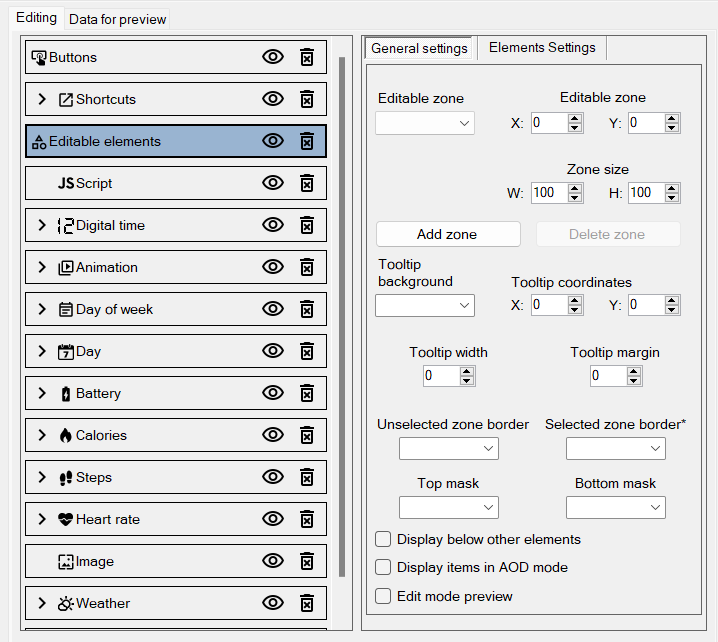
I've tried using the 'Editable Elements' on a watch face for the Bip 6, but it causes the watch to completely reset (blackscreen) whenever I try to use it.
Has anyone been able to get Editable elements working? If so, could you provide a guide/explanation?
-
- Administrator
-
-
Support Ukraine
If you experience any problems with the forum (it is not visible, there is no way to post messages, or some functionality does not work), please let us know. If you have problems with registration or you did not receive confirmation letter, let us know and we will activate your account manually.
If you get an "The submitted form was invalid. Try submitting again" error, delete cookies, then try again.
How do Editable Elements work? [Bip 6]
Forum rules
When adding a new topic, use the template: Topic title [device name]
For example: How to create watch face [Bip U]
All communication in this branch should only be in English.
When adding a new topic, use the template: Topic title [device name]
For example: How to create watch face [Bip U]
All communication in this branch should only be in English.
-
JerriBearr
- Posts: 9
- Joined: 02 Jul 2025, 13:05
- Location: South Africa
- Contact:
How do Editable Elements work? [Bip 6]
Last edited by JerriBearr on 03 Jul 2025, 10:06, edited 1 time in total.
- asoo
- Posts: 2146
- Joined: 03 Jan 2019, 01:48
- Location: ͼͽ Thailand ͼͽ
- Has thanked: 414 times
- Been thanked: 2070 times
It is recommended to attach the watchface you edited that it make problem you found. It will be very helpful for those who want to help you so that they can check the problem that you have reported.
And if possible, you should explain the steps you took that caused the problem you reported.
ͼͽ To request please use the interrelated forum in action ͼͽ
Please do not PM to me for requests ported watchface.
-
JerriBearr
- Posts: 9
- Joined: 02 Jul 2025, 13:05
- Location: South Africa
- Contact:
Thanks @asoo
This is my first post here so I'm still learning
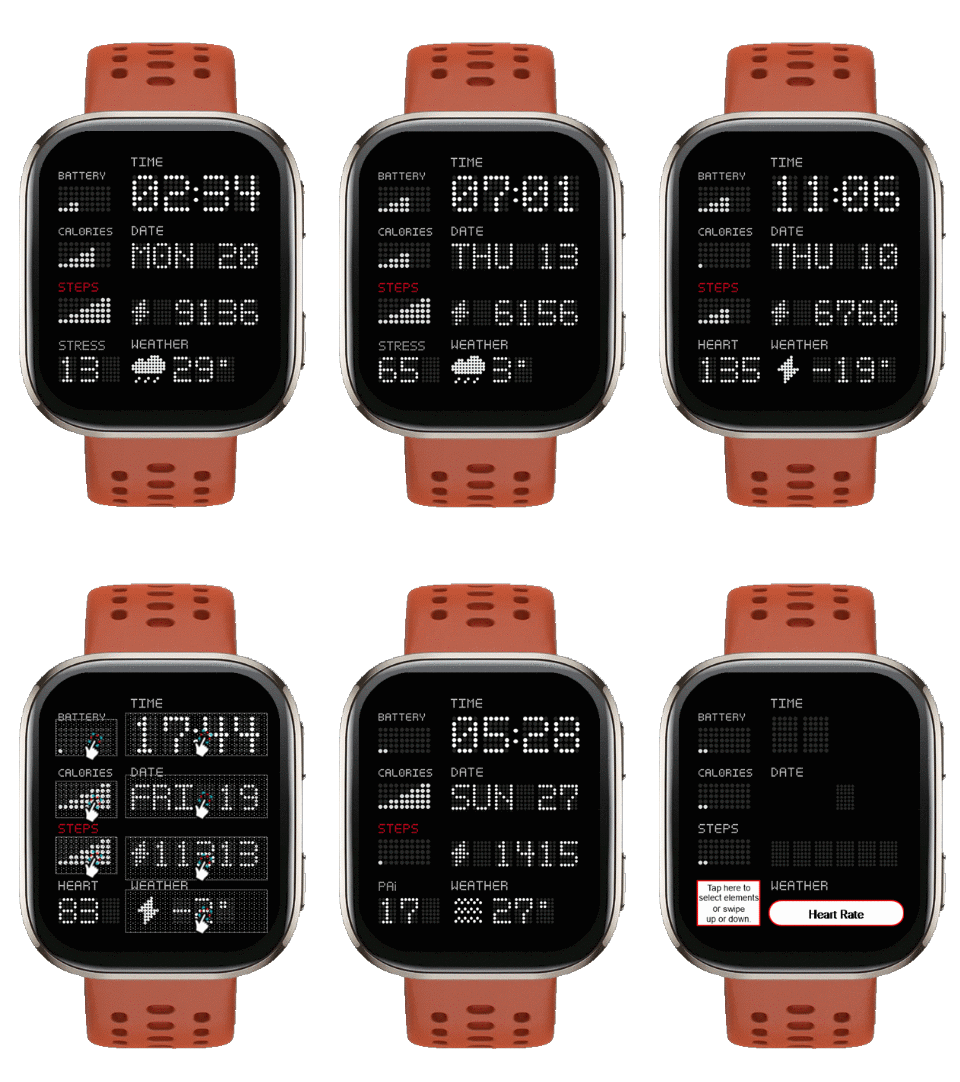
I've attached the file and watchface I'm editing. I want to replace the heartrate monitoring with an editable element that can be changed out for PAI or Stress.
I've used scripting already, which I can reuse, but I'd like to try get the Editable Elements working and build up a foudation of how it works so I can maybe create a guide for new watchface makers.
The watchface is based on the design by @frankh93
Any edits I make, I just send back to him if he wants to add it to his curent project: Dotted Clock
This is my first post here so I'm still learning
I've attached the file and watchface I'm editing. I want to replace the heartrate monitoring with an editable element that can be changed out for PAI or Stress.
I've used scripting already, which I can reuse, but I'd like to try get the Editable Elements working and build up a foudation of how it works so I can maybe create a guide for new watchface makers.
The watchface is based on the design by @frankh93
Any edits I make, I just send back to him if he wants to add it to his curent project: Dotted Clock
- Attachments
-
dotted_clock_en_editable.zip- (268.88 KiB) Downloaded 82 times
- asoo
- Posts: 2146
- Joined: 03 Jan 2019, 01:48
- Location: ͼͽ Thailand ͼͽ
- Has thanked: 414 times
- Been thanked: 2070 times
I don't usually use this ability to change elements, I use custom scripts, so this example is just a rough example. It works as expected, you can use it as an example to create your own work.JerriBearr wrote: 03 Jul 2025, 10:02Spoiler
Thanks @asoo
This is my first post here so I'm still learning
I've attached the file and watchface I'm editing. I want to replace the heartrate monitoring with an editable element that can be changed out for PAI or Stress.
I've used scripting already, which I can reuse, but I'd like to try get the Editable Elements working and build up a foudation of how it works so I can maybe create a guide for new watchface makers.
The watchface is based on the design by @frankh93
Any edits I make, I just send back to him if he wants to add it to his curent project: Dotted Clock
Hope it's useful.
Download
ͼͽ To request please use the interrelated forum in action ͼͽ
Please do not PM to me for requests ported watchface.
-
JerriBearr
- Posts: 9
- Joined: 02 Jul 2025, 13:05
- Location: South Africa
- Contact:
Thanks @asoo
That got me in the right direction. I replaced Stress with Readiness since I don't use it that much. The Watchface Tool doesn't support it yet so I went into the packaged watch face and changed the references in `watchface/index.js` from STRESS to READINESS and everything worked.
- Attachments
-
Dotted Clock V2.zip- Dotted Clock
- (289.32 KiB) Downloaded 69 times
Who is online
Users browsing this forum: No registered users and 1 guest