Hello everyone, Im very new to creation of watch faces and before this, Ive only edited the background of watchfaces but not the complications.
I tried to heavily modify one of the watch faces I had, everything looks fine on the amazfit watch face editor 2 tool, it transfers fine, but when it comes to applying it, it will auto revert to the stock face instead of this custom one. I have compiled, decompiled, recompiled to see any issues with the images but no luck. I need help solving this issue. Watch is the GTR 2e.
-
- Amministratore
-
-
Support Ukraine
If you experience any problems with the forum (it is not visible, there is no way to post messages, or some functionality does not work), please let us know. If you have problems with registration or you did not receive confirmation letter, let us know and we will activate your account manually.
If you get an "The submitted form was invalid. Try submitting again" error, delete cookies, then try again.
Watchface not applying/crashing?
Regole del forum
When adding a new topic, use the template: Topic title [device name]
For example: How to create watch face [GTR 3 Pro]
All communication in this branch should only be in English.
When adding a new topic, use the template: Topic title [device name]
For example: How to create watch face [GTR 3 Pro]
All communication in this branch should only be in English.
Watchface not applying/crashing?
- Allegati
-
- omnitrixFix.bin
- (879.77 KiB) Scaricato 78 volte
-
- ben10v2_packed.bin
- (437.58 KiB) Scaricato 70 volte
-
asoo
- Messaggi: 2181
- Iscritto il: 03 gen 2019, 01:48
- Località: ͼͽ Thailand ͼͽ
- Has thanked: 419 times
- Been thanked: 2105 times

First of all let me tell you that I don't have GTR2e so I can only check the scritp and resource section.
from the inspection I can't find any abnormality in script "json".
but in resource images look like you use compress png
Since the device has a specific png format, it may result in the image that you compress. The device maybe unreadable.
I recommend using a normal PNG image that doesn't have compress.
The PNG I am using has the following format:
Examples that have been uncompress png
viewtopic.php?p=12996#p12996
I am not sure it's can fixed your issue or not , Because I don't have real device for test.
But if it's work , your issue is "compress png "
from the inspection I can't find any abnormality in script "json".
but in resource images look like you use compress png
Since the device has a specific png format, it may result in the image that you compress. The device maybe unreadable.
I recommend using a normal PNG image that doesn't have compress.
The PNG I am using has the following format:
Spoiler
Examples that have been uncompress png
viewtopic.php?p=12996#p12996
I am not sure it's can fixed your issue or not , Because I don't have real device for test.
But if it's work , your issue is "compress png "
ͼͽ To request please use the interrelated forum in action ͼͽ
Please do not PM to me for requests ported watchface.
Please do not PM to me for requests ported watchface.
I've narrowed it down to the AOD, the image I have set to it will cause it to not function. I've also looked into the png problem
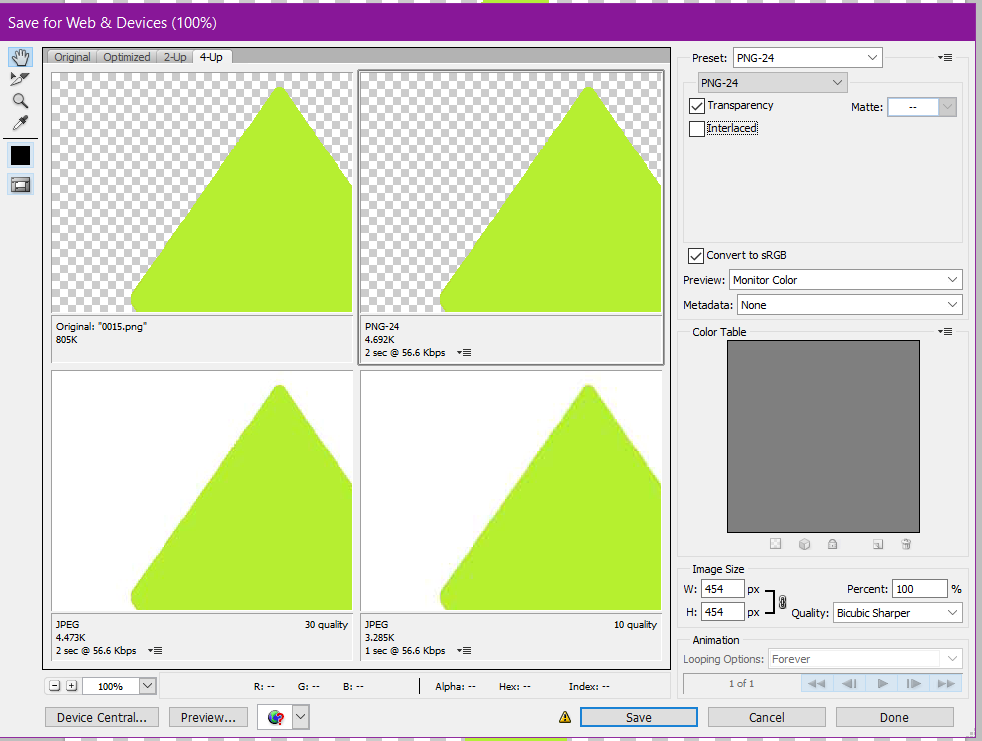 This is the settings I use to export the pictures, I don't see much difference though. So far, if I don't have anything set as the AOD, it will work but I'm still confused why only the AOD
Spoiler
-
asoo
- Messaggi: 2181
- Iscritto il: 03 gen 2019, 01:48
- Località: ͼͽ Thailand ͼͽ
- Has thanked: 419 times
- Been thanked: 2105 times
Let's You try to add "time" in AOD.
If I'm not mistaken In the GTR2 main screen, if there is no time section The watchface sometime , It will not be able to be activated. But I'm not sure if this will affect AOD as well.
If I'm not mistaken In the GTR2 main screen, if there is no time section The watchface sometime , It will not be able to be activated. But I'm not sure if this will affect AOD as well.
ͼͽ To request please use the interrelated forum in action ͼͽ
Please do not PM to me for requests ported watchface.
Please do not PM to me for requests ported watchface.
Oh thank you, adding the time to AOD did make the watch face work. I will now keep this in mind for future projects
Chi c’è in linea
Visitano il forum: Nessuno e 1 ospite