HWF - Ugly Sweater Time I ( GTR 3 )

Compatível com
GTR 3 Idiomas suportados
en
en
Data adicionada: 17.12.2023 11:07
Atualizado: 18.12.2023 12:08
42 usuários tem esse item em favoritos
Informação Importante para os Usuários
Por favor, note que todos os mostradores de relógio disponíveis neste site são obras criativas dos nossos usuários e não estão afiliados com marcas oficiais ou marcas registradas. São criados por fãs para fãs, inspirados em fenômenos culturais populares, jogos, filmes ou séries.
Nosso objetivo é fornecer uma plataforma para criatividade e troca, mas também nos esforçamos para respeitar os direitos intelectuais. Se você detém direitos autorais sobre qualquer conteúdo que acredita infringir seus direitos neste site, por favor, entre em contato conosco para ações apropriadas.
Por favor, note que todos os mostradores de relógio disponíveis neste site são obras criativas dos nossos usuários e não estão afiliados com marcas oficiais ou marcas registradas. São criados por fãs para fãs, inspirados em fenômenos culturais populares, jogos, filmes ou séries.
Nosso objetivo é fornecer uma plataforma para criatividade e troca, mas também nos esforçamos para respeitar os direitos intelectuais. Se você detém direitos autorais sobre qualquer conteúdo que acredita infringir seus direitos neste site, por favor, entre em contato conosco para ações apropriadas.

Descrição
Note:
Thank SashaCX75 so much for Editor 10.1 FinalIf without a good editor like this, It would be difficult to make this watchface. , so who want to donate please donate to sashacx75
https://www.buymeacoffee.com/sashacx75
or.
(Paypal: [email protected])
----------------------------------------------------------------------------------------------------
Thank wax so much for code change background by click on screen
/gtr/view/27840
--------------------------------------------------------------------
This watch face made by ported from image HWF - Ugly Sweater Time I
f a c e r . i o
----------------------------------------------------------------------
I didn't design it , do not give credit to me.
----------------------------------------------------------------------- This watchface i do it for use by myself
- Please do not request any modify.
- This watch face, I will not accept any requests
- If have request in the comment i will not answer
- who is interest to modify, you can download and edit it by yourself.- All my work will be "FULL AOD". If you don't like it, you can enable watch's standard AOD. Once you enable watch standard AOD, full AOD of watchface will not be displayed. System will be use standard AOD from Watch
- Only tested on GTR3
- If the owner requests it to be removed Admin can delete immediately.
Thank you.
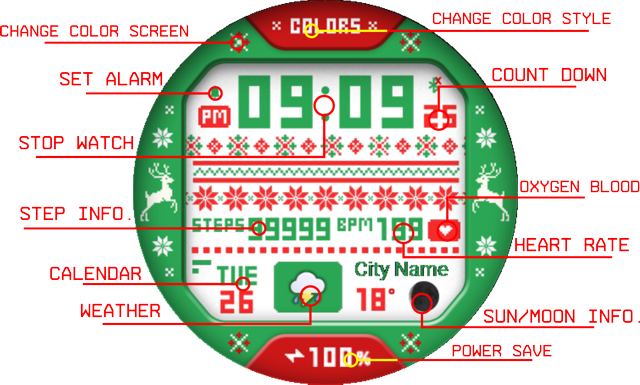
---------------------------------------------------------------------------------------- Shortcut open calendar ( click on "DAY Area" )
- Open setup power save by click on BATTERY number
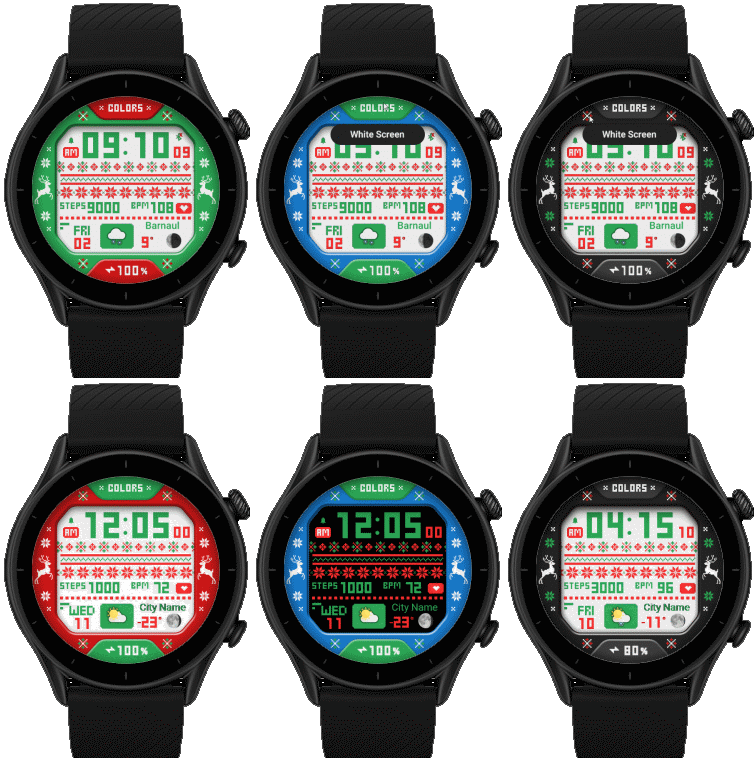
- Change Color style by click on word " Colors "
- Switch main display color ( Black or White ) by click on the asterisk to the left of "colors"
---------------------------------------------------------------------------------------
- Shortcuts
(1. Alarm , 2. sunrise/sunset , 3. temperature, 4. countdown , 5.PAI , 6. Steps , 7. Pulse , 8. SP02 , 9.Stopwatch , 10.calendar , Power Save
------------------------------------------------------------------------------------------
Image showing shortcuts area
.
 .
. .
.
.
18-12-2023 (1) (2)
(2)
- Upload Version 2.2
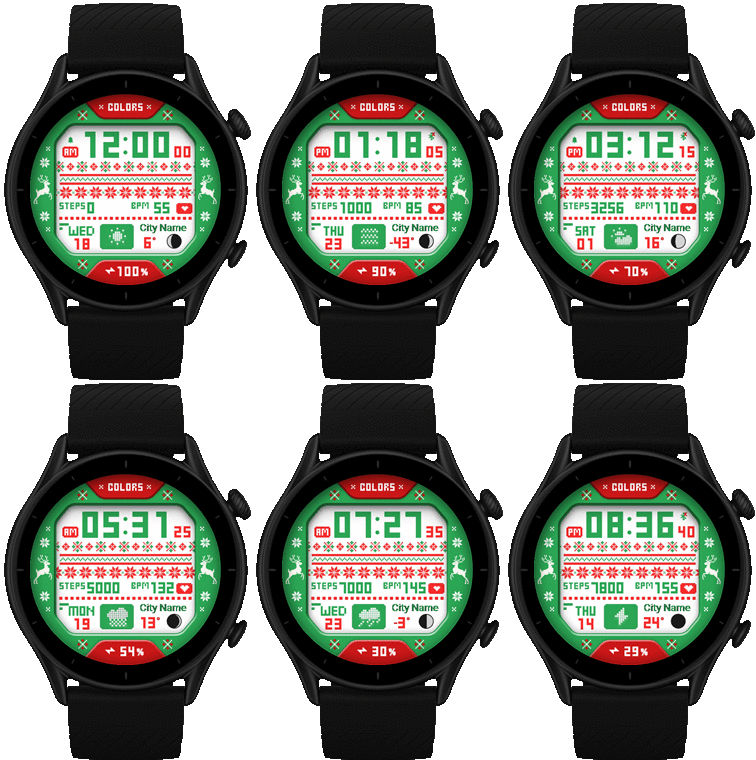
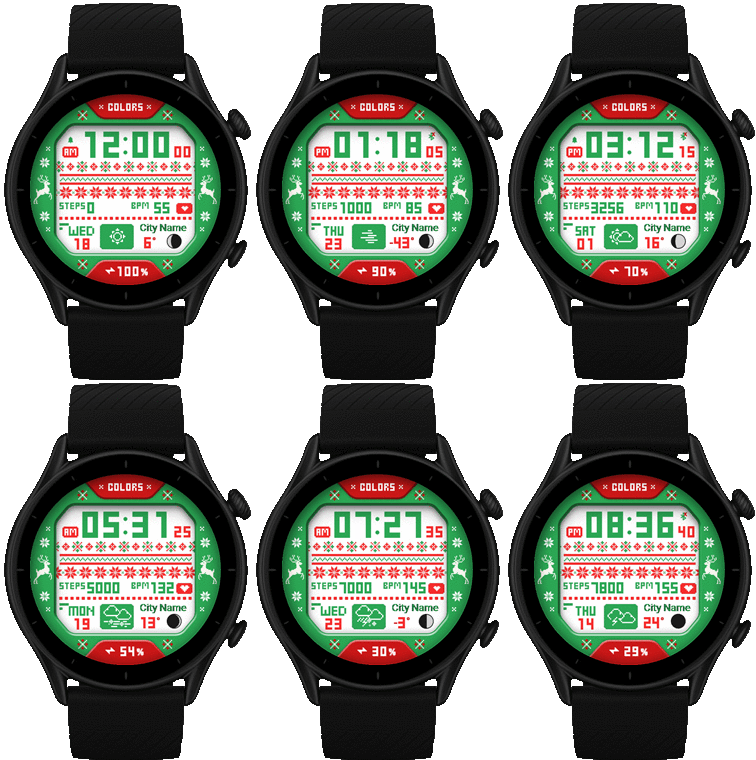
- Change weather's icon to look similar to the original
(1)
- Upload Version 2.1 ( Change icon moon and Weather )
- Thank MSKefayati for Weather icon
Bring from this watchface
/gtr/view/37274
17-12-2023
- Upload Version 2.0
- Ported
- Change little layout and images
- Add weather, steps, distance, heart rate, battery, date, seconds, calendar, moon, animation
- Add Full AOD ( Show only Black color style and animation will be OFF on AOD for save Battery )
- Shortcut open calendar ( click on "DAY Area" )
- Open setup power save by click on BATTERY number
- Change Color style by click on word " Colors "
- Switch main display color ( Black or White ) by click on the asterisk to the left of "colors"
- Use user_functions.js to built this watchface.
- This Watchface can convert to other device in ZeppOS by use Sasha's editor Version 10.0 or higher
( Watch face editor for Amazfit watch on ZeppOS ) /forum/viewtopic.php?p=11643#p11643
------------------------------------------------------------------------------
it works in 24h format.
for the 12 h format to work. must be enabled in phone settings. (settings-system-date and time-disable 24-hour format.)
------------------------------------------------------------------------------
Tags
weather
steps
distance
heart rate
battery
date
seconds
spots list
calendar
moon
animation
Clistmas
x-mas
xmas
Compatilhar este watch face
Comentários

RobertV56
Could you also convert it for a T-Rex2 asoo, I have also tried this version on the T-Rex2 but the animation does not work. I know you can't test it, but I will be happy to do so for you
17.12.2023 13:51:42 Reclamar

asoo
RobertV56, It is correct that animations do not work on Trex2 because Trex2 uses ZeppOS 2.x. animation script is not the same as ZeppOS 1.x, so animations do not work.So,........Please read the Description as well. You can convert it by yourself. As specified in the Description
17.12.2023 14:42:58 Reclamar
asoo
RobertV56, If you know I can't test it. I'll tell you more. Usually if I can't test I will not make that watchface for that device in this area.I think I wrote it in detail in the Description. I don't understand why people still don't seem to read it.If you want to make a request, on this web, have the forum section is relevant to doing so. Recommended to use in that section.Comment area in my thoughts It doesn't take up the appropriate space for a request. I think make for to express your opinion about the watch face.
17.12.2023 15:00:07 Reclamar

ZduneX25
RobertV56, I've been working on it a little bit this morning before I realized asoo already did it, but since I mainly make os2 versions I can take care of trex2 as well
17.12.2023 20:12:06 Reclamar
asoo
ZduneX25, It's good news for ZeppOS 2.x users.Thank  18.12.2023 04:15:35 Reclamar
18.12.2023 04:15:35 Reclamar
ZduneX25
asoo, RobertV56, /t-rex/view/13448
18.12.2023 16:55:28 Reclamar
RobertV56
Sorry asoo, but that won't work, I don't have a computer or laptop myself.  17.12.2023 14:51:22 Reclamar
17.12.2023 14:51:22 Reclamar
asoo
RobertV56, If you know I can't test it. I'll tell you more. Usually if I can't test I will not make that watchface for that device in this area.I think I wrote it in detail in the Description. I don't understand why people still don't seem to read it.If you want to make a request, on this web, have the forum section is relevant to doing so. Recommended to use in that section.Comment area in my thoughts It doesn't take up the appropriate space for a request. I think make for to express your opinion about the watch face.
17.12.2023 15:01:12 Reclamar
Você precisa estar logado para postar ou responder aos comentários.
Discussões recentes na comunidade
Minimal amber watchface for gtr4
It is perfect thank you sir i appreciate you 🙏...
Upgrade of Snoopy GTR3
I love it, thanks a lot asoo <3...
Convert request for gtr4
Thank you sir i appreciate it...
Port request gtr4
If you're not going to use the watchface tool, then many times you can upload the entire .zip file to Gemini or another AI tool and tell it to make the edits for you. Thank...
Port request gtr4
Thank you...
Port request for gtr4 [GTR 4]
Thank you...
Simple digital watchface gtr4
Thanks...





