Amazfit Simple

Сумісний з
GTR 4 Це платний вміст!
Натисніть тут, щоб дізнатися більше.
Натисніть тут, щоб дізнатися більше.
Підтримувані мови
en
en
Завантажено: 10.06.2023 14:32
56 користувачів додали це до обраного
Важлива інформація для користувачів
Зверніть увагу, що всі циферблати, доступні на цьому сайті, є творчими роботами наших користувачів і не пов'язані з офіційними брендами або торговими марками. Вони створюються шанувальниками для шанувальників, надихаються популярними культурними феноменами, іграми, фільмами, або серіалами.
Наша мета - надати платформу для творчості та обміну, але ми також прагнемо поважати інтелектуальні права. Якщо ви володієте авторськими правами на будь-який контент, який, на вашу думку, порушує ваші права на цьому сайті, будь ласка, зв'яжіться з нами для вжиття відповідних заходів.
Зверніть увагу, що всі циферблати, доступні на цьому сайті, є творчими роботами наших користувачів і не пов'язані з офіційними брендами або торговими марками. Вони створюються шанувальниками для шанувальників, надихаються популярними культурними феноменами, іграми, фільмами, або серіалами.
Наша мета - надати платформу для творчості та обміну, але ми також прагнемо поважати інтелектуальні права. Якщо ви володієте авторськими правами на будь-який контент, який, на вашу думку, порушує ваші права на цьому сайті, будь ласка, зв'яжіться з нами для вжиття відповідних заходів.

Опис
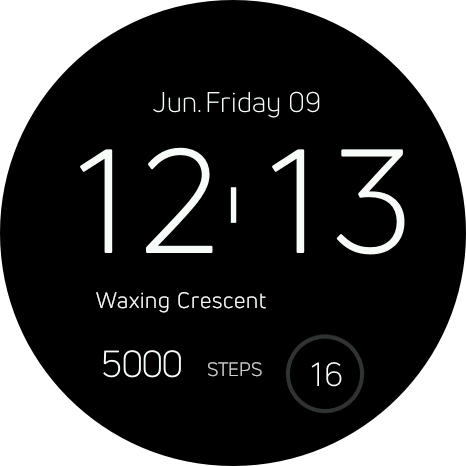
This is a DEMO version with no widget/color switch enabled, only digital clock with basic info, you can see below:
03.08.2023:
- breaking color limits: you can now manually adjust color and it's brightness using 6 bottom buttons. Check how it works here using sliders: https://rgbcolorpicker.com/. To save selected color simply tap on color preview area.
- event reminder: pick any date that is important to you, to start tracking how many days left. When the day comes you will be notified by a special mark on the main view. You can track only one event.

06.07.2023:
- six new accent colors, what leads to 12 in total, more intense ones;
- tap on battery indicator to switch AOD mode: Minimal/Full;
- sleep length and points widget that does not include awake time, so you are getting real value;

16.06.2023:
- weather widget with a smart temperature mark on the scale that starts at -50 and ends at +50 (just like regular thermometer). Mark position represents current temperature;
- as promised I added a mark that will tell you whether or not you reached your daily goal and how much above/below you are/were;
- each bar is touchable now, so you could see your historical data even more easily, moveover you can find your average amount of steps (for the whole week) below;


This time I wanted to present even more of features that nobody else brought to Amazfit users.
I truly believe my sun and history of steps data widgets will meet the expectations.
Tap on digital hours to switch between: main view (moon phase, heart rate, steps, seconds) > sun widget > steps history widget.
Tap on digital minutes to switch colors: 6 models.
Tap on digital seconds twice to enable tap zones: alarm clock > calendar > tides > pulse > statistics
tap once to disable tap zones.
Smart date widget that will remain centered for each day of the week no matter how much space it takes.
All platforms are supported. I already managed to deliver for following models:
GTR 3, 3 PRO, T-Rex 2, T-Rex Ultra and GTR 4.
More previews and even more detailed description is available on my website (where you can buy it):
https://miuipolska.pl/zdunex25/amazfit/simple.html
or (shorter url version) https://shorturl.at/boIM7
If you use Donate button in my profile, input that is correct value for this watch face.Теги
Поділиться цим циферблатом
Коментарі
Вам необхідно увійти, щоб залишати коментарі або відповідати на них.
Недавні обговорення в спільноті
Please port request for gtr4
It is perfect thank you 🙏...
Snoopy black version GTR 3
Many thanks sir...
Request: "Dash Digital" and “Acrive” style for Amazfit GTR Mini
Thank you asoo! I installed the V2 version on my GTR Mini and it works great. Thanks for your time and for moving the thread to the right section!...
Minimal watchface request for gtr4
Thank you sir i appreciate it...
Please help find lost face
Someone created this model at their discretion and grouped here several components from the watch manufacturer, and you ...
If it is possible request for gtr4
Very beautiful thank you sir...
Hawker Matador Brown GTR 3
MarioLie Amazing and charmy, thanks a lot for that :)...





I have already sent the post to your account. 09.08.2023 08:40:06 Скарга