JN_EXO (GTR3)

兼容于
GTR 3 支持的语言
en
en
新增: 16.05.2023 21:56
更新日期: 19.05.2023 12:32
145 个用户已加入 收藏
用户须知
请注意,本网站上所有可用的手表面都是我们用户的创作作品,并且与任何官方品牌或商标无关。这些作品是由粉丝为粉丝创作的,灵感来源于流行文化现象、游戏、电影或电视剧。
我们的目标是提供一个创意交流的平台,同时我们也致力于尊重知识产权。如果您拥有本网站上任何内容的版权,并认为该内容侵犯了您的权利,请与我们联系以采取适当措施。
请注意,本网站上所有可用的手表面都是我们用户的创作作品,并且与任何官方品牌或商标无关。这些作品是由粉丝为粉丝创作的,灵感来源于流行文化现象、游戏、电影或电视剧。
我们的目标是提供一个创意交流的平台,同时我们也致力于尊重知识产权。如果您拥有本网站上任何内容的版权,并认为该内容侵犯了您的权利,请与我们联系以采取适当措施。

描述
Note:
Thank SashaCX75 so much for Editor 7.4 betaIf without a good editor like this, It would be difficult to make this watchface. , so who want to donate please donate to sashacx75
(Paypal: [email protected])
----------------------------------------------------------------------------------------------------
This watch face made by ported from image JN_EXO
----------------------------------------------------------------------
I didn't design it , do not give credit to me.
----------------------------------------------------------------------- This watchface i do it for use by myself
- Please do not request any modify.
- This watch face, I will not accept any requests
- If have request in the comment i will not answer
- who is interest to modify, you can download and edit it by yourself.- Only tested on GTR3
- All my work will be "FULL AOD". If you don't like it, you can enable watch's standard AOD. Once you enable watch standard AOD, full AOD of watchface will not be displayed. System will be use standard AOD from Watch- If the owner requests it to be removed Admin can delete immediately.
Thank you.
---------------------------------------------------------------------------------------- Shortcut open calendar ( click on date area )
- Change color screen by click on 12 o'clock
- Change color hand clock by click on center (JN)
---------------------------------------------------------------------------------------
- Shortcuts
(1. Alarm , 2. sunrise/sunset , 3. temperature, 4. countdown , 5.PAI , 6. Steps , 7. Pulse , 8. SP02 , 9.Stopwatch)
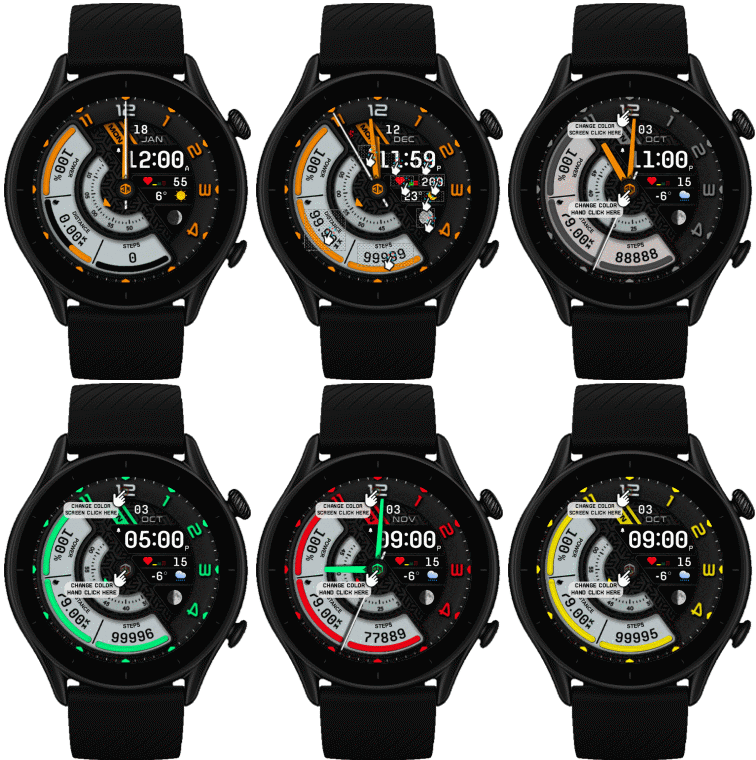 .
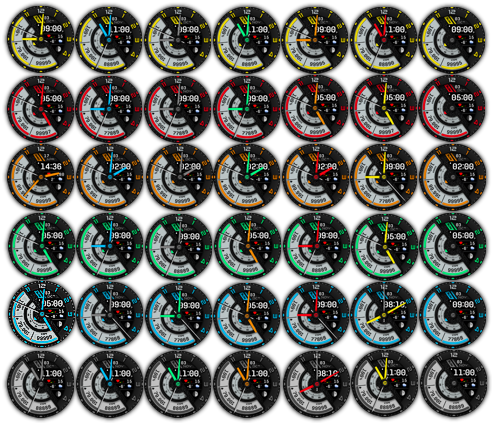
.
19-05-2023
-Upload Version FAOD V.3
- Test main screen Use high quality image ( file may bigger than normal )
- change function "change color screen"
( after change color main screen, The hand clock color will change color same main screen
You can still change the color of the clock hands later.)
Thank Lattenknaller for this idea.
17-05-2023
- Upload version FAOD
- Full AOD show only Black & White
17-05-2023 (1) (2) (3)
- Upload Version Custom script ( Test add custom script on new script ) (3)
- Change color screen by click on 12 o'clock (3)
- Change color hand clock by click on center (JN) (3)
- Upload version high quality main screen (2)
- Change a little step's gap
- Delete old version
- Ported
- Change layout and images
- Add weather, steps, distance, heart rate, battery, date, seconds, MOON PHASE,
- Shortcut open calendar ( click on date area )
- No AOD
Note : After click the screen will go to black screen , click on screen again to refresh update change color
Note : This watchface make for test new function in 7.4 beta
------------------------------------------------------------------------------it works in 24h format.
for the 12 h format to work. must be enabled in phone settings. (settings-system-date and time-disable 24-hour format.)
-------------------------------------------------------------------------
标签
分享此表盘
评论
您需要登录才能发布或回复评论。
近期 社区论坛 讨论贴
Adding some options request for gtr4
Amazing thank you sir 🙏...
Convert request for gtr4
Thank you so much...
Please port request for gtr4
It is perfect thank you 🙏...
Snoopy black version GTR 3
Many thanks sir...
Request: "Dash Digital" and “Acrive” style for Amazfit GTR Mini
Thank you asoo! I installed the V2 version on my GTR Mini and it works great. Thanks for your time and for moving the thread to the right section!...
Minimal watchface request for gtr4
Thank you sir i appreciate it...
Please help find lost face
Someone created this model at their discretion and grouped here several components from the watch manufacturer, and you ...





/forum/viewtopic.php?p=15688#p15688 17.05.2023 04:46:51 投诉