Amazfit Shape

Compatibile con
GTR 3 Pro Idiomas compatibles
en
en
Data aggiunta: 30.04.2023 10:03
75 utenti che hanno questo elemento nei preferiti
Informazioni Importanti per gli Utenti
Si prega di notare che tutti i quadranti orologio disponibili su questo sito sono opere creative dei nostri utenti e non sono affiliati con marchi ufficiali o marchi registrati. Sono creati da fan per fan, ispirati da fenomeni culturali popolari, giochi, film o serie.
Il nostro obiettivo è fornire una piattaforma per la creatività e lo scambio, ma ci impegniamo anche a rispettare i diritti intellettuali. Se detiene i diritti d'autore su qualsiasi contenuto che ritiene infranga i suoi diritti su questo sito, contattaci per un'azione appropriata.
Si prega di notare che tutti i quadranti orologio disponibili su questo sito sono opere creative dei nostri utenti e non sono affiliati con marchi ufficiali o marchi registrati. Sono creati da fan per fan, ispirati da fenomeni culturali popolari, giochi, film o serie.
Il nostro obiettivo è fornire una piattaforma per la creatività e lo scambio, ma ci impegniamo anche a rispettare i diritti intellettuali. Se detiene i diritti d'autore su qualsiasi contenuto che ritiene infranga i suoi diritti su questo sito, contattaci per un'azione appropriata.

Descrizione
Based on WearOS Watchface called mans 188 by Mans.
Functions:
Tap top amazfit logo to change color (5 models);
Tap bottom battery widget to show battery % toast;
Smart time (between 10:00 and 19:00, date (between 10th and 19th) and step (above 9999) widgets reposition to keep them centered:
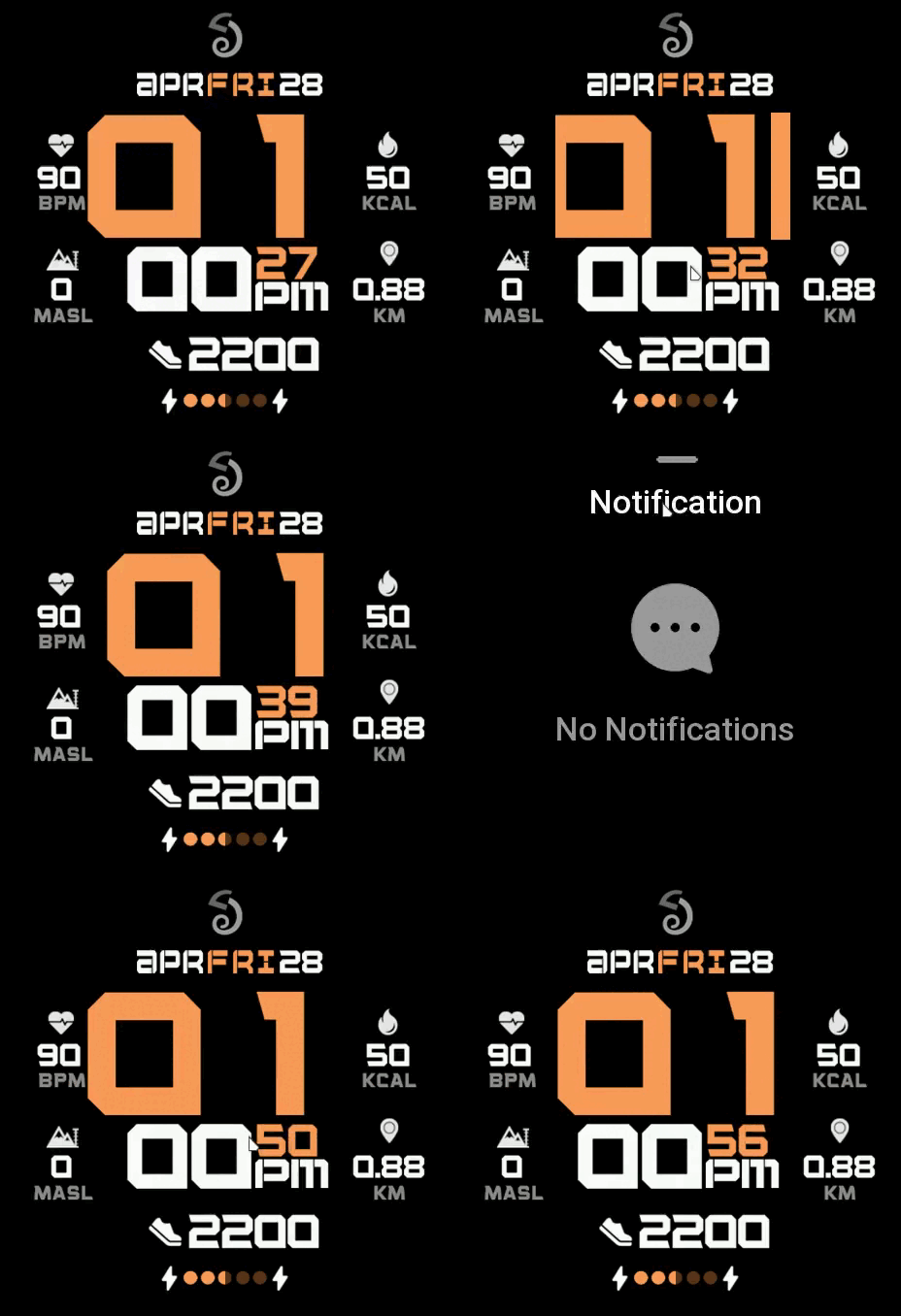
Shortcuts:
Tap BPM widget to open Heartrate page;
Tap KCAL widget to open Activity page;
Tap MASL widget to open Barometer/Altimeter page;
Tap KM widget to open Compass page;
NOTE: If something is not animated properly it means that OS limits has been reached on your device (Zepp OS 1.0);
Functions:
Tap top amazfit logo to change color (5 models);
Tap bottom battery widget to show battery % toast;
Smart time (between 10:00 and 19:00, date (between 10th and 19th) and step (above 9999) widgets reposition to keep them centered:
Shortcuts:
Tap BPM widget to open Heartrate page;
Tap KCAL widget to open Activity page;
Tap MASL widget to open Barometer/Altimeter page;
Tap KM widget to open Compass page;
NOTE: If something is not animated properly it means that OS limits has been reached on your device (Zepp OS 1.0);
Tag
Condividi questo quadrante
Commenti
Per rispondere ai commenti devi essere loggato .
Discussioni recenti della comunità
Port request gtr4
Port request gtr4. Data master https://ze.mmk.pw/view/227/138372/1.0.1...
Port request for gtr4 [GTR 4]
Thank you...
Simple digital watchface gtr4
Thanks...
Few changes for gtr4
Thank you for all your help 🙂 have a great weekend...
convert request for GTS 2 mini
You are so GREAT! Thanks again!...
Adding some options request for gtr4
Amazing thank you sir 🙏...
Convert request for gtr4
Thank you so much...





Ta tarcze i gtr/view/31509 - główna tarcza wszystko na biało wtedy widzę.
Dam 8 30.04.2023 23:38:16 Segnala