X98 (GTR3)

Compatible with
GTR 3 Supported Languages
en
en
Uploaded: 18.04.2023 19:28
Updated: 18.04.2023 20:56
99 users have this item in favourites
Important Information for Users
Please note that all watch faces available on this site are creative works by our users and are not affiliated with official brands or trademarks. They are created by fans for fans, inspired by popular cultural phenomena, games, movies, or series.
Our goal is to provide a platform for creativity and exchange, but we also strive to respect intellectual rights. If you hold copyright to any content that you believe infringes your rights on this site, please contact us for appropriate action.
Please note that all watch faces available on this site are creative works by our users and are not affiliated with official brands or trademarks. They are created by fans for fans, inspired by popular cultural phenomena, games, movies, or series.
Our goal is to provide a platform for creativity and exchange, but we also strive to respect intellectual rights. If you hold copyright to any content that you believe infringes your rights on this site, please contact us for appropriate action.

Description
Note:
Thank SashaCX75 so much for Editor 7.3 beta----------------------------------------------------------------------------------------------------
Thank wax so much for code change background by click on screen
/gtr/view/27840
--------------------------------------------------------------------
This watch face made by ported from X98 ( GTR3 )
----------------------------------------------------------------------
I didn't design it , do not give credit to me.
----------------------------------------------------------------------- This watchface i do it for use by myself
- Please do not request any modify.
- This watch face, I will not accept any requests
- If have request in the comment i will not answer
- who is interest to modify, you can download and edit it by yourself.- All my work will be "FULL AOD". If you don't like it, you can enable watch's standard AOD. Once you enable watch standard AOD, full AOD of watchface will not be displayed. System will be use standard AOD from Watch
- Only tested on GTR3
- If the owner requests it to be removed Admin can delete immediately.
Thank you.
---------------------------------------------------------------------------------------- Can Change Color by click on the dot at the right side .
---------------------------------------------------------------------------------------
- Shortcuts
(1. Alarm , 2. sunrise/sunset , 3. temperature, 4. countdown , 5.PAI , 6. Steps , 7. Pulse , 8. SP02 , 9.Stopwatch)
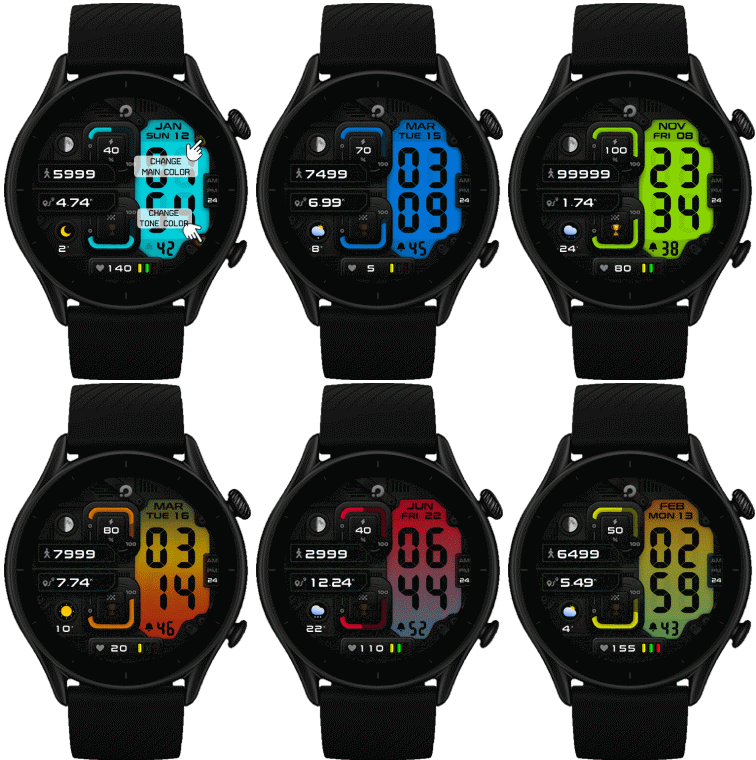 .
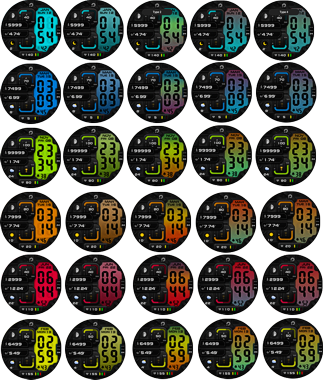
.
18-04-2023 (1) (2) (3)
- Upload Version 1.1.1 change gamma main image +1.11 (3)
- upload Version 1.1 add shadow in time area (2)
- Upload X98 ( GTR3 ) Custom script
- Ported
- Change a little layout , images
- Add weather, steps, distance, heart rate, battery, date, seconds, MOON PHASE,
- BT OFF ( Logo will be change to gray color )
- Add Full AOD ( show only color green )
- Can Change Color by click on the dot at the right side .
Note : After click the screen will go to black screen , click on screen again to refresh update change color
------------------------------------------------------------------------------
it works in 24h format.
for the 12 h format to work. must be enabled in phone settings. (settings-system-date and time-disable 24-hour format.)
-------------------------------------------------------------------------
Tags
Share this face
Comments
You need to be logged in to post or reply to comments.
Recent community discussions
convert request for GTS 2 mini
You are so GREAT! Thanks again!...
Adding some options request for gtr4
Amazing thank you sir 🙏...
Convert request for gtr4
Thank you so much...
Please port request for gtr4
It is perfect thank you 🙏...
Snoopy black version GTR 3
Many thanks sir...
Request: "Dash Digital" and “Acrive” style for Amazfit GTR Mini
Thank you asoo! I installed the V2 version on my GTR Mini and it works great. Thanks for your time and for moving the thread to the right section!...
Minimal watchface request for gtr4
Thank you sir i appreciate it...





/forum/viewtopic.php?p=15486#p15486 18.04.2023 20:38:18 Complaint
But as far as I tested, can press within the first time.
if you need Move the point or increase the size of the click area for primary color. You can do it yourself by editing in file index.js.
   btnbackground = hmUI.createWidget(hmUI.widget.BUTTON, {
/// point for click area //
               x: 389,
               y: 73,
               text: '',
//// area size //
               w: 50,
               h: 50,
19.04.2023 13:31:50 Complaint