Amazfit Ocean

兼容于
GTR 3 Pro 支持的语言
en
en
新增: 05.03.2023 11:01
221 个用户已加入 收藏
用户须知
请注意,本网站上所有可用的手表面都是我们用户的创作作品,并且与任何官方品牌或商标无关。这些作品是由粉丝为粉丝创作的,灵感来源于流行文化现象、游戏、电影或电视剧。
我们的目标是提供一个创意交流的平台,同时我们也致力于尊重知识产权。如果您拥有本网站上任何内容的版权,并认为该内容侵犯了您的权利,请与我们联系以采取适当措施。
请注意,本网站上所有可用的手表面都是我们用户的创作作品,并且与任何官方品牌或商标无关。这些作品是由粉丝为粉丝创作的,灵感来源于流行文化现象、游戏、电影或电视剧。
我们的目标是提供一个创意交流的平台,同时我们也致力于尊重知识产权。如果您拥有本网站上任何内容的版权,并认为该内容侵犯了您的权利,请与我们联系以采取适当措施。

描述
Based on WearOS Watchface called OCEAN+ by MIKEOB.
Auto-animated widgets that will switch after 2s:
ZeppOS 2 (fade animation);
ZeppOS 1 (no animation just a switch due to system limitations);
Shortcuts:
Tap month widget with weather icon to open Weather app;
Tap day of week and date to open Calendar app;
Tap steps meter/pointer to open Activity stats;
Tap center of the screen to switch time hands (2 models);
Tap battery widget to switch between operating modes (info below);
Four operating modes:
Default - time progress on bezel with smooth seconds;
Balanced - time progress on bezel, but no smooth seconds;
Performance - no time on bezel, no smooth seconds;
Extra - no time on bezel with smooth seconds;
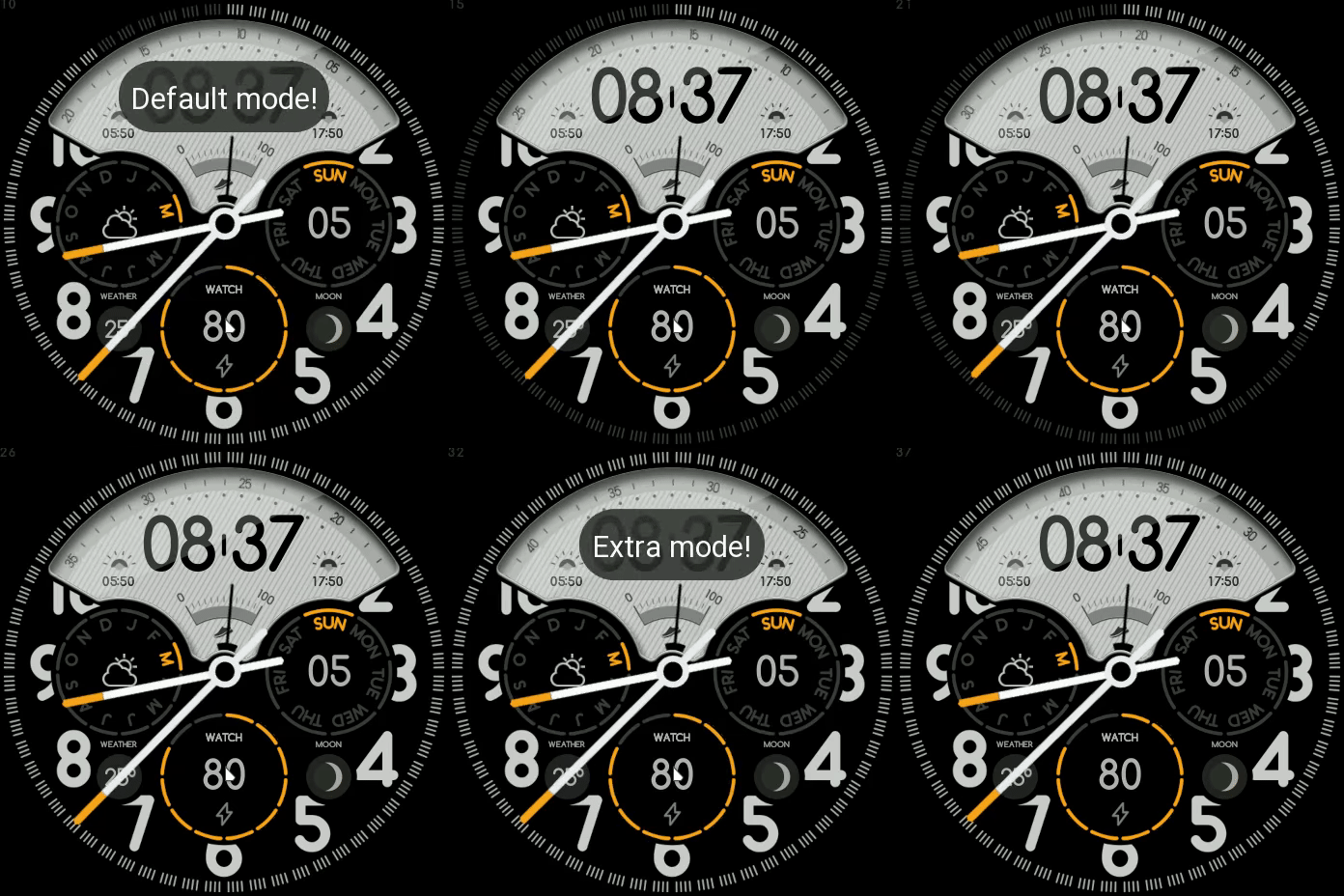
WARNING
In DEFAULT mode sooner or later you will notice lags, ZeppOS is not meant to run really advanced programs, this is why I implemented 4 modes, so you can pick your favorite. On my GTR4 lags are noticeable after 10-12 hours of usage, a workaround to bring back performance on the watch (if you wanna stick to DEFAULT mode) is to select another Dial and go back to this one.
Auto-animated widgets that will switch after 2s:
ZeppOS 2 (fade animation);
ZeppOS 1 (no animation just a switch due to system limitations);
Shortcuts:
Tap month widget with weather icon to open Weather app;
Tap day of week and date to open Calendar app;
Tap steps meter/pointer to open Activity stats;
Tap center of the screen to switch time hands (2 models);
Tap battery widget to switch between operating modes (info below);
Four operating modes:
Default - time progress on bezel with smooth seconds;
Balanced - time progress on bezel, but no smooth seconds;
Performance - no time on bezel, no smooth seconds;
Extra - no time on bezel with smooth seconds;
WARNING
In DEFAULT mode sooner or later you will notice lags, ZeppOS is not meant to run really advanced programs, this is why I implemented 4 modes, so you can pick your favorite. On my GTR4 lags are noticeable after 10-12 hours of usage, a workaround to bring back performance on the watch (if you wanna stick to DEFAULT mode) is to select another Dial and go back to this one.
标签
分享此表盘
评论

privetik
great, russian version please
06.03.2023 01:16:22 投诉

Sahifazad
If the always on display will be the deafaut one, that would be great.
06.03.2023 09:17:07 投诉
您需要登录才能发布或回复评论。
近期 社区论坛 讨论贴
Convert request for gtr4
Hi would someone please convert this watchface for gtr4? It is version ga 2100 1a1 Thank you https://amazfitwatchfaces.com/gtr/view/13685...
Port request gtr4
If you're not going to use the watchface tool, then many times you can upload the entire .zip file to Gemini or another AI tool and tell it to make the edits for you. Thank...
Port request gtr4
Thank you...
Port request for gtr4 [GTR 4]
Thank you...
Simple digital watchface gtr4
Thanks...
Few changes for gtr4
Thank you for all your help 🙂 have a great weekend...
convert request for GTS 2 mini
You are so GREAT! Thanks again!...





