Page 4 of 9
WF_Builder (watchfaces for Mi Band 4)
Posted: 09 Sep 2019, 07:17
by lumenvindex
Translated my Mi Band 4 watchface editor into English. Maybe someone will find it useful. (Works on Windows 7+)
Download
WF_Builder 1.0.4
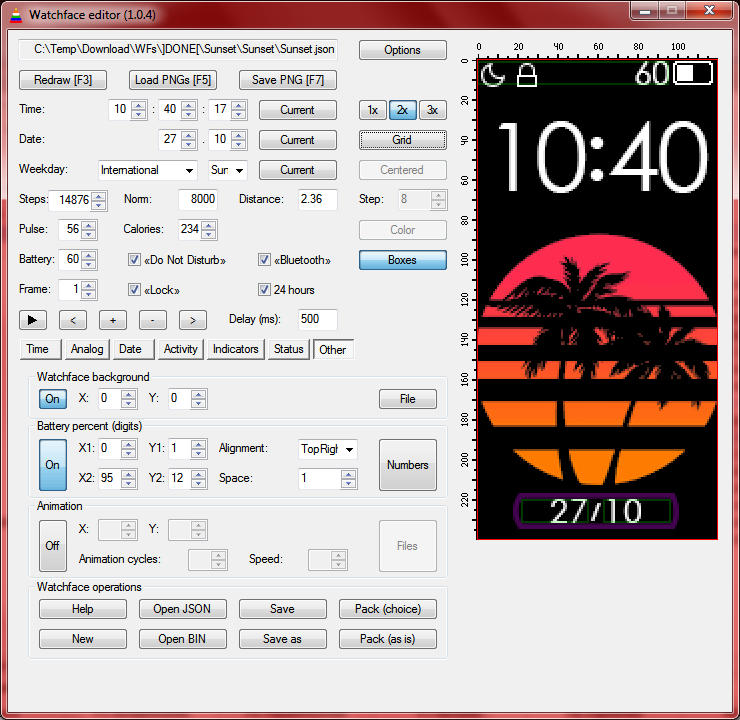
- WFB_104_2.png (88.5 KiB) Viewed 671148 times
Code: Select all
1.0.4
Fixed the order of controls for [Tab] switching.
Removed "Pulse norm" parameter.
Added [F9] hotkey for fast switching to/from Selective palette packing.
1.0.3
Numeric values can now be changed with keyboard arrows.
Pulse indicator behaves similar to Mi Band's original behaviour:
- You can choose up to 7 images, 7th image will appear if the Pulse isn't defined (-1);
- First image appears up to 93 bpm. Other images appear on every next 20 bpm.
1.0.2
Fixed raw.cfg generation function. Selective palette mode is now working.
1.0.1
Added feature of choosing where to save preview (F7) in Options dialog.
Added selective palette mode feature (enable in Options to generate raw.cfg during Palette packing).
Program can now be associated with bin and json files (tries to unpack and open a file from command line parameters).
Inputboxes now show previous value.
1.0.0
Added boxes feature for sections with two pairs of coordinates. It's green if X2>X1 and Y2>Y1, otherwise it's red.
Added magnitude feature. Preview can now have double and triple size.
0.9.8
Added a ruler near preview which is replaced to the right upper corner of a window.
Added grid feature - changeable alignment (left/center), color, size. Don't forget to turn it off before saving to PNG.
Fixed some bugs
0.9.7
Added button highlighting: red button means you need to choose files for this section before packing, yellow button means this feature is optional.
Added optional section [PackingOptions] in Lib\WF_Builder.ini (for advanced user who need to change these options).
Switched to Mi Band 4 WF Tool 1.4.1 - added new sections: time separator, steps icon (it's placing depends on alignment), line progress bar of steps (I know, it works really weird for now, but it works the same way on Mi Band).
Images are now drawn by pixels, ignoring DPI (like they do in Mi Band). But Mi Band 4 WF Tool still needs 96 DPI to draw correct gif.
0.9.6
Fixed color saving in Steps indicator (circle).
Optimized redrawing operation during creating/saving/packing watchfaces.
Changed battery icon preview states to match Mi Band 4 behaviour.
allows you to change all known parameters of a watchface. It shows how watchface will look like with different data on it. Program uses Mi Band 4 WF Tool for packing\unpacking watchfaces and has it inside Lib subdirectory. Lots of thanks to
@lvpokka for this tool.
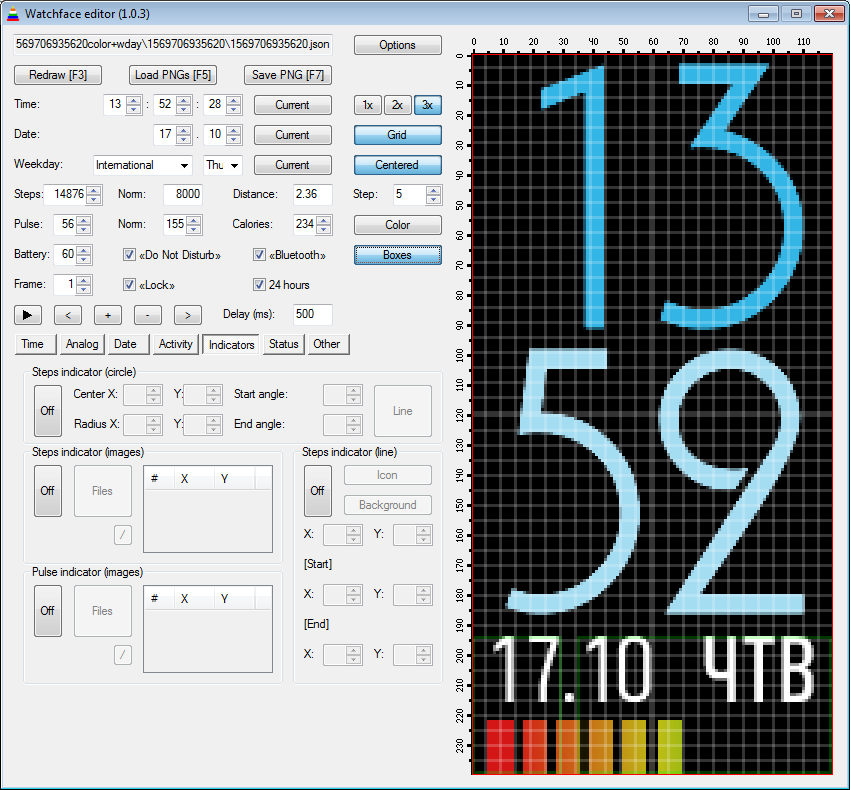
- WFB_103_2.png (66.52 KiB) Viewed 672173 times
Download
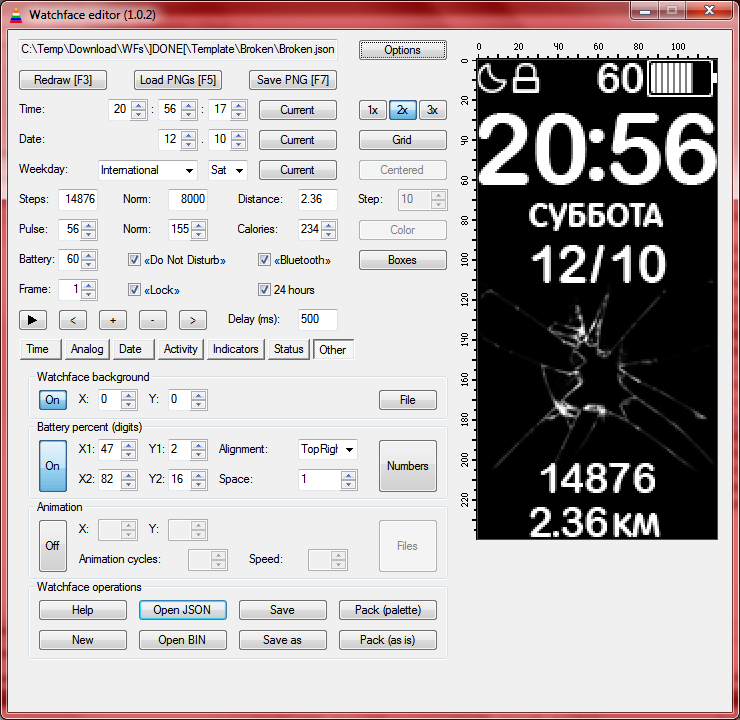
- WFB_102_2.png (97.89 KiB) Viewed 672586 times
Download
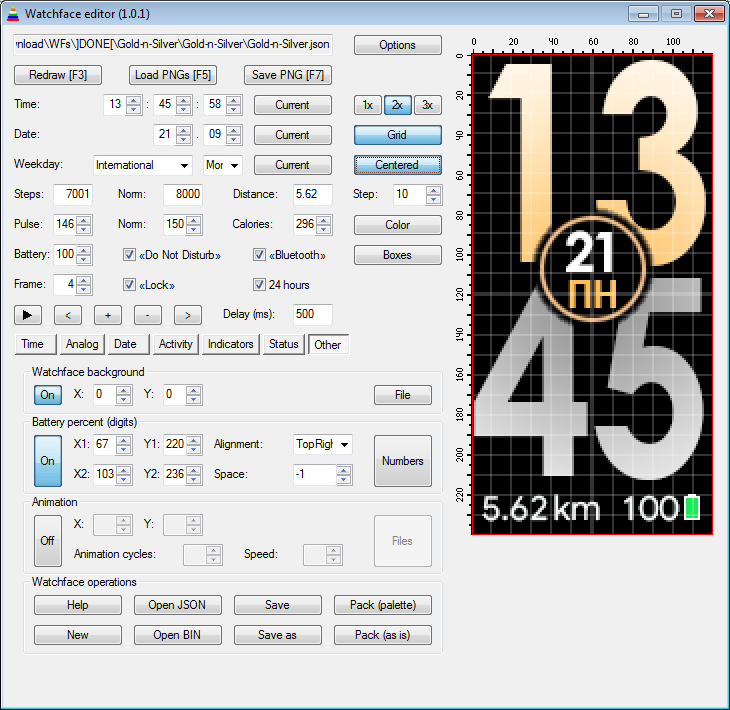
- WFB_101_2.png (66.42 KiB) Viewed 673761 times
Download
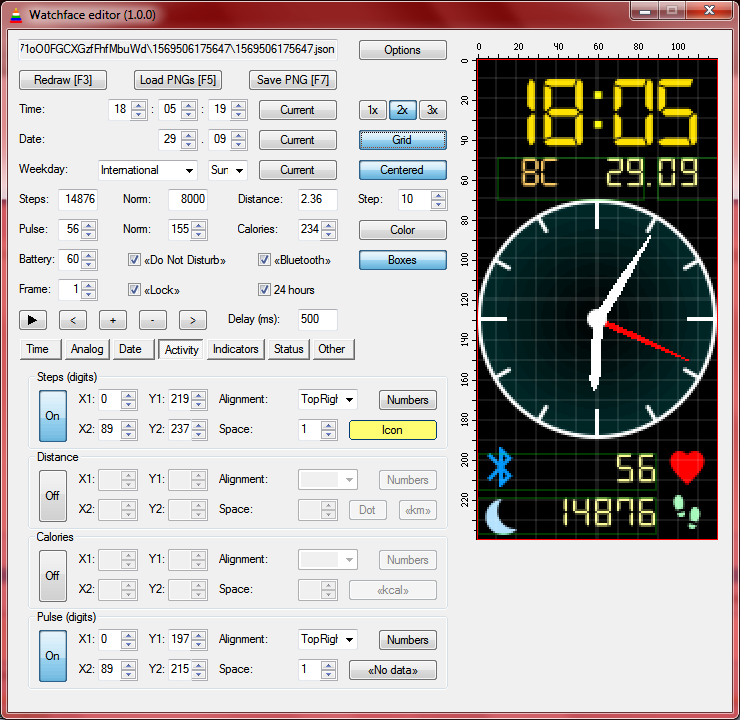
- WFB_100_2.png (95.65 KiB) Viewed 674037 times
Download
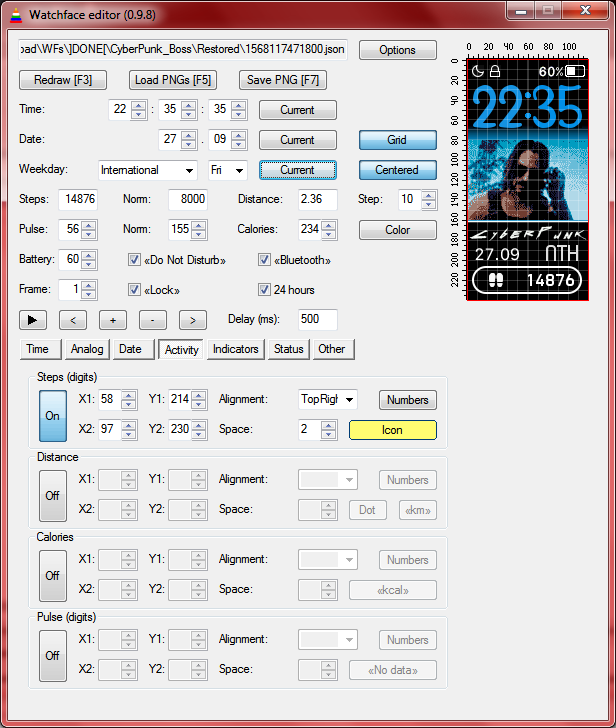
- WFB_098_2.png (83.54 KiB) Viewed 674203 times
Download
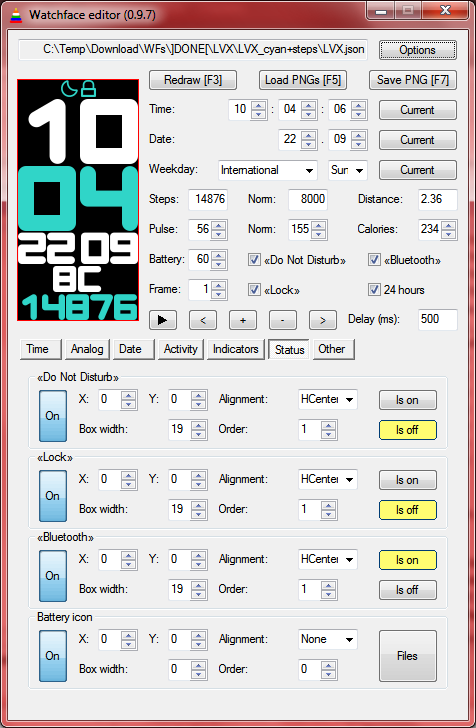
- WFB_097_2.png (71.41 KiB) Viewed 674852 times
Download
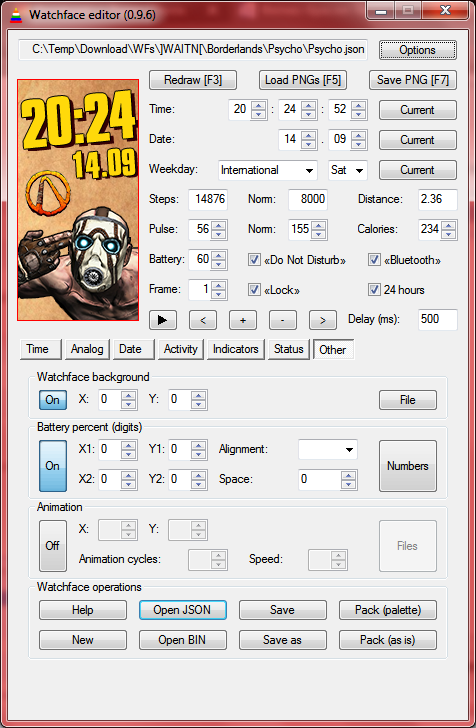
- WFP_096_2.png (132.52 KiB) Viewed 675844 times
Download
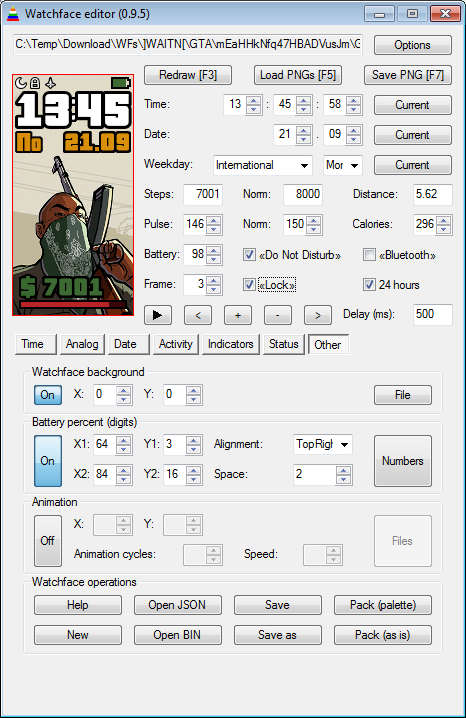
- WFB_095_1.png (57.03 KiB) Viewed 676676 times
Download Turned section on? First of all choose all images for it (digits, suffixes, delimiters etc.).
You can choose images from any available directory. The only thing that matters is their order (0, 1, 2, 3, etc.). When saving watchface, images will be written into json-config directory.
When saving json, a backup file is created (file.json turns into file.json_HHMMSS.bak, where HHMMSS is the timestamp).
When packing, binary is renamed with suffix _Palette or _Raw, depending on the chosen mode.
There should be 21 images of weekdays (3 sets of 7 days: 2 chineese sets and 1 international set).
If your weekday sets make watchface too heavy, you may replace first 14 images with one transparent pixel images.
There are no viruses in my program, but some antiviruses may see a threat because program is written on Autoit script language.
Program doesn't need admin permissions to work - it only needs write permissions to watchface directory.
But still. Use program at your own risk.
Re: WF_Builder (watchfaces for Mi Band 4)
Posted: 27 Oct 2019, 08:05
by lumenvindex
Added WF_Builder 1.0.4 download link to the original post. Hope it will make your work more comfortable.
Re: WF_Builder (watchfaces for Mi Band 4)
Posted: 03 Nov 2019, 07:21
by franluciani
Hi, anyone know how to assign hour by hour an image? I say:
When "ten" value 1 and "ones" value 1, take this image for "ten".
But when "ten" value 1 and "ones" value 2, take this other image for "ten".
It is to put the number more to left or right when the number 1 is in the clock.
I'm creating the faces of apple watch and the only thing that left is it. Please if anyone know tell me.
Re: WF_Builder (watchfaces for Mi Band 4)
Posted: 03 Nov 2019, 11:22
by lumenvindex
franluciani wrote: 03 Nov 2019, 07:21
how to assign hour by hour an image?
There is no secret technique to do this. You can only use one set of images for each subsection ("tens", "ones").
Of course you can try to use tricky "ones" images, that will cover some part of the "tens" images, but the result will hardly make you happy.
Re: WF_Builder (watchfaces for Mi Band 4)
Posted: 03 Nov 2019, 11:24
by Maikeldevil
In this tool i can also load GTR faces, to bad the view space stays stuck on the miband size so i can only see one half of the face. Could the preview be extended to 454 x 454 for the GTR? That would be so awesome..
Re: WF_Builder (watchfaces for Mi Band 4)
Posted: 03 Nov 2019, 17:47
by lumenvindex
Maikeldevil wrote: 03 Nov 2019, 11:24
Could the preview be extended to 454 x 454 for the GTR?
It can be done, technically... But I'm not sure all the features of Mi Band 4 will work in GTR the same way. Will WF Tool pack everything right? Don't know anything about GTR...
Re: WF_Builder (watchfaces for Mi Band 4)
Posted: 03 Nov 2019, 19:45
by franluciani
lumenvindex wrote: 03 Nov 2019, 11:22
franluciani wrote: 03 Nov 2019, 07:21
how to assign hour by hour an image?
There is no secret technique to do this. You can only use one set of images for each subsection ("tens", "ones").
Of course you can try to use tricky "ones" images, that will cover some part of the "tens" images, but the result will hardly make you happy.
Thanks for your answer. But it is not possible with this tricky because i need a number 1 for the "tens" when the "ones" have the number 1. But when the "ones" have other number (2,3,4,...) i need other image with 1 for the "tens".
The hours would be something like this:
_1_0
__11
_1_2
_1_3
...
Please if anyone know some trick to asign hour by hour an image please inform me.
Re: WF_Builder (watchfaces for Mi Band 4)
Posted: 03 Nov 2019, 22:30
by Maikeldevil
lumenvindex wrote: 03 Nov 2019, 17:47
Maikeldevil wrote: 03 Nov 2019, 11:24
Could the preview be extended to 454 x 454 for the GTR?
It can be done, technically... But I'm not sure all the features of Mi Band 4 will work in GTR the same way. Will WF Tool pack everything right? Don't know anything about GTR...
It would be great! The GTR is basicly a larger miband (gonna upgrade from mi Band to GTR). I opened various json gtr files in your tool, but can only work with half of the screen. So if you can make the window to 454px x 454px it would be awesome! Calibrating the X and Y can be so anoying sometimes!
Re: WF_Builder (watchfaces for Mi Band 4)
Posted: 16 Nov 2019, 15:39
by alissonmoreira
Can anybody help me? I am trying to customize a theme that I downloaded here by applying seconds to it. Very useful for those who do physical exercises. However, when adding the option and selecting the existing png's, I put them in the desired position. When saving something happens in miband 4. When activating the miband I can see all information and then some disappear after 1sec. Appearing only if the miband is triggered. Previously the theme was statistical, I saw in this fórum that is a firmware bug. But I believe that was originated after applied modification by the tool


Re: WF_Builder (watchfaces for Mi Band 4)
Posted: 16 Nov 2019, 19:10
by lumenvindex
alissonmoreira wrote: 16 Nov 2019, 15:39
I believe that was originated after applied modification by the tool
It
is a firmware bug.
Digital seconds wipe everything but time. Analog seconds wipe only animation and pulse scale.
P.S. By the way, there is no stock watchfaces with seconds, at all. Why is that?
Re: WF_Builder (watchfaces for Mi Band 4)
Posted: 20 Nov 2019, 06:22
by Benny_Emma
My virus scanner says it is a virus or malware into the EXE!
Re: WF_Builder (watchfaces for Mi Band 4)
Posted: 20 Nov 2019, 10:23
by lumenvindex
You should read the original post.
Re: WF_Builder (watchfaces for Mi Band 4)
Posted: 10 Dec 2019, 02:14
by amysanros
I can't generate my dial at all. The program always gives error when I save.
Re: WF_Builder (watchfaces for Mi Band 4)
Posted: 10 Dec 2019, 05:06
by lumenvindex
amysanros wrote: 10 Dec 2019, 02:14
The program always gives error when I save.
Code: Select all
Trace|Loading resources for 4.4 'PulseWrapper'
Trace|Loading resources for 4.4.1 'Number'
Trace|Loading resources for 4.4.1.5 'TextAlignment'
Trace|Loading image -1...
Trace|File C:\Users\jonad\Music\Harry potter\LUFALUFA\lufalufawf\00-1.png doesn't exists.
Trace|File C:\Users\jonad\Music\Harry potter\LUFALUFA\lufalufawf\0-1.png doesn't exists.
Trace|File C:\Users\jonad\Music\Harry potter\LUFALUFA\lufalufawf\-1.png doesn't exists.
Fatal|System.IO.FileNotFoundException: File referenced by index -1 not found.
Looks like you've enabled
Activity-Pulse section but haven't chosen any images for it. Disable this section and try to pack again.
Re: WF_Builder (watchfaces for Mi Band 4)
Posted: 17 Dec 2019, 22:12
by Batmat86
Hello,
Thank you for the work, very practical and well done;)
Just a small improvement, I have the following error which I have to manually correct in the .json every time I want to make the .bin.
Code: Select all
Fatal|[ERROR]Could not find member 'SuffixImageIndex' on object of type 'FormattedNumber'. Path 'Activity.Distance.SuffixImageIndex', line 69, position 25.
I remplaced it :
If an update could resolve this;)
And look forward to the weather being manageable on the mi band 4 in order to add the weather and the temperature on my skin.
Thanks again
P.S : Sorry for my English, i am French ...
Re: WF_Builder (watchfaces for Mi Band 4)
Posted: 18 Dec 2019, 02:02
by lumenvindex
Batmat86 wrote: 17 Dec 2019, 22:12
I have to manually correct in the .json every time I want to make the .bin.
You should just use one of the "Pack ..." buttons to make the bin.
Batmat86 wrote: 17 Dec 2019, 22:12
And look forward to the weather being manageable on the mi band 4
It's a firmware issue. Current Mi Band firmwares simply do not give such info to the watchface.
Re: WF_Builder (watchfaces for Mi Band 4)
Posted: 01 Jan 2020, 11:36
by Caz
Hi i love your WFbuilder i have made 4 great watch faces with it but now for some reason it says packing failed when i try to mke the bin file and its not making a bin file. I downloaded it again but it stll says the same thing, it wont even work on the watch faces i all ready made and i know they work ok as i made them and they work great on my Miband 4 watch.
can you help please as i loved being able to make my own watch faces
caz
Re: WF_Builder (watchfaces for Mi Band 4)
Posted: 01 Jan 2020, 19:50
by lumenvindex
Caz wrote: 01 Jan 2020, 11:36
for some reason it says packing failed when i try to mke the bin file and its not making a bin file
WF_Builder uses Mi Band 4 WF Tool for packing/unpacking watchfaces. If the packing procedure fails to complete, read the Tool's log file in the watchface directory to figure out what is the problem.
Re: WF_Builder (watchfaces for Mi Band 4)
Posted: 02 Jan 2020, 14:19
by Caz
Hi I ran the file and got
Fatal |[ERROR] Watchface is greater than 321kb, it will not be accepted by Mi Band 4, please reduce size! Current size:903kb.
Fatal|System.ArgumentException: [ERROR] Watchface is greater than 321kb, it will not be accepted by Mi Band 4, please reduce size! Current size:903kb.
at WatchFace.Program.PackWatchFace(String inputFileName)
at WatchFace.Program.Main(String[] args)
but i dont understand why it says the file is great than 321kb, the file i unpacked was 229kb and i didnt touch anything just tried to pack it again
thanks for you help
caz
Re: WF_Builder (watchfaces for Mi Band 4)
Posted: 02 Jan 2020, 16:02
by lumenvindex
Caz wrote: 02 Jan 2020, 14:19
the file i unpacked was 229kb and i didnt touch anything just tried to pack it again
There are three packing options in WF_Builder. You're probably using "as is" button. Try pushing
Pack (palette) or
Pack (choice) button (use F9 hotkey to switch between them). Also read the
Help about these options.
Re: WF_Builder (watchfaces for Mi Band 4)
Posted: 02 Jan 2020, 19:53
by Caz
great, its working thank you
i was using "as is"
Pack (palette) works
and
save as works
thanks again for you help, while i am on is there an option to do miles instead of kilometers thanks
caz
Re: WF_Builder (watchfaces for Mi Band 4)
Posted: 02 Jan 2020, 20:11
by lumenvindex
Caz wrote: 02 Jan 2020, 19:53
is there an option to do miles instead of kilometers thanks
No, I still haven't update WF_Builder to use the latest Tool which has this feature.
Re: WF_Builder (watchfaces for Mi Band 4)
Posted: 03 Jan 2020, 11:41
by Caz
ok, thanks
looking forward to when you up date WF_Builder
many thanks for a great app
caz
Re: WF_Builder (watchfaces for Mi Band 4)
Posted: 14 Jan 2020, 20:34
by Caz
Hi
i love WF_Builder, its so great to use and i can make fantastic watch faces
is there any chance you could update WF_Builder to use the latest Tool so i could add miles, i would love to be able to add miles
thanks
caz
Re: WF_Builder (watchfaces for Mi Band 4)
Posted: 15 Jan 2020, 05:19
by lumenvindex
Caz wrote: 14 Jan 2020, 20:34
so i could add miles, i would love to be able to add miles
Sorry, I'm too lazy for it.
But you can still get miles by editing a watchface manually. Just unpack you kms-watchface with the latest Tool, open json with notepad, find a string with "KmSuffixImageIndex" and replace this word with "MilesSuffixImageIndex". Then pack it with the latest Tool and you should get your miles-watchface.

Re: WF_Builder (watchfaces for Mi Band 4)
Posted: 15 Jan 2020, 14:47
by Caz
Hi
thanks for you help. i tried thats but i seem to be doing something wrong< when i open the json there isnt a "KmSuffixImageIndex"
{
"Background": {
"Image": {
"X": 0,
"Y": 0,
"ImageIndex": 0
}
},
"Time": {
"Hours": {
"Tens": {
"X": 8,
"Y": 20,
"ImageIndex": 1,
"ImagesCount": 10
},
"Ones": {
"X": 31,
"Y": 20,
"ImageIndex": 1,
"ImagesCount": 10
}
},
"Minutes": {
"Tens": {
"X": 65,
"Y": 20,
"ImageIndex": 1,
"ImagesCount": 10
},
"Ones": {
"X": 91,
"Y": 20,
"ImageIndex": 1,
"ImagesCount": 10
}
}
},
"Activity": {
"Steps": {
"Number": {
"TopLeftX": -23,
"TopLeftY": 219,
"BottomRightX": 80,
"BottomRightY": 225,
"Alignment": "Center",
"Spacing": 2,
"ImageIndex": 11,
"ImagesCount": 10
}
},
"Pulse": {
"Number": {
"TopLeftX": 97,
"TopLeftY": 219,
"BottomRightX": -1,
"BottomRightY": 0,
"Alignment": "TopLeft",
"Spacing": 0,
"ImageIndex": 21,
"ImagesCount": 10
},
"NoDataImageIndex": 21
},
"Distance": {
"Number": {
"TopLeftX": 45,
"TopLeftY": 200,
"BottomRightX": 0,
"BottomRightY": 0,
"Alignment": "TopLeft",
"Spacing": 0,
"ImageIndex": 31,
"ImagesCount": 10
},
"SuffixImageIndex": 31,
"DecimalPointImageIndex": 121
}
},
"Date": {
"MonthAndDay": {
"Separate": {
"Month": {
"TopLeftX": 86,
"TopLeftY": 82,
"BottomRightX": 64,
"BottomRightY": 70,
"Alignment": "TopRight",
"Spacing": 1,
"ImageIndex": 41,
"ImagesCount": 10
},
"Day": {
"TopLeftX": 52,
"TopLeftY": 82,
"BottomRightX": 96,
"BottomRightY": 70,
"Alignment": "TopLeft",
"Spacing": 1,
"ImageIndex": 41,
"ImagesCount": 10
}
},
"TwoDigitsMonth": true,
"TwoDigitsDay": true
},
"WeekDay": {
"X": 17,
"Y": 83,
"ImageIndex": 100,
"ImagesCount": 21
},
"DayAMPM": {
"X": 120,
"Y": 250,
"ImageIndexAMCN": 122,
"ImageIndexPMCN": 123,
"ImageIndexAMEN": 124,
"ImageIndexPMEN": 125
}
},
"StepsProgress": {
"Linear": {
"StartImageIndex": 51,
"Segments": [
{
"X": 0,
"Y": 235
},
{
"X": 10,
"Y": 235
},
{
"X": 20,
"Y": 235
},
{
"X": 30,
"Y": 235
},
{
"X": 40,
"Y": 235
},
{
"X": 50,
"Y": 235
},
{
"X": 60,
"Y": 235
},
{
"X": 70,
"Y": 235
},
{
"X": 80,
"Y": 235
},
{
"X": 90,
"Y": 235
},
{
"X": 100,
"Y": 235
},
{
"X": 110,
"Y": 235
}
]
}
},
"Status": {
"DoNotDisturb": {
"Coordinates": {
"X": 4,
"Y": 5,
"BoxWidth": 17,
"Alignment": "Left",
"Order": 1
},
"ImageIndexOn": 126
},
"Lock": {
"Coordinates": {
"X": 21,
"Y": 5,
"BoxWidth": 17,
"Alignment": "Left",
"Order": 1
},
"ImageIndexOn": 127
},
"Bluetooth": {
"Coordinates": {
"X": 38,
"Y": 5,
"BoxWidth": 12,
"Alignment": "Left",
"Order": 1
},
"ImageIndexOff": 128
},
"Battery": {
"BatteryConfig": {
"BoxWidth": 0,
"Alignment": 0,
"Order": 0
},
"Text": {
"TopLeftX": 64,
"TopLeftY": 6,
"BottomRightX": 84,
"BottomRightY": 16,
"Alignment": "TopRight",
"Spacing": 1,
"ImageIndex": 63,
"ImagesCount": 10
},
"Icon": {
"X": 98,
"Y": 5,
"ImageIndex": 73,
"ImagesCount": 9
}
}
},
"Other": {
"Animation": {
"AnimationImage": {
"X": -1,
"Y": 110,
"ImageIndex": 82,
"ImagesCount": 18,
"x3": 100
},
"Speed": 6,
"RepeatCount": 10,
"x2": 200
}
}
}
any idea what i have done wrong?
thanks again
caz