Does this help?
https://github.com/m0tral/EasyFace/wiki/HomeEN
You can also download the latest version there:
https://github.com/m0tral/EasyFace
-
- Amministratore
-
-
Support Ukraine
If you experience any problems with the forum (it is not visible, there is no way to post messages, or some functionality does not work), please let us know. If you have problems with registration or you did not receive confirmation letter, let us know and we will activate your account manually.
If you get an "The submitted form was invalid. Try submitting again" error, delete cookies, then try again.
Mi Band 8
Regole del forum
All communication in this branch should only be in English.
All communication in this branch should only be in English.
-
GamezMaster
- Messaggi: 1
- Iscritto il: 11 gen 2024, 20:41
- Località: Netherlands
- Contatta:
-
elcor
I made a wf using easyface too and got the same output file .face, I renamed it to .bin and it worked. Do you know how to add oad in easyface I'm stuck on that.MagiicMiind ha scritto: 08 gen 2024, 04:36I have the .face file, how can I put it on my watch or how can I convert it to the bin file?
Thanks in advance
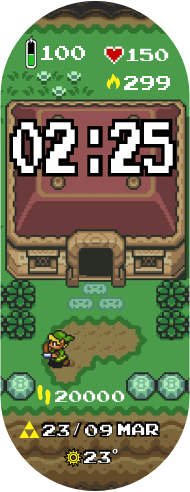
I did this:
-
MagiicMiind
- Messaggi: 4
- Iscritto il: 02 gen 2024, 16:42
- Località: Mexico
- Has thanked: 3 times
- Been thanked: 1 time
- Contatta:
Thank you so much! It has worked!!elcor ha scritto: 28 feb 2024, 18:06I made a wf using easyface too and got the same output file .face, I renamed it to .bin and it worked. Do you know how to add oad in easyface I'm stuck on that.MagiicMiind ha scritto: 08 gen 2024, 04:36I have the .face file, how can I put it on my watch or how can I convert it to the bin file?
Thanks in advance
I did this:

Chi c’è in linea
Visitano il forum: Nessuno e 2 ospiti