Page 5 of 9

WF_Builder (watchfaces for Mi Band 4)

Posted: 09 Sep 2019, 07:17
by lumenvindex
Translated my Mi Band 4 watchface editor into English. Maybe someone will find it useful. (Works on Windows 7+)

Download WF_Builder 1.0.4
Screenshot
WFB_104_2.png
WFB_104_2.png (88.5 KiB) Viewed 665415 times
Changelog

Code: Select all

1.0.4
Fixed the order of controls for [Tab] switching.
Removed "Pulse norm" parameter.
Added [F9] hotkey for fast switching to/from Selective palette packing.
1.0.3
Numeric values can now be changed with keyboard arrows.
Pulse indicator behaves similar to Mi Band's original behaviour:
- You can choose up to 7 images, 7th image will appear if the Pulse isn't defined (-1);
- First image appears up to 93 bpm. Other images appear on every next 20 bpm.
1.0.2
Fixed raw.cfg generation function. Selective palette mode is now working.
1.0.1
Added feature of choosing where to save preview (F7) in Options dialog.
Added selective palette mode feature (enable in Options to generate raw.cfg during Palette packing).
Program can now be associated with bin and json files (tries to unpack and open a file from command line parameters).
Inputboxes now show previous value.
1.0.0
Added boxes feature for sections with two pairs of coordinates. It's green if X2>X1 and Y2>Y1, otherwise it's red.
Added magnitude feature. Preview can now have double and triple size.
0.9.8
Added a ruler near preview which is replaced to the right upper corner of a window.
Added grid feature - changeable alignment (left/center), color, size. Don't forget to turn it off before saving to PNG.
Fixed some bugs
0.9.7
Added button highlighting: red button means you need to choose files for this section before packing, yellow button means this feature is optional.
Added optional section [PackingOptions] in Lib\WF_Builder.ini (for advanced user who need to change these options).
Switched to Mi Band 4 WF Tool 1.4.1 - added new sections: time separator, steps icon (it's placing depends on alignment), line progress bar of steps (I know, it works really weird for now, but it works the same way on Mi Band).
Images are now drawn by pixels, ignoring DPI (like they do in Mi Band). But Mi Band 4 WF Tool still needs 96 DPI to draw correct gif.
0.9.6
Fixed color saving in Steps indicator (circle).
Optimized redrawing operation during creating/saving/packing watchfaces.
Changed battery icon preview states to match Mi Band 4 behaviour.
WF_builder allows you to change all known parameters of a watchface. It shows how watchface will look like with different data on it. Program uses Mi Band 4 WF Tool for packing\unpacking watchfaces and has it inside Lib subdirectory. Lots of thanks to @lvpokka for this tool.
Previous versions
1.0.3
WFB_103_2.png
WFB_103_2.png (66.52 KiB) Viewed 666440 times
Download
1.0.2
WFB_102_2.png
WFB_102_2.png (97.89 KiB) Viewed 666853 times
Download
1.0.1
WFB_101_2.png
WFB_101_2.png (66.42 KiB) Viewed 668028 times
Download
1.0.0
WFB_100_2.png
WFB_100_2.png (95.65 KiB) Viewed 668304 times
Download
0.9.8
WFB_098_2.png
WFB_098_2.png (83.54 KiB) Viewed 668470 times
Download
0.9.7
WFB_097_2.png
WFB_097_2.png (71.41 KiB) Viewed 669119 times
Download
0.9.6
WFP_096_2.png
WFP_096_2.png (132.52 KiB) Viewed 670111 times
Download
0.9.5
WFB_095_1.png
WFB_095_1.png (57.03 KiB) Viewed 670943 times
Download
Recommendations
Turned section on? First of all choose all images for it (digits, suffixes, delimiters etc.).
You can choose images from any available directory. The only thing that matters is their order (0, 1, 2, 3, etc.). When saving watchface, images will be written into json-config directory.
When saving json, a backup file is created (file.json turns into file.json_HHMMSS.bak, where HHMMSS is the timestamp).
When packing, binary is renamed with suffix _Palette or _Raw, depending on the chosen mode.
There should be 21 images of weekdays (3 sets of 7 days: 2 chineese sets and 1 international set).
If your weekday sets make watchface too heavy, you may replace first 14 images with one transparent pixel images.
Virus?
There are no viruses in my program, but some antiviruses may see a threat because program is written on Autoit script language.
Program doesn't need admin permissions to work - it only needs write permissions to watchface directory.
But still. Use program at your own risk.
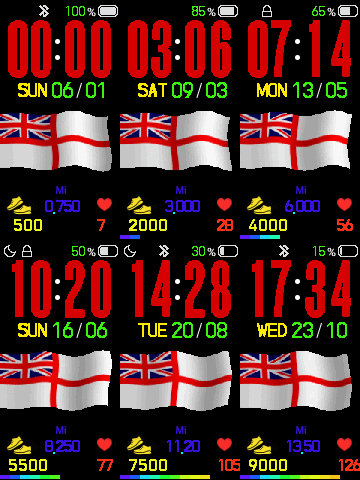
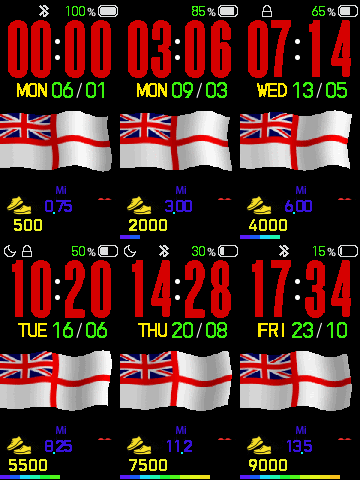
Re: WF_Builder (watchfaces for Mi Band 4)

Posted: 15 Jan 2020, 14:55
by Caz
Image

Re: WF_Builder (watchfaces for Mi Band 4)

Posted: 15 Jan 2020, 15:19
by lumenvindex
Caz wrote: 15 Jan 2020, 14:47
any idea what i have done wrong?
Looks like you didn't unpack your bin with the latest Tool.

If you did, send me the bin, I'll try to change it myself.

Re: WF_Builder (watchfaces for Mi Band 4)

Posted: 15 Jan 2020, 15:34
by Caz
when you say the latest Tool i an not sure what you mean. i unpacked it with the latest WF_Builder

should i use somethng else ? I am new to all this, thats why i love your WF_Builder it make it so easy even i can do it lol

thanks
caz

Re: WF_Builder (watchfaces for Mi Band 4)

Posted: 15 Jan 2020, 16:18
by lumenvindex
Caz wrote: 15 Jan 2020, 15:34
should i use somethng else ?
Yes. Download MiBandWFTool 1.4.2. Read the post to learn how to use it. Unpack, edit json, pack.

Re: WF_Builder (watchfaces for Mi Band 4)

Posted: 15 Jan 2020, 22:22
by Caz
I Download MiBandWFTool 1.4.2. unpacked and edited the son and repacked it but i must have done something wrong as i have now lost heart in the gif and png and when i load it on to Mi band 4 i have lost steps heart and miles
Image

Re: WF_Builder (watchfaces for Mi Band 4)

Posted: 15 Jan 2020, 22:23
by Caz
lol dam confusing stuff

Re: WF_Builder (watchfaces for Mi Band 4)

Posted: 17 Jan 2020, 21:41
by Caz
nope, i cant do it, tried all ways, what ever i try wont work, works in WF_Builder then i unpack it using MiBandWFTool 1.4.2. and edit the json and repack it using MiBandWFTool 1.4.2. and when i load it to mi band 4 its lost heartbeat

been trying all day and i cant do it


Image

Re: WF_Builder (watchfaces for Mi Band 4)

Posted: 18 Jan 2020, 05:28
by lumenvindex
Caz wrote: 17 Jan 2020, 21:41
i cant do it
Then let me see it. The bin, not gif...

Re: WF_Builder (watchfaces for Mi Band 4)

Posted: 18 Jan 2020, 18:32
by Caz
Brill thanks

Re: WF_Builder (watchfaces for Mi Band 4)

Posted: 18 Jan 2020, 19:35
by lumenvindex
Caz wrote: 18 Jan 2020, 18:32
Brill thanks
Tried to do it myself. Got the same result. Will contact the author of WF Tool about it. Looks like a bug to me...

Re: WF_Builder (watchfaces for Mi Band 4)

Posted: 18 Jan 2020, 21:15
by Caz
thank you for your help. i was sure i had missed somthing,

caz

Re: WF_Builder (watchfaces for Mi Band 4)

Posted: 19 Jan 2020, 00:04
by Caz
just to see what happened i tried smaller numbers but still the same, must be a bug as you say

Re: WF_Builder (watchfaces for Mi Band 4)

Posted: 19 Jan 2020, 00:04
by Caz
[
Image

Re: WF_Builder (watchfaces for Mi Band 4)

Posted: 19 Jan 2020, 00:08
by Caz
Image

Re: WF_Builder (watchfaces for Mi Band 4)

Posted: 19 Jan 2020, 20:00
by Caz
if a bin file is in miles and i unpack and open it with WF_Builder then pack it again with WF_Builder will the bin file keep miles or default to kilometers?

i am wondering if i can find a watchface i like with miles already could i add a gif to it using WF_Builder and then repack it using WF_Builder and keep steps/pulse/miles

your WF_Builder is fantastic,thank you; its so easy to use, i love it, i havent made a WF yet that wont work when i use WF_Builder

Re: WF_Builder (watchfaces for Mi Band 4)

Posted: 20 Jan 2020, 05:28
by lumenvindex
Caz wrote: 19 Jan 2020, 20:00
if a bin file is in miles and i unpack and open it with WF_Builder
There is a WF Tool 1.4.1 inside the latest WF_Builder. It does all the [un]packing stuff. WF Tool 1.4.1 doesn't know about miles. It won't work.

Re: WF_Builder (watchfaces for Mi Band 4)

Posted: 20 Jan 2020, 10:52
by Caz
ok thanks, it was just a thought how i could get miles, i would realy like miles lol

WF_Builder Bug firmware miband

Posted: 23 Jan 2020, 15:56
by tigre652
It is always present the bug firmware so after 1 second disappear information? Time is fixed but the day of the week heartbeats and steps disappear. Thanks

Re: WF_Builder Bug firmware miband

Posted: 23 Jan 2020, 17:14
by lumenvindex
tigre652 wrote: 23 Jan 2020, 15:56
It is always present the bug firmware so after 1 second disappear information?
Yes, it is a Mi Band 4 firmware bug. Don't know whether it will be fixed or not.

Re: WF_Builder (watchfaces for Mi Band 4)

Posted: 24 Jan 2020, 15:32
by Caz
Hi
sorry to bother you again but i have hit another prob
when i unpack the bin file and put in my gif file and run it it looks fine and it creates a gif file that looks ok but when i repack it and then run the new bin file its corrupted the gif

any ideas what i have done wrong please
Image

Image

Re: WF_Builder (watchfaces for Mi Band 4)

Posted: 24 Jan 2020, 15:36
by Caz
Image

Image

Re: WF_Builder (watchfaces for Mi Band 4)

Posted: 24 Jan 2020, 15:40
by Caz
{
"Background": {
"Image": {
"X": 0,
"Y": 0,
"ImageIndex": 0
}
},
"Time": {
"Hours": {
"Tens": {
"X": 8,
"Y": 22,
"ImageIndex": 1,
"ImagesCount": 10
},
"Ones": {
"X": 31,
"Y": 22,
"ImageIndex": 1,
"ImagesCount": 10
}
},
"Minutes": {
"Tens": {
"X": 65,
"Y": 22,
"ImageIndex": 1,
"ImagesCount": 10
},
"Ones": {
"X": 91,
"Y": 22,
"ImageIndex": 1,
"ImagesCount": 10
}
}
},
"Activity": {
"Steps": {
"Number": {
"TopLeftX": 38,
"TopLeftY": 219,
"BottomRightX": 80,
"BottomRightY": 225,
"Alignment": "Center",
"Spacing": 2,
"ImageIndex": 11,
"ImagesCount": 10
}
},
"Pulse": {
"Number": {
"TopLeftX": 79,
"TopLeftY": 196,
"BottomRightX": 0,
"BottomRightY": 0,
"Alignment": "TopLeft",
"Spacing": 0,
"ImageIndex": 21,
"ImagesCount": 10
},
"NoDataImageIndex": 21
},
"Distance": {
"Number": {
"TopLeftX": 35,
"TopLeftY": 196,
"BottomRightX": 0,
"BottomRightY": 0,
"Alignment": "TopLeft",
"Spacing": 0,
"ImageIndex": 31,
"ImagesCount": 10
},
"SuffixImageIndex": 31,
"DecimalPointImageIndex": 121
}
},
"Date": {
"MonthAndDay": {
"Separate": {
"Month": {
"TopLeftX": 87,
"TopLeftY": 74,
"BottomRightX": 64,
"BottomRightY": 70,
"Alignment": "TopRight",
"Spacing": 1,
"ImageIndex": 41,
"ImagesCount": 10
},
"Day": {
"TopLeftX": 54,
"TopLeftY": 74,
"BottomRightX": 96,
"BottomRightY": 70,
"Alignment": "TopLeft",
"Spacing": 1,
"ImageIndex": 41,
"ImagesCount": 10
}
},
"TwoDigitsMonth": true,
"TwoDigitsDay": true
},
"WeekDay": {
"X": 17,
"Y": 75,
"ImageIndex": 100,
"ImagesCount": 21
},
"DayAmPm": {
"X": 120,
"Y": 250,
"ImageIndexAMCN": 122,
"ImageIndexPMCN": 123,
"ImageIndexAMEN": 124,
"ImageIndexPMEN": 125
}
},
"StepsProgress": {
"Linear": {
"StartImageIndex": 51,
"Segments": [
{
"X": 0,
"Y": 235
},
{
"X": 10,
"Y": 235
},
{
"X": 20,
"Y": 235
},
{
"X": 30,
"Y": 235
},
{
"X": 40,
"Y": 235
},
{
"X": 50,
"Y": 235
},
{
"X": 60,
"Y": 235
},
{
"X": 70,
"Y": 235
},
{
"X": 80,
"Y": 235
},
{
"X": 90,
"Y": 235
},
{
"X": 100,
"Y": 235
},
{
"X": 110,
"Y": 235
}
]
}
},
"Status": {
"DoNotDisturb": {
"Coordinates": {
"X": 4,
"Y": 5,
"BoxWidth": 17,
"Alignment": "Left",
"Order": 1
},
"ImageIndexOn": 126
},
"Lock": {
"Coordinates": {
"X": 21,
"Y": 5,
"BoxWidth": 17,
"Alignment": "Left",
"Order": 1
},
"ImageIndexOn": 127
},
"Bluetooth": {
"Coordinates": {
"X": 38,
"Y": 5,
"BoxWidth": 12,
"Alignment": "Left",
"Order": 1
},
"ImageIndexOff": 128
},
"Battery": {
"BatteryConfig": {
"BoxWidth": 0,
"Alignment": 0,
"Order": 0
},
"Text": {
"TopLeftX": 64,
"TopLeftY": 6,
"BottomRightX": 84,
"BottomRightY": 16,
"Alignment": "TopRight",
"Spacing": 1,
"ImageIndex": 63,
"ImagesCount": 10
},
"Icon": {
"X": 98,
"Y": 5,
"ImageIndex": 73,
"ImagesCount": 9
}
}
},
"Other": {
"Animation": {
"AnimationImage": {
"X": 1,
"Y": 104,
"ImageIndex": 82,
"ImagesCount": 18,
"X3": 100
},
"Speed": 6,
"RepeatCount": 10,
"x2": 200
}
}
}

Re: WF_Builder (watchfaces for Mi Band 4)

Posted: 24 Jan 2020, 15:58
by lumenvindex
Caz wrote: 24 Jan 2020, 15:32
when i unpack the bin file and put in my gif file and run it it looks fine and it creates a gif file that looks ok but when i repack it and then run the new bin file its corrupted the gif

any ideas what i have done wrong please
It's the packing issue again.

When you use palette packing, the number of colours in each picture is calculated. If this number is greater than 256 (or 254, I'm not sure about it) WF Tool uses special algorithm to decrease the amount of colours. In that case all transparent pixels turn into something crapy.

I usually use pngquant (just google it) to decrease the amount of colours in files. It doesn't spoil transparent pixels and allows WF Tool to use palette mode without it's special algorithm.

Re: WF_Builder (watchfaces for Mi Band 4)

Posted: 24 Jan 2020, 23:40
by Caz
brill, that sorted it, thanks for your help again

Re: WF_Builder (watchfaces for Mi Band 4)

Posted: 26 Jan 2020, 12:23
by Caz
another call for help please

i have been trying to add lazimks red bolt to my watchface but am having probs. in the gif all i see is the bolt and when i load the bin file to my band 4 all i see it the time and no bolt, any ideas what i have done wrong please