Support Ukraine
If you experience any problems with the forum (it is not visible, there is no way to post messages, or some functionality does not work), please let us know . If you have problems with registration or you did not receive confirmation letter, let us know and we will activate your account manually.
If you get an "The submitted form was invalid. Try submitting again" error, delete cookies , then try again.
Ad blocker detected: Our website is made possible by displaying online advertisements to our visitors. Please consider supporting us by disabling your ad blocker on our website.
This forum is designed to discuss and develop tools creating watch faces.
Moderadores: asoo , lvpokka , Internal error , Watchmens
Regras do fórum
All communication in this branch should only be in English.
To discuss tools that are not in this section, use the “Watchfaces tools (discussion)” forum.
jefoce
Mensagens: 33 Registrado em: 07 Jul 2019, 17:28
Localização: Ukraine
Has thanked: 11 times
Been thanked: 18 times
Contato:
Mensagem
por jefoce » 25 Nov 2020, 14:16
lvpokka thanks a lot for *.bin support
My WatchFaces
XMI Watch
Download
Version: 4.0
Release (auto-update)
Platform: Windows (
.NET Core 3.1 )
Developer: jefoce
Official site: xmi
Documentation: docs
New:
Saving format for app *.xmi (contains styles and all series)
New:
Mi Band 6 support (only json open for now)
Add background option in the left side
Update:
New:
Split creating and opening project
Fix:
Battery status (showing on Mi Band 4)
New:
Margin for project buttons
New:
Styling
Image DPI correction
Update:
New:
Global core (changed more than 50% code)
Update preview images on import/paste
Update:
Previewer adaptation
Date Inline → Date Separate
Image managing system
Smart converting system (save positions for elements and resize background by screen size)
Optimize:
Open
Convert
Build
Weeks saving
New:
Screen adaptation for 1366x768
Series converting (Mi Band 4/5)
Fix:
Images scrolling
Distance suffix for Mi Band 5
New:
Mi Band 5 support
Optimized speed open/build for Bin and Json formats
Preview image after build for Bin format
Tooltip with full name on project button mouse hover
Update:
Saving system
Image compressing
Fix:
Closing last project
Temp clearing
New:
Fix:
Images preview changing, when select other project
New:
Optimizing saving system
Notify for closing projects, app
Fix:
Fix:
Opening file with spacing name. (example: "xmi watch.exe")
If system notify about installation .NET Core - download x86 version
Microsoft escreveu:
Full support for Windows 10 (1607, 1709+)
Additional dependencies are required if you're installing the .NET Core:
Windows Vista (SP2)
Windows 7 (SP1)
Windows 8.1
Install the following:
Description
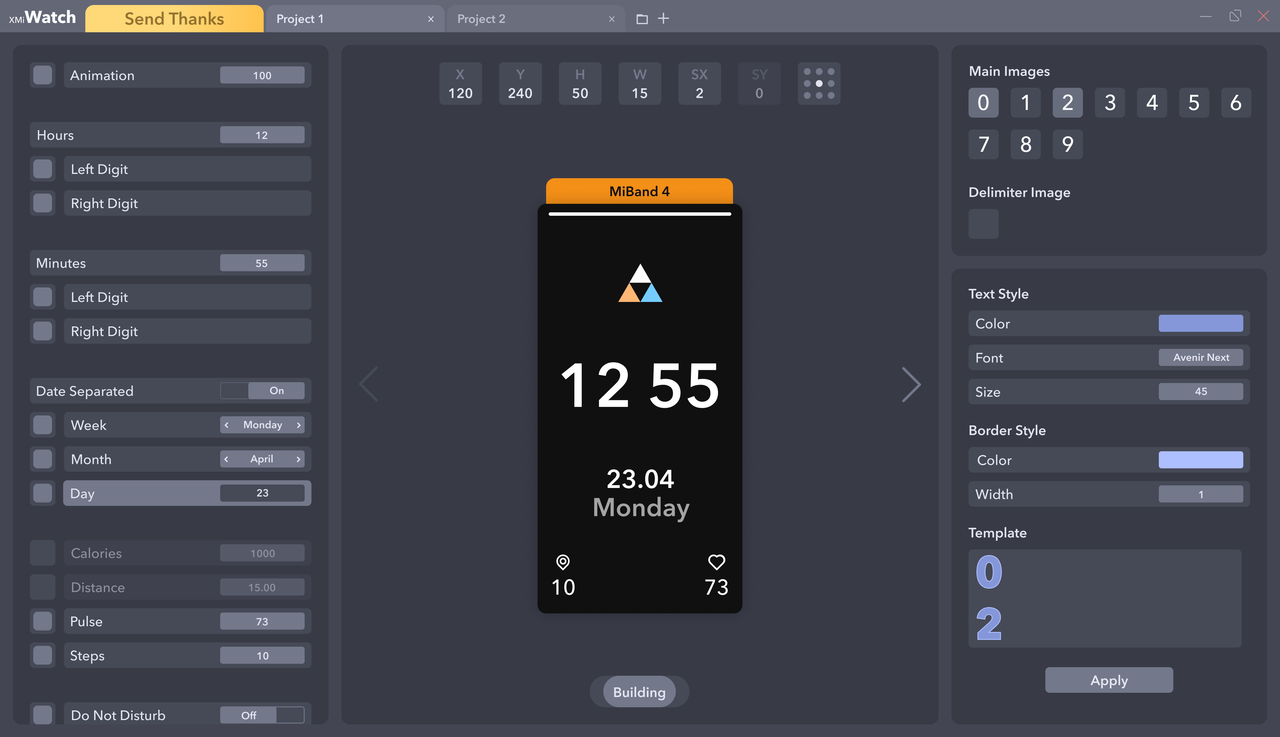
Design program for Mi Band watchfaces
You can easily open, edit and build:
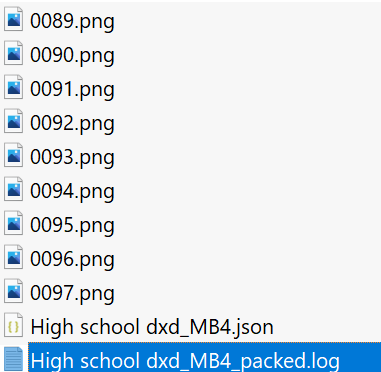
Json - folder must contains 0000.png → screen sized
Bin
On / off watch elements (even not include)
Copy or import images from opened projects or files
Watchfaces converting
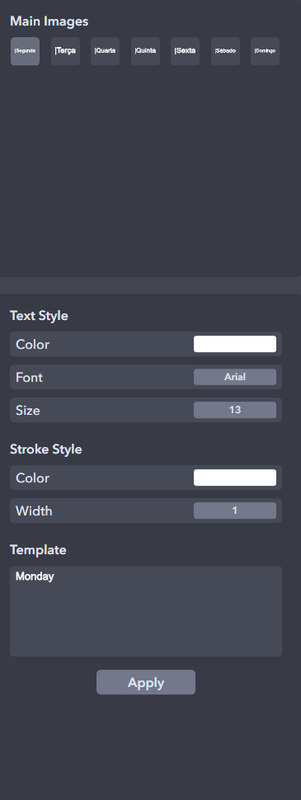
Text styling
Dev: Presets
Watch series
Mi Band 4
Mi Band 5
Mi Band 6
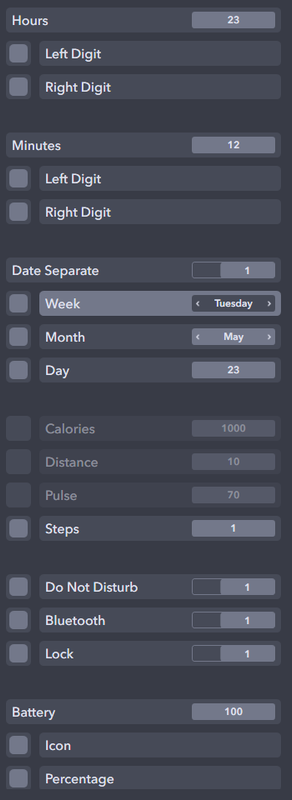
Elements support
Time
Date
Inline / Separate
Week
Month
Day
Activity
Calories
Distance
Pulse
Steps
Widgets
Do Not Disturb
Bluetooth
Lock
Battery
Other
Controls
Change value - ↑↓ keys
Move - WASD or ↑←↓→ keys and mouse
Unselect - Escape key
Unvisible - Delete key
Selecting in Previewer or Elements bar
Previewer - render on change
Previewer limits
H, Y (+-Screen height)
W, X (+-Screen width)
SX (+-20)
Render limits
Activity (99999)
Real time
Real date
Battery (100)
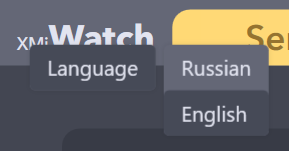
Languages
Russian
English (default)
* Right button click on opened app name
Editado pela última vez por
jefoce em 19 Set 2021, 19:32, em um total de 69 vezes.
jefoce
Mensagens: 33 Registrado em: 07 Jul 2019, 17:28
Localização: Ukraine
Has thanked: 11 times
Been thanked: 18 times
Contato:
Mensagem
por jefoce » 20 Jan 2021, 10:57
Based on your situation, log from archive
Sanshexx
Mensagens: 6 Registrado em: 21 Mai 2020, 07:28
Localização: rosario
Contato:
Mensagem
por Sanshexx » 20 Jan 2021, 18:14
jefoce escreveu: 20 Jan 2021, 10:57
Based on your situation, log from archive
how?
Sanshexx
Mensagens: 6 Registrado em: 21 Mai 2020, 07:28
Localização: rosario
Contato:
Mensagem
por Sanshexx » 31 Jan 2021, 23:10
jefoce escreveu: 20 Jan 2021, 10:57
Based on your situation, log from archive
how?
Sanshexx
Mensagens: 6 Registrado em: 21 Mai 2020, 07:28
Localização: rosario
Contato:
Mensagem
por Sanshexx » 12 Fev 2021, 19:43
jefoce escreveu: 01 Fev 2021, 15:04
and what do i do?
jefoce
Mensagens: 33 Registrado em: 07 Jul 2019, 17:28
Localização: Ukraine
Has thanked: 11 times
Been thanked: 18 times
Contato:
Mensagem
por jefoce » 12 Fev 2021, 21:04
Maybe change photos for elements
Sanshexx
Mensagens: 6 Registrado em: 21 Mai 2020, 07:28
Localização: rosario
Contato:
Mensagem
por Sanshexx » 13 Fev 2021, 00:06
jefoce escreveu: 12 Fev 2021, 21:04
Maybe change photos for elements
I do not understand
vitorprado
WF maker
Mensagens: 2 Registrado em: 23 Jan 2020, 13:02
Localização: Brazil
Contato:
Mensagem
por vitorprado » 26 Fev 2021, 14:58
How to add a gif? Thanks!
ercantarum
Mensagens: 1 Registrado em: 03 Set 2020, 04:15
Localização: Turkey
Contato:
Mensagem
por ercantarum » 14 Mar 2021, 16:07
Is there a YouTube link explaining how to use the program. I understand better by seeing.
zy0
Mensagens: 1 Registrado em: 17 Mar 2021, 01:06
Localização: china
Contato:
Mensagem
por zy0 » 24 Mar 2021, 03:38
I can't download it. Can you upload other links?Thanks!
SlenderGz
WF maker
Mensagens: 1 Registrado em: 29 Jul 2019, 17:32
Contato:
Mensagem
por SlenderGz » 05 Abr 2021, 03:59
An improvement idea for the app: keep the original status of items such as size, writing and color. To be able to change the color of all items together because one at a time is difficult as you have to edit the entire color, size and writing board whenever you want to change something.
joelian
Mensagens: 1 Registrado em: 07 Abr 2021, 08:52
Localização: 上海
Contato:
Mensagem
por joelian » 07 Abr 2021, 09:03
hi, i had made some watch faces before, and now i am curious about how the tool makes json & images become a .bin file. Would u like to opensource or show me how it works? thx very much!
jefoce
Mensagens: 33 Registrado em: 07 Jul 2019, 17:28
Localização: Ukraine
Has thanked: 11 times
Been thanked: 18 times
Contato:
Mensagem
por jefoce » 09 Abr 2021, 17:55
App have it, multi selecting with
ctrl or
shift and copy all/some images to another watch item with style saving
Editado pela última vez por
jefoce em 09 Abr 2021, 17:59, em um total de 1 vez.
jefoce
Mensagens: 33 Registrado em: 07 Jul 2019, 17:28
Localização: Ukraine
Has thanked: 11 times
Been thanked: 18 times
Contato:
Mensagem
por jefoce » 09 Abr 2021, 17:57
joelian escreveu: 07 Abr 2021, 09:03 No opensource, it's using temp directory with lvpokka builder in background
jefoce
Mensagens: 33 Registrado em: 07 Jul 2019, 17:28
Localização: Ukraine
Has thanked: 11 times
Been thanked: 18 times
Contato:
Mensagem
por jefoce » 17 Mai 2021, 15:12
Belens escreveu: 04 Dez 2020, 00:19
This is awesome! Will it support animations in the future? Great Job!
Added
cygmon0
Mensagens: 3 Registrado em: 08 Jan 2021, 16:20
Localização: 127.0.0.1
Has thanked: 1 time
Been thanked: 2 times
Contato:
Mensagem
por cygmon0 » 19 Mai 2021, 17:43
jefoce escreveu: 17 Mai 2021, 15:12
Belens escreveu: 04 Dez 2020, 00:19
This is awesome! Will it support animations in the future? Great Job!
Added
Perfecto
Zan1456
WF maker
Mensagens: 1 Registrado em: 09 Jul 2021, 07:08
Localização: Hungary
Has thanked: 1 time
Contato:
Mensagem
por Zan1456 » 31 Jul 2021, 17:35
How to add background?
KrakeCZ
WF maker
Mensagens: 3 Registrado em: 18 Jul 2021, 07:25
Localização: Czech
Contato:
Mensagem
por KrakeCZ » 02 Ago 2021, 12:53
Please add support MB6
Aaronfet
Mensagens: 6 Registrado em: 09 Jul 2021, 01:47
Localização: Russia
Contato:
Mensagem
por Aaronfet » 31 Ago 2021, 00:25
I am new to this forum and was wondering if you could tell me what the HSBI Converter is and how you use it. I didn't see anything else on this forum. Thank you.
GWF
mi4face
WF maker
Mensagens: 6 Registrado em: 19 Set 2019, 01:52
Localização: GB
Has thanked: 1 time
Been thanked: 1 time
Contato:
Mensagem
por mi4face » 06 Set 2021, 03:23
Seems like i took an app which nobody discussing anymore. LOL. I also donated with a hope this app still has some support. The animations are added but not working properly.
mi4face
WF maker
Mensagens: 6 Registrado em: 19 Set 2019, 01:52
Localização: GB
Has thanked: 1 time
Been thanked: 1 time
Contato:
Mensagem
por mi4face » 06 Set 2021, 03:25
By the way i expected to add background options inside the app like we have animation toggle. Please add it.
mi4face
WF maker
Mensagens: 6 Registrado em: 19 Set 2019, 01:52
Localização: GB
Has thanked: 1 time
Been thanked: 1 time
Contato:
Mensagem
por mi4face » 06 Set 2021, 03:28
Zan1456 escreveu: 31 Jul 2021, 17:35
There is no option i found. So just open a .json or .bin file from a watchface which have background image. Then if you click on the background image you can see the option to import at the right.
jefoce
Mensagens: 33 Registrado em: 07 Jul 2019, 17:28
Localização: Ukraine
Has thanked: 11 times
Been thanked: 18 times
Contato:
Mensagem
por jefoce » 19 Set 2021, 11:40
mi4face escreveu: 06 Set 2021, 03:28
Thanks for your support
Added background option to the left side
Editado pela última vez por
jefoce em 19 Set 2021, 11:47, em um total de 1 vez.
Usuários navegando neste fórum: Nenhum usuário registrado e 1 visitante