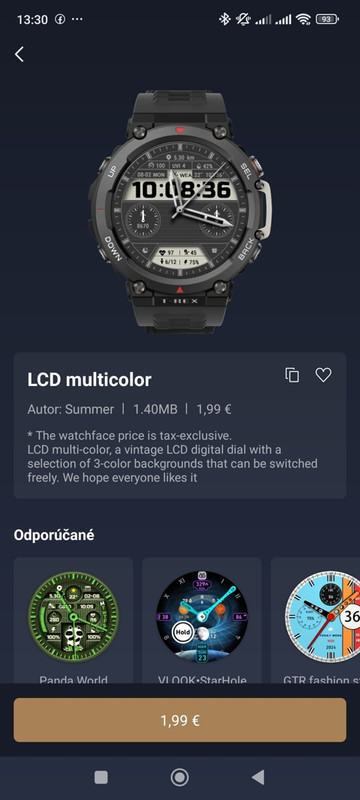
Design & Aesthetic
Base Style: Inspired by the "Multicolor LCD" watch face (ID: 1045188, Author: Zepp Health).
Theme: Specifically utilizing the "blue" color scheme from that design.
Details: Please match that original layout style, icon set, and font as closely as possible.
 Layout & Data Requirements
Here is exactly how I would like the screen divided:
Upper Third (Environment):
Weather: Current temp, daily high/low, conditions (sunny/rainy), UV index, humidity, and wind speed.
Sun/Moon: Sunrise/sunset times, moon phases.
Air Pressure: Barometric pressure readings and trends.
Middle Third (Time & Date):
Date & Time: Standard time, day, month, year, and week number.
Secondary Time: Handled by the "World Clock" complication, preceded by its GMT timezone listing.
Lower Third (Navigation & Power):
Altitude: Current elevation (via the built-in barometric altimeter).
Compass: Current directional heading.
Battery: Remaining battery percentage or estimated days left.
 Required Tap Shortcuts (Crucial)
I need all of these complications to be fully interactive, launching their native apps when tapped:
Weather ➔ full Weather app (7-day forecast, radar, alerts).
Sun/Moon ➔ dedicated Sun & Moon app.
Air Pressure ➔ Barometer app (historical graphs).
Time ➔ Alarms.
Date ➔ Calendar widget.
Secondary Time ➔ World Clock app.
Altitude ➔ Altimeter app (graphs and manual calibration).
Compass ➔ Compass app (live tracking, pitch, and roll data).
Battery ➔ Battery Manager (power-saving/endurance toggles).
If you have the experience to build this cleanly, please let me know.