Snoopy AVi_8 (Balance)

兼容于
Balance 支持的语言
en
en
新增: 24.09.2025 13:34
更新日期: 24.09.2025 14:09
30 个用户已加入 收藏
用户须知
请注意,本网站上所有可用的手表面都是我们用户的创作作品,并且与任何官方品牌或商标无关。这些作品是由粉丝为粉丝创作的,灵感来源于流行文化现象、游戏、电影或电视剧。
我们的目标是提供一个创意交流的平台,同时我们也致力于尊重知识产权。如果您拥有本网站上任何内容的版权,并认为该内容侵犯了您的权利,请与我们联系以采取适当措施。
请注意,本网站上所有可用的手表面都是我们用户的创作作品,并且与任何官方品牌或商标无关。这些作品是由粉丝为粉丝创作的,灵感来源于流行文化现象、游戏、电影或电视剧。
我们的目标是提供一个创意交流的平台,同时我们也致力于尊重知识产权。如果您拥有本网站上任何内容的版权,并认为该内容侵犯了您的权利,请与我们联系以采取适当措施。

描述
Note:
Thank SashaCX75 so much for Editor Version 15.1 FinalIf without a good editor like this, It would be difficult to make this watchface. , so who want to donate please donate to sashacx75
https://www.buymeacoffee.com/sashacx75
or.
(Paypal: [email protected])
Thank wax so much for code change background by click on screen
/gtr/view/27840
--------------------------------------------------------------------
I created the main image from scratch based on those original design and re-arranged it to my liking.
----------------------------------------------------------------------
design by AVI_8
----------------------------------------------------------------------- This watchface i do it for use by myself
- Please do not request any modify.
- This watch face, I will not accept any requests
- If have request in the comment i will not answer
- who is interest to modify, you can download and edit it by yourself.- Only tested on Amazfit Balance
- If the owner requests it to be removed Admin can delete immediately.
Thank you.
---------------------------------------------------------------------------------------- AOD ( No seconds , No GMT )
- Shortcut open calendar ( click on Day )
- Open power save by click on Power porgress
- Add ( Alarm , Bluetooth ) icon
- Set GMT By click on 7 and 5 O'clock
- In the real watch face will not have a watermark ( The watermark is only to inform you that the sample image is created by me. )
---------------------------------------------------------------------------------------
- Shortcuts
(1. Alarm , 2. sunrise/sunset , 3. temperature, 4. countdown , 5.PAI , 6. Steps , 7. Pulse , 8. SP02 , 9.Stopwatch , 10.calendar , Power Save
------------------------------------------------------------------------------------------
Image showing shortcuts area
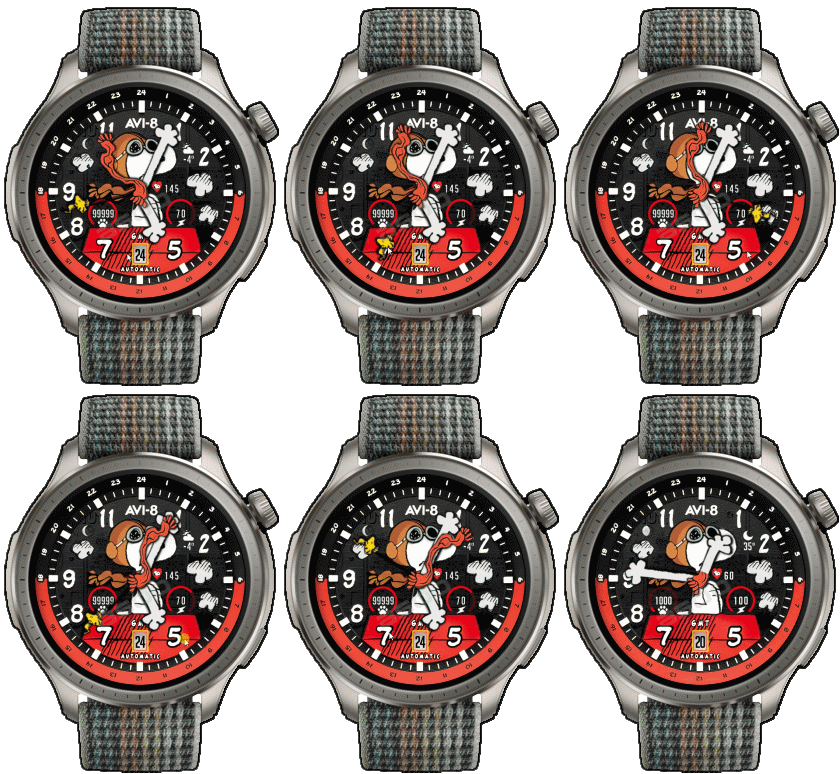
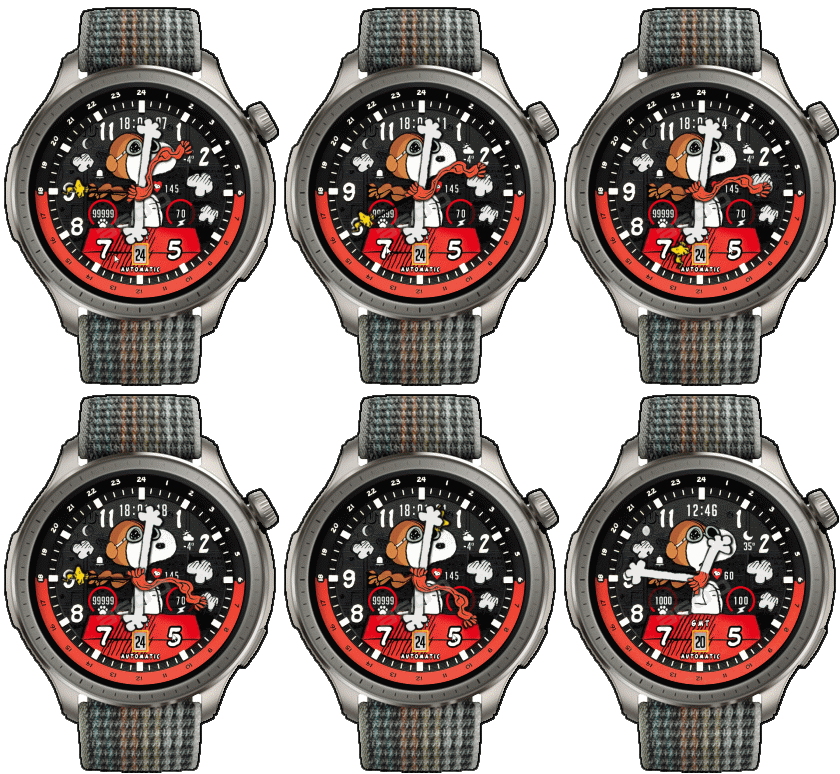
24-10-2025 (1) (2)
- Upload Version H ( Add Digital time replace on logo ) (2)
- AOD ( No seconds , No GMT )
- Shortcut open calendar ( click on Day )
- Open power save by click on Power porgress
- Add ( Alarm , Bluetooth ) icon
- Set GMT By click on 7 and 5 O'clock
How to Use the GMT Hand
Simply move the GMT hand to the hour of the second country you wish to track.
The GMT hand functions as the hour hand for that second time zone.
For example, if you travel to Japan and Japan time there is 21:xx,
just rotate the GMT hand to point at 21 the GMT Hands is the time of japan. Then now you use the GMT hand to see the Japan time.
Note:
If the main time is past 30 minutes (for example local time is 7:30),
when you move the GMT hand to 21 ( second country time ),
the GMT hand will not rest exactly on 21,
but will be positioned between 21 and 22 to indicate the half-hour.
After setting it, the GMT hand will continue to move in sync with the main hour hand.
Suppose the time in your home country is 7:30, while the time in Japan is 21:xx.
When you set the GMT hand to 21, it will remain between 21 and 22,
indicating that the time in Japan is approximately 21:30.
Note: The GMT hand on this watch face can be adjusted in one-hour increments only.
If you do not select a second country, the GMT hand will initially display the 24-hour format of your local time by default.For instance, if your local time is 9:00 PM,
the main hour hand will point to 9 on the 12-hour dial,
while the GMT hand will point to 21 on the 24-hour scale.
- In the real watch face will not have a watermark ( The watermark is only to inform you that the sample image is created by me. )
标签
分享此表盘
评论
您需要登录才能发布或回复评论。
近期 社区论坛 讨论贴
Request for editing a watchface for Active 3 premium
Sir, Thank you for your reply. I am learning and for master it would be a minor adjustment, but for a novice like me sadly it isn't. But hope one day I would be successful in doing so. Nonetheless thank you very much for your kind efforts :...
HGT 112 watchface conversion request [Cheetah Square]
Dear, I found this watchface HGT 112 that is really amazing and has been already ported to many other devices, but not...
Orange‑Ray‑Gather and Radiant‑Solar Balance for balance 2
Awesome, thank you!...
Request for creating a watchface for Active 3 premium
Thank you very much mate :)...
Request for Kingdom Come Deliverance II WatchFace convert [Active 3 Premium]
Hi! I installed the watch face directly on my Active 3 Premium. It installs successfully, but there is a display bug: the hour and minute digits keep jumping vertically from bott...
Digital Technology ++ – minor edits for Amazfit Active 2
Thanks for the reply, Asoo! Really appreciate all your work on here....
Request for creating a watchface for Active 3 premium
Thank you very much mate :)...





Quick question on GMT function. How it is intended to be used? 25.09.2025 13:04:42 投诉
How to Use the GMT Hand
Simply move the GMT hand to the hour of the second country you wish to track.
The GMT hand functions as the hour hand for that second time zone.
For example, if you travel to Japan and the local time there is 21:xx,
just rotate the GMT hand to point at 21 the GMT Hands is the time of japan. Then now you use the GMT hand to see the Japan time.
Note:
If the main time is past 30 minutes (for example local time is 7:30),
when you move the GMT hand to 21 ( second country time ),
the GMT hand will not rest exactly on 21,
but will be positioned between 21 and 22 to indicate the half-hour.
After setting it, the GMT hand will continue to move in sync with the main hour hand.
Suppose the time in your home country is 7:30, while the time in Japan is 21:xx.
When you set the GMT hand to 21, it will remain between 21 and 22,
indicating that the time in Japan is approximately 21:30.
์Note: The GMT hand on this watch face can be adjusted in one-hour increments only.
If you do not select a second country, the GMT hand will initially display
the 24-hour format of your local time by default.
For instance, if your local time is 9:00 PM,
the main hour hand will point to 9 on the 12-hour dial,
while the GMT hand will point to 21 on the 24-hour scale. 25.09.2025 16:38:18 投诉