PULSE X + ( Amazfit Balance )

Balance en
Зверніть увагу, що всі циферблати, доступні на цьому сайті, є творчими роботами наших користувачів і не пов'язані з офіційними брендами або торговими марками. Вони створюються шанувальниками для шанувальників, надихаються популярними культурними феноменами, іграми, фільмами, або серіалами.
Наша мета - надати платформу для творчості та обміну, але ми також прагнемо поважати інтелектуальні права. Якщо ви володієте авторськими правами на будь-який контент, який, на вашу думку, порушує ваші права на цьому сайті, будь ласка, зв'яжіться з нами для вжиття відповідних заходів.

Опис
Note:
Thank SashaCX75 so much for Editor Version 13.1 FinalIf without a good editor like this, It would be difficult to make this watchface. , so who want to donate please donate to sashacx75
https://www.buymeacoffee.com/sashacx75
or.
(Paypal: [email protected])
Thank wax so much for code change background by click on screen
/gtr/view/27840
--------------------------------------------------------------------
This watch face made by ported from image PULSE X + (MIKEOB)
f a c e r . i o
----------------------------------------------------------------------
I didn't design it , do not give credit to me.
----------------------------------------------------------------------- This watchface i do it for use by myself
- Please do not request any modify.
- This watch face, I will not accept any requests
- If have request in the comment i will not answer
- who is interest to modify, you can download and edit it by yourself.- Only tested on Amazfit Balance
- If the owner requests it to be removed Admin can delete immediately.
Thank you.
---------------------------------------------------------------------------------------- AOD ( No any seconds and compass will be stop ( save power ))
- Shortcut open calendar ( click on icon dayweek )
- Open power save by click on power icon
- Add ( Alarm , Bluetooth ) icon
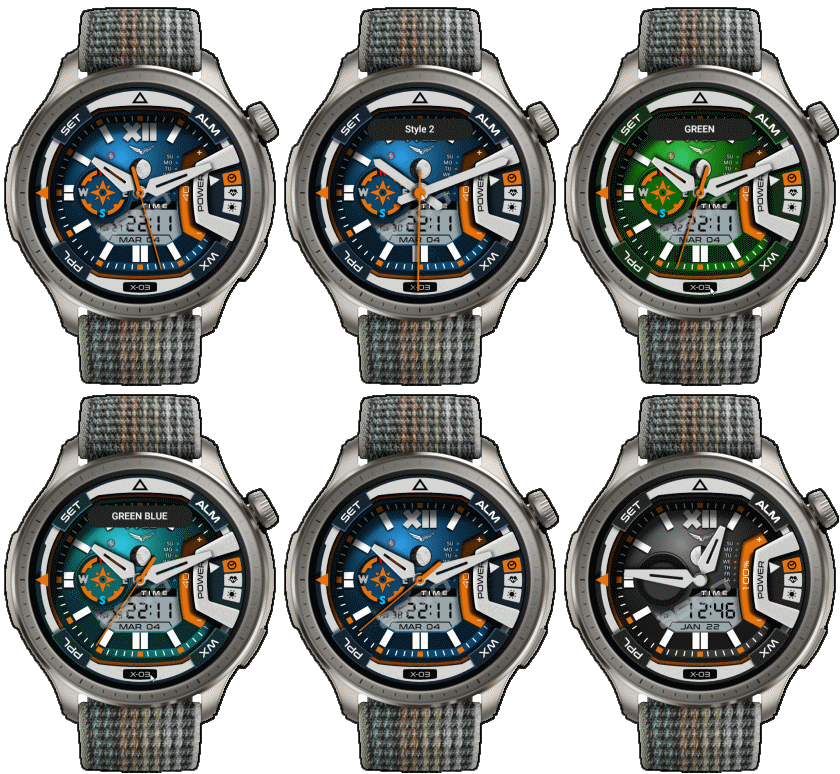
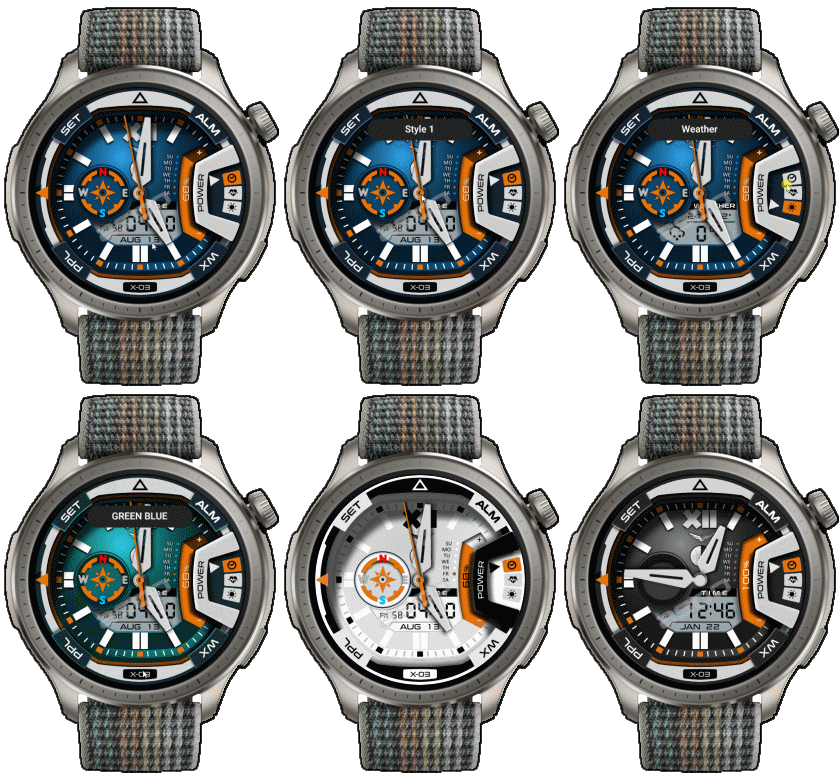
- change color style by click on [X-03] icon
- Change analog hand style by click on center screen
- switch info. ( Time , activity , weather ) by click on icon at 3 o'clock
If the compass does not work or does not work properly, please click on the compass to calibrate before use.
This watchface make for test new function on 13.1 final
- In the real watch face will not have a watermark ( The watermark is only to inform you that the sample image is created by me. )
---------------------------------------------------------------------------------------
- Shortcuts
(1. Alarm , 2. sunrise/sunset , 3. temperature, 4. countdown , 5.PAI , 6. Steps , 7. Pulse , 8. SP02 , 9.Stopwatch , 10.calendar , Power Save
------------------------------------------------------------------------------------------
Image showing shortcuts area
14-03-2025
- Upload version 2.02 fixed issue icon alarm
- upload version 2.0 ( add white screen )
when switch to a white screen, the screen will be off, click on the screen again to refresh the color of the white element.
04-03-2025
- AOD ( No any seconds and compass will be stop ( save power ))
- Shortcut open calendar ( click on icon dayweek )
- Open power save by click on power icon
- Add ( Alarm , Bluetooth ) icon
- change color style by click on [X-03] icon
- Change analog hand style by click on center screen
- switch info. ( Time , activity , weather ) by click on icon at 3 o'clock
If the compass does not work or does not work properly, please click on the compass to calibrate before use.
This watchface make for test new function on 13.1 final
This watchface make for test new function on 13.1 Final
- In the real watch face will not have a watermark ( The watermark is only to inform you that the sample image is created by me. )
------------------------------------------------------------------------------
it works in 24h format.
for the 12 h format to work. must be enabled in phone settings. (settings-system-date and time-disable 24-hour format.)
------------------------------------------------------------------------------
Теги
Поділиться цим циферблатом
Коментарі
Вам необхідно увійти, щоб залишати коментарі або відповідати на них.
Недавні обговорення в спільноті
Digital Clock watchface for balance 2.
Hello to all. I found this watchface from zepp store for amazfit bip max and would be great if someone from the watchface creators making it for amazfit balance 2. Thank you ...
[Balance 2] Third-party watch faces fail to download with error 403
QR Installation Update We've finished analyzing the changes introduced in the latest Zepp versions and have updated our server accordingly. QR code installation should now work again for both: - amazfitwatchfaces.com ...
Modular and Active Rhythm for Balance 2
Thank you! It's amazing as always....
Azureblue luminous for amazfit active 2
Hi you all, could someone please fix the swapped watch hands on the "AzureBlue Luminous" watch face for the Amazfit Active 2? The long hand is showing the hours, while the sh...
Number of week Amazfit active 3 premium
Hi Do you know about some watchface with number of week ? For example wk36 Thanks You could check out Drakowed's watch faces: https://amazfitwatchfaces.com/search/g...
Electronic Style and Status Monitor for balance 2
Hello to all. Can someone help me and make these zepp watchfaces from zepp store for Bip max convert them for balance 2. Thank you. https://ze.mmk.pw/view/11206915/171619/1....
request Balance 2 iwc eternal
If i only had the background image.... This is the background image I used, and 30 layers of the moon. Hope it's still useful to you. Photo shop image : ...





Немає коментарів. Залиште перший коментар.