TRP001 ( Amazfit Balance )

Balance en
Por favor, note que todos os mostradores de relógio disponíveis neste site são obras criativas dos nossos usuários e não estão afiliados com marcas oficiais ou marcas registradas. São criados por fãs para fãs, inspirados em fenômenos culturais populares, jogos, filmes ou séries.
Nosso objetivo é fornecer uma plataforma para criatividade e troca, mas também nos esforçamos para respeitar os direitos intelectuais. Se você detém direitos autorais sobre qualquer conteúdo que acredita infringir seus direitos neste site, por favor, entre em contato conosco para ações apropriadas.

Descrição
Note:
Thank SashaCX75 so much for Editor 11.2 betaIf without a good editor like this, It would be difficult to make this watchface. , so who want to donate please donate to sashacx75
https://www.buymeacoffee.com/sashacx75
or.
(Paypal: [email protected])
----------------------------------------------------------------------------------------------------
Thank wax so much for code change background by click on screen
/gtr/view/27840
--------------------------------------------------------------------
This watch face made by ported from my old work
/gtr/view/16192
This watch face ported from T-rex Pro watches, i am not the author of the watch face, i just only ported and modify a little layout it for use with Amazfit Balance , the owner of the watch face is Amazfit.
----------------------------------------------------------------------
I didn't design it , do not give credit to me.
----------------------------------------------------------------------- This watchface i do it for use by myself
- Please do not request any modify.
- This watch face, I will not accept any requests
- If have request in the comment i will not answer
- who is interest to modify, you can download and edit it by yourself.- All my work will be "FULL AOD". If you don't like it, you can enable watch's standard AOD. Once you enable watch standard AOD, full AOD of watchface will not be displayed. System will be use standard AOD from Watch
- Only tested on Amazfit Balance
- If the owner requests it to be removed Admin can delete immediately.
Thank you.
---------------------------------------------------------------------------------------- upload Version 1.02 ( Fixed Error image of Temp. not show )
- upload Version 1.01 ( add button switch main screen ( Modify style and Original Style ) )
- Switch ( Modify style and Original Style ) by click on button on the left top
- In AOD ( no analog seconds )
- Shortcut open calendar ( click on "Month Area" )
- Open power save by click on battery icon
- Open sportlist by click on button below week day circle
- Switch smooth and normal analog seconds by click on center
---------------------------------------------------------------------------------------
- Shortcuts
(1. Alarm , 2. sunrise/sunset , 3. temperature, 4. countdown , 5.PAI , 6. Steps , 7. Pulse , 8. SP02 , 9.Stopwatch , 10.calendar , Power Save , Sport list,
------------------------------------------------------------------------------------------
Image showing shortcuts area
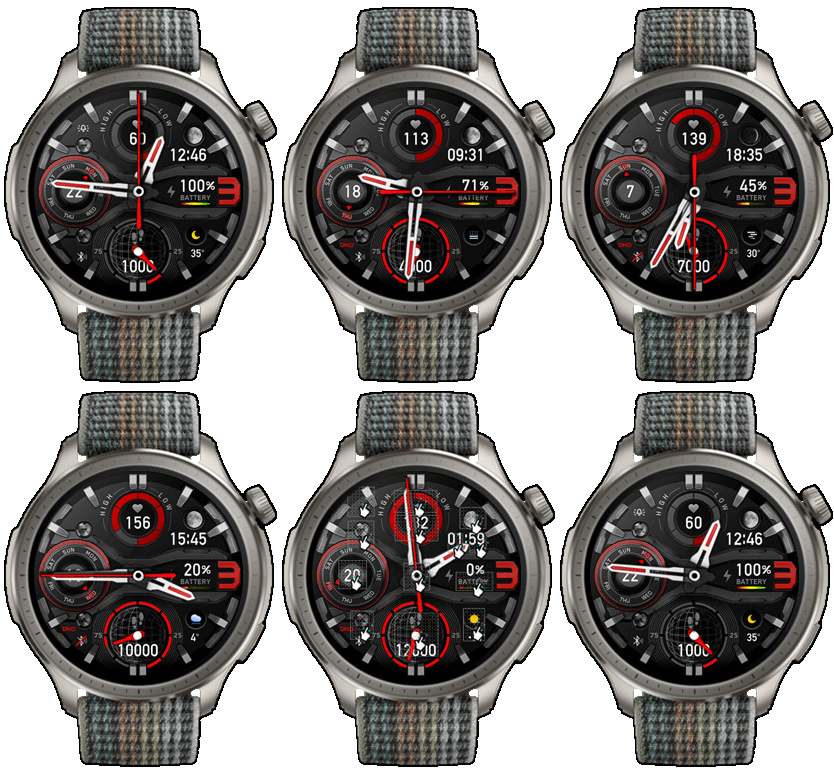
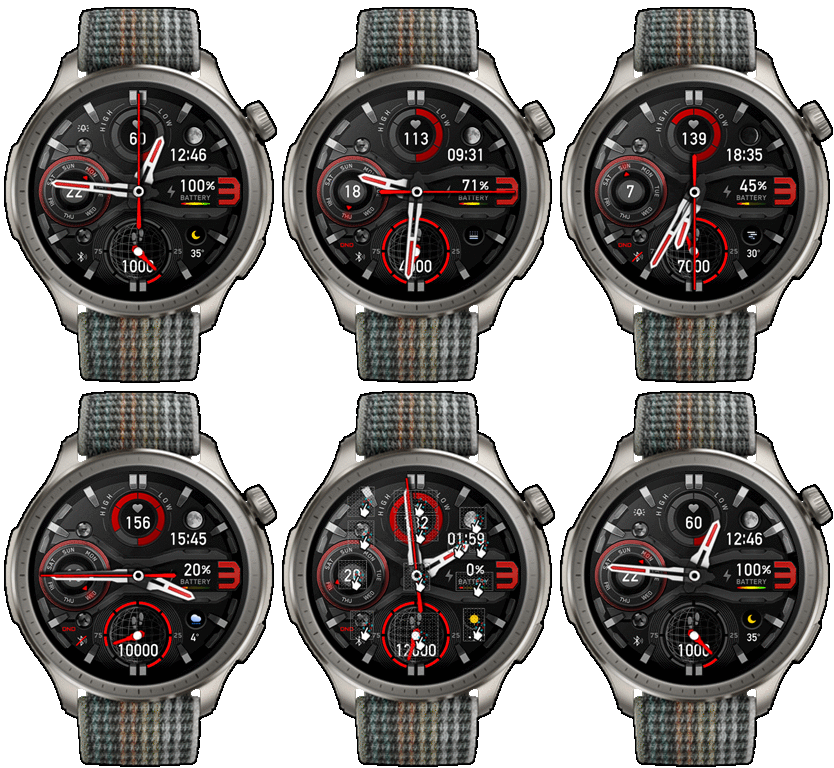
27-11-2025
- Upload Version 2.01 change smooth seconds to type 2
Several people have reported that after updating the firmware, there were issues with Smooth Seconds Type 4, which uses animation functions. The hands would sometimes jerk when turning on, switching screens, or sometimes when the watch had moved for a while.
Therefore, I've switched to Smooth Seconds Type 2 instead.
In our testing, the jerkiness has disappeared, but the second hand moves less smoothly than Type4.
27-09-2024
- upload Version 2 fixed issue smooth seconds , animation in firmware ( 3.22.15.7 )
21-08-2024 (1) (2) (3)
- upload Version 1.02 ( Fixed Error image of Temp. not show )
- upload Version 1.01 ( add button switch main screen ( Modify style and Original Style ) )
- Switch ( Modify style and Original Style ) by click on button on the left top
- In AOD ( no analog seconds )
- Shortcut open calendar ( click on "Month Area" )
- Open power save by click on battery icon
- Open sportlist by click on button below week day circle
- Switch smooth and normal analog seconds by click on center
------------------------------------------------------------------------------
it works in 24h format.
for the 12 h format to work. must be enabled in phone settings. (settings-system-date and time-disable 24-hour format.)
------------------------------------------------------------------------------
Tags
Compatilhar este watch face
Comentários
Você precisa estar logado para postar ou responder aos comentários.
Discussões recentes na comunidade
Request to make a watchface tor Active 3 Premium
Hey y'all! I hope you are all having a nice day. So I have created this watchface design. Therefore, I would like to politely request to make it. Additionally, there are a few irregularities and assymetry among the texts and icons of 'HR',...
Request for creating a watchface for Active 3 premium
I see. Thank you for your response....
Racing Chronograph Watch Face Request [Active Max]
Hi, I’m looking for a custom watch face for the Amazfit Active Max (480 × 480). I really like the design of the S4U RC ONE / RC ONE Racing watch faces available for Wea...
Realtime Pulse Graph balance 2
Thank you, it's perfect!...
Data master watchface balance 2
Thank you, asoo. Everything is ok now except one t...
Request for Active 3 Premium
Hello, Classic example of what age does to one. I didn't notice it. I'm sorry and feel ashamed. I'm extremely sorry. I will not bother you again with any request. Sorry again. But you're work is great. You're truly an artist. Bye...
[Port Request] IWC Schaffhausen for Amazfit Active 2 (Round)
GTR 4 shares the exact screen resolution with Active 2 (Round). Both has 466*466 screen. You can safely sync that watchface in your watch via Zepp Developer mode....





If I remember correctly, I think it's from T-Rex Pro.
I ported it to GTR2 since 07.07.2021.
I used images from the web zepp that were published at that time.
/gtr/view/16192
This watchface uses resources from my old work and improves the elements. 21.08.2024 15:06:41 Reclamar
Have you read the description carefully?
If you need anything more, please do it yourself
Or use the related forum to make a request
My personal opinion, the comment area is not the right place for a request 25.08.2024 16:36:31 Reclamar
I'm not sure, as I don't have Balance 2.
But the problem seems to be the same as the Balance after the latest firmware update.
Several people have reported that after updating the firmware, there were issues with Smooth Seconds Type 4, which uses animation functions. The hands would sometimes jerk when turning on, switching screens, or sometimes when the watch had moved for a while.
Therefore, I've switched to Smooth Seconds Type 2 instead.
In our testing, the jerkiness has disappeared, but the second hand moves less smoothly than Type4.
Please try Version 1.03 it work on Balance but I am not sure it work on Balance2 or not . 27.11.2025 13:21:42 Reclamar
=_=_= " Please try Version 2.01 " =_=_= 27.11.2025 13:52:14 Reclamar