Page 1 of 1
Help reversing colors on Bip watch face
Posted: 25 Mar 2019, 21:28
by KARK
Looking for someone who would be willing to take my favorite watch face and invert the colors. It’s a simple analog design with day and date. Currently it is white over black background. I would like to have it with black hands and date/day over a white background. Too big a learning curve for me.
Thanks!
Re: Help reversing colors on Bip watch face
Posted: 26 Mar 2019, 12:25
by TXK
Give me your favorite dial, and I'll turn it into a white background dial for you.
Re: Help reversing colors on Bip watch face
Posted: 26 Mar 2019, 13:22
by KARK
The dial can be seen on the AmazTools site; apparently it is not a bin file. But the name is One_Eng_v1.1
Here is a screenshot... Thanks!
Re: Help reversing colors on Bip watch face
Posted: 26 Mar 2019, 14:34
by TXK
KARK wrote: 26 Mar 2019, 13:22
The dial can be seen on the AmazTools site; apparently it is not a bin file. But the name is One_Eng_v1.1
Here is a screenshot... Thanks!
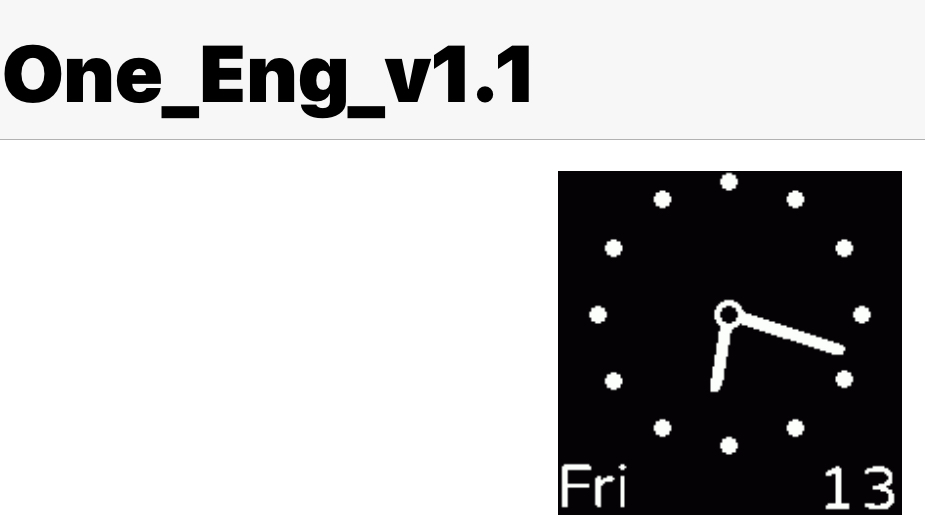
download [AmazfitBipTools]
https://bitbucket.org/valeronm/amazfitb ... downloads/
1. unpacking dial with [AmazfitBipTools]
2.Learn to modify with me:
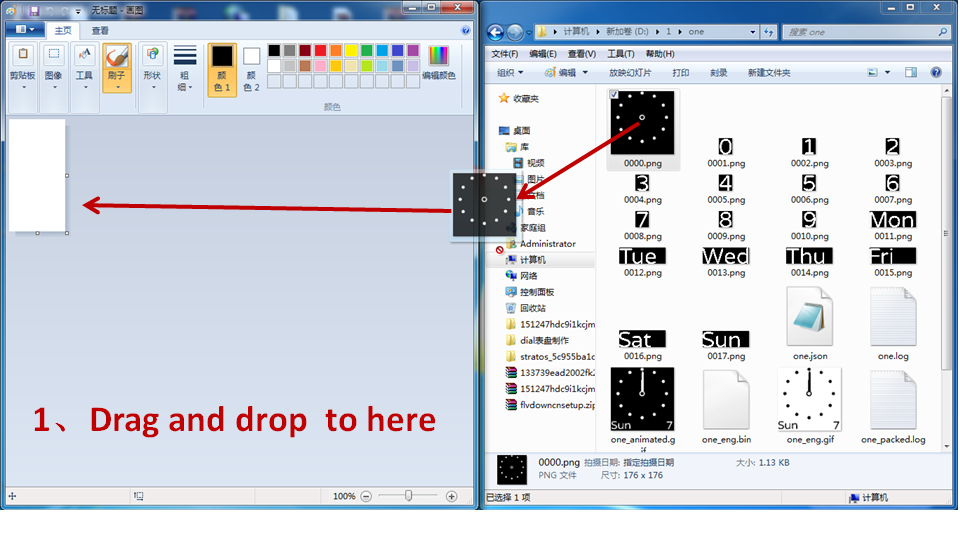
- ppt1.PNG (237.94 KiB) Viewed 2885 times
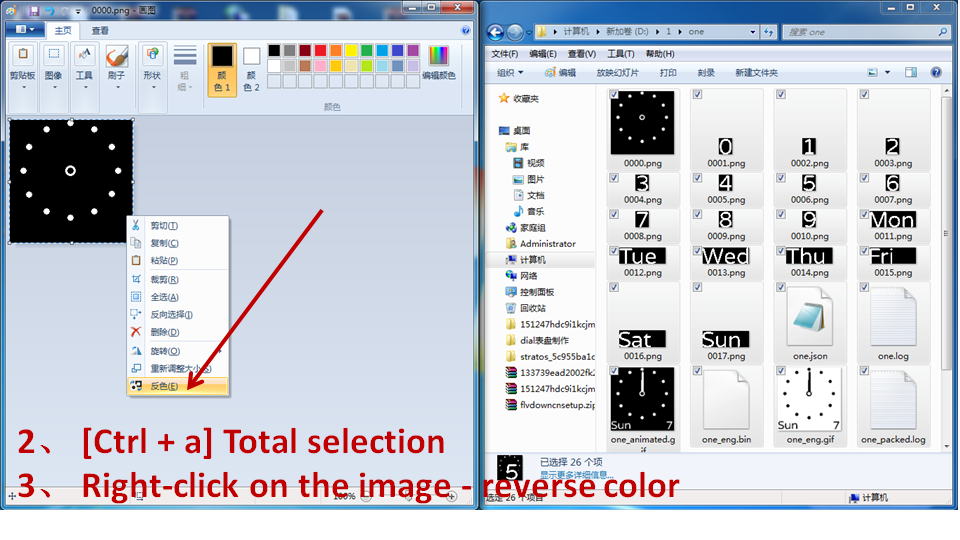
- ppt2.PNG (281.28 KiB) Viewed 2885 times
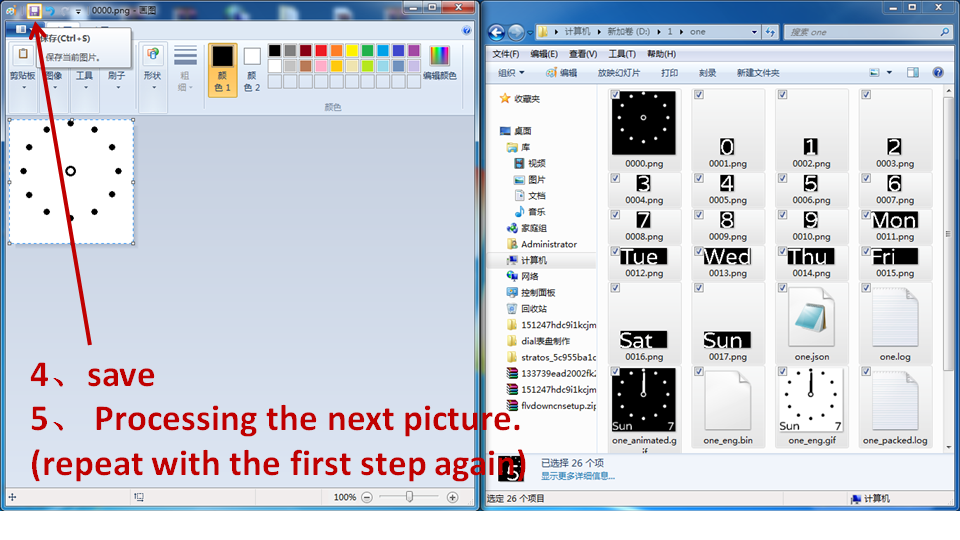
- ppt3.PNG (267.07 KiB) Viewed 2885 times
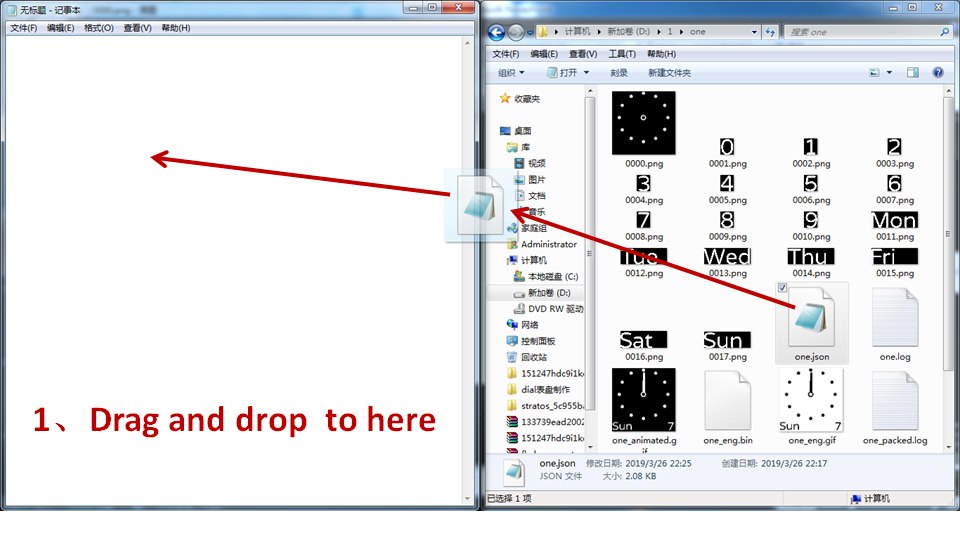
- ppt4.PNG (208.23 KiB) Viewed 2885 times
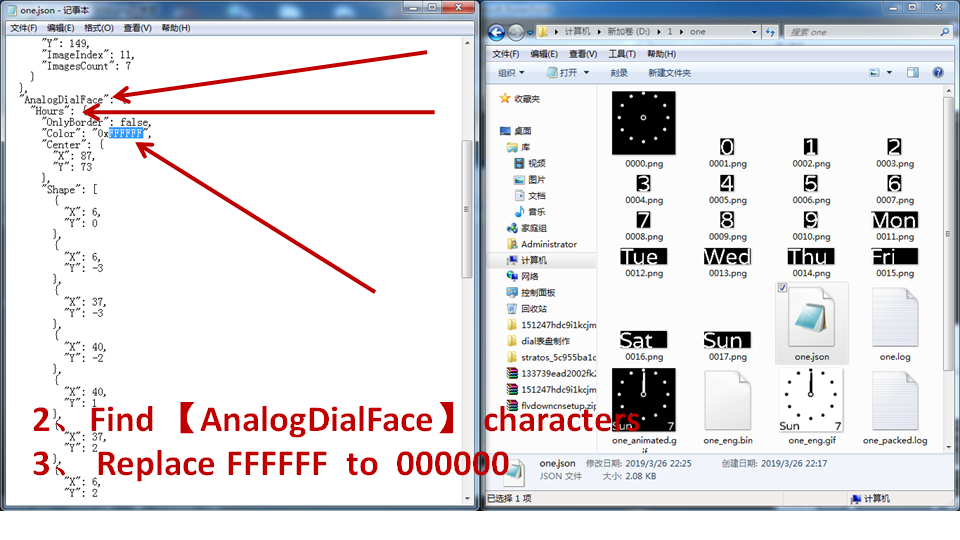
- ppt5.PNG (225.14 KiB) Viewed 2885 times
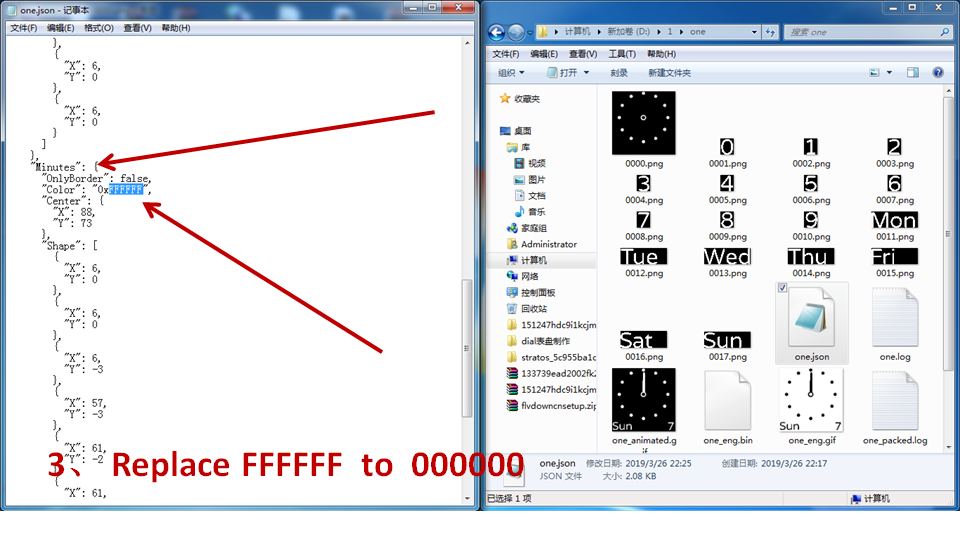
- ppt6.PNG (218.22 KiB) Viewed 2885 times
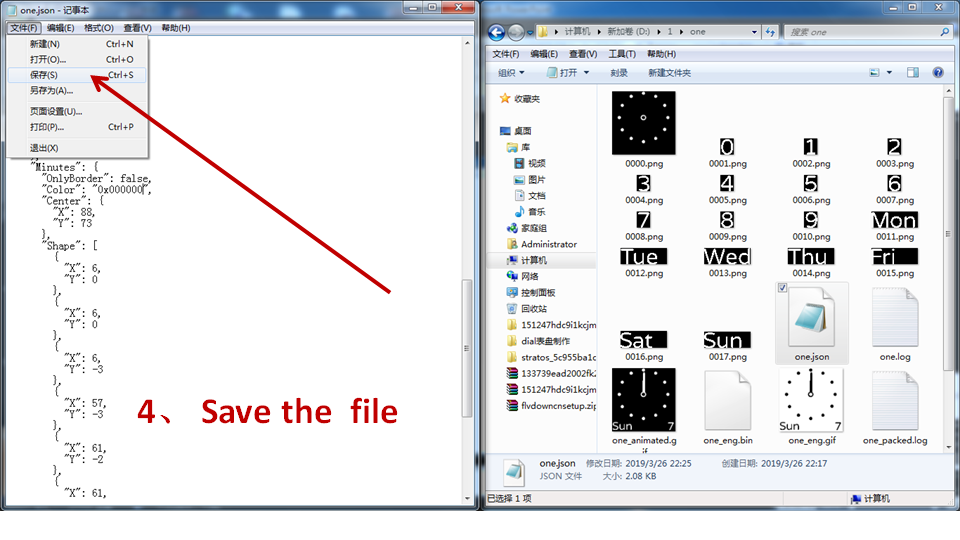
- ppt7.PNG (227.2 KiB) Viewed 2885 times
3.packing dial with [AmazfitBipTools]
here:
- one_eng.gif (16.1 KiB) Viewed 2889 times
Re: Help reversing colors on Bip watch face
Posted: 26 Mar 2019, 15:21
by TXK
Tips:
1. With the above method, only the dial of a single color background image can be modified.
2. If there is a dial with transparent overlay material, this method can not be used.
Re: Help reversing colors on Bip watch face
Posted: 26 Mar 2019, 17:57
by KARK
Thanks a billion!! Got it installed and this will be an enormous help to me. And thanks for the tutorial; I will study it and learn how to do this.