Get text/size/anything from the weather element
Inviato: 06 set 2025, 07:01
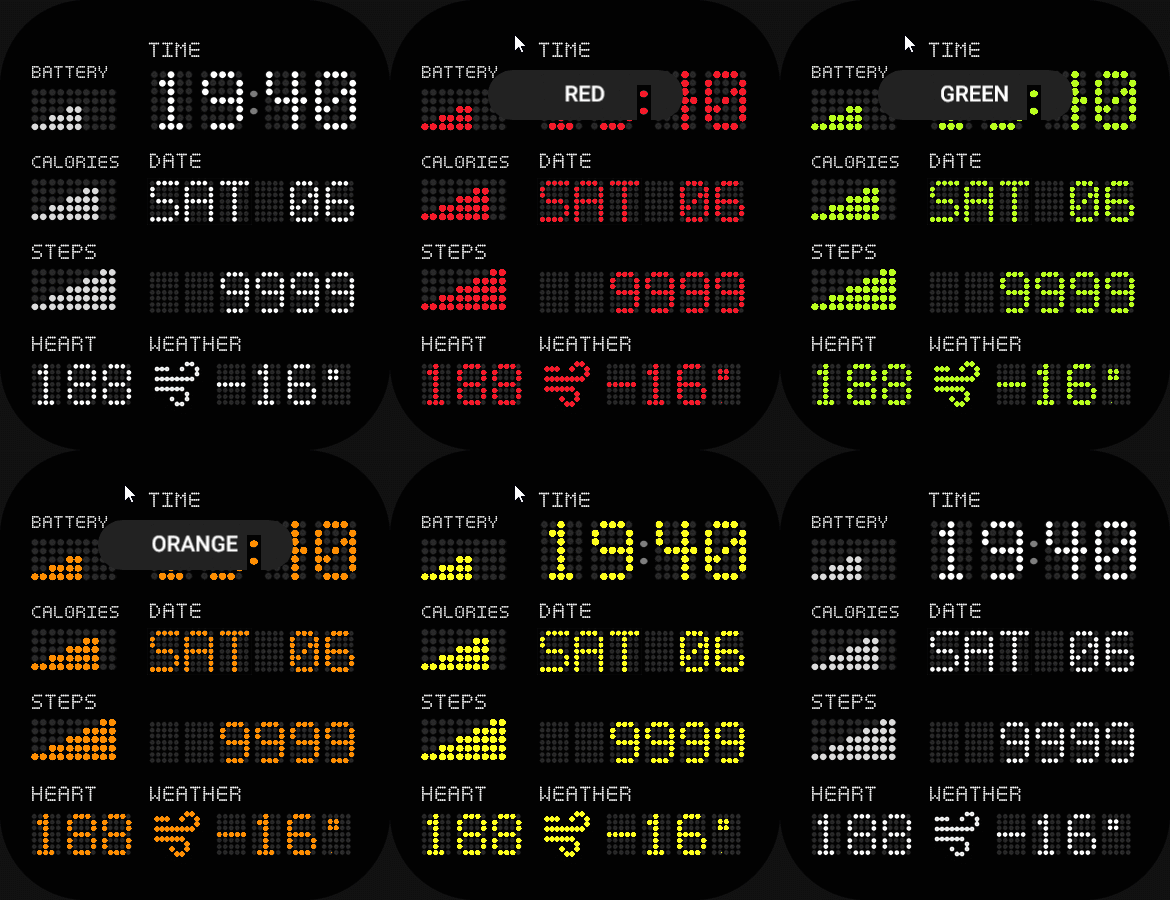
I'm making an edit of my watchface "Dotted Clock" and it's gonna have different colors for the whole wathface (little spoiler haha), but having a problem to show the hrm and weather temp correctly.
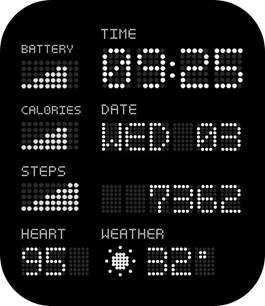
I've had made cuts in the bg to fit the imgs numbers showing the data for hrm and temp (the numbers individually are 35x47) so for the hrm the cut is 105x47 (so it fits when hrm is over 100) and for the weather temp is 140x47 (considering minus sign, 2 digits for numbers and the degree sign). The exact problem is that when the number width is less than the cut out the color can get through the empty space next to the number and I wanna find a workaround to fix this.
Already have the images to "cover" the empty spaces depending on the number of digits the hrm and weather temp are using but haven't find a way to get the width size of the current element of the text. I've managed to use getProperty(hmUI.prop.W) for the weathertemp but I get the size of the whole possible thing and not whats showed in the moment. All this might sound like a mess but hopefully someone can understand and help me. Also thank you before hand if you made it reading until this point
I've had made cuts in the bg to fit the imgs numbers showing the data for hrm and temp (the numbers individually are 35x47) so for the hrm the cut is 105x47 (so it fits when hrm is over 100) and for the weather temp is 140x47 (considering minus sign, 2 digits for numbers and the degree sign). The exact problem is that when the number width is less than the cut out the color can get through the empty space next to the number and I wanna find a workaround to fix this.
Already have the images to "cover" the empty spaces depending on the number of digits the hrm and weather temp are using but haven't find a way to get the width size of the current element of the text. I've managed to use getProperty(hmUI.prop.W) for the weathertemp but I get the size of the whole possible thing and not whats showed in the moment. All this might sound like a mess but hopefully someone can understand and help me. Also thank you before hand if you made it reading until this point