• Administrator
  •  
    Support Ukraine
    If you experience any problems with the forum (it is not visible, there is no way to post messages, or some functionality does not work), please let us know. If you have problems with registration or you did not receive confirmation letter, let us know and we will activate your account manually.
    If you get an "The submitted form was invalid. Try submitting again" error, delete cookies, then try again.
     

Get text/size/anything from the weather element

Topics related to the creation, development, and designing of the watch faces.

Moderators: asoo, Watchmens

Forum rules
When adding a new topic, use the template: Topic title [device name]
For example: How to create watch face [Bip U]
All communication in this branch should only be in English.
Post Reply
User avatar
frankh93
Posts: 37
Joined: 20 Jun 2025, 00:32
Location: CDMX
Has thanked: 21 times
Been thanked: 3 times
Contact:

Get text/size/anything from the weather element

Post by frankh93 »

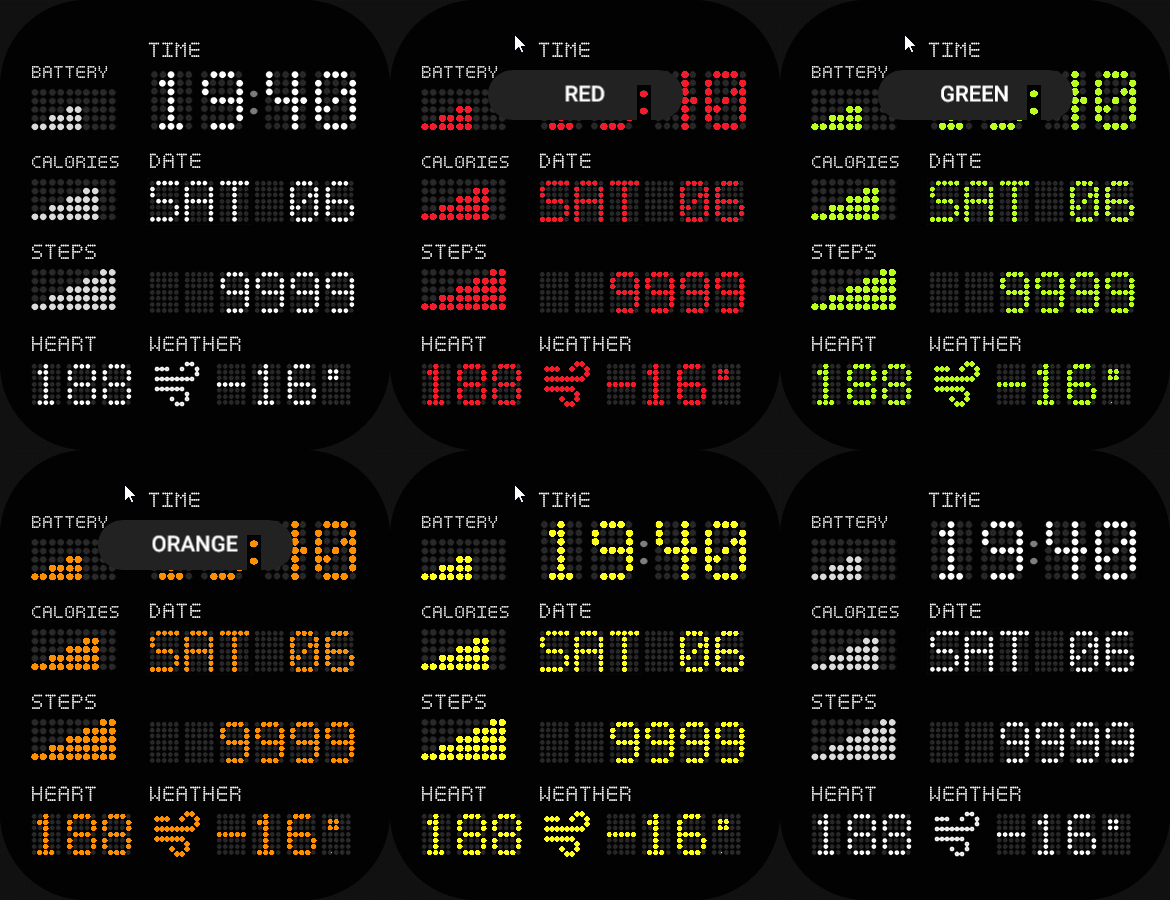
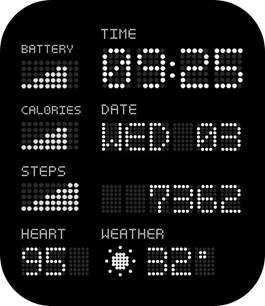
I'm making an edit of my watchface "Dotted Clock" and it's gonna have different colors for the whole wathface (little spoiler haha), but having a problem to show the hrm and weather temp correctly.

Image

I've had made cuts in the bg to fit the imgs numbers showing the data for hrm and temp (the numbers individually are 35x47) so for the hrm the cut is 105x47 (so it fits when hrm is over 100) and for the weather temp is 140x47 (considering minus sign, 2 digits for numbers and the degree sign). The exact problem is that when the number width is less than the cut out the color can get through the empty space next to the number and I wanna find a workaround to fix this.

Already have the images to "cover" the empty spaces depending on the number of digits the hrm and weather temp are using but haven't find a way to get the width size of the current element of the text. I've managed to use getProperty(hmUI.prop.W) for the weathertemp but I get the size of the whole possible thing and not whats showed in the moment. All this might sound like a mess but hopefully someone can understand and help me. Also thank you before hand if you made it reading until this point :D
you should be doing something productive instead of reading this caption :lol:
User avatar
asoo
Posts: 2128
Joined: 03 Jan 2019, 01:48
Location: ͼͽ Thailand ͼͽ
Has thanked: 411 times
Been thanked: 2046 times

Post by asoo »

If I understand your explanation correctly, you want to create a color-changing dial. You'll use the transparent image property to create a dial that changes all the text colors. However, you're having trouble with the uneven image sizes, which can lead to uncovered spaces.

In this section, I used the method of changing the image file of that element to get the desired color.
Therefore, you don't have to worry about the uneven size and gaps in the background color coverage.

I've included an example of my design. I hope it's helpful.

To change the color, click on the top of the screen.
When you click on the color, the screen will turn off. Click on the screen again to turn it back on and refresh the color changes.

Sample :
Image
Dotted-Clock-EN.zip
(994.07 KiB) Downloaded 69 times
ͼͽ To request please use the interrelated forum in action ͼͽ
Please do not PM to me for requests ported watchface.
User avatar
SashaCX75
Posts: 820
Joined: 26 Oct 2019, 15:18
Location: Ukraine
Has thanked: 13 times
Been thanked: 1029 times
Contact:

Post by SashaCX75 »

Use the sensor to obtain the value of the displayed parameter (e.g., heart rate). Knowing the value, you can find out how many digits it has and calculate its size.
User avatar
frankh93
Posts: 37
Joined: 20 Jun 2025, 00:32
Location: CDMX
Has thanked: 21 times
Been thanked: 3 times
Contact:

Post by frankh93 »

@asoo tysm for the help, managed to do it that way and now it's posted

@SashaCX75 tried that way, but as im pretty noob with js gave up and wanted an easier way (especially when i had to edit the images needed for all the colors i added)... could you give details about how to do it tho? i looked into zepp docs and i saw i could catch the data using listeners, but didnt understand it that well (especially for the weather)
you should be doing something productive instead of reading this caption :lol:
Post Reply

Return to “Watchfaces discussion”

Who is online

Users browsing this forum: No registered users and 1 guest