Pagina 1 di 1
I do need help !!!
Inviato: 26 apr 2025, 19:34
da rush2112
@asoo
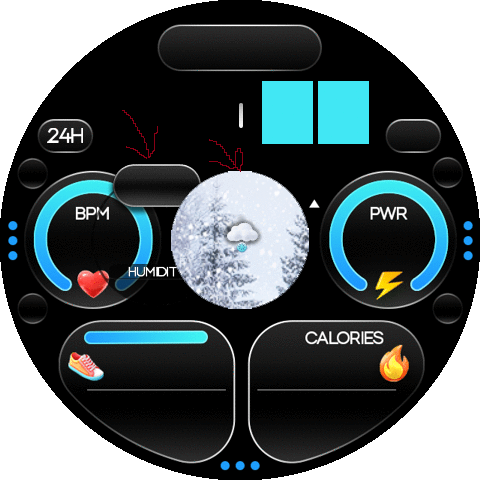
Hi, Could you please show me how to overlay the icon on top of the weather image? Check out the picture below; your work, and I’d appreciate any guidance you can offer, as this isn’t the first time I’ve faced this issue. The top image might work, but do I need to place the temperature icon directly on top? GTR3 Pro - Thanks, friend!"
- Preview.png (138.89 KiB) Visto 901 volte
Re: I do need help !!!
Inviato: 26 apr 2025, 20:27
da asoo
rush2112 ha scritto: 26 apr 2025, 19:34
@asoo
Hi, Could you please show me how to overlay the icon on top of the weather image? Check out the picture below; your work, and I’d appreciate any guidance you can offer, as this isn’t the first time I’ve faced this issue. The top image might work, but do I need to place the temperature icon directly on top? GTR3 Pro - Thanks, friend!"
Preview.png
I'm not sure if you created a new dial or converted from my Balance. If you converted from my work, you shouldn't have this problem.
However, if you created a new dial with the image you received after unpacking, I recommend sending the file so I can advise you correctly, because I don't know how you arranged the layers of the elements.
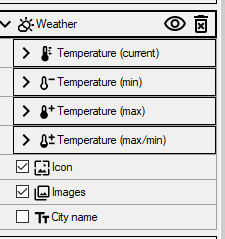
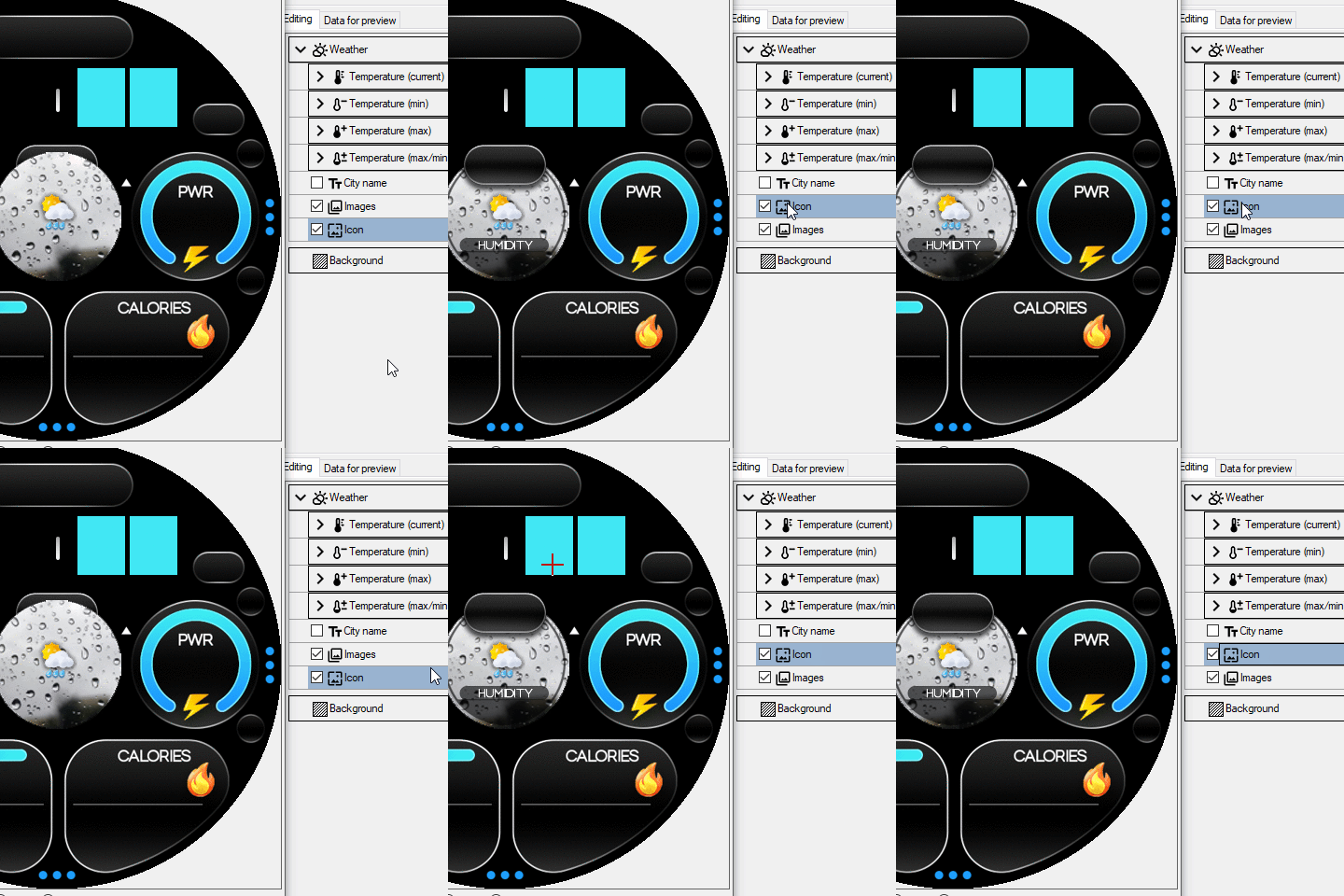
However, my watchface arrange the layers like this,
the icon is the frame of "Humidity". When you put it on the image of Weather, you will get the same result as I did on the Balance.
Re: I do need help !!!
Inviato: 26 apr 2025, 21:27
da rush2112
Okay Thanks
Re: I do need help !!!
Inviato: 26 apr 2025, 21:38
da rush2112
@asoo
If you have a moment, could you please review what I did wrong?
I tried to install yours, but it's not displaying the time and weather. It's strange.
Re: I do need help !!!
Inviato: 27 apr 2025, 04:17
da asoo
rush2112 ha scritto: 26 apr 2025, 21:38
@asoo
If you have a moment, could you please review what I did wrong?
I tried to install yours, but it's not displaying the time and weather. It's strange.
From what you've sent, you make it correct, but I expected you are not know that some sub elements it can moved layer position moved, same as a main element, by left clicking and holding the mouse and move to changing the layer position of that sub element.
As for the time display, I'm not sure what part you mean.
Because in the attached file I don't see the time part.
I guess you mean that Seconds Analog pro doesn't change color according to the screen.
If used in this part, the problem is that when I finished packing,
I inserted my own custom script in index.js.
By inserting it in the "switch background" section
In this section you can see in the index.js in my watchface.
Codice: Seleziona tutto
if (toastText.length > 0) hmUI.showToast({text: toastText});
normal_background_bg_img.setProperty(hmUI.prop.SRC, backgroundList[backgroundIndex]);
normal_analog_clock_pro_second_pointer_img.setProperty(hmUI.prop.SRC, "Hand_S" + parseInt(backgroundIndex + 1) + ".png");  // The part I inserted
};
Codice: Seleziona tutto
if (screenType == hmSetting.screen_type.WATCHFACE && normal_background_bg_img) {
normal_background_bg_img.setProperty(hmUI.prop.SRC, backgroundList[backgroundIndex]);
normal_analog_clock_pro_second_pointer_img.setProperty(hmUI.prop.SRC, "Hand_S" + parseInt(backgroundIndex + 1) + ".png"); // The part I inserted
}
})
I recommend you convert my watchface and study more from index.js which is converted and you should understand it better.
Re: I do need help !!!
Inviato: 27 apr 2025, 07:42
da rush2112
I really appreciate your support!
I didn’t realize this before. Great thanks to my friend for teaching me something new today!