Pagina 1 di 1
Watchface unpacking
Inviato: 14 set 2024, 07:07
da SPLESHER
Hey,
I wanted to edit another watchface/watchfaces, but I'm struggling with unpacking it.
Sasha's editor doesn't work (says unrecognized structure of watchface),
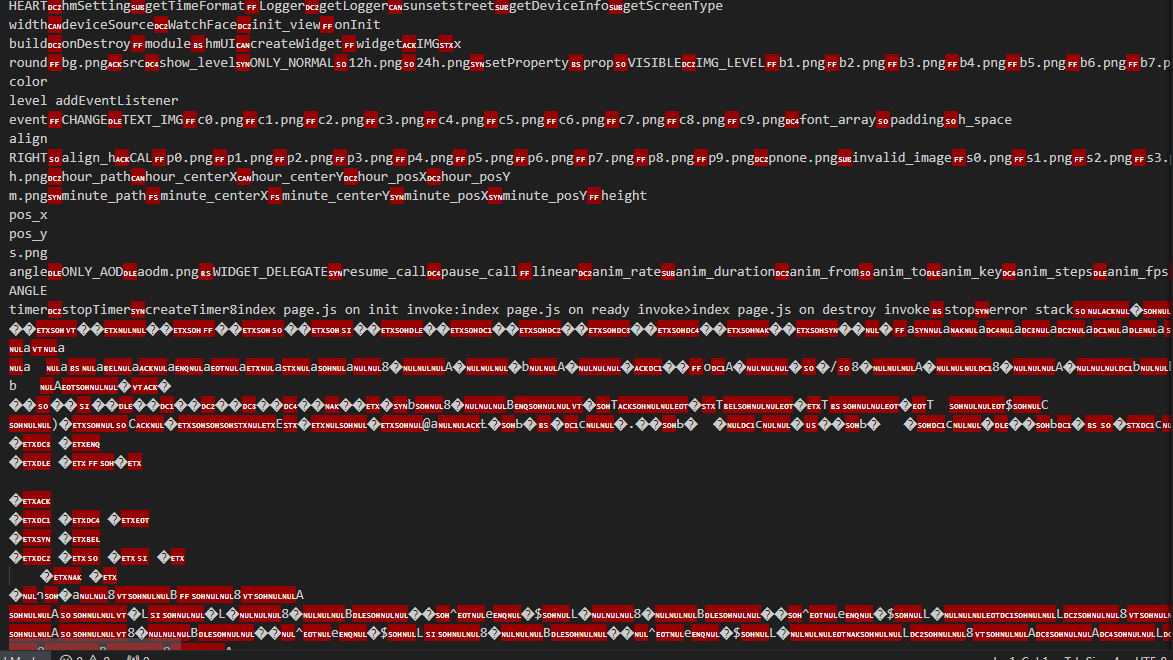
I tried unpacking it via Zmake program I found on net, but seems like colors are changed a bit, also I can't open json file or bin to see positions for everything for at least recreating it in Sasha's editor because it shows null values
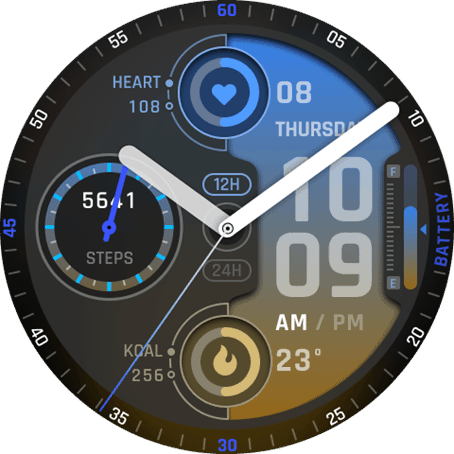
These are watchfaces I'd like to unpack and edit:
https://amazfitwatchfaces.com/gtr/view/39798
https://amazfitwatchfaces.com/gtr/view/36289
Re: Watchface unpacking
Inviato: 15 set 2024, 16:35
da SashaCX75
The json file opens fine. But there is nothing useful in it. The bin files cannot be opened. That's why you can't edit this watch face.
The only thing you can do is unpack images from it.
Re: Watchface unpacking
Inviato: 16 set 2024, 05:46
da SPLESHER
SashaCX75 ha scritto: 15 set 2024, 16:35
The json file opens fine. But there is nothing useful in it. The bin files cannot be opened. That's why you can't edit this watch face.
The only thing you can do is unpack images from it.
How do they build these watchfaces then, if there is no positions or smth in json file?
I would recreate this watchface if there would be positions but there aren't any.
What's about image colors after unpacking with zmake? Is there better tool for unpacking them?
Re: Watchface unpacking
Inviato: 16 set 2024, 18:05
da SashaCX75
The json file is just a manifest. It has never had any widget parameters in it. All widgets are in the js file. But sometimes the js file is encoded in bin and then you can't do anything with it.
I don't know for zmake. In my editor if you select the correct model then the images are extracted. Even if you can't recognise the watch face code, the images will still be extracted to the folder.
You can also just copy the watch face images as from the archive and then convert them with this utility
https://www.dropbox.com/scl/fi/nzw0e873 ... bvlpf&dl=0
Re: Watchface unpacking
Inviato: 24 set 2024, 06:50
da SPLESHER
SashaCX75 ha scritto: 16 set 2024, 18:05
The json file is just a manifest. It has never had any widget parameters in it. All widgets are in the js file. But sometimes the js file is encoded in bin and then you can't do anything with it.
I don't know for zmake. In my editor if you select the correct model then the images are extracted. Even if you can't recognise the watch face code, the images will still be extracted to the folder.
You can also just copy the watch face images as from the archive and then convert them with this utility
https://www.dropbox.com/scl/fi/nzw0e873 ... bvlpf&dl=0
I see, so best way is to just resize preview and make it myself i guess,
One more question, how do they make numbers following pointer or progress bar? Is it some coding or it can be done somehow in your program? You can see it here, with steps, heartrate or battery levels.
Also what's about sleep? I'm blind or I don't see Sleep element :/
https://amazfitwatchfaces.com/gtr/view/39798
Re: Watchface unpacking
Inviato: 24 set 2024, 17:11
da SashaCX75
No, you can't do that in the editor.
You can make a blank for it in the editor. But then you need to add code to the watch face, which will change the angle of data rotation depending on its value.
There is no sleep widget in the editor and is not expected in the near future.
Re: Watchface unpacking
Inviato: 04 gen 2025, 05:16
da u6gljnuj4l
Hi, I’m also working on editing Amazfit watchfaces and facing similar problems with unpacking BIN files. SashaCX75, your tip about extracting images and using a utility is helpful. Could you share how to add code for rotating numbers or progress bars?
Re: Watchface unpacking
Inviato: 05 gen 2025, 10:46
da SashaCX75
@u6gljnuj4l
If you need to display data at an angle, see how it is done in the editor. Depending on the model and the data to be displayed, the method may differ.
Re: Watchface unpacking
Inviato: 06 gen 2025, 05:33
da u6gljnuj4l
Thanks for the tip. I'll check the editor for examples.