Pagina 4 di 4
Re: Amazfit Balance
Inviato: 11 gen 2024, 20:32
da MikeZuul
supersufa ha scritto: 19 dic 2023, 11:22
The most important step is to create the file WatchFace.zip containing:
- device.zip (your favourite watchface renamed)
- app-side.zip (support file here attached)
Then you have to renamed the file in WatchFace.zpk.
Then you have to load the renamed file on altervista.
Then you have to generare the QR code (renaming from http:// to zpkd1://)
Without these steps the intall phase is impossible!
I've followed all instructions. I get the same result as massi131: Download failed, error code: null. When I put the address that starts with zpkd1:// in the address of my browser I do not get a download (or anything). Though with the http:// I do get a download. Any ideas?
Thanks for everything! Your answers and this thread are super helpful!
Re: Amazfit Balance
Inviato: 11 gen 2024, 21:20
da asoo
MikeZuul ha scritto: 11 gen 2024, 20:32
supersufa ha scritto: 19 dic 2023, 11:22
The most important step is to create the file WatchFace.zip containing:
- device.zip (your favourite watchface renamed)
- app-side.zip (support file here attached)
Then you have to renamed the file in WatchFace.zpk.
Then you have to load the renamed file on altervista.
Then you have to generare the QR code (renaming from http:// to zpkd1://)
Without these steps the intall phase is impossible!
I've followed all instructions. I get the same result as massi131: Download failed, error code: null. When I put the address that starts with zpkd1:// in the address of my browser I do not get a download (or anything). Though with the http:// I do get a download. Any ideas?
Thanks for everything! Your answers and this thread are super helpful!
The url you used What does it look like?
Is the url direct to .zpk?
For example:
Because if it's a url that must be processed through the system before downloading, it may not work.
I don't use altervista in the process. So I'm not sure what format the url you got is.
However, if you can post the url that you receive from your download
I will be happy to test for you if the url is usable or not.
I use web pcloud to do this.
When the download was finished, I copied t "direct Download" url to use.
Created a QR code and I was able to sync the watch face through App Zepp in developer mode to "Balance" without any problem.
Re: Amazfit Balance
Inviato: 12 gen 2024, 17:27
da MikeZuul
http://mikezuul.altervista.org/WatchFace.zpk
And then I make it zpkd1://mikezuul.altervista.org/WatchFace.zpk and make a qr code from that.
Re: Amazfit Balance
Inviato: 12 gen 2024, 18:24
da asoo
I think issue maybe is on the hostting or your pack file because after try to download firefox show this message

.
.
However, today I noticed that
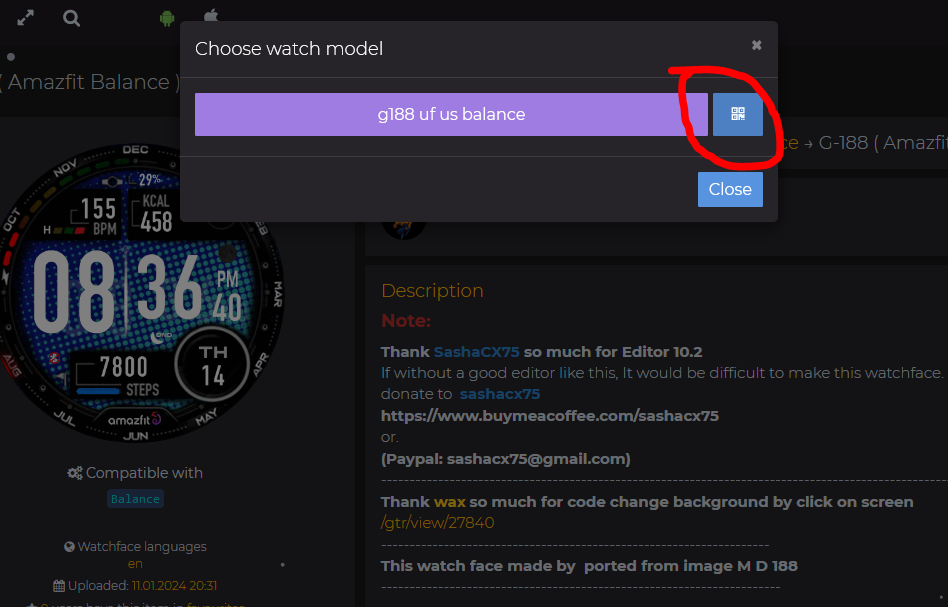
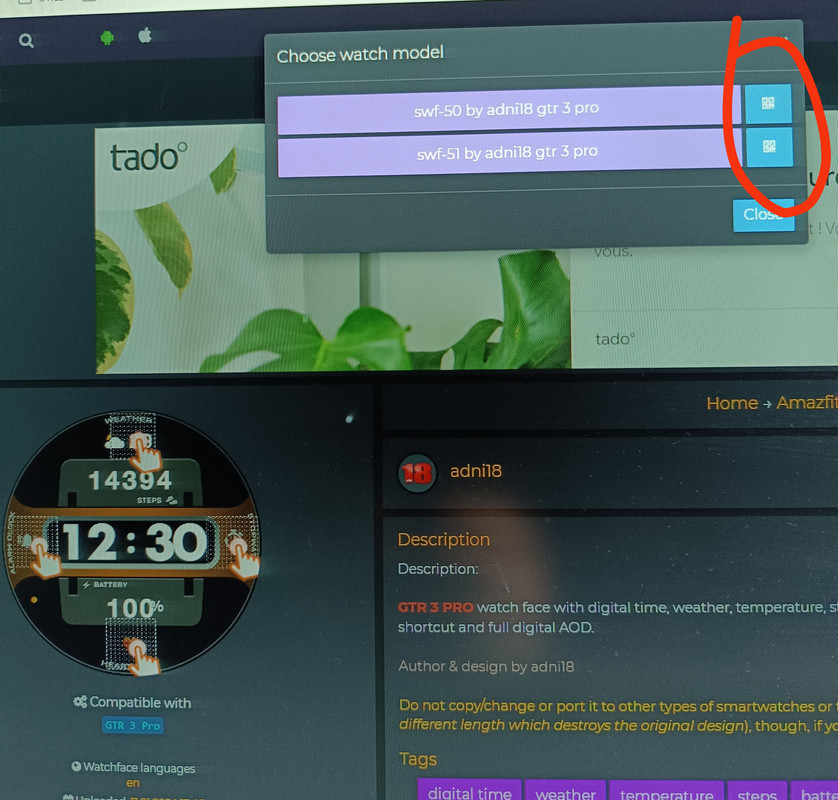
https://amazfitwatchfaces.com Added a section for the "Amazfit Balance" "File Download". That add in section is a QR code that can be used with the Zepp App. I have tested it and the QR code works fine.
Re: Amazfit Balance
Inviato: 12 gen 2024, 19:11
da Stephthouv
"" However, today I noticed that
https://amazfitwatchfaces.com Added a section for the "Amazfit Balance" "File Download". That add in section is a QR code that can be used with the Zepp App. I have tested it and the QR code works fine.""
You're right and it works fine!.. Also with gtr3 pro faces. Many thanks for this!
Re: Amazfit Balance
Inviato: 12 gen 2024, 19:13
da MikeZuul
I'm not sure where I'm at with my file, but I tried the qr code now on the site and it works! And for GTR 3 Pro as well. So thank you for the heads up! And thank you Amazfitwatchfaces!
Re: Amazfit Balance
Inviato: 14 gen 2024, 20:08
da enryko92
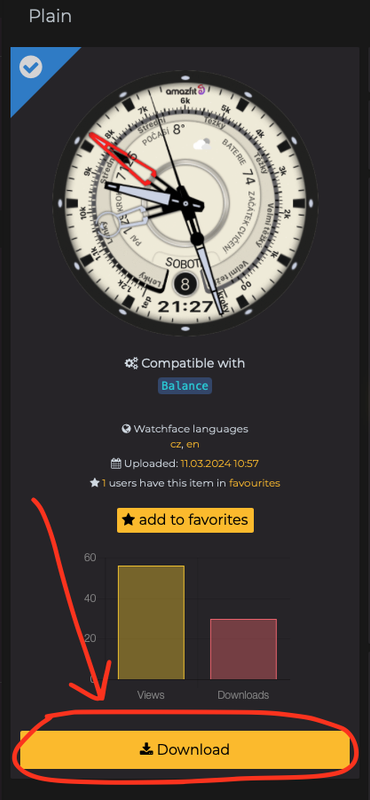
Yes, i confirm that with the updated app it works with QR on Android. Just click "download" and then the QR icon. Send the picture to the pc and scan it
Re: Amazfit Balance
Inviato: 11 mar 2024, 16:53
da ianna
Stephthouv ha scritto: 12 gen 2024, 19:11
"" However, today I noticed that
https://amazfitwatchfaces.com Added a section for the "Amazfit Balance" "File Download". That add in section is a QR code that can be used with the Zepp App. I have tested it and the QR code works fine.""
You're right and it works fine!.. Also with gtr3 pro faces. Many thanks for this!
Hi guys. I'm trying but I don't see the "File Download" section.. where is it

Re: Amazfit Balance
Inviato: 11 mar 2024, 22:48
da GIK-Team
ianna ha scritto: 11 mar 2024, 16:53
Hi guys. I'm trying but I don't see the "File Download" section.. where is it
Re: Amazfit Balance
Inviato: 11 apr 2024, 12:11
da ianna
thank you
Re: Amazfit Balance
Inviato: 25 giu 2025, 01:27
da mogulman
So what's the best way to install on a Balance these days?
I used the QR Card 3 watch app to create a QR code with the second number from the watchface, and then scan using developer mode. It seemed to work.
Is the an Amazfaces QR code watch app anymore? I couldn't find it.
Is it possible to just download the watchface to my phone storage and then use developer mode to upload it to my watch?
Re: Amazfit Balance
Inviato: 25 giu 2025, 07:33
da GIK-Team
mogulman ha scritto: 25 giu 2025, 01:27
So what's the best way to install on a Balance these days?
I used the QR Card 3 watch app to create a QR code with the second number from the watchface, and then scan using developer mode. It seemed to work.
Is the an Amazfaces QR code watch app anymore? I couldn't find it.
Is it possible to just download the watchface to my phone storage and then use developer mode to upload it to my watch?
https://amazfitwatchfaces.com/awapp
Re: Amazfit Balance
Inviato: 03 set 2025, 19:11
da Alpha775@

A few days ago, the QR Amazfit app disappeared from my Balance, and since then I’ve tried reinstalling it several times without success. I still have the AmazfitFaces app, but without QR Amazfit I can no longer install anything.
If the app’s QR download worked, it would be much more practical. I need to understand why the QR AW is not installing on the Balance.
Re: Amazfit Balance
Inviato: 03 set 2025, 21:54
da GIK-Team
Alpha775@ ha scritto: 03 set 2025, 19:11
A few days ago, the QR Amazfit app disappeared from my Balance, and since then I’ve tried reinstalling it several times without success. I still have the AmazfitFaces app, but without QR Amazfit I can no longer install anything.
If the app’s QR download worked, it would be much more practical. I need to understand why the QR AW is not installing on the Balance.
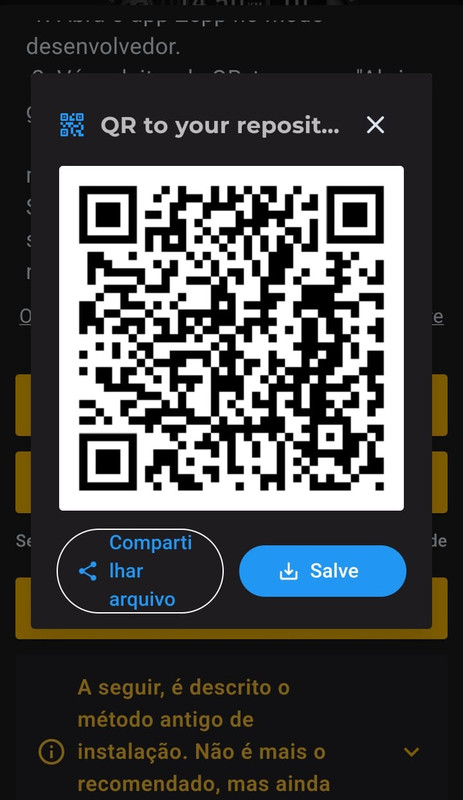
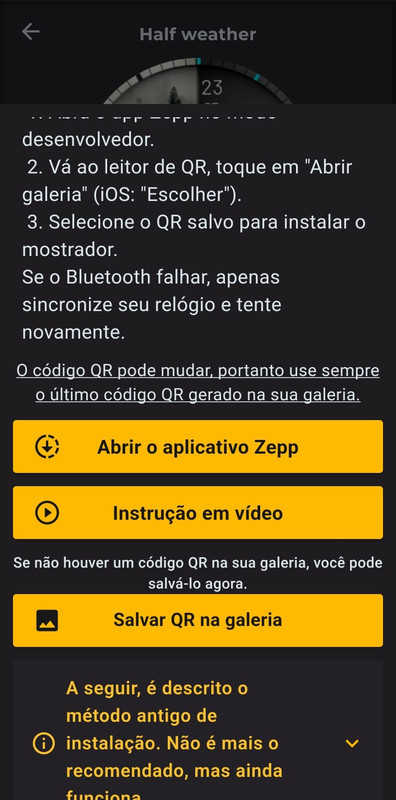
It’s hard to say why you can’t reinstall the QR Amazfit app on your Balance, but the good news is that you don’t actually need it anymore. You can install everything directly through the official Zepp app in developer mode by scanning the QR code saved from AmazFaces. This method works reliably without requiring the extra app.
- Save the QR code to your phone’s gallery.
- Open the QR code scanner in Zepp Developer Mode.
- Tap “Open Gallery” in the top-right corner.
- Select the saved QR code imag
Re: Amazfit Balance
Inviato: 05 set 2025, 17:02
da Alpha775@
I’ve tried saving the QR Code several times, but when I go to look for it, it simply doesn’t appear.
In other apps the QR Code downloads normally, but with AmazFaces it doesn’t work on my Android.
An alternative would be to generate the QR Code directly on the screen and then allow the download. This way, if the download fails, I could still take a screenshot.
Re: Amazfit Balance
Inviato: 05 set 2025, 21:13
da GIK-Team
Alpha775@ ha scritto: 05 set 2025, 17:02
I’ve tried saving the QR Code several times, but when I go to look for it, it simply doesn’t appear.
In other apps the QR Code downloads normally, but with AmazFaces it doesn’t work on my Android.
An alternative would be to generate the QR Code directly on the screen and then allow the download. This way, if the download fails, I could still take a screenshot.
Thanks for the feedback! There’s also a button to re-save the QR code (Save QR to Gallery) in case it didn’t appear the first time. Could you check if that works for you as well? If it still doesn’t show up, please let us know your Android version and device model so we can investigate further.
Re: Amazfit Balance
Inviato: 08 set 2025, 14:00
da Alpha775@
Hi.
I tried again to download the QR Code, but it still doesn’t work.
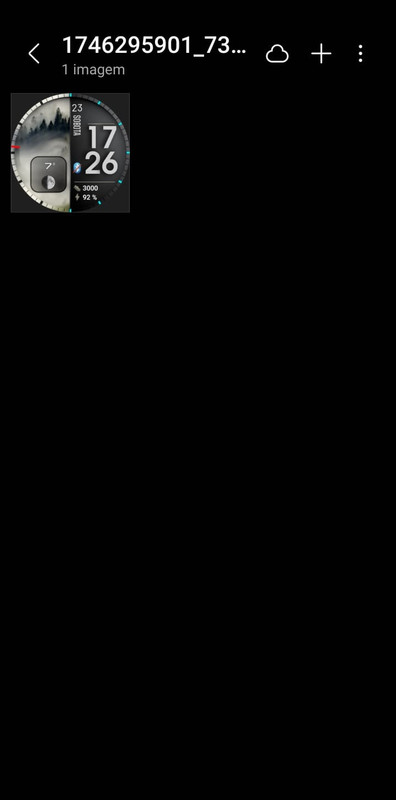
When I click to download, only the Watchface image is saved to my gallery, not the QR Code.
My phone is a Galaxy S20 with Android 13 and One UI 5.1.
What’s strange is that, at the beginning of August, I was able to install everything normally through the AW Code app on Balance. However, after this app disappeared from the watch, I have not been able to install Watchfaces anymore.
Now, whenever I try to download the QR Code, it only saves the Watchface image. I also use another app that generates the QR Code directly on the screen and allows downloading, and with that one it works perfectly.
Print

Re: Amazfit Balance
Inviato: 08 set 2025, 16:34
da Stas
Hi, thank you for letting us know! We really appreciate your feedback.
In the next 1–2 days we’ll release an update that will let you save the QR code properly through the selected path.
Alpha775@ ha scritto: 08 set 2025, 14:00
Hi.
I tried again to download the QR Code, but it still doesn’t work.
When I click to download, only the Watchface image is saved to my gallery, not the QR Code.
My phone is a Galaxy S20 with Android 13 and One UI 5.1.
What’s strange is that, at the beginning of August, I was able to install everything normally through the AW Code app on Balance. However, after this app disappeared from the watch, I have not been able to install Watchfaces anymore.
Now, whenever I try to download the QR Code, it only saves the Watchface image. I also use another app that generates the QR Code directly on the screen and allows downloading, and with that one it works perfectly.
Print
Re: Amazfit Balance
Inviato: 11 set 2025, 19:27
da Alpha775@
Today I downloaded some QR codes, but it still only saves the watchface image and doesn’t include the QR code.
I hope you can fix this QR code issue.
Tks
Re: Amazfit Balance
Inviato: 11 set 2025, 20:53
da Stas
We’ve uploaded the new version 4.7.404 to the beta channel today. It will be tested during the day and then released as a stable update. If you encounter any difficulties, please let us know.
Alpha775@ ha scritto: 11 set 2025, 19:27
Today I downloaded some QR codes, but it still only saves the watchface image and doesn’t include the QR code.
I hope you can fix this QR code issue.
Tks
Re: Amazfit Balance
Inviato: 16 set 2025, 20:25
da Alpha775@
Hello,
Do you know if version 4.7.404 has already been tested and where this update will be available for download?
Tks.
Re: Amazfit Balance
Inviato: 17 set 2025, 09:11
da Stas
We’ve just released version 404. If you’d like early access, you can already download it from beta testing here:
https://play.google.com/store/apps/deta ... chfaces.st.
Alpha775@ ha scritto: 16 set 2025, 20:25
Hello,
Do you know if version 4.7.404 has already been tested and where this update will be available for download?
Tks.
Re: Amazfit Balance
Inviato: 18 set 2025, 17:31
da Alpha775@
It’s really working now and it turned out very good. It’s no longer showing any issues. Congratulations on the fixes, the installation has even become more practical.
tks