Page 3 of 7
Re: Amazfit watchfaces Tool
Posted: 25 Aug 2019, 08:21
by w0mbat
manelto wrote: 24 Aug 2019, 20:34
Pasos que he seguido para poder editar los ficheros del reloj GTR:
Steps that I have followed to be able to edit the GTR clock files:
...
Thx for the recap!
In the
previewGenerator python file (
watchFaceParser directory), change the size to
454 also.
Re: Amazfit watchfaces Tool
Posted: 25 Aug 2019, 10:20
by glenan
Hi
I downloaded and used AmazTool All 0.1.0.11.zip with an Amazfit GTR
unpack and packed (after adding a logo on one existing watchface)
I installed new bin file with Notify and Fitness for Amazfit
It worked but with problems of colors as said above.
Thanks a lot for your job and I hope you will solved it.
[EDIT] I don't know what is the use of Watchface.exe because I only used pack.cmd and repack.cmd
Re: Amazfit watchfaces Tool
Posted: 25 Aug 2019, 10:43
by Bhoken
[mention]manelto[/mention]Thank you ! A couple of questions. Why you modify the header? Works also for verge lite? I use image that I create with illustrator in the same resolution of a watchface that I have use as a model, it works fine?
Re: Amazfit watchfaces Tool
Posted: 25 Aug 2019, 15:33
by manelto
Kolomnych wrote: 25 Aug 2019, 07:30
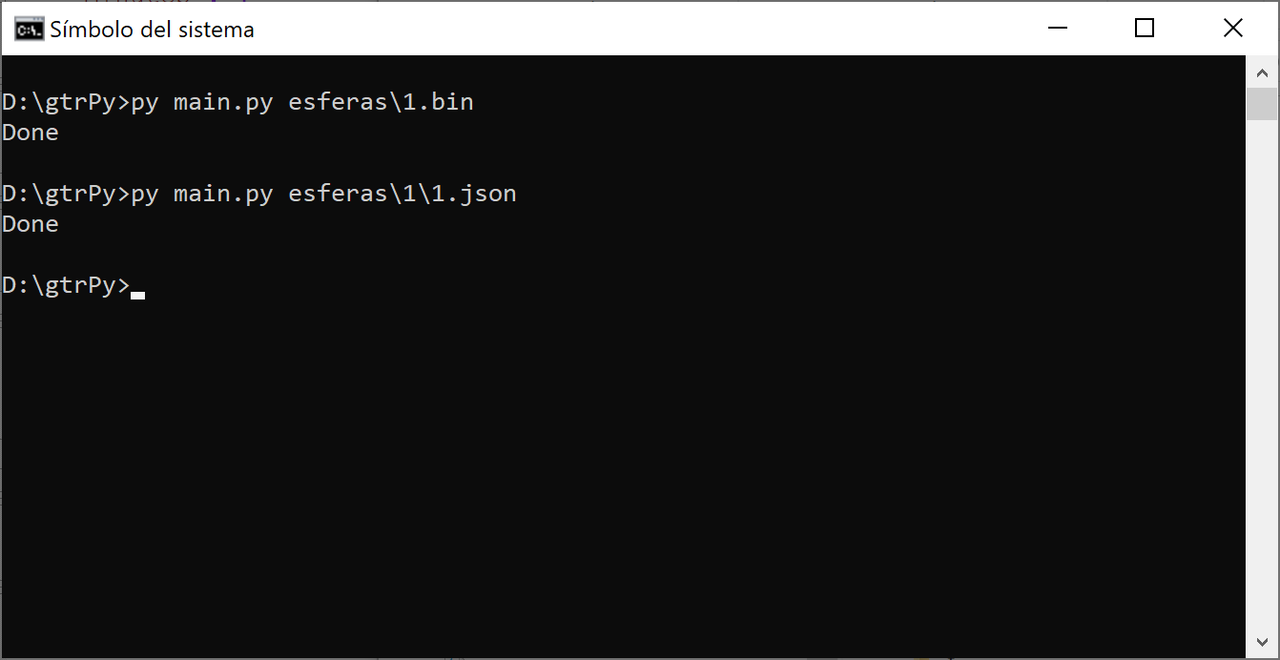
manelto, good instruction! But i have error while i unpack bin file:
Code: Select all
G:\Clock\amazfit_verge_lite_tools-master>py main py 01.bin
  File "main py", line 28, in <module>
    program.Parser.unpackWatchFace(inputFileName)
  File "G:\Clock\amazfit_verge_lite_tools-master\program py", line 123, in unpackWatchFace
    reader = Parser.readWatchFace(inputFileName)
  File "G:\Clock\amazfit_verge_lite_tools-master\program py", line 89, in readWatchFace
    traceback.print_stack()
Done
Also included log file. What's wrong?
P.S. i remove here "." in code "main py" and "program py", because: "You can’t post image, email or url links that are external to this domain. Please remove main py"
I can't understand you. You don't put points between main and py?
I do. I need to put them so that the instruction is recognized. At least in windows.
Re: Amazfit watchfaces Tool
Posted: 25 Aug 2019, 15:39
by manelto
Bhoken wrote: 25 Aug 2019, 10:43
@maneltoThank you ! A couple of questions. Why you modify the header? Works also for verge lite? I use image that I create with illustrator in the same resolution of a watchface that I have use as a model, it works fine?
The author of the program is
afwafwafw. And the original program is to work directly with the verge lite. So, if you have that watch you don't have to change anything.
The modification that I detail above is to adapt the code for the GTR watch
Re: Amazfit watchfaces Tool
Posted: 25 Aug 2019, 15:44
by manelto
w0mbat wrote: 25 Aug 2019, 08:21
manelto wrote: 24 Aug 2019, 20:34
Pasos que he seguido para poder editar los ficheros del reloj GTR:
Steps that I have followed to be able to edit the GTR clock files:
...
Thx for the recap!
In the
previewGenerator python file (
watchFaceParser directory), change the size to
454 also.
Thanks!
Muchas gracias!
Re: Amazfit watchfaces Tool
Posted: 25 Aug 2019, 16:41
by PavlinBecks
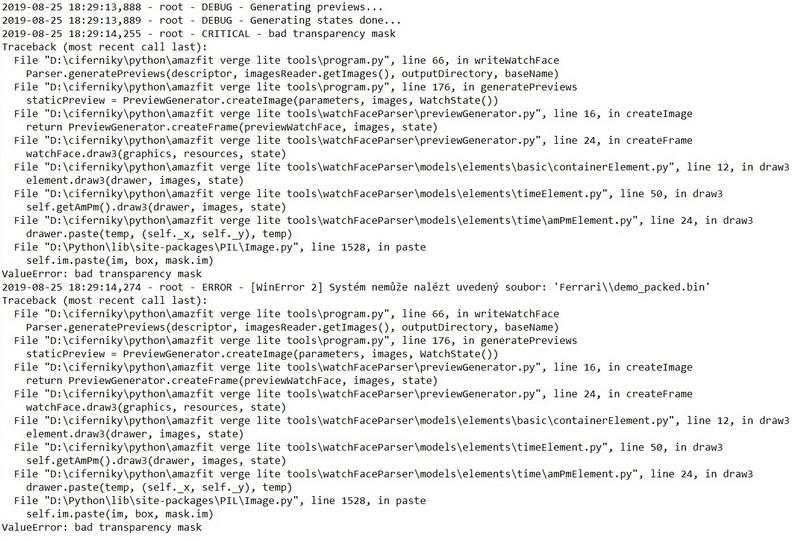
Please help me, when using Python tool from GitHub, I always get this error. What am I doing wrong? In Log I found a bug about transparency but I don't know how to fix it. Thank you.

Re: Amazfit watchfaces Tool
Posted: 25 Aug 2019, 16:45
by manelto
Another change (remember : these changes are only for GTR):
Code: Select all
temp = Image.new('RGBA', (360, 360))
temp.paste(bitmap, (180 - x, 180 - y), bitmap)
for...
Code: Select all
temp = Image.new('RGBA', (454, 454))
temp.paste(bitmap, (227 - x, 227 - y), bitmap)
These changes are in
...\watchFaceParser\models\elements\common\imageElement.py
Re: Amazfit watchfaces Tool
Posted: 25 Aug 2019, 16:47
by manelto
PavlinBecks wrote: 25 Aug 2019, 16:41
Please help me, when using Python tool from GitHub, I always get this error. What am I doing wrong? In Log I found a bug about transparency but I don't know how to fix it. Thank you.

I can't see the image

Re: Amazfit watchfaces Tool
Posted: 25 Aug 2019, 17:54
by koolgao
manelto wrote: 25 Aug 2019, 16:45
Another change (remember : these changes are only for GTR):
Code: Select all
temp = Image.new('RGBA', (360, 360))
temp.paste(bitmap, (180 - x, 180 - y), bitmap)
for...
Code: Select all
temp = Image.new('RGBA', (454, 454))
temp.paste(bitmap, (227 - x, 227 - y), bitmap)
These changes are in
...\watchFaceParser\models\elements\common\imageElement.py
una pregunta esto para que vale? hay algo para que se vea bien el gif que crea? ya q no me sale el reloj entero
Re: Amazfit watchfaces Tool
Posted: 25 Aug 2019, 19:04
by PavlinBecks
manelto wrote: 25 Aug 2019, 16:47
PavlinBecks wrote: 25 Aug 2019, 16:41
Please help me, when using Python tool from GitHub, I always get this error. What am I doing wrong? In Log I found a bug about transparency but I don't know how to fix it. Thank you.
I can't see the image
Sorry, I can't insert
Re: Amazfit watchfaces Tool
Posted: 25 Aug 2019, 20:45
by manelto
koolgao wrote: 25 Aug 2019, 17:54
manelto wrote: 25 Aug 2019, 16:45
Another change (remember : these changes are only for GTR):
Code: Select all
temp = Image.new('RGBA', (360, 360))
temp.paste(bitmap, (180 - x, 180 - y), bitmap)
for...
Code: Select all
temp = Image.new('RGBA', (454, 454))
temp.paste(bitmap, (227 - x, 227 - y), bitmap)
These changes are in
...\watchFaceParser\models\elements\common\imageElement.py
una pregunta esto para que vale? hay algo para que se vea bien el gif que crea? ya q no me sale el reloj entero
Una cosa es el gif que se crea a modo de previsualización y otra el bin que instalas en el reloj.
El bin funciona correctamente sin necesidad de este cambio ni del que ha descrito w0mba más arriba.
Pero para que el gif y las otras imágenes que se generan a modo de previews estén completos necesitas el cambio descrito por w0mbat. Y para centrar las agujas de los relojes y otras imágenes en la esfera tienes que hacer el cambio que he modificado.
Re: Amazfit watchfaces Tool
Posted: 25 Aug 2019, 21:22
by The Matrix
Hello,
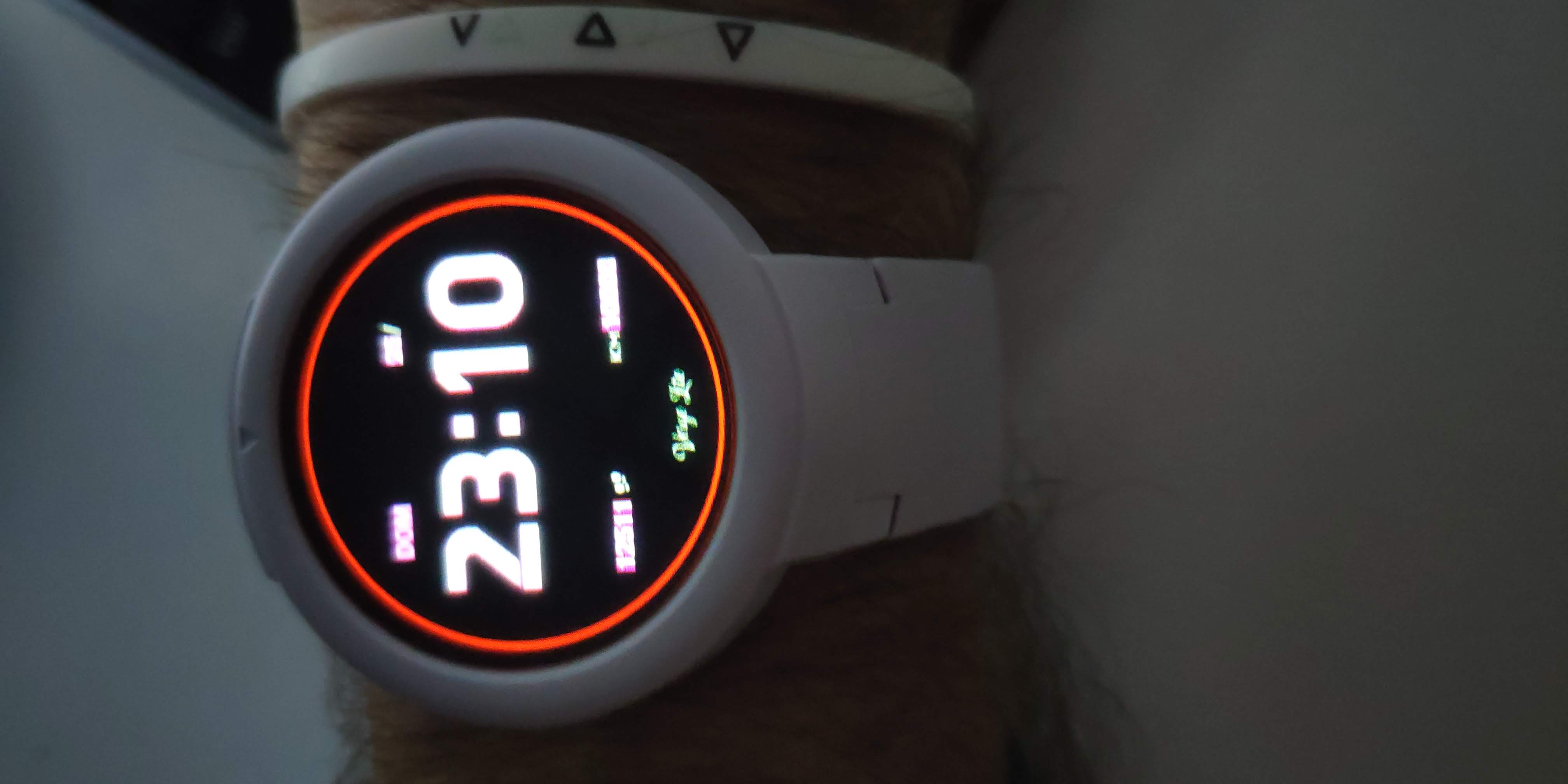
I've made a modification from other watchface, but when I upload to my Verge lite, colors are inverted and I do not know how to solve it.
I have tried to unpack then repack again but no luck...
- IMG_20190825_231027.jpg (155.61 KiB) Viewed 231784 times
Re: Amazfit watchfaces Tool
Posted: 26 Aug 2019, 09:45
by hall
glenan wrote: 25 Aug 2019, 10:20
Hi
I downloaded and used AmazTool All 0.1.0.11.zip with an Amazfit GTR
unpack and packed (after adding a logo on one existing watchface)
I installed new bin file with Notify and Fitness for Amazfit
It worked but with problems of colors as said above.
Thanks a lot for your job and I hope you will solved it.
[EDIT] I don't know what is the use of Watchface.exe because I only used pack.cmd and repack.cmd
[mention]glenan[/mention] if you click edit or open .cmd file in text editor you will know that it call watchface.exe to process it. cmd just command set like batch file.
Re: Amazfit watchfaces Tool
Posted: 26 Aug 2019, 11:14
by koolgao
manelto wrote: 25 Aug 2019, 20:45
koolgao wrote: 25 Aug 2019, 17:54
manelto wrote: 25 Aug 2019, 16:45
Another change (remember : these changes are only for GTR):
Code: Select all
temp = Image.new('RGBA', (360, 360))
temp.paste(bitmap, (180 - x, 180 - y), bitmap)
for...
Code: Select all
temp = Image.new('RGBA', (454, 454))
temp.paste(bitmap, (227 - x, 227 - y), bitmap)
These changes are in
...\watchFaceParser\models\elements\common\imageElement.py
una pregunta esto para que vale? hay algo para que se vea bien el gif que crea? ya q no me sale el reloj entero
Una cosa es el gif que se crea a modo de previsualización y otra el bin que instalas en el reloj.
El bin funciona correctamente sin necesidad de este cambio ni del que ha descrito w0mba más arriba.
Pero para que el gif y las otras imágenes que se generan a modo de previews estén completos necesitas el cambio descrito por w0mbat. Y para centrar las agujas de los relojes y otras imágenes en la esfera tienes que hacer el cambio que he modificado.
Y que tengo que hacer para lo del gif este ultimo que has puesto aquí ya lo tengo hecho pero el gif we sigue saliendo medio reloj
Re: Amazfit watchfaces Tool
Posted: 26 Aug 2019, 12:42
by pallbearer
[mention]manelto[/mention] why not use the avialable github-fork of "amazfit_verge_lite_tools" from "ghbhaha" for the gtr, for your work. => ghbhaha/amazfit_gtr_tools
kr, pallbearer
ps: sorry i'm prohibited from posting links
Re: Amazfit watchfaces Tool
Posted: 26 Aug 2019, 13:11
by manelto
koolgao wrote: 26 Aug 2019, 11:14
manelto wrote: 25 Aug 2019, 20:45
koolgao wrote: 25 Aug 2019, 17:54
una pregunta esto para que vale? hay algo para que se vea bien el gif que crea? ya q no me sale el reloj entero
Una cosa es el gif que se crea a modo de previsualización y otra el bin que instalas en el reloj.
El bin funciona correctamente sin necesidad de este cambio ni del que ha descrito w0mba más arriba.
Pero para que el gif y las otras imágenes que se generan a modo de previews estén completos necesitas el cambio descrito por w0mbat. Y para centrar las agujas de los relojes y otras imágenes en la esfera tienes que hacer el cambio que he modificado.
Y que tengo que hacer para lo del gif este ultimo que has puesto aquí ya lo tengo hecho pero el gif we sigue saliendo medio reloj
A mí me sale completo.
Tienes este código en el fichero
previewGenerator.py de la carpeta
...\watchFaceParser? Originalmente, en lugar de los valores 454 había 464.
Code: Select all
    def createFrame(watchFace, resources, state):
        from PIL import Image, ImageDraw

        graphics = Image.new('RGBA', (454, 454))
        watchFace.draw3(graphics, resources, state)
        return graphics
Esa es la modificación que permite ver los gif's completos y es la descrita por w0mbat. Insisto: la que yo puse era para centrar los elementos gráficos en la esfera.
Re: Amazfit watchfaces Tool
Posted: 26 Aug 2019, 13:12
by manelto
pallbearer wrote: 26 Aug 2019, 12:42
@manelto why not use the avialable github-fork of "amazfit_verge_lite_tools" from "ghbhaha" for the gtr, for your work. => ghbhaha/amazfit_gtr_tools
kr, pallbearer
ps: sorry i'm prohibited from posting links
I haven't a github user.
Re: Amazfit watchfaces Tool
Posted: 26 Aug 2019, 13:36
by pallbearer
manelto wrote: 26 Aug 2019, 13:12
.......
I haven't a github user.
[mention]manelto[/mention]
no i meant that there is already a tools version for the gtr watch from "ghbhaha" that is avialable on github as a fork from the tools "afwafwafw" posted.
Re: Amazfit watchfaces Tool
Posted: 26 Aug 2019, 15:46
by The Matrix
On my Verge Lite StepsProgress doesn't work at all. The animated gif is displaying correctly the circle but in the watch isn't displayed.
Re: Amazfit watchfaces Tool
Posted: 26 Aug 2019, 16:35
by manelto
pallbearer wrote: 26 Aug 2019, 13:36
manelto wrote: 26 Aug 2019, 13:12
.......
I haven't a github user.
@manelto
no i meant that there is already a tools version for the gtr watch from "ghbhaha" that is avialable on github as a fork from the tools "afwafwafw" posted.
I find nothing better than the afwafwafw program with the changes described here. It works and it is easy to use.
Re: Amazfit watchfaces Tool
Posted: 26 Aug 2019, 17:48
by The Matrix
In my watchface, I'm trying to display date in format MMDD instead of DDMM.
To do that, I'm using this code:
Code: Select all
  "Date": {
    "MonthAndDay": {
      "Separate": {
        "Day": {
          "TopLeftX": 233,
          "TopLeftY": 79,
          "BottomRightX": 254,
          "BottomRightY": 94,
          "Alignment": "TopLeft",
          "Spacing": 1,
          "ImageIndex": 13,
          "ImagesCount": 10
        },
        "Month": {
          "TopLeftX": 264,
          "TopLeftY": 79,
          "BottomRightX": 285,
          "BottomRightY": 94,
          "Alignment": "TopLeft",
          "Spacing": 1,
          "ImageIndex": 13,
          "ImagesCount": 10
        }
      },
      "TwoDigitsMonth": true,
      "TwoDigitsDay": true
    },
instead of this code
Code: Select all
  "Date": {
    "MonthAndDay": {
      "OneLine": {
        "Number": {
          "TopLeftX": 233,
          "TopLeftY": 79,
          "BottomRightX": 285,
          "BottomRightY": 94,
          "Alignment": "BottomLeft",
          "Spacing": 1,
          "ImageIndex": 13,
          "ImagesCount": 10
        },
		"DelimiterImageIndex": 32
      },
      "TwoDigitsMonth": true,
      "TwoDigitsDay": true
    },
But when I use the code that displays the month and day separated, the month and day are displayed at the same position and the digits are overlapped (see image).
Isn't possible to use the "Separate" modifier?
(Is there a way to obtain a list of the available modifiers?)
Re: Amazfit watchfaces Tool
Posted: 27 Aug 2019, 00:33
by Red Art Studio
This tool is only for unpack/pack?
So which tool to edit?
Re: Amazfit watchfaces Tool
Posted: 27 Aug 2019, 07:18
by manelto
Red Art Studio wrote: 27 Aug 2019, 00:33
This tool is only for unpack/pack?
So which tool to edit?
A text editor for
json (I use Notepad++) and a program for create/modify
png (GIMP, photoshop, paintnet,...).
Re: Amazfit watchfaces Tool
Posted: 27 Aug 2019, 10:02
by hall
some watch face not show weekday. check .json and png also correct. Anyone know where the problem?