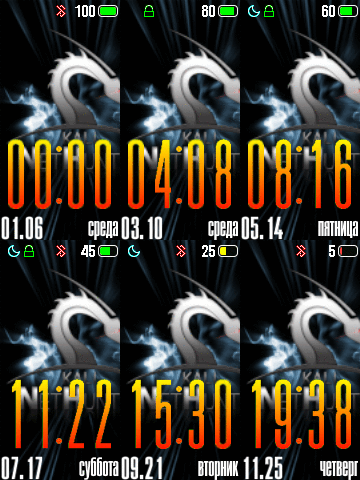
I'm not sure I know what you mean.
You can keep the BIN file size down by keeping down the size of the images that make the BIN file (low number of images and / or small size of images), if that's your question.
Moderators: Internal error, Watchmens
I'm not sure I know what you mean.
Yes , I know that I am unable to decrease the size and length of the image , it turns too small and looks very bad in my band . Can you please help ?urieleugenio wrote: 02 Sep 2020, 10:58I'm not sure I know what you mean.
You can keep the BIN file size down by keeping down the size of the images that make the BIN file (low number of images and / or small size of images), if that's your question.
I've had watch faces with 100 images, and I was still far from the BIN size limit, are you using an animation with big images and lots of frames?Testament wrote: 02 Sep 2020, 11:05Yes , I know that I am unable to decrease the size and length of the image , it turns too small and looks very bad in my band . Can you please help ?
So I should check the dimensions .urieleugenio wrote: 02 Sep 2020, 12:00I've had watch faces with 100 images, and I was still far from the BIN size limit, are you using an animation with big images and lots of frames?Testament wrote: 02 Sep 2020, 11:05Yes , I know that I am unable to decrease the size and length of the image , it turns too small and looks very bad in my band . Can you please help ?
Try to reuse images too, using the same numbers for hours tens, hours ones, minutes tens and minutes ones.
Use images with a background (no transparency) for smaller size, or cut them to size.
Lastly, you may try the Palette mode on Ivpokka's tool, it's meant to readuce BIN file size (but it can lower image quality).

Hi friend , can you please give me the link to your videos . ThanksJackall Digital wrote: 02 Sep 2020, 21:54You can optimise images, lower the size and keep the quality, if they aren't by using PNGgauntlet (free software), I'm not saying that it will help but it might. I also advise you to check my videos as they will save you time - like trying to make the perfect design from the start only to find out that it doesn't work like you want it to after you code it.
There you go. And I'm currently making a video that'll focus on coding the progress barTestament wrote: 03 Sep 2020, 02:06Hi friend , can you please give me the link to your videos . Thanks
Thanks , will it contain all the coding processes to be added and to correct themJackall Digital wrote: 03 Sep 2020, 12:56There you go. And I'm currently making a video that'll focus on coding the progress barTestament wrote: 03 Sep 2020, 02:06Hi friend , can you please give me the link to your videos . Thanks
https://www.youtube.com/watch?v=AATx7YB ... HST_ZN7moS
Thanks for the video and the information .Jackall Digital wrote: 06 Sep 2020, 07:39The .gif and .png of the watch face is made automatically when you compile the .json file.
edit: the steps progress video is also up. I didn't make a watch face specifically for this case, but I have shown what you need to do to implement it - and there's a bonus that you can use in steps progress that not many people know about! https://youtu.be/QSUVXfx0r7o
I use Inkscape to create mine. I create a raw svg file then export the pngs I need.francesseSA wrote: 01 Sep 2020, 02:54Can we use other tools then using Photoshop or other similar programs ?
looks cool!urieleugenio wrote: 29 Aug 2020, 10:52Right now I'm using this one (simplified, en ddmm version): https://amazfitwatchfaces.com/mi-band-5/view/373 https://www.worktime.com/employee-monitoring
This other one was my go-to watch face until recently, and I made different versions with a more or less complex dial: https://amazfitwatchfaces.com/mi-band-5/view/323
 here is mine at the moment
Users browsing this forum: No registered users and 1 guest