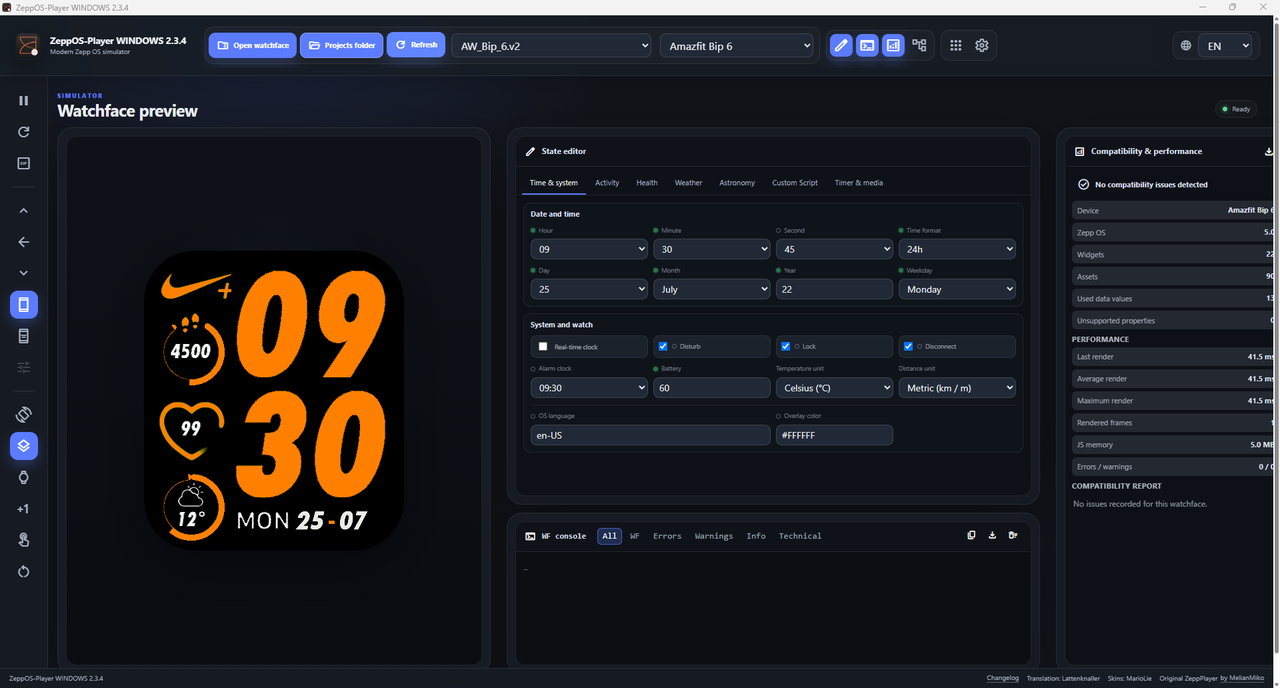
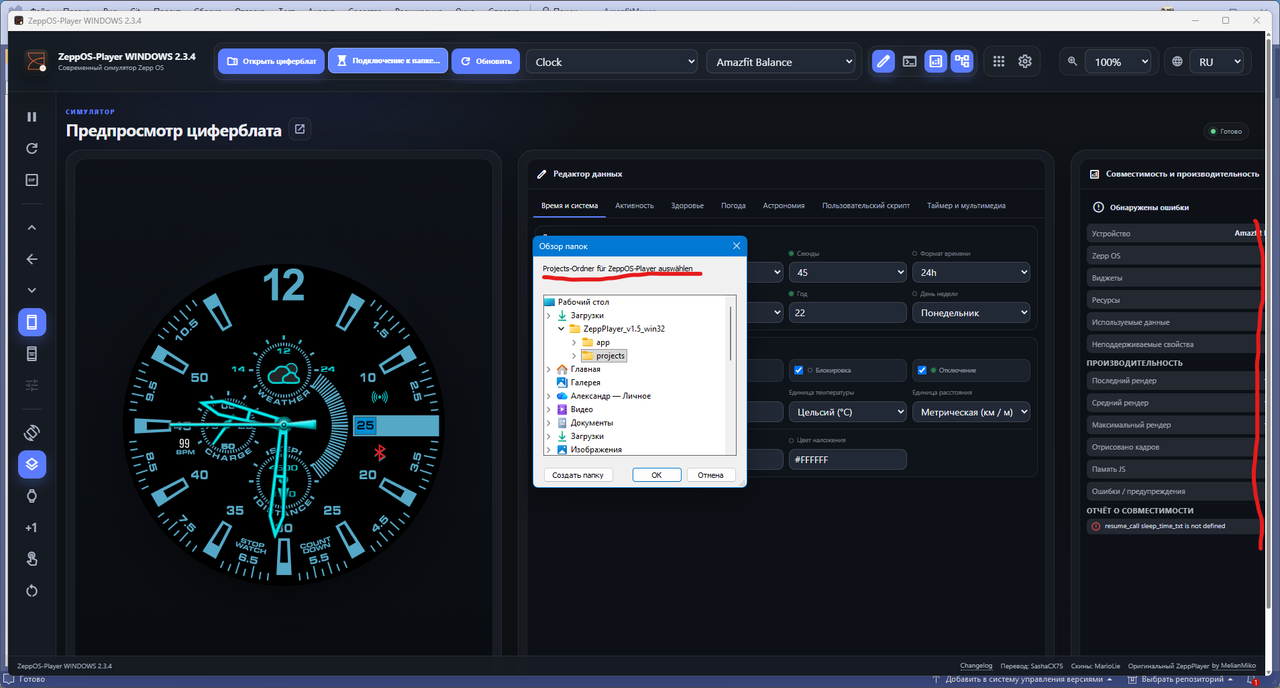
Since melianmiko's Zepplayer hasn't been updated for 3 years, I decided to create a modern version.
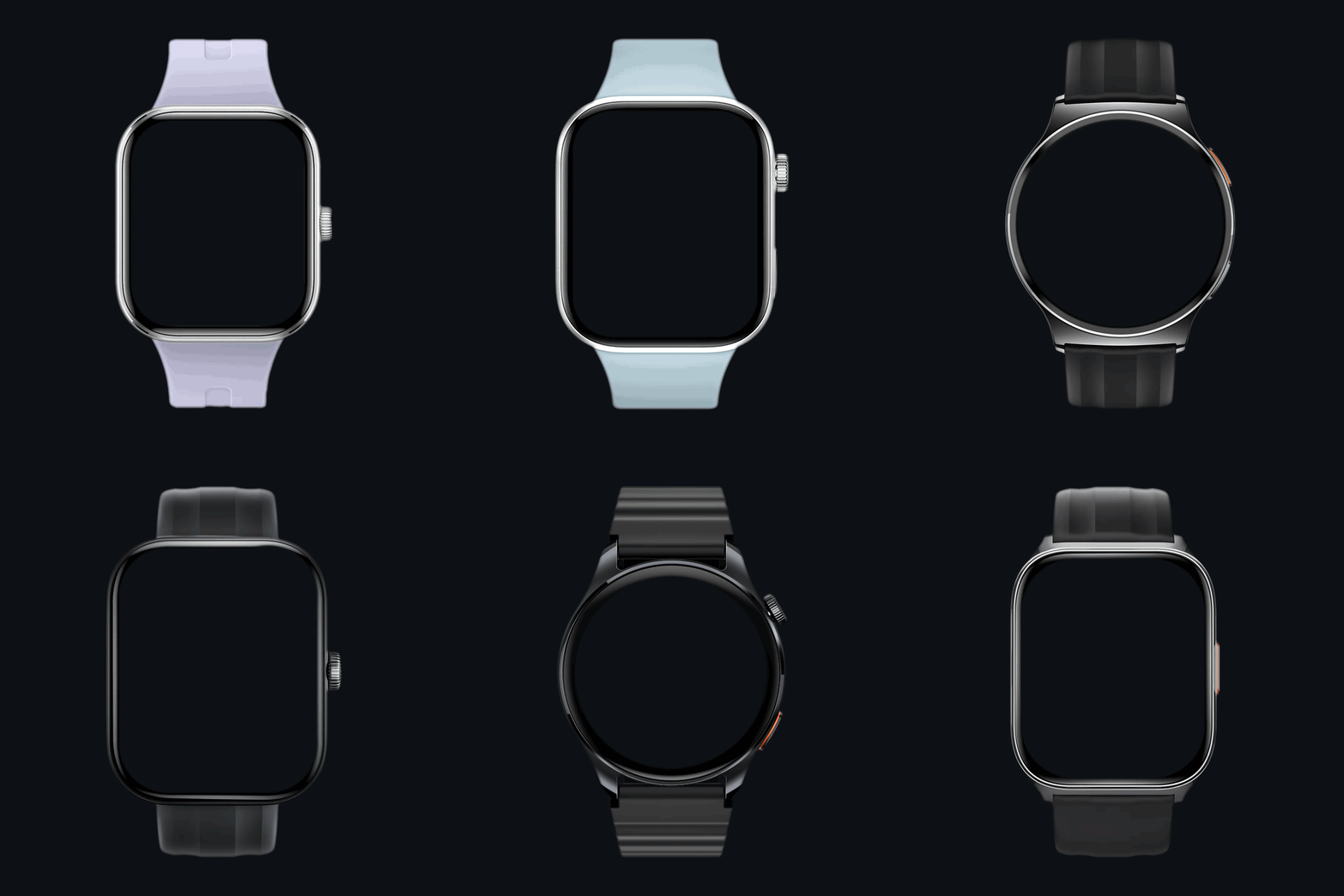
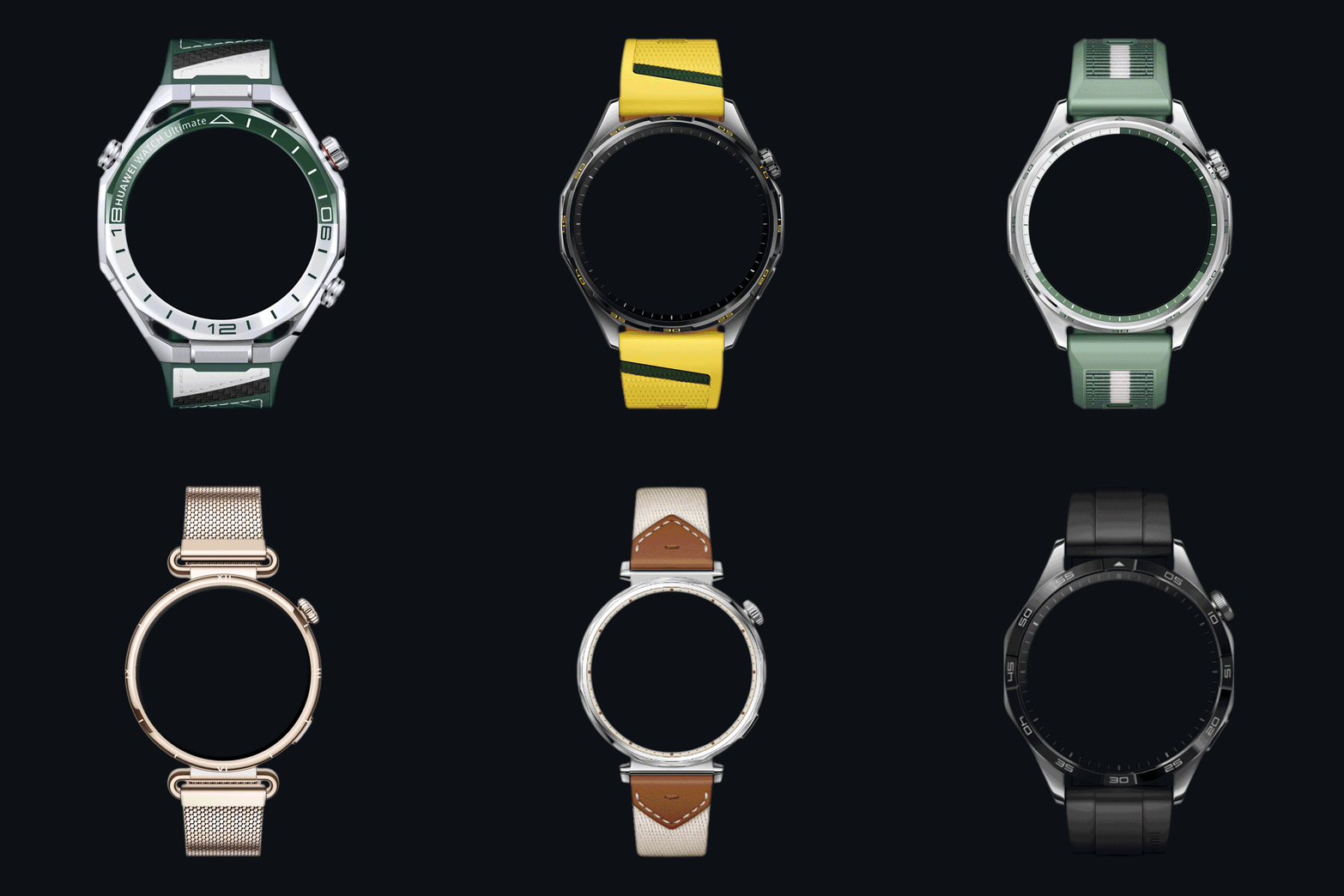
All currently available watches are selectable, and it also includes special features such as animations, smooth second, circle second, etc. Both short and long tabs are supported.
It’s an alternative to the original ZEPP Simulator, which some users have had trouble with. It includes standard .GIF creation, where you can select the number of frames and the speed. The highlight is the screen recording feature, where you can test your watch face and, for example, execute color changes or other scripts supported by the player.
ZeppOS Player 2
Newest Release
Download v2.4.3
CHANGELOG
- Fixed stale diagnostics after watchface reloads and project switches. Warning/error entries and compatibility counters now reset for the newly loaded watchface, so resolved warnings disappear automatically after an auto-reload without requiring Refresh/F5.
v2.4.2
- Fixed project auto-reload so the first external file change is applied reliably. File changes are now briefly debounced until the project change token is stable, then exactly one runtime restart is performed.
- Fixed GIF dimensions after switching to a watch face for a different device size. Selecting a new watch face now performs a full runtime restart after device-profile detection, so GIF capture immediately uses the new screen dimensions without requiring a manual Restart Watchface/APP.
v2.4.1
- Added Random Auto-Increment as a separate playback mode. Simulated values are randomized independently while smooth-second and SECOND-based time remain synchronized to real time.
- Normal Auto-Increment and Random Auto-Increment are mutually exclusive and can be switched directly from the left toolbar.
- Fixed COMPASS CHANGE/CURRENT events so watch faces receive a Zepp-compatible compass result object, including calibration_status and direction_angle.
- Expanded the finished-watch-face runtime compatibility layer with HRV, BioCharge/HybridCharge, separate Beaufort wind and km/h wind-speed data, additional modern and legacy Zepp data types, sensors, widgets, and safer fallbacks for unknown data types.
- Improved modern app.json target selection, asset-path handling, intrinsic image sizing, and protection against zero-size render canvases.
- Added END_X/END_Y layout properties, layoutChange callbacks, API-level 4-style direct widget property access, typed SysPro persistence, and additional runtime compatibility modules.
- Fixed getForecastWeather initialization so watch faces using forecast data no longer fail during the initial resume_call, and stored forecast weather icons are now returned correctly.
- Forecast editor changes now immediately re-run WIDGET_DELEGATE resume_call so script-driven forecast displays update at once; per-day weather icon selection has also been restored.
- Moon phase now changes during normal Player playback as well as during randomized GIF recording.
v2.4.2
- Fixed project auto-reload so the first external file change is applied reliably. File changes are now briefly debounced until the project change token is stable, then exactly one runtime restart is performed.
- Fixed GIF dimensions after switching to a watch face for a different device size. Selecting a new watch face now performs a full runtime restart after device-profile detection, so GIF capture immediately uses the new screen dimensions without requiring a manual Restart Watchface/APP.
v2.4.1
- Added Random Auto-Increment as a separate playback mode. Simulated values are randomized independently while smooth-second and SECOND-based time remain synchronized to real time.
- Normal Auto-Increment and Random Auto-Increment are mutually exclusive and can be switched directly from the left toolbar.
- Fixed COMPASS CHANGE/CURRENT events so watch faces receive a Zepp-compatible compass result object, including calibration_status and direction_angle.
- Expanded the finished-watch-face runtime compatibility layer with HRV, BioCharge/HybridCharge, separate Beaufort wind and km/h wind-speed data, additional modern and legacy Zepp data types, sensors, widgets, and safer fallbacks for unknown data types.
- Improved modern app.json target selection, asset-path handling, intrinsic image sizing, and protection against zero-size render canvases.
- Added END_X/END_Y layout properties, layoutChange callbacks, API-level 4-style direct widget property access, typed SysPro persistence, and additional runtime compatibility modules.
- Fixed getForecastWeather initialization so watch faces using forecast data no longer fail during the initial resume_call, and stored forecast weather icons are now returned correctly.
- Forecast editor changes now immediately re-run WIDGET_DELEGATE resume_call so script-driven forecast displays update at once; per-day weather icon selection has also been restored.
- Moon phase now changes during normal Player playback as well as during randomized GIF recording.
Older Versions
VERSION 2.3
Download v2.3.4
CHANGELOG
2.3.4 · September 17, 2026
- Corrected TEXT_IMG angle rendering so that the configured X/Y coordinates remain the widget origin after rotation.
2.3.3 · September 17, 2026
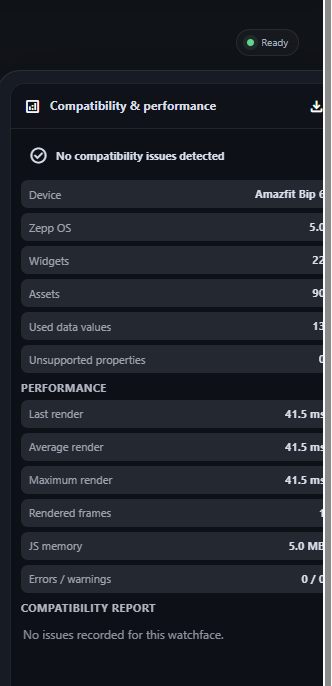
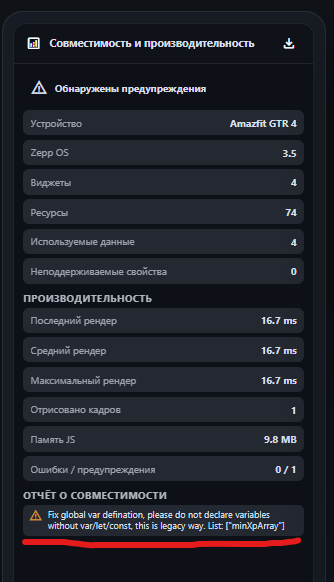
- Combined compatibility reports and live performance diagnostics in a single analysis window.
- Metrics for live render time, widgets, assets, memory, errors, and warnings have been added
- Added watch face-specific reports for unsupported hmUI properties and current runtime issues.
- “Compatibility & Performance” has been integrated as a fixed third Studio window; the Explorer has been moved to the fourth position; and one-click report export has been added.
- The rendering of rotated TEXT_IMG elements for the Zepp OS “angle” property has been corrected.
- The display of circular TEXT/TEXT_FONT elements for “start_angle,” “end_angle,” “radius,” and “mode” has been corrected to match the inner/outer direction and alignment in the watch face editor, including the output of TEXT_FONT “unit_type.”
2.3.2 · September 16, 2026
- A full-featured editor for the seven-day weather forecast has been added, with separate entries for current, high, and low temperatures, as well as a weather icon for each day.
- The values from the forecast editor are now fed directly into the simulated Zepp OS weather forecast API.
- Translations for the forecast editor have been added for all six included languages, and the “Translations.xlsx” file has been synchronized.
2.3.1 · September 16, 2026
- All six user interface translations have been moved to separate language files for easier maintenance and review.
- Tooltip localization has been expanded so that dynamically assigned title attributes now use the selected user interface language.
2.3 · September 16, 2026
- The Status Editor now indicates whether each value is actually required by the loaded watch face.
- Compact function indicators have been added without altering the approved layout of the Status Editor: green means “used by the watch face,” a gray border means “supported but not used,” and yellow means “not yet supported.”
- The dial usage diagnostics are reset every time a different project is loaded to prevent outdated status information.
- Placeholder controls for custom scripts, which previously could be edited without affecting the dial, have been disabled; they are now explicitly marked as not yet supported, rather than appearing to function.
- The Studio layout has been redesigned and now includes a fixed preview area measuring 650 × 820, an 800 × 820 Status Editor/Console stack with a 70/30 split, and a flexible, full-height Object Explorer.
- Automatic tool rearrangement has been added when the Status Editor, Console, or Object Explorer is hidden.
- The Status Editor has been divided into tabs.
- Translated drop-down values have been added for time, months, days of the week, weather conditions, and forecast days.
- Corrected TEXT_IMG angle rendering so that the configured X/Y coordinates remain the widget origin after rotation.
2.3.3 · September 17, 2026
- Combined compatibility reports and live performance diagnostics in a single analysis window.
- Metrics for live render time, widgets, assets, memory, errors, and warnings have been added
- Added watch face-specific reports for unsupported hmUI properties and current runtime issues.
- “Compatibility & Performance” has been integrated as a fixed third Studio window; the Explorer has been moved to the fourth position; and one-click report export has been added.
- The rendering of rotated TEXT_IMG elements for the Zepp OS “angle” property has been corrected.
- The display of circular TEXT/TEXT_FONT elements for “start_angle,” “end_angle,” “radius,” and “mode” has been corrected to match the inner/outer direction and alignment in the watch face editor, including the output of TEXT_FONT “unit_type.”
2.3.2 · September 16, 2026
- A full-featured editor for the seven-day weather forecast has been added, with separate entries for current, high, and low temperatures, as well as a weather icon for each day.
- The values from the forecast editor are now fed directly into the simulated Zepp OS weather forecast API.
- Translations for the forecast editor have been added for all six included languages, and the “Translations.xlsx” file has been synchronized.
2.3.1 · September 16, 2026
- All six user interface translations have been moved to separate language files for easier maintenance and review.
- Tooltip localization has been expanded so that dynamically assigned title attributes now use the selected user interface language.
2.3 · September 16, 2026
- The Status Editor now indicates whether each value is actually required by the loaded watch face.
- Compact function indicators have been added without altering the approved layout of the Status Editor: green means “used by the watch face,” a gray border means “supported but not used,” and yellow means “not yet supported.”
- The dial usage diagnostics are reset every time a different project is loaded to prevent outdated status information.
- Placeholder controls for custom scripts, which previously could be edited without affecting the dial, have been disabled; they are now explicitly marked as not yet supported, rather than appearing to function.
- The Studio layout has been redesigned and now includes a fixed preview area measuring 650 × 820, an 800 × 820 Status Editor/Console stack with a 70/30 split, and a flexible, full-height Object Explorer.
- Automatic tool rearrangement has been added when the Status Editor, Console, or Object Explorer is hidden.
- The Status Editor has been divided into tabs.
- Translated drop-down values have been added for time, months, days of the week, weather conditions, and forecast days.
VERSION 2.2
Download Release 2.2.1
CHANGELOG
- 33 standardized watch skins in 800 × 800 format with corrected alignment have been added.
- Support for Amazfit Active 3 Premium, Active Edge, Cheetah Square, and GTS 3, as well as additional hardware IDs for existing models, has been added.
- Czech has been added, and a revised Thai translation has been integrated.
Missing translations for the labels in the Status Editor have been restored in all supported languages.
- Support for Amazfit Active 3 Premium, Active Edge, Cheetah Square, and GTS 3, as well as additional hardware IDs for existing models, has been added.
- Czech has been added, and a revised Thai translation has been integrated.
Missing translations for the labels in the Status Editor have been restored in all supported languages.
VERSION 2.1
Download Release 2.1.3
CHANGELOG
- Older generated callbacks such as “checkConnection,” “minute_circle_call,” and “hour_circle_call” no longer interrupt the watch face initialization.
- Zepp groups with a size of zero now render their child elements correctly, restoring generated multi-day weather forecasts.
- Russian and Ukrainian have been added as user interface languages.
- Animations on watch faces, in the editor, and in custom scripts continue to run when “Auto-Increment” is disabled, while second hands, “smooth_second,” and SECOND-based circles remain frozen.
- “Smooth Second” hands remain fixed in still-image preview mode and run in real time during auto-incrementing without affecting the speed of other preview values.
- The link in the footer of the original ZeppPlayer now opens the official GitHub repository.
- Zepp groups with a size of zero now render their child elements correctly, restoring generated multi-day weather forecasts.
- Russian and Ukrainian have been added as user interface languages.
- Animations on watch faces, in the editor, and in custom scripts continue to run when “Auto-Increment” is disabled, while second hands, “smooth_second,” and SECOND-based circles remain frozen.
- “Smooth Second” hands remain fixed in still-image preview mode and run in real time during auto-incrementing without affecting the speed of other preview values.
- The link in the footer of the original ZeppPlayer now opens the official GitHub repository.
VERSION 2.0
Release Start
TRANSLATE for v2.4
Translations.xlsx
For a new language fill out the Excel file and send it to me via private message.
Rename ROW 5 in the new column and fill it out completely. Keep the placeholders in {curly braces} unchanged. Then fill out the table at the bottom of the “Languages” tab (note can be left blank)
For a new language fill out the Excel file and send it to me via private message.
Rename ROW 5 in the new column and fill it out completely. Keep the placeholders in {curly braces} unchanged. Then fill out the table at the bottom of the “Languages” tab (note can be left blank)
A detailed description of the issue in English is required.