• Administrador
  •  
    Support Ukraine
    If you experience any problems with the forum (it is not visible, there is no way to post messages, or some functionality does not work), please let us know. If you have problems with registration or you did not receive confirmation letter, let us know and we will activate your account manually.
    If you get an "The submitted form was invalid. Try submitting again" error, delete cookies, then try again.
     

How to make custom watch faces for Xiaomi Band 8/9/10 (EasyFace Tutorial)

This forum is designed to discuss and develop tools creating watch faces.

Moderadores: asoo, lvpokka, Internal error, Watchmens

Reglas del Foro
All communication in this branch should only be in English.
To discuss tools that are not in this section, use the “Watchfaces tools (discussion)” forum.
Responder
saadalsubaie0503
Mensajes: 1
Registrado: 23 May 2026, 18:03
Ubicación: Saudi Arabia
Has thanked: 1 time
Contactar:

How to make custom watch faces for Xiaomi Band 8/9/10 (EasyFace Tutorial)

Mensaje por saadalsubaie0503 »

Hey guys!

If you want to create your own fully custom watch faces for the Xiaomi Band 8, 9, or 10 using EasyFace, I've put together a complete step-by-step video tutorial to help you out.

In the video, I show you how to design your layout, import custom backgrounds (like anime wallpapers), and properly format your text strings so you don't run into any compilation errors.

Here is the exact data formatting template you need to use in the tool:
(Only for Watchface Image Generator):
Time (Hours & Minutes): 1,2,3,4,5,6,7,8,9,0,: (Don't forget the colon!)

Date (Months & Days): 1,2,3,4,5,6,7,8,9,0

Weekdays (Only for Watchface Image Generator): mon,tue,wed,thu,fri,sat,sun (or use uppercase: MON, TUE, WED, THU, FRI, SAT, SUN)

Watch the full step-by-step tutorial here:
<3 Support My Work / Donate: If this guide saved you some troubleshooting time, consider supporting the channel here:
https://paypal.me/saru7o

If this video helped you out, please leave a like and Sub to the channel!
Let me know in the comments: what kind of watch face are you building?
MF2zy18wRdWiZrOk
Mensajes: 1
Registrado: 05 Jul 2026, 14:08
Ubicación: Singapore
Been thanked: 1 time
Contactar:

Mensaje por MF2zy18wRdWiZrOk »

Hello, i follow your tutorial and its good for my first time trying.

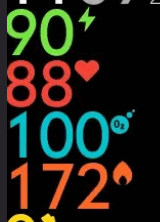
The last problem im facing, how do i add unit to the measurements?

For example in temparate: 30°
or heartrate: 87❤️

Imagen
mustafaalmhmood
Mensajes: 1
Registrado: 10 Ago 2026, 02:48
Ubicación: Kingdom of Saudi Arabia
Contactar:

Mensaje por mustafaalmhmood »

Hello, can anyone here design an interface that can accurately display prayer times for Muslims, and how much would this cost?
Avatar de Usuario
Drongo
Watchmen
Mensajes: 74
Registrado: 01 Oct 2019, 11:03
Ubicación: Mykolayiv/Kyiv
Has thanked: 34 times
Been thanked: 12 times
Contactar:

Mensaje por Drongo »

mustafaalmhmood escribió: 10 Ago 2026, 02:57
Hello, can anyone here design an interface that can accurately display prayer times for Muslims, and how much would this cost?
Hello,

For this kind of request, please create a new topic in the Watchfaces creation (order table) section of the forum for your specific watch model. Since there are many different devices, posting in the correct model's forum will help the right authors see your request.

It would be best to describe your requirements there in as much detail as possible - which watch model you use, how you want the prayer times to be displayed, what information should be shown, and any design preferences you have.

Then authors who are interested can reply, discuss whether it is technically possible, and let you know about the cost.
Responder

Volver a “Watchfaces tools”

¿Quién está conectado?

Usuarios navegando por este Foro: No hay usuarios registrados visitando el Foro y 1 invitado