Hi, @asoo
Thank you very much for the quick response.
I made the suggested changes to the index.js file, then compressed it with a zip file.
The problem remains the same. I noticed that in my index, the scale_call() function is inside: if (screenType != hmSetting.screen_type.AOD) { ...
If you don't mind, could you review the attached index.js file?
Excuse my question, thank you very much in advance.
-
- Administrator
-
-
Support Ukraine
If you experience any problems with the forum (it is not visible, there is no way to post messages, or some functionality does not work), please let us know. If you have problems with registration or you did not receive confirmation letter, let us know and we will activate your account manually.
If you get an "The submitted form was invalid. Try submitting again" error, delete cookies, then try again.
Inquire about problems that occur when creating a watch face.
Forum rules
When adding a new topic, use the template: Topic title [device name]
For example: How to create watch face [GTR 3 Pro]
All communication in this branch should only be in English.
When adding a new topic, use the template: Topic title [device name]
For example: How to create watch face [GTR 3 Pro]
All communication in this branch should only be in English.
Inquire about problems that occur when creating a watch face.
- Attachments
-
- index.js
- (21.34 KiB) Downloaded 64 times
-
asoo
- Posts: 2202
- Joined: 03 Jan 2019, 01:48
- Location: ͼͽ Thailand ͼͽ
- Has thanked: 420 times
- Been thanked: 2122 times

If you want your project reviewed,lobianco wrote: 21 Sep 2025, 18:57Hi, @asoo
Thank you very much for the quick response.
I made the suggested changes to the index.js file, then compressed it with a zip file.
The problem remains the same. I noticed that in my index, the scale_call() function is inside: if (screenType != hmSetting.screen_type.AOD) { ...
If you don't mind, could you review the attached index.js file?
Excuse my question, thank you very much in advance.
i recommend submitting your entire project.
If you only want to verify the validity of a script,
you can send only index.js . But you want to check the entire project, I think you should be attach all file about your project. The problem might not be with the script, but rather with other components, including the display order.
The index.js script you provided is correct.
However, there might be a display issue. When you click the color-changing button, the progress bar might not change. If you want the change to be immediate when the button is pressed, you can do this in two ways:
1. Add scale_call() in Button_1 widget
code 1
Code: Select all
Button_1 = hmUI.createWidget(hmUI.widget.BUTTON, {
x: 156,
y: 156,
w: 100,
h: 100,
text: '',
color: 0xFFFF8C00,
text_size: 25,
press_src: 'btn.png',
normal_src: 'btn.png',
click_func: (button_widget) => {
click_Color();
scale_call()
}, // end func
show_level: hmUI.show_level.ONLY_NORMAL,
}); // end buttonOR
2. Add the script ( normal_battery_circle_scale.setProperty(hmUI.prop.MORE,) to the file user_functions.js
code 2
Code: Select all
let colornumber_main = 1
let totalcolors_main = 7
let colors = "0xFFFFFFFF"
function click_Color() {
if(colornumber_main>=totalcolors_main) {
colornumber_main=1;
}
else {
colornumber_main=colornumber_main+1;
}
normal_analog_clock_pro_hour_pointer_img.setProperty(hmUI.prop.SRC, "pontHor" + colornumber_main + ".png");
normal_analog_clock_pro_minute_pointer_img.setProperty(hmUI.prop.SRC, "pontMin" + colornumber_main + ".png");
normal_analog_clock_pro_second_pointer_img.setProperty(hmUI.prop.SRC, "pontSec" + colornumber_main + ".png");
normal_background_bg_img.setProperty(hmUI.prop.SRC, "Back" + colornumber_main + ".png");
if(colornumber_main==1) {
colors = "0xFFC9C9C9"
}
else {
if(colornumber_main==2) {
colors = "0xFFFFCC00"
}
else {
if(colornumber_main==3) {
colors = "0xFFBAC095"
}
else {
if(colornumber_main==4) {
colors = "0xFFFFB3BA"
}
else {
if(colornumber_main==5) {
colors = "0xFFBAE1FF"
}
else {
if(colornumber_main==6) {
colors = "0xFFFF9224"
}
else {
if(colornumber_main==7) {
colors = "0xFFFF0000"
}
}
}
}
}
}
///// add MORE in this
normal_battery_circle_scale.setProperty(hmUI.prop.MORE, {
center_x: 207,
center_y: 83,
start_angle: 0,
end_angle: 360,
radius: 27,
line_width: 16,
corner_flag: 0,
// Change color code with variable values in this line
color: colors,
show_level: hmUI.show_level.ONLY_NORMAL,
});
}From the index.js you provided, I made the changes I mentioned earlier and briefly tested it on zeppPlayer, as shown in the image.
Preview imange
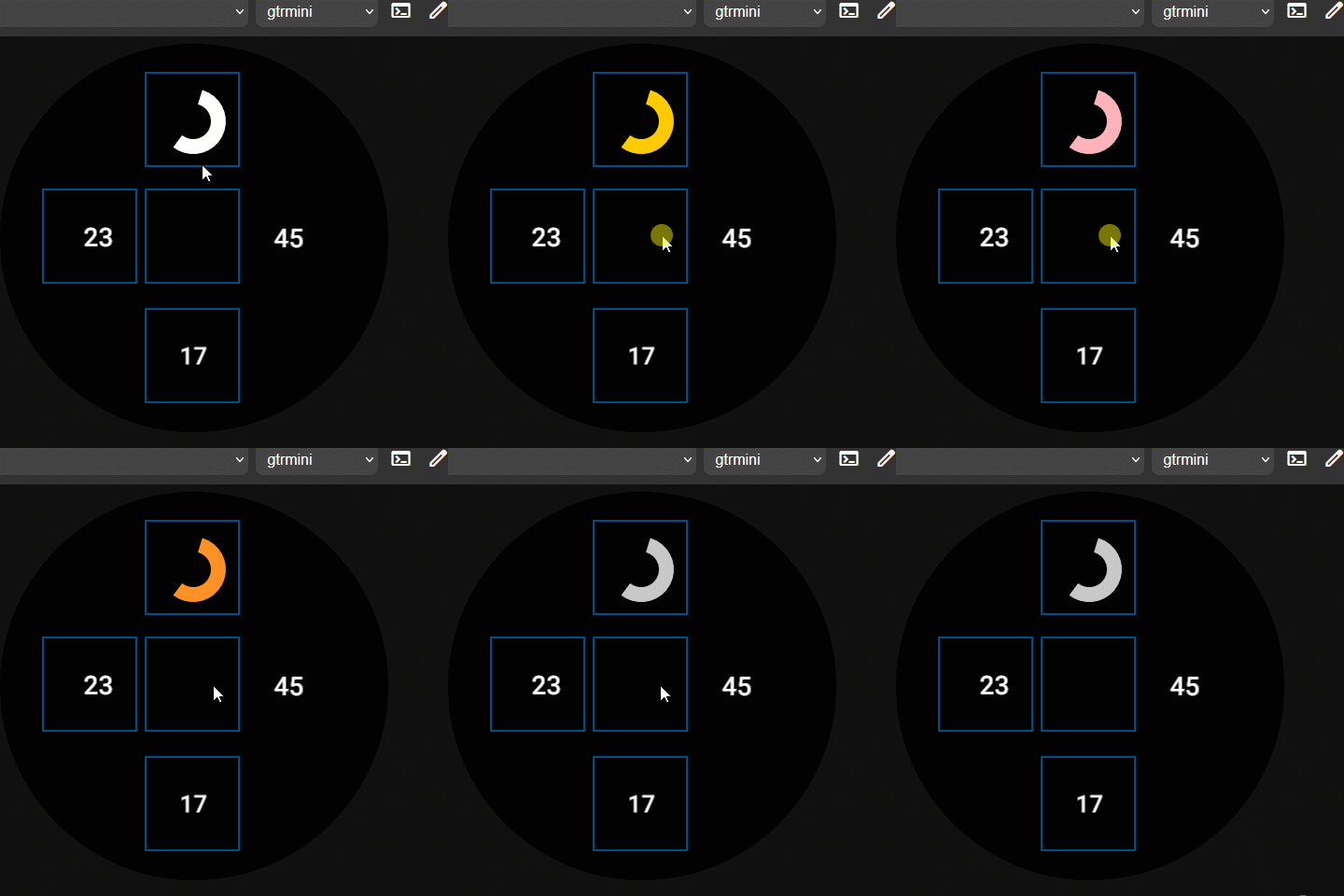
This file is index.js is modified :
ZeppPlayer :
https://mmk.pw/en/zepp_player/
And next time, I also recommend opening a new topic in the GTR's "Watchfaces discussion" forum.
viewforum.php?f=38
This might be more in line with your request.
ͼͽ To request please use the interrelated forum in action ͼͽ
Please do not PM to me for requests ported watchface.
Please do not PM to me for requests ported watchface.
@asoo
Here is the whole project, I just didn't put it up before because I didn't know I could.
Here is the whole project, I just didn't put it up before because I didn't know I could.
- Attachments
-
 RessensseV4.zip
- (150.46 KiB) Downloaded 61 times
-
asoo
- Posts: 2202
- Joined: 03 Jan 2019, 01:48
- Location: ͼͽ Thailand ͼͽ
- Has thanked: 420 times
- Been thanked: 2122 times
@lobiancolobianco wrote: 22 Sep 2025, 11:35@asoo
Here is the whole project, I just didn't put it up before because I didn't know I could.
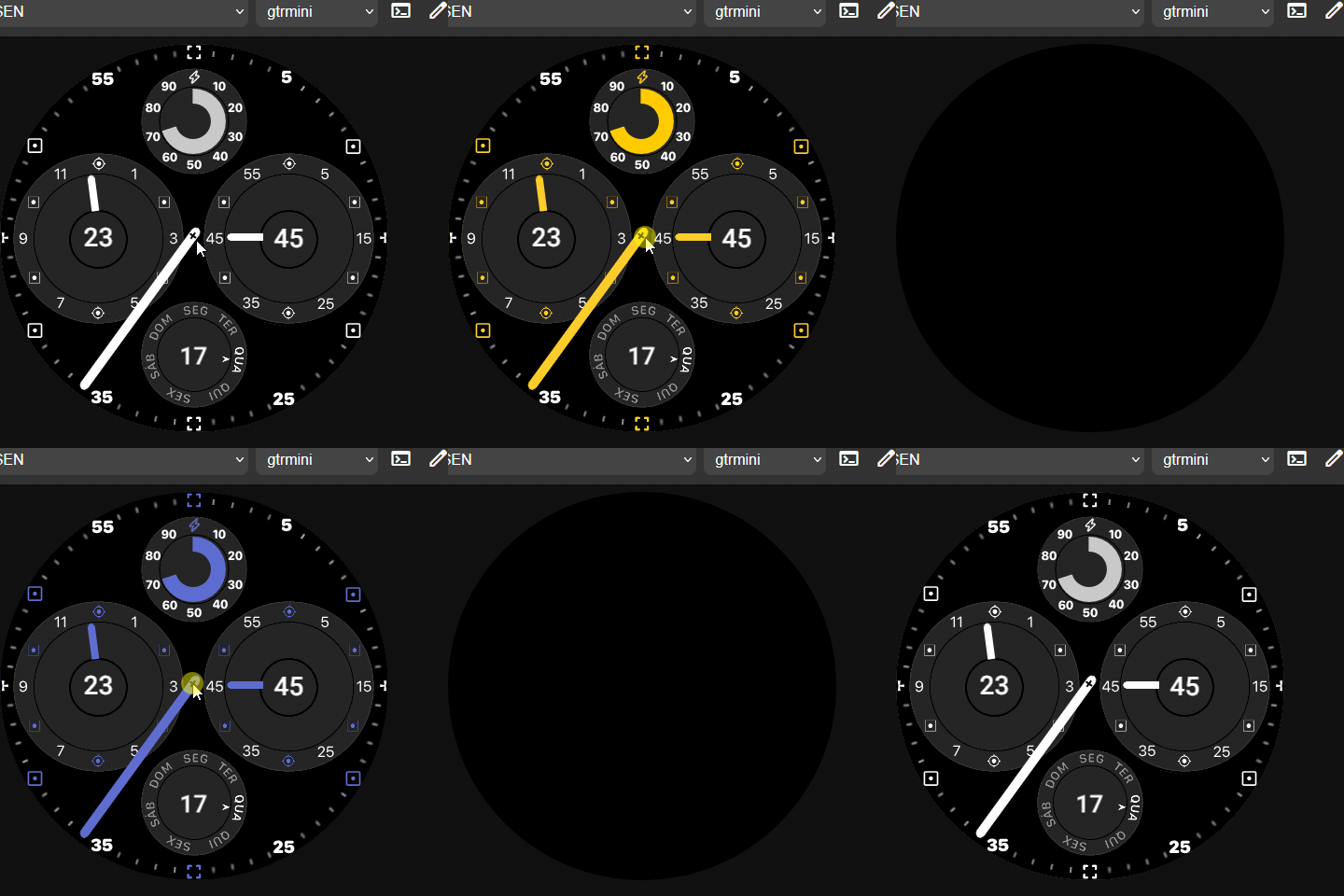
I have moved your post to a new topic in the relevant forum for easier searching and to avoid confusion with the original topic.
Preview image
- RessensseV4trytofix.zip
- (148.25 KiB) Downloaded 62 times
You can see the fixes in index.js.
The main issue causing the watch face to malfunction
is the use of "object literals" for setting values.
I'm not sure why it doesn't work when I use the values from the "object literal" in the widget. However, I need to set the value of the object literal in the variable and use that variable in the widget for it to work properly.
Since I was also wondering why I couldn't use the object literal directly in the widget,
Your "Object literal"
Code: Select all
    const colors = {
        1: 0xFFC9C9C9,
        2: 0xFFFFCC00,
        3: 0xFF479135,
        4: 0xFFFFB3BA,
        5: 0xFF5D6DD1,
        6: 0xFFFF9224,
        7: 0xFFFF0000
    };

colorss = colors[colornumber_main]However, I'm not sure of this answer because I haven't found any official documentation.
ͼͽ To request please use the interrelated forum in action ͼͽ
Please do not PM to me for requests ported watchface.
Please do not PM to me for requests ported watchface.
@asoo
Thank you, it worked perfectly as expected.
If you don't mind, what reading material could you recommend for studying JS for Amazfit development?
Thank you, it worked perfectly as expected.
If you don't mind, what reading material could you recommend for studying JS for Amazfit development?
-
asoo
- Posts: 2202
- Joined: 03 Jan 2019, 01:48
- Location: ͼͽ Thailand ͼͽ
- Has thanked: 420 times
- Been thanked: 2122 times
I looked at various information from https://docs.zepp.com/docs/intro/. As for JS, I studied from the watch faces that I was interested in. If there was a command set that I didn't understand, I would search for it using google , chatgpt , or other Including asking other knowledgeable people.lobianco wrote: 22 Sep 2025, 15:53@asoo
Thank you, it worked perfectly as expected.
If you don't mind, what reading material could you recommend for studying JS for Amazfit development?
ͼͽ To request please use the interrelated forum in action ͼͽ
Please do not PM to me for requests ported watchface.
Please do not PM to me for requests ported watchface.
Hi, @asoo
In the example above, the battery cycle is changing color, as you taught me, but I've run into another problem: changing the color of the battery text element. I've tried everything, but I can't. I looked for a watchface that changes the color of the battery value, but I couldn't find it. Could you help me, if possible?
Thank you very much in advance.
In the example above, the battery cycle is changing color, as you taught me, but I've run into another problem: changing the color of the battery text element. I've tried everything, but I can't. I looked for a watchface that changes the color of the battery value, but I couldn't find it. Could you help me, if possible?
Spoiler
normal_battery_circle_scale.setProperty(hmUI.prop.MORE, {
color: colorss,
radius: 27,
line_width: 16
});
normal_battery_current_text_font.setProperty(hmUI.prop.COLOR, colorss);
normal_day_text_font.setProperty(hmUI.prop.COLOR, colorss);
normal_battery_current_text_font = hmUI.createWidget(hmUI.widget.TEXT_FONT, {
x: 133,
y: 70,
w: 150,
h: 30,
text_size: 18,
char_space: 0,
font: 'fonts/Panton-Bold.ttf',
color: colorss,
line_space: 0,
align_v: hmUI.align.CENTER_V,
text_style: hmUI.text_style.ELLIPSIS,
align_h: hmUI.align.CENTER_H,
type: hmUI.data_type.BATTERY,
show_level: hmUI.show_level.ONLY_NORMAL,
});
**hmUI.createWidget(hmUI.widget.TEXT_FONT, {
normal_day_text_font = hmUI.createWidget(hmUI.widget.TEXT, {
x: 133,
y: 320,
w: 150,
h: 30,
text_size: 26,
char_space: 0,
font: 'fonts/Panton-Bold.ttf',
color: colorss, //inicial cor cinza
line_space: 0,
align_v: hmUI.align.CENTER_V,
text_style: hmUI.text_style.ELLIPSIS,
align_h: hmUI.align.CENTER_H,
// padding: true,
show_level: hmUI.show_level.ONLY_NORMAL,
});
**hmUI.createWidget.TEXT, {...
normal battery current text_font - does not work
normal_day_text_font - works
color: colorss,
radius: 27,
line_width: 16
});
normal_battery_current_text_font.setProperty(hmUI.prop.COLOR, colorss);
normal_day_text_font.setProperty(hmUI.prop.COLOR, colorss);
normal_battery_current_text_font = hmUI.createWidget(hmUI.widget.TEXT_FONT, {
x: 133,
y: 70,
w: 150,
h: 30,
text_size: 18,
char_space: 0,
font: 'fonts/Panton-Bold.ttf',
color: colorss,
line_space: 0,
align_v: hmUI.align.CENTER_V,
text_style: hmUI.text_style.ELLIPSIS,
align_h: hmUI.align.CENTER_H,
type: hmUI.data_type.BATTERY,
show_level: hmUI.show_level.ONLY_NORMAL,
});
**hmUI.createWidget(hmUI.widget.TEXT_FONT, {
normal_day_text_font = hmUI.createWidget(hmUI.widget.TEXT, {
x: 133,
y: 320,
w: 150,
h: 30,
text_size: 26,
char_space: 0,
font: 'fonts/Panton-Bold.ttf',
color: colorss, //inicial cor cinza
line_space: 0,
align_v: hmUI.align.CENTER_V,
text_style: hmUI.text_style.ELLIPSIS,
align_h: hmUI.align.CENTER_H,
// padding: true,
show_level: hmUI.show_level.ONLY_NORMAL,
});
**hmUI.createWidget.TEXT, {...
normal battery current text_font - does not work
normal_day_text_font - works
- Attachments
-
- RessensseV4trytofix_color.zip
- (140.66 KiB) Downloaded 60 times
-
- index.js
- (19.04 KiB) Downloaded 57 times
-
asoo
- Posts: 2202
- Joined: 03 Jan 2019, 01:48
- Location: ͼͽ Thailand ͼͽ
- Has thanked: 420 times
- Been thanked: 2122 times
lobianco wrote: 23 Sep 2025, 22:52Hi, @asoo
In the example above, the battery cycle is changing color, as you taught me, but I've run into another problem: changing the color of the battery text element. I've tried everything, but I can't. I looked for a watchface that changes the color of the battery value, but I couldn't find it. Could you help me, if possible?
Thank you very much in advance.Spoiler
normal_battery_circle_scale.setProperty(hmUI.prop.MORE, {
color: colorss,
radius: 27,
line_width: 16
});
normal_battery_current_text_font.setProperty(hmUI.prop.COLOR, colorss);
normal_day_text_font.setProperty(hmUI.prop.COLOR, colorss);
normal_battery_current_text_font = hmUI.createWidget(hmUI.widget.TEXT_FONT, {
x: 133,
y: 70,
w: 150,
h: 30,
text_size: 18,
char_space: 0,
font: 'fonts/Panton-Bold.ttf',
color: colorss,
line_space: 0,
align_v: hmUI.align.CENTER_V,
text_style: hmUI.text_style.ELLIPSIS,
align_h: hmUI.align.CENTER_H,
type: hmUI.data_type.BATTERY,
show_level: hmUI.show_level.ONLY_NORMAL,
});
**hmUI.createWidget(hmUI.widget.TEXT_FONT, {
normal_day_text_font = hmUI.createWidget(hmUI.widget.TEXT, {
x: 133,
y: 320,
w: 150,
h: 30,
text_size: 26,
char_space: 0,
font: 'fonts/Panton-Bold.ttf',
color: colorss, //inicial cor cinza
line_space: 0,
align_v: hmUI.align.CENTER_V,
text_style: hmUI.text_style.ELLIPSIS,
align_h: hmUI.align.CENTER_H,
// padding: true,
show_level: hmUI.show_level.ONLY_NORMAL,
});
**hmUI.createWidget.TEXT, {...
normal battery current text_font - does not work
normal_day_text_font - works
I think some of the scripts in the attached file might be corrupted.
I can't unpack it properly, and I'm busy right now. So, I do not like to check your index.js for errors.
I'll rebuild it from the old file I created and add some your script
The problem you mentioned, that you can't change the battery text color, might be due to the widget's property change style.
I recommend that if you've tried to chang properties with ".setProperty( xxxx)" and it doesn't work, try using ".setProperty(hmUI.prop.MORE" to change the property. It's the most effective change I've tested. I recommend typing in all the widget data for when use the ".setProperty(hmUI.prop.MORE" change, because some widgets, even if you use "MORE," if you not put complete information may not work.
From your "user_functions.js", I modified it as follows:
Code: Select all
// start user_functions.js

let totalcolors_main = 7; // 7
let colornumber_main = 0; // actual color: 0..6
let colorss = 0xFFC9C9C9;

// Cores Tabs
let colors = [
0xFFC9C9C9, // 0 -> cinza claro (initial)
0xFFFFCC00, // 1 -> amarelo
0xFF479135, // 2 -> verde
0xFFFFB3BA, // 3 -> rosa claro
0xFF5D6DD1, // 4 -> azul
0xFFFF9224, // 5 -> laranja
0xFFFF0000 // 6 -> vermelho
];

function click_Color() {

// alterna cor (volta pra 1 se passar do total)
colornumber_main = (colornumber_main + 1) % totalcolors_main;

// pega a cor natural
colors = colors[colornumber_main];


// Atualiza ponteiros and funds
normal_analog_clock_pro_hour_pointer_img.setProperty(hmUI.prop.SRC, `pontHor${colornumber_main+1}.png`);
normal_analog_clock_pro_minute_pointer_img.setProperty(hmUI.prop.SRC, `pontMin${colornumber_main+1}.png`);
normal_analog_clock_pro_second_pointer_img.setProperty(hmUI.prop.SRC, `pontSec${colornumber_main+1}.png`);
normal_background_bg_img.setProperty(hmUI.prop.SRC, `Back${colornumber_main+1}.png`);


// aplica a cor ao círculo a bateria
normal_battery_circle_scale.setProperty(hmUI.prop.MORE, {
color: colorss,
radius: 27,
line_width: 16
});

// normal_battery_current_text_font.setProperty(hmUI.prop.COLOR, colorss); // not work in this case

// use this to change color
normal_battery_current_text_font.setProperty(hmUI.prop.MORE, {
x: 192,
y: 74,
w: 32,
h: 25,
text_size: 20,
char_space: 0,
font: 'fonts/Panton-Bold.ttf',
color: colorss ,
line_space: 0,
align_v: hmUI.align.TOP,
text_style: hmUI.text_style.ELLIPSIS,
align_h: hmUI.align.CENTER_H,
type: hmUI.data_type.BATTERY,
show_level: hmUI.show_level.ONLY_NORMAL,
});

normal_day_text_font.setProperty(hmUI.prop.COLOR, colorss);
normal_time_hour_text_font.setProperty(hmUI.prop.COLOR, colorss);
normal_time_minute_text_font.setProperty(hmUI.prop.COLOR, colorss);


}
// end user_functions.js
The battery color changes normally.
I've attached the edited file.
Spoiler
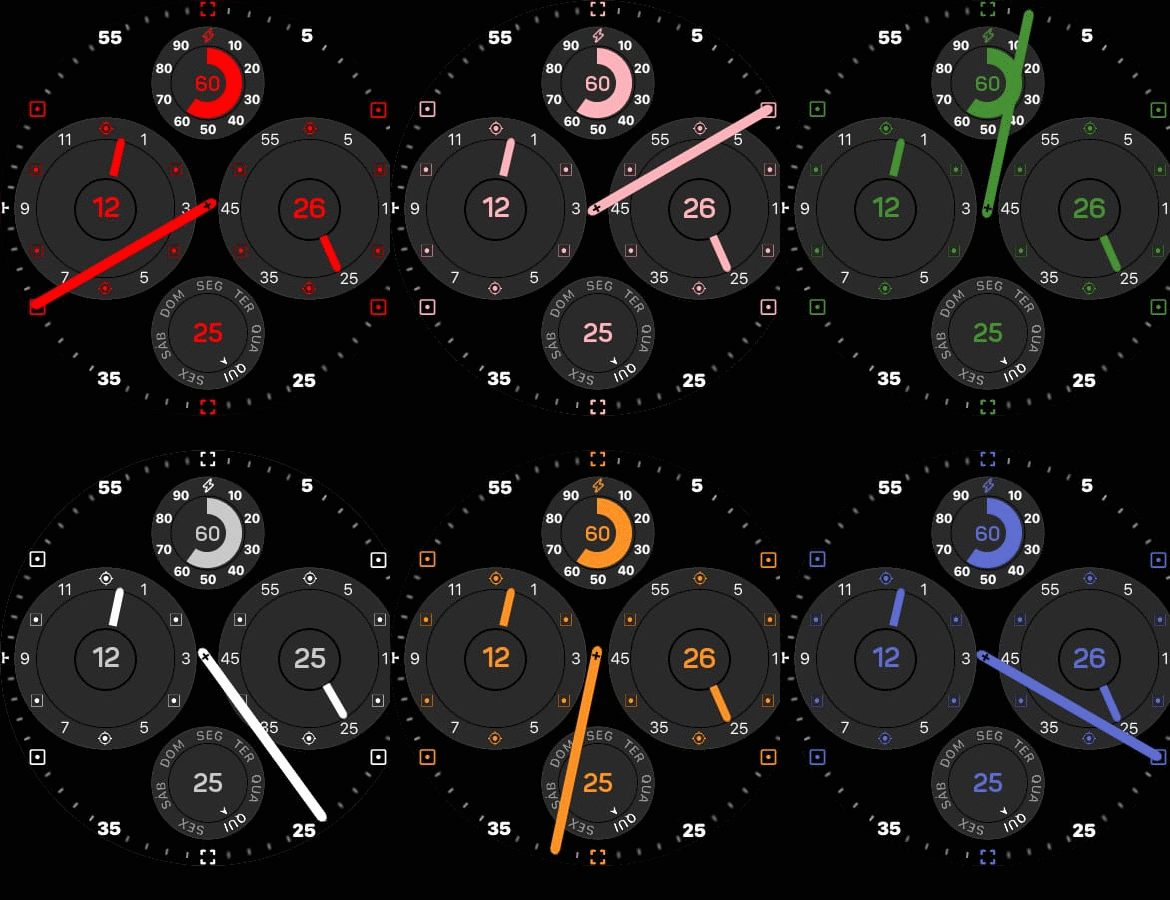
- RessensseV4Fixed_userMoreinbattery.zip
- (154.85 KiB) Downloaded 60 times
ͼͽ To request please use the interrelated forum in action ͼͽ
Please do not PM to me for requests ported watchface.
Please do not PM to me for requests ported watchface.
Hi, @asoo
It worked very well. Congratulations on your teachings and knowledge, and thank you very much for your patience.
Thank you again.
It worked very well. Congratulations on your teachings and knowledge, and thank you very much for your patience.
Thank you again.
Who is online
Users browsing this forum: No registered users and 0 guests