• 管理员
  •  
    Support Ukraine
    If you experience any problems with the forum (it is not visible, there is no way to post messages, or some functionality does not work), please let us know. If you have problems with registration or you did not receive confirmation letter, let us know and we will activate your account manually.
    If you get an "The submitted form was invalid. Try submitting again" error, delete cookies, then try again.
     

Can't upload Balance watchface - how?

This forum is designed to discuss existing tools for creating watch faces.

版主: asoolvpokkaInternal errorWatchmens

版面规则
All communication in this branch should only be in English.
回复
BenS
帖子: 14
注册时间: 11 2月 2024, 06:44
来自: New Zealand
Has thanked: 5 time
联系:

Can't upload Balance watchface - how?

帖子 BenS »

Hi There,

Have spent a day on this so sorry if it's easy - can't find info I understand sorry.

I've built a watch face using Watch Face Maker which exports a .zab file. Questions...

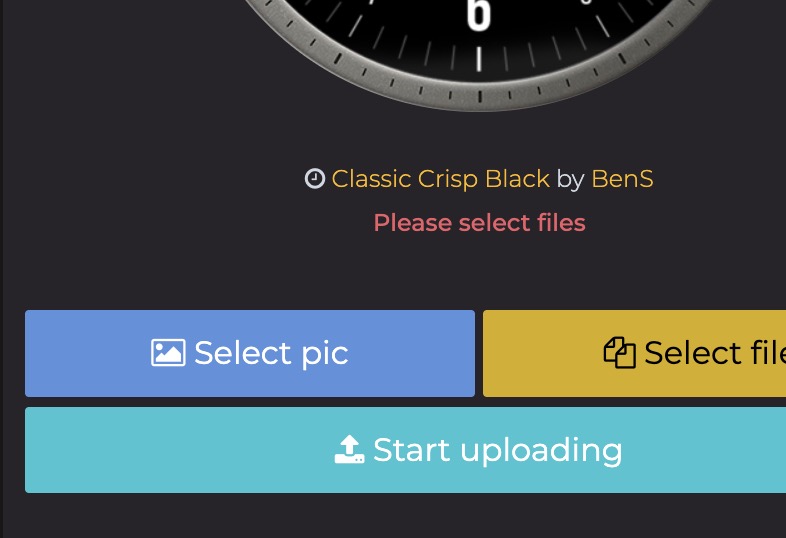
1. How do I upload the face to Amazfit Watch Faces with multiple images?
  • I can only select 1 image
  • I can't select the .zab file
Spoiler
图片
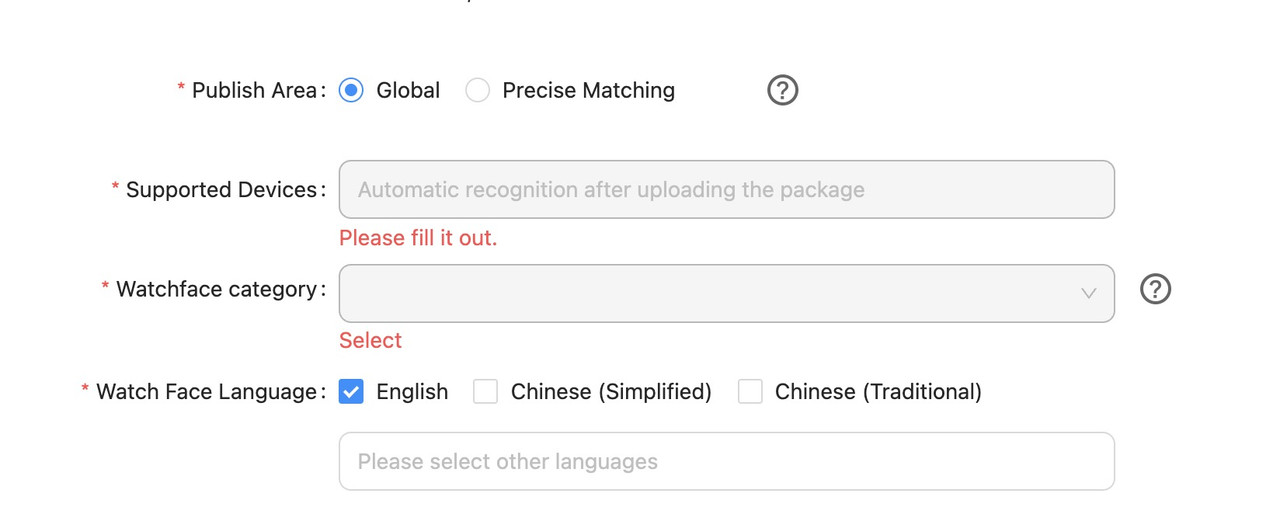
2. How do I upload a watch face via Zepp Concole?

The 'Support Devices' filed is required but can't be edited

The 'Watchface category' field is required but can't be edited
Spoiler
图片
Any pointers in the right direction much appreciated.

Cheers, Ben
头像
GIK-Team
root
帖子: 1014
注册时间: 22 3月 2018, 10:00
来自: Ukraine
Has thanked: 1112 time
Been thanked: 267 time
联系:

帖子 GIK-Team »

BenS 写了: 23 6月 2025, 22:38
1. How do I upload the face to Amazfit Watch Faces with multiple images?
You can’t upload multiple preview images directly, but you can use a GIF as a single animated preview. Additionally, you can embed multiple static images into the description using BBCode like this:

代码: 全选

[img]https://link.to/image.jpg[/img]
— just upload your images to any image hosting service first.
BenS 写了: 23 6月 2025, 22:38
  • I can't select the .zab file
The watchface file should be a .zpk (it’s a renamed .zip). Inside it, the face is usually named device.zip. Just rename that file (e.g. myface.zip) and upload it — no need to use .zab, it’s not supported.
"sometimes it's scary but it's still just you and me” — Leaving Laurel
BenS
帖子: 14
注册时间: 11 2月 2024, 06:44
来自: New Zealand
Has thanked: 5 time
联系:

帖子 BenS »

Thanks for the reply, much appreciated.
GIK-Team 写了: 24 6月 2025, 07:37
The watchface file should be a .zpk (it’s a renamed .zip).
OK but the file which downloads using 'Export the watch face package' is definitely a .zab file - see attached...

图片

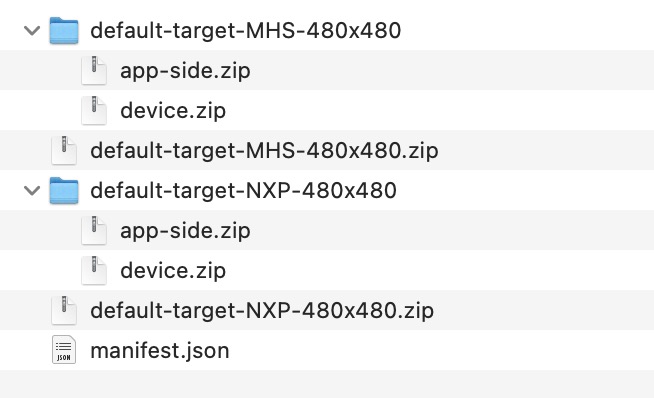
If I rename it to a zip file and extract it, I see two .zpk files. If I rename those to zip and extract, I see the device.zip files but which one do I upload?
Spoiler
图片
the device file inside 'default-target-MHS-480x480' or 'default-target-NXP-480x480' ?

And are you able to help with the Zepp Console questions?
头像
GIK-Team
root
帖子: 1014
注册时间: 22 3月 2018, 10:00
来自: Ukraine
Has thanked: 1112 time
Been thanked: 267 time
联系:

帖子 GIK-Team »

BenS 写了: 24 6月 2025, 17:32
If I rename it to a zip file and extract it, I see two .zpk files. If I rename those to zip and extract, I see the device.zip files but which one do I upload?

the device file inside 'default-target-MHS-480x480' or 'default-target-NXP-480x480' ?
To answer this properly, you’ll need to examine both folders — default-target-MHS-480x480 and default-target-NXP-480x480. There’s a chance the .zip files inside are identical or very similar, but that’s not guaranteed.

Here’s what you can do:
1. Extract the device.zip files from both folders.
2. Inspect the contents.
3. If they’re identical, it doesn’t matter which one you use.
4. If they differ, it’s best to test them on the actual device or check in Zepp which target matches your specific model.

Without this comparison, it’s impossible to give a definitive answer.
"sometimes it's scary but it's still just you and me” — Leaving Laurel
回复

回到 “Watchfaces tools (discussion)”

在线用户

正浏览此版面之用户: 没有注册用户 和 1 访客