Hi guys, this question is related to the usage of ticking (???) dots on digital time, you know (e.g: 12 : 32) those two dots in between hour and minutes.
I cant figure it out how to make it work with the editor (sasha's v11)
always got an weird behavior, 10 seconds on, 10 seconds off...
BTW, I've made x10 png's to work in a row (on/off) but clearly Im doing it wrong.
Any clues?
Thanks!
-
- Administrator
-
-
Support Ukraine
If you experience any problems with the forum (it is not visible, there is no way to post messages, or some functionality does not work), please let us know. If you have problems with registration or you did not receive confirmation letter, let us know and we will activate your account manually.
If you get an "The submitted form was invalid. Try submitting again" error, delete cookies, then try again.
Question Working 2 dots in digital clock ( aka " : " )
Forum rules
When adding a new topic, use the template: Topic title [device name]
For example: Requesting creation of watch face [GTR 3 Pro]
All communication in this branch should only be in English.
When adding a new topic, use the template: Topic title [device name]
For example: Requesting creation of watch face [GTR 3 Pro]
All communication in this branch should only be in English.
-
asoo
- Posts: 2198
- Joined: 03 Jan 2019, 01:48
- Location: ͼͽ Thailand ͼͽ
- Has thanked: 420 times
- Been thanked: 2120 times

It is recommended to upload your sample work. Where you found the problem would be very helpful. For those who want to help you for use in answering questionsAWfan wrote: 17 Jul 2024, 00:08Hi guys, this question is related to the usage of ticking (???) dots on digital time, you know (e.g: 12 : 32) those two dots in between hour and minutes.
I cant figure it out how to make it work with the editor (sasha's v11)
always got an weird behavior, 10 seconds on, 10 seconds off...
BTW, I've made x10 png's to work in a row (on/off) but clearly Im doing it wrong.
Any clues?
Thanks!
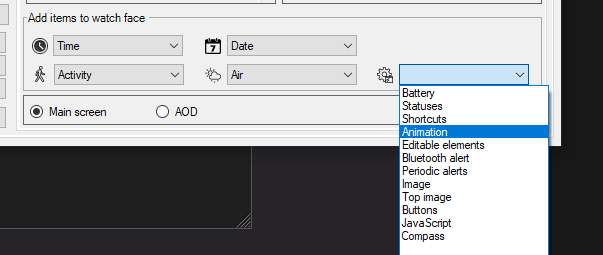
If you want to make " : " blink in Digital, you can do it in several ways.
But the way I recommend is to use "animation frame" to do it.
Spoiler
ͼͽ To request please use the interrelated forum in action ͼͽ
Please do not PM to me for requests ported watchface.
Please do not PM to me for requests ported watchface.
Hi #asoo, thanks for the reply.asoo wrote: 17 Jul 2024, 07:06It is recommended to upload your sample work. Where you found the problem would be very helpful. For those who want to help you for use in answering questions
If you want to make " : " blink in Digital, you can do it in several ways.
But the way I recommend is to use "animation frame" to do it.By creating 6 images (because the animation will work correctly if there are more than 5 images)Spoiler
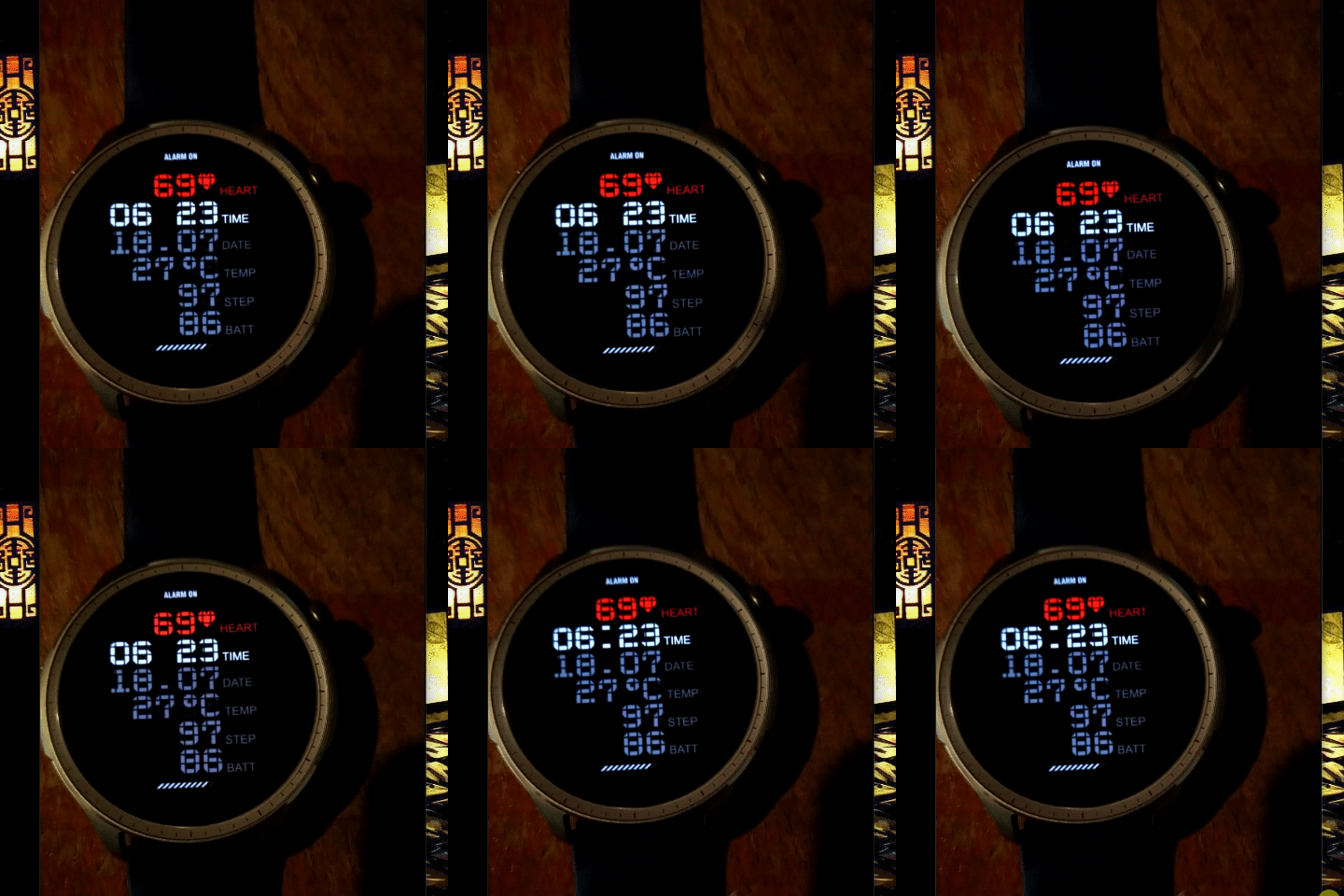
I tried as you suggested, with 6 images (i also did it with 8 and 10), but something seems wrong, every time the animation starts makes some micro stop after blinking 2 times > micro pause > blink 2 times again, this happens with 6 images. With 10 images same behaviour but 4 times blink, then micro pause and resume, all over again.
Weird...
I dont know if you have an GTR 4 to test (in editor looks smooth, no "pauses")
I'll gladly share the file.
- Attachments
-
 TTMMBRN_mod_.zip
- (325.03 KiB) Downloaded 77 times
-
asoo
- Posts: 2198
- Joined: 03 Jan 2019, 01:48
- Location: ͼͽ Thailand ͼͽ
- Has thanked: 420 times
- Been thanked: 2120 times
I'm not sure about the problem either. I don't have a GTR4.AWfan wrote: 17 Jul 2024, 21:45Hi #asoo, thanks for the reply.
I tried as you suggested, with 6 images (i also did it with 8 and 10), but something seems wrong, every time the animation starts makes some micro stop after blinking 2 times > micro pause > blink 2 times again, this happens with 6 images. With 10 images same behaviour but 4 times blink, then micro pause and resume, all over again.
Weird...
I dont know if you have an GTR 4 to test (in editor looks smooth, no "pauses")
I'll gladly share the file.
But as far as installing your watch face on my " Amazfit Balance", I didn't found the issue you reported. I tried turning it on for 5 minutes and the dot flashed continuously without stopping or freezing at all.
ͼͽ To request please use the interrelated forum in action ͼͽ
Please do not PM to me for requests ported watchface.
Please do not PM to me for requests ported watchface.
Oh wow... thats strange indeed.asoo wrote: 17 Jul 2024, 22:38I'm not sure about the problem either. I don't have a GTR4.
But as far as installing your watch face on my " Amazfit Balance", I didn't found the issue you reported. I tried turning it on for 5 minutes and the dot flashed continuously without stopping or freezing at all.
It should be as easy as 1 image on - 1 image off, on an infinite loop, I dont get it.
I will try to upload a short video to show off how it looks on my watch, but certainly it is.
Thanks for testing, i'll let you know when the video is online.
-
asoo
- Posts: 2198
- Joined: 03 Jan 2019, 01:48
- Location: ͼͽ Thailand ͼͽ
- Has thanked: 420 times
- Been thanked: 2120 times
AWfan wrote: 17 Jul 2024, 22:51
Oh wow... thats strange indeed.
It should be as easy as 1 image on - 1 image off, on an infinite loop, I dont get it.
I will try to upload a short video to show off how it looks on my watch, but certainly it is.
Thanks for testing, i'll let you know when the video is online.
If you're having trouble with the animation, you might try using the image from Seconds to create blinking dots. By specifying that the tens digit be in the x-axis direction, have a negative value (outside the screen boundary) and specify the space between Tens and Units place Make it wide enough so that the back of the unit is where the flashing dot is.
Example:
- TTMMBRN_mod_noAnimation.zip
- (318.63 KiB) Downloaded 94 times
ͼͽ To request please use the interrelated forum in action ͼͽ
Please do not PM to me for requests ported watchface.
Please do not PM to me for requests ported watchface.
Alright, will give it a shot to that approach.asoo wrote: 17 Jul 2024, 22:52If you're having trouble with the animation, you might try using the image from Seconds to create blinking dots. By specifying that the tens digit be in the x-axis direction, have a negative value (outside the screen boundary) and specify the space between Tens and Units place Make it wide enough so that the back of the unit is where the flashing dot is.
Example:
TTMMBRN_mod_noAnimation.zip
In the meanwhile here is the video, hope you can notice the micro-gap between the 2 blinks.
Thanks
https://streamable.com/vnksal
-
asoo
- Posts: 2198
- Joined: 03 Jan 2019, 01:48
- Location: ͼͽ Thailand ͼͽ
- Has thanked: 420 times
- Been thanked: 2120 times
AWfan wrote: 17 Jul 2024, 23:02
Alright, will give it a shot to that approach.
In the meanwhile here is the video, hope you can notice the micro-gap between the 2 blinks.
Thanks
https://streamable.com/vnksal
Video
ͼͽ To request please use the interrelated forum in action ͼͽ
Please do not PM to me for requests ported watchface.
Please do not PM to me for requests ported watchface.
Reporting here, your 2nd method (tricky as f*ck, to say the truth
 ) works like a charm!!!
Now is blinking flawlessly, you are a genious my men!!!
Thanks for your time and dedication (as usuals).
Till next time!
Cheers.
Who is online
Users browsing this forum: No registered users and 3 guests