• Administrator
  •  
    Support Ukraine
    If you experience any problems with the forum (it is not visible, there is no way to post messages, or some functionality does not work), please let us know. If you have problems with registration or you did not receive confirmation letter, let us know and we will activate your account manually.
    If you get an "The submitted form was invalid. Try submitting again" error, delete cookies, then try again.
     

AmazFaces for Android [Support]

AmazFaces application for Android & iOS.

Moderators: asoo, Internal error, Watchmens

Post Reply
User avatar
GIK-Team
root
Posts: 1019
Joined: 22 Mar 2018, 10:00
Location: Ukraine
Has thanked: 1137 times
Been thanked: 275 times
Contact:

AmazFaces for Android [Support]

Post by GIK-Team »

In this topic, you may report a problem with our AmazFaces app for Android.
To do this, please, provide the following information:

App version (Stable or Beta)
Watch model
Phone model
OS version

Description of your problem

Filling example:

Code: Select all

App version: 2.0.111 Stable
Watch model: GTR
Phone model: Samsung S10
OS version: Android 10

Not able to sync watch faces to zepp
Messages that does not meet these requirements will not be considered.
All information is transmitted to the developer, even if you do not receive a response in this thread.
"sometimes it's scary but it's still just you and me” — Leaving Laurel
Julien
Posts: 20
Joined: 27 Aug 2021, 16:50
Location: FR
Has thanked: 1 time
Contact:

Post by Julien »

Stas wrote: 24 Jun 2022, 08:10
We will download a new beta version soon, the strange behavior has already been fixed.
Any forecast when this will be released? Thanks in advance
razenxc
Posts: 1
Joined: 04 Jul 2022, 13:01
Location: Kharkiv region
Contact:

Post by razenxc »

Code: Select all

App version: 3.6
Watch model: Mi Band 6
Phone model: Redmi Note 9
OS version: Android 11
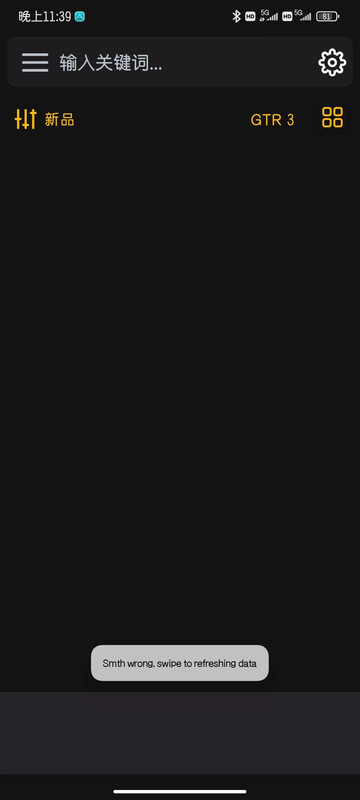
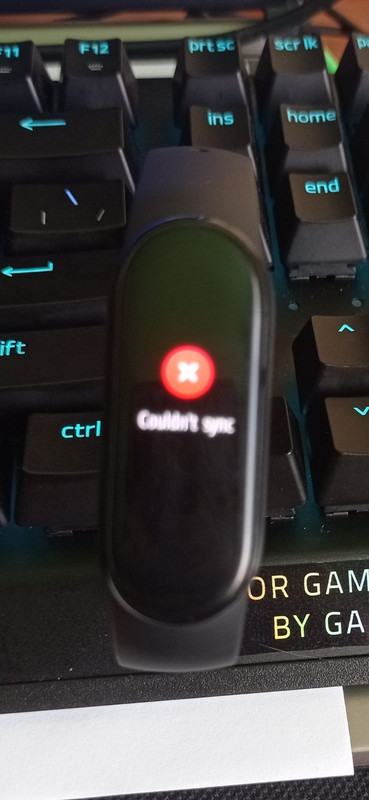
Hello, How to solve the problem that when you try to install the dial, it writes "couldnt sync", I use "Mi Fitness" app.
Spoiler
Image
Trurl
Posts: 1
Joined: 22 Aug 2022, 05:26
Location: Canada
Contact:

Post by Trurl »

App version: 3.6.220
Watch model: T-Rex 2
Phone model: Pixel 4a
OS version: Android 12

Hello.

Can't set up any custom face.
The procedure you've described as manual is not working for Android 12.
Would you be able to direct me to the description of the proper procedure?

Thanks in advance.
User avatar
Stas
Posts: 184
Joined: 22 Jan 2019, 21:18
Location: Ukraine
Has thanked: 4 times
Been thanked: 34 times
Contact:

Post by Stas »

Please update the app, you are using an old version.
sHawTY wrote: 21 Feb 2021, 13:41
App version: 2.3.130
Watch model: GTR 1
Phone model: Pocophone F1
OS version: Android 10

Sync stopped working again, even when discoverable is enabled
Removed watch from AmazFaces & it still doesn't work
lcsbrc
Posts: 2
Joined: 07 Sep 2022, 20:41
Location: Argentina
Contact:

Post by lcsbrc »

App Version: 3.6.220
Watch model: T-REX 2
Phone model: Samsung Galaxy Note 10
OS version: Android 11

AW App connects to watch (auto or manually). Select the face, select version, click yellow button "Set on watch", Make sure of model and press "Continue". Yellow button "Set on watch" dissapears and
file name and file size are displayed on phone but nothing happens at all.
No watchface uploaded to watch.

Thank you!
lcsbrc
Posts: 2
Joined: 07 Sep 2022, 20:41
Location: Argentina
Contact:

Post by lcsbrc »

Trurl wrote: 22 Aug 2022, 05:40
App version: 3.6.220
Watch model: T-Rex 2
Phone model: Pixel 4a
OS version: Android 12

Hello.

Can't set up any custom face.
The procedure you've described as manual is not working for Android 12.
Would you be able to direct me to the description of the proper procedure?

Thanks in advance.
Hi,
I´ve found a way to upload watch faces to T-Rex 2 using "Amazfit GTR 3 watchface" app on your android phone.
First, on a PC, you have to download the watch face .zip file and transfer it to your phone. (GTR3 or T-REX2)
Open Amazfit GTR 3 WF app
In Menú, choose GTR 3 as your device.
In Menú choose "Install own watchFace"
Brownse and choose the .zip file
Click on "Add WatchFace to Zepp" and ready.

You can also choose any of the watchfaces listed in the app and install directly without having to download to a PC and transfer to your phone.
User avatar
GIK-Team
root
Posts: 1019
Joined: 22 Mar 2018, 10:00
Location: Ukraine
Has thanked: 1137 times
Been thanked: 275 times
Contact:

Post by GIK-Team »

lcsbrc wrote: 08 Sep 2022, 19:48
Hi,
I´ve found a way to upload watch faces to T-Rex 2 using "Amazfit GTR 3 watchface" app on your android phone.
First, on a PC, you have to download the watch face .zip file and transfer it to your phone. (GTR3 or T-REX2)
Open Amazfit GTR 3 WF app
In Menú, choose GTR 3 as your device.
In Menú choose "Install own watchFace"
Brownse and choose the .zip file
Click on "Add WatchFace to Zepp" and ready.

You can also choose any of the watchfaces listed in the app and install directly without having to download to a PC and transfer to your phone.
Actually, you can add a local file with our application. Just update to the latest beta version.
"sometimes it's scary but it's still just you and me” — Leaving Laurel
liyongyong
Posts: 4
Joined: 23 Jan 2022, 09:47
Location: 中国
Contact:

Post by liyongyong »

应用程序版本:3.3.196
手表型号:GTR 3
手机型号:redmi k40s
操作系统版本:Android 12

程序总是提示错误,闪退
Spoiler
Image
java.lang.IllegalStateException: Already resumed
at o.r.i.resumeWith(SourceFile:5)
at com.amazfitwatchfaces.st.ktln.ExtensionsKt$auth$2$3.onFailure(SourceFile:1)
at d.g.b.d.m.p.run(SourceFile:5)
at android.os.Handler.handleCallback(Handler.java:938)
at android.os.Handler.dispatchMessage(Handler.java:99)
at android.os.Looper.loopOnce(Looper.java:210)
at android.os.Looper.loop(Looper.java:299)
at android.app.ActivityThread.main(ActivityThread.java:8205)
at java.lang.reflect.Method.invoke(Native Method)
at com.android.internal.os.RuntimeInit$MethodAndArgsCaller.run(RuntimeInit.java:556)
at com.android.internal.os.ZygoteInit.main(ZygoteInit.java:1045)
User avatar
GIK-Team
root
Posts: 1019
Joined: 22 Mar 2018, 10:00
Location: Ukraine
Has thanked: 1137 times
Been thanked: 275 times
Contact:

Post by GIK-Team »

liyongyong wrote: 13 Sep 2022, 06:36
应用程序版本:3.3.196
手表型号:GTR 3
手机型号:redmi k40s
操作系统版本:Android 12:
This is super old version :(
"sometimes it's scary but it's still just you and me” — Leaving Laurel
liyongyong
Posts: 4
Joined: 23 Jan 2022, 09:47
Location: 中国
Contact:

Post by liyongyong »

那最新的版本是多少了?能否设计个能自动更新的程序呢
最新的版本在哪里有下载?
User avatar
GIK-Team
root
Posts: 1019
Joined: 22 Mar 2018, 10:00
Location: Ukraine
Has thanked: 1137 times
Been thanked: 275 times
Contact:

Post by GIK-Team »

liyongyong wrote: 14 Sep 2022, 02:09
那最新的版本是多少了?能否设计个能自动更新的程序呢
最新的版本在哪里有下载?
It’s automatically updates via Google Play

https://amazfitwatchfaces.com/awapp
"sometimes it's scary but it's still just you and me” — Leaving Laurel
liyongyong
Posts: 4
Joined: 23 Jan 2022, 09:47
Location: 中国
Contact:

Post by liyongyong »

Google Play中国无法访问,还有其他的下载链接吗?
User avatar
GIK-Team
root
Posts: 1019
Joined: 22 Mar 2018, 10:00
Location: Ukraine
Has thanked: 1137 times
Been thanked: 275 times
Contact:

Post by GIK-Team »

liyongyong wrote: 15 Sep 2022, 04:03
Google Play中国无法访问,还有其他的下载链接吗?
Here you can download the most current version (it does not update as fast as on Google Play)
https://www.apkmirror.com/apk/gik-teams-web/amazfaces/
"sometimes it's scary but it's still just you and me” — Leaving Laurel
liyongyong
Posts: 4
Joined: 23 Jan 2022, 09:47
Location: 中国
Contact:

Post by liyongyong »

好的,谢谢
Cooperphile

Post by Cooperphile »

App version: 3.7 Beta
Watch model: T-Rex Pro
Phone model: Google Pixel 3a
OS version: Android 12

Program hangs on first screen. Touching the drop down list does nothing.
Spoiler
Screen Shot
Screen Shot
Screenshot.png (324.12 KiB) Viewed 11362 times
User avatar
GIK-Team
root
Posts: 1019
Joined: 22 Mar 2018, 10:00
Location: Ukraine
Has thanked: 1137 times
Been thanked: 275 times
Contact:

Post by GIK-Team »

Cooperphile wrote: 16 Sep 2022, 20:13
Program hangs on first screen. Touching the drop down list does nothing.
We've fixed this known issue, but Google won't let them become live.
"sometimes it's scary but it's still just you and me” — Leaving Laurel
Cooperphile

Post by Cooperphile »

GIK-Team wrote: 16 Sep 2022, 20:35
We've fixed this known issue, but Google won't let them become live.
😭
User avatar
GIK-Team
root
Posts: 1019
Joined: 22 Mar 2018, 10:00
Location: Ukraine
Has thanked: 1137 times
Been thanked: 275 times
Contact:

Post by GIK-Team »

Cooperphile wrote: 17 Sep 2022, 17:48
GIK-Team wrote: 16 Sep 2022, 20:35
We've fixed this known issue, but Google won't let them become live.
😭
237 (3.8) Now Live!
"sometimes it's scary but it's still just you and me” — Leaving Laurel
Cooperphile

Post by Cooperphile »

GIK-Team wrote: 17 Sep 2022, 18:43
237 (3.8) Now Live!
🎉🎈🥳

Thank you! 😁
stldrgn7
Posts: 2
Joined: 06 Sep 2020, 05:43
Location: Santiago
Has thanked: 1 time
Contact:

Post by stldrgn7 »

App version: 3.8 Stable
Watch model: GTR L 47mm
Phone model: Samsung S20 FE
OS version: Android 12

Not able to sync watch faces to zepp. No error message on Screen. Status progress bar not moving.
User avatar
GIK-Team
root
Posts: 1019
Joined: 22 Mar 2018, 10:00
Location: Ukraine
Has thanked: 1137 times
Been thanked: 275 times
Contact:

Post by GIK-Team »

stldrgn7 wrote: 05 Oct 2022, 14:50
App version: 3.8 Stable
Watch model: GTR L 47mm
Phone model: Samsung S20 FE
OS version: Android 12

Not able to sync watch faces to zepp. No error message on Screen. Status progress bar not moving.
App version 3.8.250?
"sometimes it's scary but it's still just you and me” — Leaving Laurel
stldrgn7
Posts: 2
Joined: 06 Sep 2020, 05:43
Location: Santiago
Has thanked: 1 time
Contact:

Post by stldrgn7 »

GIK-Team wrote: 05 Oct 2022, 17:40
stldrgn7 wrote: 05 Oct 2022, 14:50
App version: 3.8 Stable
Watch model: GTR L 47mm
Phone model: Samsung S20 FE
OS version: Android 12

Not able to sync watch faces to zepp. No error message on Screen. Status progress bar not moving.
App version 3.8.250?
App Version 3.8 (Play store version).
the version 3.8 (250) from apkmirror have the same problem for me.
User avatar
Stas
Posts: 184
Joined: 22 Jan 2019, 21:18
Location: Ukraine
Has thanked: 4 times
Been thanked: 34 times
Contact:

Post by Stas »

Fixes for GTR L 47mm will be in the next update few days
stldrgn7 wrote: 05 Oct 2022, 18:06
GIK-Team wrote: 05 Oct 2022, 17:40
stldrgn7 wrote: 05 Oct 2022, 14:50
App version: 3.8 Stable
Watch model: GTR L 47mm
Phone model: Samsung S20 FE
OS version: Android 12

Not able to sync watch faces to zepp. No error message on Screen. Status progress bar not moving.
App version 3.8.250?
App Version 3.8 (Play store version).
the version 3.8 (250) from apkmirror have the same problem for me.
roigreenberg
Posts: 4
Joined: 06 Oct 2020, 12:27
Location: Israel
Contact:

Post by roigreenberg »

App version: 3.9.262 Stable
Watch model: GTR 3 Pro
Phone model: Oneplus 8 pro
OS version: Android 12

Hi.
I created a watch face using the editor, and I tried to install it but it doesn't manage to install it.

I tried both as a local file and uploaded it to the could.
I had no problem installing an old face I had.
User avatar
Stas
Posts: 184
Joined: 22 Jan 2019, 21:18
Location: Ukraine
Has thanked: 4 times
Been thanked: 34 times
Contact:

Post by Stas »

When does the error occur at the beginning or end of the download?
roigreenberg wrote: 02 Nov 2022, 14:28
App version: 3.9.262 Stable
Watch model: GTR 3 Pro
Phone model: Oneplus 8 pro
OS version: Android 12

Hi.
I created a watch face using the editor, and I tried to install it but it doesn't manage to install it.

I tried both as a local file and uploaded it to the could.
I had no problem installing an old face I had.
Post Reply

Return to “AmazFaces app”

Who is online

Users browsing this forum: No registered users and 1 guest