• Administrator
  •  
    Support Ukraine
    If you experience any problems with the forum (it is not visible, there is no way to post messages, or some functionality does not work), please let us know. If you have problems with registration or you did not receive confirmation letter, let us know and we will activate your account manually.
    If you get an "The submitted form was invalid. Try submitting again" error, delete cookies, then try again.
     

Watch face editor for Amazfit watch on ZeppOS

This forum is designed to discuss and develop tools creating watch faces.

Moderators: asoo, lvpokka, Internal error, Watchmens

Forum rules
All communication in this branch should only be in English.
To discuss tools that are not in this section, use the “Watchfaces tools (discussion)” forum.
User avatar
SashaCX75
Posts: 812
Joined: 26 Oct 2019, 15:18
Location: Ukraine
Has thanked: 13 times
Been thanked: 1006 times
Contact:

Watch face editor for Amazfit watch on ZeppOS

Post by SashaCX75 »

Alternative watch face editor for Amazfit watch on ZeppOS.
Supported watch models
- Amazfit Active
- Amazfit Active 2
- Amazfit Active 2 (Square)
- Amazfit Active Edge
- Amazfit Active Max
- Amazfit Band 7
- Amazfit Balance
- Amazfit Balance 2
- Amazfit Bip 5
- Amazfit Bip 5 Unity
- Amazfit Bip 6
- Amazfit Cheetah
- Amazfit Cheetah Pro
- Amazfit Cheetah (Square)
- Amazfit Cheetah 2 Pro
- Amazfit Falcon
- Amazfit GTR 3
- Amazfit GTR 3 Pro
- Amazfit GTR 4
- Amazfit GTR mini
- Amazfit GTS 3
- Amazfit GTS 4
- Amazfit GTS 4 mini
- Amazfit T-Rex 2
- Amazfit T-Rex 3
- Amazfit T-Rex 3 Pro
- Amazfit T-Rex Ultra
- Amazfit T-Rex Ultra 2
When unpacking the watch faces, it is advisable to immediately select the correct watch model, otherwise the colors may be distorted.

It is desirable to create a new project in a separate folder. Image names do not have to consist only of numbers, you can add short prefixes (for example, date_01, time_01).
Watch faces created in the editor and on Huami's website should unpack normally. Watch faces from Zepp and those created based on them will not be unpacked.
In a set of images for displaying one parameter (for example, images for displaying the day of the week), all images should preferably be the same size. If the size of the images is different, then the first image in the set should be the largest.

All new features in this and next release will be tested on the GTR4 and may not work on other models.
List of changes
v17.1
Fixed the bugs that were found.
Added support for Cheetah 2 Pro.
v17.0
Added the ability to create a ZAB file for publication in the store (button in settings)
Added wind speed in km/h
Added atmospheric pressure in mm Hg
Added support for T-Rex Ultra 2.
v16.1
The ability to invert time circles has been added.
Active Max support has been added.
Image file name verification has been added.
The behavior of application shortcuts in editable elements has been fixed.
v16.0
Added sleep widget.
Added text widgets.
v15.1
Added support for new watch models.
Added BioCharge widget.
Added buttons to launch new applications.
v15.0
Time circles added.
Added world time (time, city, time zone, time offset).
Added text display around the circle.
Added the ability to create watch faces in developer mode (for experienced users, allows logs to be displayed in watch faces).
v14.0
Added support for widgets: ALARM_CLOCK, TRAINING_LOAD, VO2MAX, AQI, BODY_TEMP, FLOOR, READINESS, HRV.
Added support for Balance 2.
Changed the structure of the Preview.States file.
When creating an animated preview, frames with a switchable background have been added.
Added the ability to display the city name in uppercase letters in the weather forecast.
Added links to lessons.
v13.2
Added support for Bip 6.
Fixed the progress display using the image set for most widgets. It should now be more similar to how it is displayed on the watch.
Reworked the code for displaying heart rate with a circular scale. It now uses the standard widget in place of the sensor.
Fixed PAI progress display. Note that the maximum value for the PAI pointer is 525, not 100. This is a feature of the watch, not the editor.
Added warning if files in watch face are in *.bin format.
v13.1
Added ability to make a shortcut to any application in editable items.
Added support for Active 2.
Fixed display of buttons and shortcuts when creating a GIF file.
v13.0
Added autosave (enabled in settings).
Added ability to switch background image by tap.
Added ability to switch background colour by tap.
v12.1
Added transparency for some widgets. Does not work on all models.
Added support for Amazfit T-Rex 3.
v11.2
Fixing the smooth second hand on the GTR4.
v11.1
Updated the digital time widget.
Updated shortcuts widget.
Added new application launch commands for buttons.
v11.0
Completely redesigned the weather widget.
Added weather widget for several days (forecast).
Added support for Bip 5 Unity.
v10.4
Added ability to display month names in a font.
Added Compass widget (works on ZeppOS 2 or later).
Added ability to create *.zpk file (enabled in settings).
v10.3
Added display of hours:minutes:seconds in a single line font.
Added display of date/month/year in one line font (order depends on the watch setting).
Added display of the day of the week in font.
Added new presets for button functions.
v10.2
Added ability to copy widget properties (context menu on the properties field).
v10.1
Added display of time and date in font.
Added widget for adding scripts to watch face.
Fixed bugs in sunrise/sunset operation on circle and at an angle.
Fixed bugs in digital time alignment.
v10.0
]Added support of fonts for data display (after installing such watch faces it is better to restart the watch).
Added possibility to display altitude (in barometer).
Completely redesigned the moon widget.
The arrow pointer for sun and moon should now not be displayed after sunset.
All images are now copied to the watch face, even if they are in folders.
v9.1
Fixed working with Amazfit Balance.
Added support for Amazfit Active.
Added support for Amazfit Active Edge.
Fixed display of distance on a circle.
Fixed displaying sunrise and sunset at an angle.
Added ability to convert images to ARGB format in settings.
Fixed continuous vibration in notifications.
v9.0
Added ability to create shortcuts for a set of images (IMG_LEVEL).
Added support for buttons and presets to launch inbuilt apps.
Added support for Amazfit Balance (not tested).
v8.2
Added ability to display angled or circumferential data for sunrise/sunset, maximum and minimum temperatures (for weather, separate units of Celsius and Fahrenheit only work on newer models).
Added support for Cheetah / Cheetah Pro.
Added support for Bip 5.
Theoretically it is now possible to add support for new models by editing the file in the model_config folder.
v8.1
Added ability to display data at an angle or in a circle for date and time.
Fixed found errors when unpacking dials.
Fixed found errors when working with UHD monitors.
v8.0
Added support for T-Rex Ultra
Added support for GTR Mini
Added the ability to display data at an angle or in a circle (battery, steps, distance, calories, heart rate, PAI, SpO2, stand)
v7.3
Fixed problems with icons in editable items.
Fixed problems with circular progress in editable items.
Added ability to set data rotation angle for some models (ZeppOS 2).
Improved algorithm for unpacking dials that contain additional features. Increased probability of partial dial recognition.
v7.2
Added the ability to change the type of line ending for linear and circular progress.
Added the ability to create shortcuts without using an image.
v7.1
Added independent element with image and top image.
For editable items on the clock, an additional selection in the form of a list is included.
Changed the function of creating an editable element for fat burning.
Fixed motion animation and rotation animation for GTR4 and GTS4.
Added wind direction.
Updated watch face file format.
v7.0
Added smooth second hand (several types)
Added alert every hour
Added the ability to change the direction of rotation of the hour hands
Added the ability to set the sector in which the hour hands work
v6.4
Improved the stability of the bluetooth connection loss notification function
Updated German and Spanish translation
v6.3
Added the possibility of notifications when the connection is broken and restored
Fixed work progress for fat burning
Fixed work progress for the pulse
Fixed bugs in temperature display
Fixed display of shortcuts in AOD mode
v6.1
Added Falcon support.
Changed the algorithm of shortcuts to eliminate conflicts with editable elements.
The configuration of created watch faces has been updated to version 2.
v6.0
Added support for editable background.
Added support for editable arrows.
Added support for editable elements.
Added German translation.
v5.0
Added support for GTR 4
Added support for GTS 4 Mini
Added support for Amazfit Band 7 (not to be confused with Mi Band 7)
v4.1
Fixed bugs when creating and unpacking GTR 3 Pro watch faces
v4.0
Added animation support.
Added Ukrainian language.
Added a tab with some tips on working with the editor.
Added the ability to display the distance in miles.
v 3.0
Added sunrise / sunset
Added barometer
Added stress
Wind added
Added fat burning
Added moon phases
v 2.0
Added weather.
Added workout (stand).
Added oxygen (SpO2).
Added humidity.
Added UV index.
Added the ability to highlight shortcuts when saving gif files (enabled in the settings).
Updated the display of shortcuts in connection with the firmware update on the watch.
Added Italian language.
Added Spanish language.
v 1.1
Fixed loss of error symbol for pulse.
Fixed errors when unpacking dials.
Fixed bug with incorrect model definition for GTS 3.
Version 17.1
Fixed the bugs that were found.
Added support for Cheetah 2 Pro.
Old versions
PS. The interface was translated using an online translator. If someone wants to improve the translation, then write to the PM.

PS2. Many people ask how to install watch faces. For starters, I advise you to read this topic. Personally, I prefer to use this program to install the created watch faces on the GTR 3 (for the GTS 3)

Сollection of code examples for use in watch faces.

Donate to the author - PayPal: [email protected].
Buy me a coffee
Last edited by SashaCX75 on 10 May 2026, 15:38, edited 52 times in total.
Avoid_saikat
Posts: 3
Joined: 18 Jul 2025, 17:36
Location: Dhaka
Contact:

Post by Avoid_saikat »

Hi. I bought Active 2 few days back. Now I like a wf of Gtr 3 pro. But it's not available for Active 2. How can I convert it for active 2? I don’t need to change anything in wf. I JUST need it to fit in screen of active 2.
User avatar
SashaCX75
Posts: 812
Joined: 26 Oct 2019, 15:18
Location: Ukraine
Has thanked: 13 times
Been thanked: 1006 times
Contact:

Post by SashaCX75 »

@Avoid_saikat
It all depends on the watch face. There are coded watch faces, and nothing can be done with them. There are watch faces with embedded user functions. In such cases, some of the coordinates may have to be changed manually in the code.
To convert simple watch faces, select the model you want to convert from and to on the Conversion tab and click the conversion button.
gnolooo
Posts: 2
Joined: 19 Jul 2025, 10:11
Location: San Martino di Lupari
Contact:

Post by gnolooo »

Is there a way to bundle various themes and/or languages into one watchface?
The idea would be to provide more assets and edit the files to achieve the following:
  • For languages, the watch would choose the active language, if possible, otherwise English by default.
  • For themes, the watch would let the user edit the watchface, without actually being able to edit any parameter, just the "color theme" (the same way the default watchface works, for example).
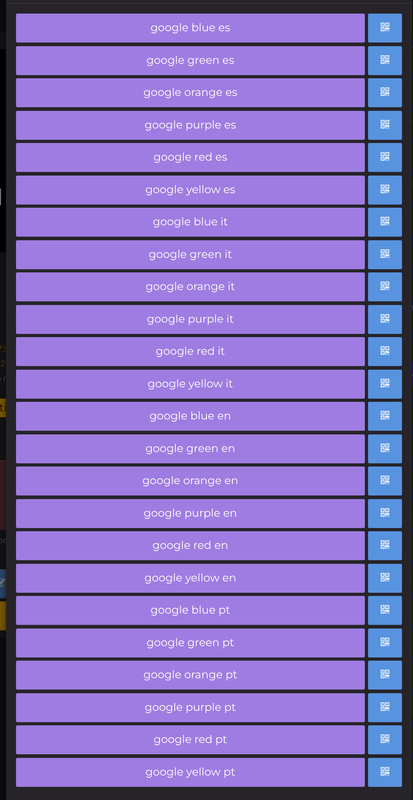
I created my own version, available in multiple languages and 6 color schemes, and the page looks quite cluttered:
Spoiler
Image
These are just 4 languages, I plan to support more of them.
Plus, being able to bundle the themes would lead to more versions to choose from (since you can only have 1 custom watchface at a time, changing colour would require to download another one from the website; having them all bundled would give the possibility to change colour on the go).
User avatar
SashaCX75
Posts: 812
Joined: 26 Oct 2019, 15:18
Location: Ukraine
Has thanked: 13 times
Been thanked: 1006 times
Contact:

Post by SashaCX75 »

gnolooo wrote: 20 Jul 2025, 16:44
Is there a way to bundle various themes and/or languages into one watchface?
In the editor, you can partially add themes to the watch face. It depends on which elements should change themes. You can change the background without any problems.

Using code, you can easily add multiple themes or multiple languages to the watch face.
User avatar
frankh93
Posts: 35
Joined: 20 Jun 2025, 00:32
Location: CDMX
Has thanked: 19 times
Been thanked: 3 times
Contact:

Post by frankh93 »

@SashaCX75 could you help me? i'm trying to add shorcuts the way it has been working always for me (using buttons element and a png image), but now no matter what i do, if using these png images or colors the buttons wont work
you should be doing something productive instead of reading this caption :lol:
Lattenknaller
Posts: 153
Joined: 09 Aug 2022, 08:43
Location: Hamburg
Has thanked: 57 times
Been thanked: 128 times
Contact:

Post by Lattenknaller »

Hello everyone,
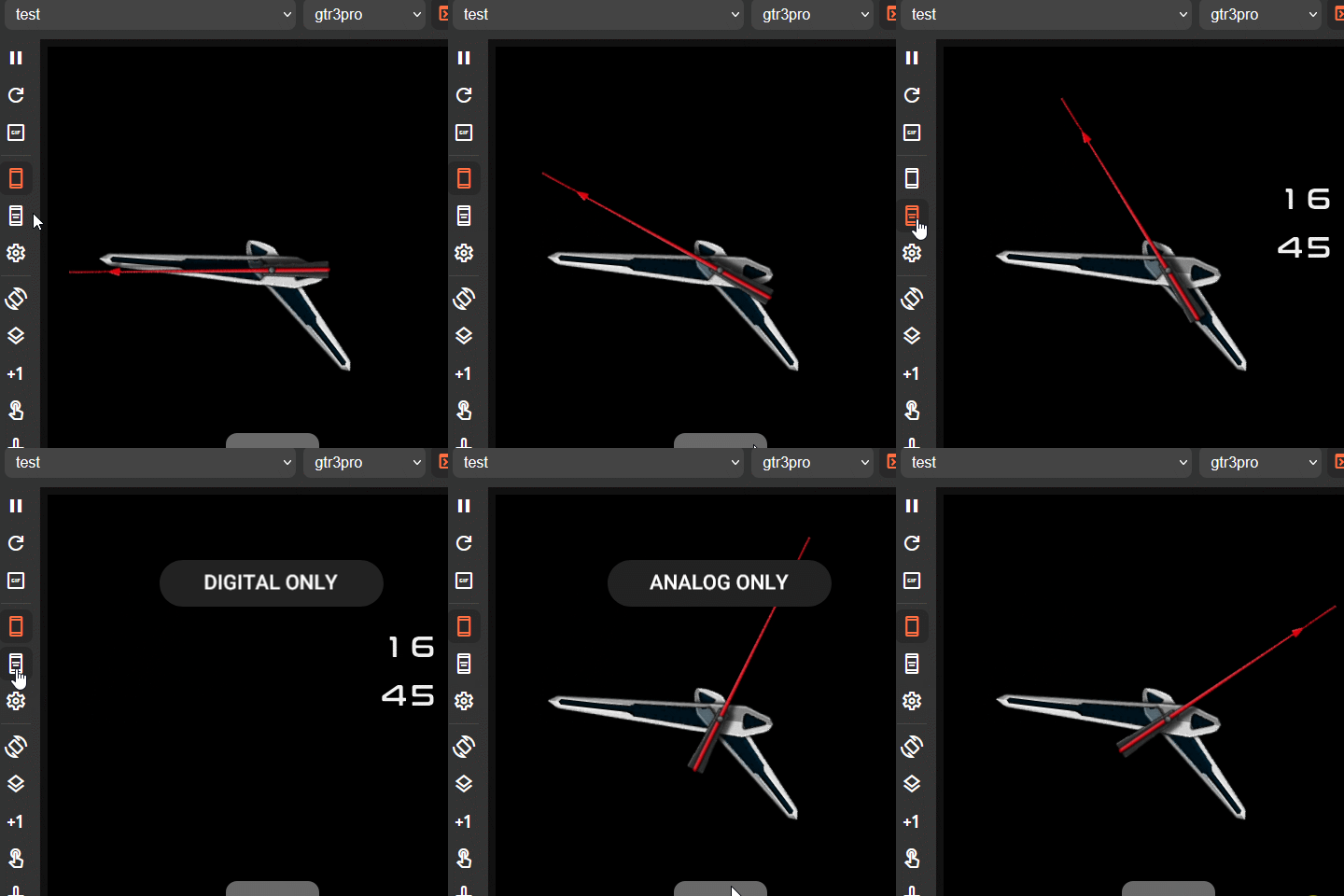
Is it actually possible to hide elements in the AOD that have been hidden via script? In my case, the user can choose between analog, digital or hybrid display at the touch of a button. I would like to transfer this decision to the AOD, but so far I have simply not succeeded.
JerriBearr
Posts: 9
Joined: 02 Jul 2025, 13:05
Location: South Africa
Contact:

Post by JerriBearr »

Lattenknaller wrote: 22 Jul 2025, 08:04
Hello everyone,
Is it actually possible to hide elements in the AOD that have been hidden via script? In my case, the user can choose between analog, digital or hybrid display at the touch of a button. I would like to transfer this decision to the AOD, but so far I have simply not succeeded.
Hey there.

Have you tried to make the AOD clock widgets visible in the same way you are doing to your other normal widgets?

When you create the widgets in AOD on the Watch Face Tool, it will be generated similar to the other widgest with the postfix 'idle_'
Spoiler

Code: Select all

let normal_background_bg_img = ''           // Background Normal
let normal_digital_clock_img_time = ''      // Clock Normal
let idle_background_bg_img = ''             // Background AOD
let idle_digital_clock_img_time = ''        // Clock AOD
In theory, you should be able to make these widgets visible/invisible in the same way that you are doing when not in AOD.
Spoiler

Code: Select all

idle_digital_clock_img_time.setProperty(hmUI.prop.VISIBLE, true);
// or
idle_digital_clock_img_time.setProperty(hmUI.prop.VISIBLE, false);
Lattenknaller
Posts: 153
Joined: 09 Aug 2022, 08:43
Location: Hamburg
Has thanked: 57 times
Been thanked: 128 times
Contact:

Post by Lattenknaller »

Unfortunately, it's not that simple.
I'm not a beginner; I've already published one or two watch faces. .-)
JerriBearr
Posts: 9
Joined: 02 Jul 2025, 13:05
Location: South Africa
Contact:

Post by JerriBearr »

Lattenknaller wrote: 22 Jul 2025, 09:59
Unfortunately, it's not that simple.
I'm not a beginner; I've already published one or two watch faces. .-)
I am a beginner, so you can take my advice with a grain of salt. Just trying to help with programming suggestions :)

You can also try dynamically creating and destroying the seperate widgets when you press the button and depending on the state? I think I've read of someone having some luck with that.
gnolooo
Posts: 2
Joined: 19 Jul 2025, 10:11
Location: San Martino di Lupari
Contact:

Post by gnolooo »

It depends on which elements should change themes.
I have a sort of bicolor watch, with some elements being in white and some others in an accent color. I'd like to switch between various accent colors.
Using code, you can easily add multiple themes or multiple languages to the watch face.
What should I edit? Is there any documentation?
User avatar
SashaCX75
Posts: 812
Joined: 26 Oct 2019, 15:18
Location: Ukraine
Has thanked: 13 times
Been thanked: 1006 times
Contact:

Post by SashaCX75 »

@frankh93
That means you're doing something wrong. Based on your description of the problem, this is the only answer I can give you.
User avatar
SashaCX75
Posts: 812
Joined: 26 Oct 2019, 15:18
Location: Ukraine
Has thanked: 13 times
Been thanked: 1006 times
Contact:

Post by SashaCX75 »

Lattenknaller wrote: 22 Jul 2025, 08:04
I would like to transfer this decision to the AOD, but so far I have simply not succeeded.
Create a switchable background in the editor and enable its use on the AOD. Then look at the resulting code as an example.
The main problem is that in order to change something on the AOD, the code must also run on the AOD. Therefore, when turning on the screen, you need to check which screen is turned on. Only then should you run the necessary code.
User avatar
SashaCX75
Posts: 812
Joined: 26 Oct 2019, 15:18
Location: Ukraine
Has thanked: 13 times
Been thanked: 1006 times
Contact:

Post by SashaCX75 »

gnolooo wrote: 22 Jul 2025, 15:34
What should I edit? Is there any documentation?
https://docs.zepp.com/docs/watchface/ap ... tProperty/
Read the documentation on this website. And of course, you need to know JS, at least the basics.
You need to open the watch face as an archive and find the index.js file in it. You need to change the code in this file.
User avatar
frankh93
Posts: 35
Joined: 20 Jun 2025, 00:32
Location: CDMX
Has thanked: 19 times
Been thanked: 3 times
Contact:

Post by frankh93 »

@SashaCX75 managed to fix it removing the scripts i had and adding them again, thank you anyways.

btw got a question... theres a way to load the compiled watchfaces into the zepp emulator? cause wanna generate the gif preview but it wont make the part made in code, so was thinking on use the emulator but couldnt find a way to load it and take screenshots of it.
you should be doing something productive instead of reading this caption :lol:
User avatar
SashaCX75
Posts: 812
Joined: 26 Oct 2019, 15:18
Location: Ukraine
Has thanked: 13 times
Been thanked: 1006 times
Contact:

Post by SashaCX75 »

@frankh93
I don't know how to do it. Only to create a new project and copy all the code into it.

There is an unofficial editor. But the project is abandoned and not all widgets work in it.
https://mmk.pw/en/zepp_player/

You can take screenshots of the clock screen and then compile them into a gif file.
User avatar
SashaCX75
Posts: 812
Joined: 26 Oct 2019, 15:18
Location: Ukraine
Has thanked: 13 times
Been thanked: 1006 times
Contact:

Post by SashaCX75 »

@frankh93
I don't know how to do it. Only to create a new project and copy all the code into it.

There is an unofficial editor. But the project is abandoned and not all widgets work in it.
https://mmk.pw/en/zepp_player/

You can take screenshots of the clock screen and then compile them into a gif file.
User avatar
frankh93
Posts: 35
Joined: 20 Jun 2025, 00:32
Location: CDMX
Has thanked: 19 times
Been thanked: 3 times
Contact:

Post by frankh93 »

@SashaCX75 ok gonna give it a try... Just one more thing, is there a way to make the watch vibrates as feedback when touching any button? I have read the docs of zepp, it worked but sometimes it doesn't vibrate
you should be doing something productive instead of reading this caption :lol:
Lattenknaller
Posts: 153
Joined: 09 Aug 2022, 08:43
Location: Hamburg
Has thanked: 57 times
Been thanked: 128 times
Contact:

Post by Lattenknaller »

SashaCX75 wrote: 22 Jul 2025, 17:23
Lattenknaller wrote: 22 Jul 2025, 08:04
I would like to transfer this decision to the AOD, but so far I have simply not succeeded.
Create a switchable background in the editor and enable its use on the AOD. Then look at the resulting code as an example.
The main problem is that in order to change something on the AOD, the code must also run on the AOD. Therefore, when turning on the screen, you need to check which screen is turned on. Only then should you run the necessary code.
Thank you very much, I had already gotten that far. I also know that I have to transfer it somehow in the “widgetDelegate” area, but all my attempts have failed.
Maybe someone else has an inspiration.
Spoiler

Code: Select all

let elementnumber = 1
let total_elemente = 3
let screenType = hmSetting.getScreenType();

function click_HYBRID() {
            if(elementnumber==total_elemente) {
            elementnumber=1;
                UpdateElementeOne();
                }
            else {
                elementnumber=elementnumber+1;
                if(elementnumber==2) {
                  UpdateElementeTwo();
                }
				if(elementnumber==3) {
                  UpdateElementeThree();
                }
            }
	    if(elementnumber==1) hmUI.showToast({text: 'HYBRID WATCH'});
            if(elementnumber==2) hmUI.showToast({text: 'DIGITAL ONLY'});
	    if(elementnumber==3) hmUI.showToast({text: 'ANALOG ONLY'});
 }
		
function UpdateElementeOne(){
   if (screenType == hmSetting.screen_type.WATCHFACE && normal_digital_clock_img_time) normal_digital_clock_img_time.setProperty(hmUI.prop.VISIBLE, true);
   if (screenType == hmSetting.screen_type.AOD && idle_digital_clock_img_time) idle_digital_clock_img_time.setProperty(hmUI.prop.VISIBLE, true);
   if (screenType == hmSetting.screen_type.WATCHFACE && normal_analog_clock_time_pointer_hour) normal_analog_clock_time_pointer_hour.setProperty(hmUI.prop.VISIBLE, true);
   if (screenType == hmSetting.screen_type.AOD && idle_analog_clock_time_pointer_hour) idle_analog_clock_time_pointer_hour.setProperty(hmUI.prop.VISIBLE, true);
   if (screenType == hmSetting.screen_type.WATCHFACE && normal_analog_clock_time_pointer_minute) normal_analog_clock_time_pointer_minute.setProperty(hmUI.prop.VISIBLE, true);
   if (screenType == hmSetting.screen_type.AOD && idle_analog_clock_time_pointer_minute) idle_analog_clock_time_pointer_minute.setProperty(hmUI.prop.VISIBLE, true);
   if (screenType == hmSetting.screen_type.WATCHFACE && normal_analog_clock_pro_second_pointer_img) normal_analog_clock_pro_second_pointer_img.setProperty(hmUI.prop.VISIBLE, false);
   if (screenType == hmSetting.screen_type.AOD && idle_analog_clock_pro_second_pointer_img) idle_analog_clock_pro_second_pointer_img.setProperty(hmUI.prop.VISIBLE, false);
   if (screenType == hmSetting.screen_type.WATCHFACE && normal_analog_clock_time_pointer_second) normal_analog_clock_time_pointer_second.setProperty(hmUI.prop.VISIBLE, true);
   if (screenType == hmSetting.screen_type.AOD && idle_analog_clock_time_pointer_second) idle_analog_clock_time_pointer_second.setProperty(hmUI.prop.VISIBLE, false);
   if (screenType == hmSetting.screen_type.WATCHFACE && normal_stress_icon_img) normal_stress_icon_img.setProperty(hmUI.prop.VISIBLE, true);
   if (screenType == hmSetting.screen_type.AOD && idle_stress_icon_img) idle_stress_icon_img.setProperty(hmUI.prop.VISIBLE, true);
}

function UpdateElementeTwo(){
   if (screenType == hmSetting.screen_type.WATCHFACE && normal_digital_clock_img_time) normal_digital_clock_img_time.setProperty(hmUI.prop.VISIBLE, true);
   if (screenType == hmSetting.screen_type.AOD && idle_digital_clock_img_time) idle_digital_clock_img_time.setProperty(hmUI.prop.VISIBLE, true);
   if (screenType == hmSetting.screen_type.WATCHFACE && normal_analog_clock_time_pointer_hour) normal_analog_clock_time_pointer_hour.setProperty(hmUI.prop.VISIBLE, false);
   if (screenType == hmSetting.screen_type.AOD && idle_analog_clock_time_pointer_hour) idle_analog_clock_time_pointer_hour.setProperty(hmUI.prop.VISIBLE, false);
   if (screenType == hmSetting.screen_type.WATCHFACE && normal_analog_clock_time_pointer_minute) normal_analog_clock_time_pointer_minute.setProperty(hmUI.prop.VISIBLE, false);
   if (screenType == hmSetting.screen_type.AOD && idle_analog_clock_time_pointer_minute) idle_analog_clock_time_pointer_minute.setProperty(hmUI.prop.VISIBLE, false);
   if (screenType == hmSetting.screen_type.WATCHFACE && normal_analog_clock_pro_second_pointer_img) normal_analog_clock_pro_second_pointer_img.setProperty(hmUI.prop.VISIBLE, false);
   if (screenType == hmSetting.screen_type.AOD && idle_analog_clock_pro_second_pointer_img) idle_analog_clock_pro_second_pointer_img.setProperty(hmUI.prop.VISIBLE, false);
   if (screenType == hmSetting.screen_type.WATCHFACE && normal_analog_clock_time_pointer_second) normal_analog_clock_time_pointer_second.setProperty(hmUI.prop.VISIBLE, false);
   if (screenType == hmSetting.screen_type.AOD && idle_analog_clock_time_pointer_second) idle_analog_clock_time_pointer_second.setProperty(hmUI.prop.VISIBLE, false);
   if (screenType == hmSetting.screen_type.WATCHFACE && normal_stress_icon_img) normal_stress_icon_img.setProperty(hmUI.prop.VISIBLE, false);
   if (screenType == hmSetting.screen_type.AOD && idle_stress_icon_img) idle_stress_icon_img.setProperty(hmUI.prop.VISIBLE, false);
}
		
function UpdateElementeThree(){
   if (screenType == hmSetting.screen_type.WATCHFACE && normal_digital_clock_img_time) normal_digital_clock_img_time.setProperty(hmUI.prop.VISIBLE, false);
   if (screenType == hmSetting.screen_type.AOD && idle_digital_clock_img_time) idle_digital_clock_img_time.setProperty(hmUI.prop.VISIBLE, false);
   if (screenType == hmSetting.screen_type.WATCHFACE && normal_analog_clock_time_pointer_hour) normal_analog_clock_time_pointer_hour.setProperty(hmUI.prop.VISIBLE, true);
   if (screenType == hmSetting.screen_type.AOD && idle_analog_clock_time_pointer_hour) idle_analog_clock_time_pointer_hour.setProperty(hmUI.prop.VISIBLE, true);
   if (screenType == hmSetting.screen_type.WATCHFACE && normal_analog_clock_time_pointer_minute) normal_analog_clock_time_pointer_minute.setProperty(hmUI.prop.VISIBLE, true);
   if (screenType == hmSetting.screen_type.AOD && idle_analog_clock_time_pointer_minute) idle_analog_clock_time_pointer_minute.setProperty(hmUI.prop.VISIBLE, true);
   if (screenType == hmSetting.screen_type.WATCHFACE && normal_analog_clock_pro_second_pointer_img) normal_analog_clock_pro_second_pointer_img.setProperty(hmUI.prop.VISIBLE, false);
   if (screenType == hmSetting.screen_type.AOD && idle_analog_clock_pro_second_pointer_img) idle_analog_clock_pro_second_pointer_img.setProperty(hmUI.prop.VISIBLE, false);
   if (screenType == hmSetting.screen_type.WATCHFACE && normal_analog_clock_time_pointer_second) normal_analog_clock_time_pointer_second.setProperty(hmUI.prop.VISIBLE, true);
   if (screenType == hmSetting.screen_type.AOD && idle_analog_clock_time_pointer_second) idle_analog_clock_time_pointer_second.setProperty(hmUI.prop.VISIBLE, false);
   if (screenType == hmSetting.screen_type.WATCHFACE && normal_stress_icon_img) normal_stress_icon_img.setProperty(hmUI.prop.VISIBLE, true);
   if (screenType == hmSetting.screen_type.AOD && idle_stress_icon_img) idle_stress_icon_img.setProperty(hmUI.prop.VISIBLE, true);
}	
User avatar
asoo
Posts: 2103
Joined: 03 Jan 2019, 01:48
Location: ͼͽ Thailand ͼͽ
Has thanked: 404 times
Been thanked: 2018 times

Post by asoo »

Lattenknaller wrote: 23 Jul 2025, 06:24
Spoiler
Thank you very much, I had already gotten that far. I also know that I have to transfer it somehow in the “widgetDelegate” area, but all my attempts have failed.
Maybe someone else has an inspiration.
Spoiler

Code: Select all

let elementnumber = 1
let total_elemente = 3
let screenType = hmSetting.getScreenType();

function click_HYBRID() {
            if(elementnumber==total_elemente) {
            elementnumber=1;
                UpdateElementeOne();
                }
            else {
                elementnumber=elementnumber+1;
                if(elementnumber==2) {
                  UpdateElementeTwo();
                }
				if(elementnumber==3) {
                  UpdateElementeThree();
                }
            }
	    if(elementnumber==1) hmUI.showToast({text: 'HYBRID WATCH'});
            if(elementnumber==2) hmUI.showToast({text: 'DIGITAL ONLY'});
	    if(elementnumber==3) hmUI.showToast({text: 'ANALOG ONLY'});
 }
		
function UpdateElementeOne(){
   if (screenType == hmSetting.screen_type.WATCHFACE && normal_digital_clock_img_time) normal_digital_clock_img_time.setProperty(hmUI.prop.VISIBLE, true);
   if (screenType == hmSetting.screen_type.AOD && idle_digital_clock_img_time) idle_digital_clock_img_time.setProperty(hmUI.prop.VISIBLE, true);
   if (screenType == hmSetting.screen_type.WATCHFACE && normal_analog_clock_time_pointer_hour) normal_analog_clock_time_pointer_hour.setProperty(hmUI.prop.VISIBLE, true);
   if (screenType == hmSetting.screen_type.AOD && idle_analog_clock_time_pointer_hour) idle_analog_clock_time_pointer_hour.setProperty(hmUI.prop.VISIBLE, true);
   if (screenType == hmSetting.screen_type.WATCHFACE && normal_analog_clock_time_pointer_minute) normal_analog_clock_time_pointer_minute.setProperty(hmUI.prop.VISIBLE, true);
   if (screenType == hmSetting.screen_type.AOD && idle_analog_clock_time_pointer_minute) idle_analog_clock_time_pointer_minute.setProperty(hmUI.prop.VISIBLE, true);
   if (screenType == hmSetting.screen_type.WATCHFACE && normal_analog_clock_pro_second_pointer_img) normal_analog_clock_pro_second_pointer_img.setProperty(hmUI.prop.VISIBLE, false);
   if (screenType == hmSetting.screen_type.AOD && idle_analog_clock_pro_second_pointer_img) idle_analog_clock_pro_second_pointer_img.setProperty(hmUI.prop.VISIBLE, false);
   if (screenType == hmSetting.screen_type.WATCHFACE && normal_analog_clock_time_pointer_second) normal_analog_clock_time_pointer_second.setProperty(hmUI.prop.VISIBLE, true);
   if (screenType == hmSetting.screen_type.AOD && idle_analog_clock_time_pointer_second) idle_analog_clock_time_pointer_second.setProperty(hmUI.prop.VISIBLE, false);
   if (screenType == hmSetting.screen_type.WATCHFACE && normal_stress_icon_img) normal_stress_icon_img.setProperty(hmUI.prop.VISIBLE, true);
   if (screenType == hmSetting.screen_type.AOD && idle_stress_icon_img) idle_stress_icon_img.setProperty(hmUI.prop.VISIBLE, true);
}

function UpdateElementeTwo(){
   if (screenType == hmSetting.screen_type.WATCHFACE && normal_digital_clock_img_time) normal_digital_clock_img_time.setProperty(hmUI.prop.VISIBLE, true);
   if (screenType == hmSetting.screen_type.AOD && idle_digital_clock_img_time) idle_digital_clock_img_time.setProperty(hmUI.prop.VISIBLE, true);
   if (screenType == hmSetting.screen_type.WATCHFACE && normal_analog_clock_time_pointer_hour) normal_analog_clock_time_pointer_hour.setProperty(hmUI.prop.VISIBLE, false);
   if (screenType == hmSetting.screen_type.AOD && idle_analog_clock_time_pointer_hour) idle_analog_clock_time_pointer_hour.setProperty(hmUI.prop.VISIBLE, false);
   if (screenType == hmSetting.screen_type.WATCHFACE && normal_analog_clock_time_pointer_minute) normal_analog_clock_time_pointer_minute.setProperty(hmUI.prop.VISIBLE, false);
   if (screenType == hmSetting.screen_type.AOD && idle_analog_clock_time_pointer_minute) idle_analog_clock_time_pointer_minute.setProperty(hmUI.prop.VISIBLE, false);
   if (screenType == hmSetting.screen_type.WATCHFACE && normal_analog_clock_pro_second_pointer_img) normal_analog_clock_pro_second_pointer_img.setProperty(hmUI.prop.VISIBLE, false);
   if (screenType == hmSetting.screen_type.AOD && idle_analog_clock_pro_second_pointer_img) idle_analog_clock_pro_second_pointer_img.setProperty(hmUI.prop.VISIBLE, false);
   if (screenType == hmSetting.screen_type.WATCHFACE && normal_analog_clock_time_pointer_second) normal_analog_clock_time_pointer_second.setProperty(hmUI.prop.VISIBLE, false);
   if (screenType == hmSetting.screen_type.AOD && idle_analog_clock_time_pointer_second) idle_analog_clock_time_pointer_second.setProperty(hmUI.prop.VISIBLE, false);
   if (screenType == hmSetting.screen_type.WATCHFACE && normal_stress_icon_img) normal_stress_icon_img.setProperty(hmUI.prop.VISIBLE, false);
   if (screenType == hmSetting.screen_type.AOD && idle_stress_icon_img) idle_stress_icon_img.setProperty(hmUI.prop.VISIBLE, false);
}
		
function UpdateElementeThree(){
   if (screenType == hmSetting.screen_type.WATCHFACE && normal_digital_clock_img_time) normal_digital_clock_img_time.setProperty(hmUI.prop.VISIBLE, false);
   if (screenType == hmSetting.screen_type.AOD && idle_digital_clock_img_time) idle_digital_clock_img_time.setProperty(hmUI.prop.VISIBLE, false);
   if (screenType == hmSetting.screen_type.WATCHFACE && normal_analog_clock_time_pointer_hour) normal_analog_clock_time_pointer_hour.setProperty(hmUI.prop.VISIBLE, true);
   if (screenType == hmSetting.screen_type.AOD && idle_analog_clock_time_pointer_hour) idle_analog_clock_time_pointer_hour.setProperty(hmUI.prop.VISIBLE, true);
   if (screenType == hmSetting.screen_type.WATCHFACE && normal_analog_clock_time_pointer_minute) normal_analog_clock_time_pointer_minute.setProperty(hmUI.prop.VISIBLE, true);
   if (screenType == hmSetting.screen_type.AOD && idle_analog_clock_time_pointer_minute) idle_analog_clock_time_pointer_minute.setProperty(hmUI.prop.VISIBLE, true);
   if (screenType == hmSetting.screen_type.WATCHFACE && normal_analog_clock_pro_second_pointer_img) normal_analog_clock_pro_second_pointer_img.setProperty(hmUI.prop.VISIBLE, false);
   if (screenType == hmSetting.screen_type.AOD && idle_analog_clock_pro_second_pointer_img) idle_analog_clock_pro_second_pointer_img.setProperty(hmUI.prop.VISIBLE, false);
   if (screenType == hmSetting.screen_type.WATCHFACE && normal_analog_clock_time_pointer_second) normal_analog_clock_time_pointer_second.setProperty(hmUI.prop.VISIBLE, true);
   if (screenType == hmSetting.screen_type.AOD && idle_analog_clock_time_pointer_second) idle_analog_clock_time_pointer_second.setProperty(hmUI.prop.VISIBLE, false);
   if (screenType == hmSetting.screen_type.WATCHFACE && normal_stress_icon_img) normal_stress_icon_img.setProperty(hmUI.prop.VISIBLE, true);
   if (screenType == hmSetting.screen_type.AOD && idle_stress_icon_img) idle_stress_icon_img.setProperty(hmUI.prop.VISIBLE, true);
}	
I'm not sure if I understand correctly.
When you select an element on the main dial, when you enter aod, it will change according to the main dial. If I understand correctly,
This is the script I tried. It works properly on my bip6.
I can't test it on the balance because now I am on my work out of my province I hope I understand correctly and it's useful for you.
Note : use SysProSetInt
Preview and project
Image

Project open on Watch face editor for Amazfit watch on ZeppOS
aod.rar
(48.64 KiB) Downloaded 55 times
ͼͽ To request please use the interrelated forum in action ͼͽ
Please do not PM to me for requests ported watchface.
Lattenknaller
Posts: 153
Joined: 09 Aug 2022, 08:43
Location: Hamburg
Has thanked: 57 times
Been thanked: 128 times
Contact:

Post by Lattenknaller »

Looks good and I Love it.
Will test it tomorrow, but will say Thank you today

@asoo
many many thanks, work like a charm
and the solution was so simple :roll:
https://amazfitwatchfaces.com/balance/view/4543
User avatar
frankh93
Posts: 35
Joined: 20 Jun 2025, 00:32
Location: CDMX
Has thanked: 19 times
Been thanked: 3 times
Contact:

Post by frankh93 »

@Lattenknaller sorry to mention, it's a cool watchface but it comes to my attention you are running it in an emulator or something like that (cause I can see a mouse pointer in the preview)... If so, could you tell me what you used? Ty
you should be doing something productive instead of reading this caption :lol:
Lattenknaller
Posts: 153
Joined: 09 Aug 2022, 08:43
Location: Hamburg
Has thanked: 57 times
Been thanked: 128 times
Contact:

Post by Lattenknaller »

@frankh93
It's called Zepplayer.
https://mmk.pw/en/zepp_player/
User avatar
seythegamer
Posts: 2
Joined: 29 Mar 2025, 16:59
Location: Poland
Contact:

Post by seythegamer »

I really appearcite you work on this program, already made few watchfaces.

Im thinking about making something way different than anything already created by community, but unfortunately i cannot make .gif or .webp animations to work for me (Weather Icons)

Will animated files be supported in future releases? Is it possible?
User avatar
SashaCX75
Posts: 812
Joined: 26 Oct 2019, 15:18
Location: Ukraine
Has thanked: 13 times
Been thanked: 1006 times
Contact:

Post by SashaCX75 »

@seythegamer
The watch cannot work with gif files, only with png files. There is animation in the watch faces, it is done with a set of png files.
marrud12
Posts: 19
Joined: 21 Sep 2022, 17:13
Location: CH
Contact:

Post by marrud12 »

When I unpack Version 14.1.1 and start Watch_Face_Editor_(ZeppOS).exe in Win11, accept security-quesition of Win, nothing happens. Has somebody an idea whats is wrong?
Post Reply

Return to “Watchfaces tools”

Who is online

Users browsing this forum: No registered users and 1 guest