• Administrator
  •  
    Support Ukraine
    If you experience any problems with the forum (it is not visible, there is no way to post messages, or some functionality does not work), please let us know. If you have problems with registration or you did not receive confirmation letter, let us know and we will activate your account manually.
    If you get an "The submitted form was invalid. Try submitting again" error, delete cookies, then try again.
     

Watch face editor for Amazfit watch on ZeppOS

This forum is designed to discuss and develop tools creating watch faces.

Moderators: asoo, lvpokka, Internal error, Watchmens

Forum rules
All communication in this branch should only be in English.
To discuss tools that are not in this section, use the “Watchfaces tools (discussion)” forum.
User avatar
SashaCX75
Posts: 812
Joined: 26 Oct 2019, 15:18
Location: Ukraine
Has thanked: 13 times
Been thanked: 1006 times
Contact:

Watch face editor for Amazfit watch on ZeppOS

Post by SashaCX75 »

Alternative watch face editor for Amazfit watch on ZeppOS.
Supported watch models
- Amazfit Active
- Amazfit Active 2
- Amazfit Active 2 (Square)
- Amazfit Active Edge
- Amazfit Active Max
- Amazfit Band 7
- Amazfit Balance
- Amazfit Balance 2
- Amazfit Bip 5
- Amazfit Bip 5 Unity
- Amazfit Bip 6
- Amazfit Cheetah
- Amazfit Cheetah Pro
- Amazfit Cheetah (Square)
- Amazfit Cheetah 2 Pro
- Amazfit Falcon
- Amazfit GTR 3
- Amazfit GTR 3 Pro
- Amazfit GTR 4
- Amazfit GTR mini
- Amazfit GTS 3
- Amazfit GTS 4
- Amazfit GTS 4 mini
- Amazfit T-Rex 2
- Amazfit T-Rex 3
- Amazfit T-Rex 3 Pro
- Amazfit T-Rex Ultra
- Amazfit T-Rex Ultra 2
When unpacking the watch faces, it is advisable to immediately select the correct watch model, otherwise the colors may be distorted.

It is desirable to create a new project in a separate folder. Image names do not have to consist only of numbers, you can add short prefixes (for example, date_01, time_01).
Watch faces created in the editor and on Huami's website should unpack normally. Watch faces from Zepp and those created based on them will not be unpacked.
In a set of images for displaying one parameter (for example, images for displaying the day of the week), all images should preferably be the same size. If the size of the images is different, then the first image in the set should be the largest.

All new features in this and next release will be tested on the GTR4 and may not work on other models.
List of changes
v17.1
Fixed the bugs that were found.
Added support for Cheetah 2 Pro.
v17.0
Added the ability to create a ZAB file for publication in the store (button in settings)
Added wind speed in km/h
Added atmospheric pressure in mm Hg
Added support for T-Rex Ultra 2.
v16.1
The ability to invert time circles has been added.
Active Max support has been added.
Image file name verification has been added.
The behavior of application shortcuts in editable elements has been fixed.
v16.0
Added sleep widget.
Added text widgets.
v15.1
Added support for new watch models.
Added BioCharge widget.
Added buttons to launch new applications.
v15.0
Time circles added.
Added world time (time, city, time zone, time offset).
Added text display around the circle.
Added the ability to create watch faces in developer mode (for experienced users, allows logs to be displayed in watch faces).
v14.0
Added support for widgets: ALARM_CLOCK, TRAINING_LOAD, VO2MAX, AQI, BODY_TEMP, FLOOR, READINESS, HRV.
Added support for Balance 2.
Changed the structure of the Preview.States file.
When creating an animated preview, frames with a switchable background have been added.
Added the ability to display the city name in uppercase letters in the weather forecast.
Added links to lessons.
v13.2
Added support for Bip 6.
Fixed the progress display using the image set for most widgets. It should now be more similar to how it is displayed on the watch.
Reworked the code for displaying heart rate with a circular scale. It now uses the standard widget in place of the sensor.
Fixed PAI progress display. Note that the maximum value for the PAI pointer is 525, not 100. This is a feature of the watch, not the editor.
Added warning if files in watch face are in *.bin format.
v13.1
Added ability to make a shortcut to any application in editable items.
Added support for Active 2.
Fixed display of buttons and shortcuts when creating a GIF file.
v13.0
Added autosave (enabled in settings).
Added ability to switch background image by tap.
Added ability to switch background colour by tap.
v12.1
Added transparency for some widgets. Does not work on all models.
Added support for Amazfit T-Rex 3.
v11.2
Fixing the smooth second hand on the GTR4.
v11.1
Updated the digital time widget.
Updated shortcuts widget.
Added new application launch commands for buttons.
v11.0
Completely redesigned the weather widget.
Added weather widget for several days (forecast).
Added support for Bip 5 Unity.
v10.4
Added ability to display month names in a font.
Added Compass widget (works on ZeppOS 2 or later).
Added ability to create *.zpk file (enabled in settings).
v10.3
Added display of hours:minutes:seconds in a single line font.
Added display of date/month/year in one line font (order depends on the watch setting).
Added display of the day of the week in font.
Added new presets for button functions.
v10.2
Added ability to copy widget properties (context menu on the properties field).
v10.1
Added display of time and date in font.
Added widget for adding scripts to watch face.
Fixed bugs in sunrise/sunset operation on circle and at an angle.
Fixed bugs in digital time alignment.
v10.0
]Added support of fonts for data display (after installing such watch faces it is better to restart the watch).
Added possibility to display altitude (in barometer).
Completely redesigned the moon widget.
The arrow pointer for sun and moon should now not be displayed after sunset.
All images are now copied to the watch face, even if they are in folders.
v9.1
Fixed working with Amazfit Balance.
Added support for Amazfit Active.
Added support for Amazfit Active Edge.
Fixed display of distance on a circle.
Fixed displaying sunrise and sunset at an angle.
Added ability to convert images to ARGB format in settings.
Fixed continuous vibration in notifications.
v9.0
Added ability to create shortcuts for a set of images (IMG_LEVEL).
Added support for buttons and presets to launch inbuilt apps.
Added support for Amazfit Balance (not tested).
v8.2
Added ability to display angled or circumferential data for sunrise/sunset, maximum and minimum temperatures (for weather, separate units of Celsius and Fahrenheit only work on newer models).
Added support for Cheetah / Cheetah Pro.
Added support for Bip 5.
Theoretically it is now possible to add support for new models by editing the file in the model_config folder.
v8.1
Added ability to display data at an angle or in a circle for date and time.
Fixed found errors when unpacking dials.
Fixed found errors when working with UHD monitors.
v8.0
Added support for T-Rex Ultra
Added support for GTR Mini
Added the ability to display data at an angle or in a circle (battery, steps, distance, calories, heart rate, PAI, SpO2, stand)
v7.3
Fixed problems with icons in editable items.
Fixed problems with circular progress in editable items.
Added ability to set data rotation angle for some models (ZeppOS 2).
Improved algorithm for unpacking dials that contain additional features. Increased probability of partial dial recognition.
v7.2
Added the ability to change the type of line ending for linear and circular progress.
Added the ability to create shortcuts without using an image.
v7.1
Added independent element with image and top image.
For editable items on the clock, an additional selection in the form of a list is included.
Changed the function of creating an editable element for fat burning.
Fixed motion animation and rotation animation for GTR4 and GTS4.
Added wind direction.
Updated watch face file format.
v7.0
Added smooth second hand (several types)
Added alert every hour
Added the ability to change the direction of rotation of the hour hands
Added the ability to set the sector in which the hour hands work
v6.4
Improved the stability of the bluetooth connection loss notification function
Updated German and Spanish translation
v6.3
Added the possibility of notifications when the connection is broken and restored
Fixed work progress for fat burning
Fixed work progress for the pulse
Fixed bugs in temperature display
Fixed display of shortcuts in AOD mode
v6.1
Added Falcon support.
Changed the algorithm of shortcuts to eliminate conflicts with editable elements.
The configuration of created watch faces has been updated to version 2.
v6.0
Added support for editable background.
Added support for editable arrows.
Added support for editable elements.
Added German translation.
v5.0
Added support for GTR 4
Added support for GTS 4 Mini
Added support for Amazfit Band 7 (not to be confused with Mi Band 7)
v4.1
Fixed bugs when creating and unpacking GTR 3 Pro watch faces
v4.0
Added animation support.
Added Ukrainian language.
Added a tab with some tips on working with the editor.
Added the ability to display the distance in miles.
v 3.0
Added sunrise / sunset
Added barometer
Added stress
Wind added
Added fat burning
Added moon phases
v 2.0
Added weather.
Added workout (stand).
Added oxygen (SpO2).
Added humidity.
Added UV index.
Added the ability to highlight shortcuts when saving gif files (enabled in the settings).
Updated the display of shortcuts in connection with the firmware update on the watch.
Added Italian language.
Added Spanish language.
v 1.1
Fixed loss of error symbol for pulse.
Fixed errors when unpacking dials.
Fixed bug with incorrect model definition for GTS 3.
Version 17.1
Fixed the bugs that were found.
Added support for Cheetah 2 Pro.
Old versions
PS. The interface was translated using an online translator. If someone wants to improve the translation, then write to the PM.

PS2. Many people ask how to install watch faces. For starters, I advise you to read this topic. Personally, I prefer to use this program to install the created watch faces on the GTR 3 (for the GTS 3)

Сollection of code examples for use in watch faces.

Donate to the author - PayPal: [email protected].
Buy me a coffee
Last edited by SashaCX75 on 10 May 2026, 15:38, edited 52 times in total.
User avatar
SashaCX75
Posts: 812
Joined: 26 Oct 2019, 15:18
Location: Ukraine
Has thanked: 13 times
Been thanked: 1006 times
Contact:

Post by SashaCX75 »

@dohanin
Here is a sample code for controlling the player. Taken from the watch face, so the code may not be complete. But like I said, it only controls the built-in player on the watch. And that's not very good. In my case it doesn't want to start playing, it only pauses and switches tracks.

Code: Select all

        let MusicTitle = "";
        let play_stop_btn = "";
        let musicIMG = ["0173.png", "0174.png"];
        let prev_btn = "";
        let next_btn = "";

                
                const vibro = hmSensor.createSensor(hmSensor.id.VIBRATE);
                const music  = hmSensor.createSensor(hmSensor.id.MUSIC);
                music .audInit();

                MusicTitle = hmUI.createWidget(hmUI.widget.TEXT, {
                    x: 312,
                    y: 304,
                    w: 105,
                    h: 10,
                    color: 15461871,
                    text_size: 10,
                    align_h: hmUI.align.CENTER_H,
                    align_v: hmUI.align.CENTER_V,
                    text_style: hmUI.text_style.NONE,
                    show_level: hmUI.show_level.ONLY_NORMAL
                });
                play_stop_btn = hmUI.createWidget(hmUI.widget.IMG, {
                    x: 330,
                    y: 360,
                    w: 70,
                    h: 20,
                    src: "0173.png",
                    show_level: hmUI.show_level.ONLY_NORMAL
                });
                play_stop_btn.addEventListener(hmUI.event.CLICK_UP, e=>{
                    if (music .isPlaying) {
                        play_stop_btn.setProperty(hmUI.prop.MORE, {
                            src: musicIMG[0]
                        });
                        music .audPause()
                    } else {
                        play_stop_btn.setProperty(hmUI.prop.MORE, {
                            src: musicIMG[1]
                        });
                        music .audPlay()
                    }
                    vibro.stop();
                    vibro.scene = 25;
                    vibro.start()
                }
                );
                prev_btn = hmUI.createWidget(hmUI.widget.IMG, {
                    x: 315,
                    y: 326,
                    w: 25,
                    h: 20,
                    src: "0175.png",
                    show_level: hmUI.show_level.ONLY_NORMAL
                });
                prev_btn.addEventListener(hmUI.event.CLICK_UP, e=>{
                    play_stop_btn.setProperty(hmUI.prop.MORE, {
                        src: musicIMG[1]
                    });
                    music .audPrev();
                    vibro.stop();
                    vibro.scene = 25;
                    vibro.start()
                }
                );
                next_btn = hmUI.createWidget(hmUI.widget.IMG, {
                    x: 388,
                    y: 326,
                    w: 25,
                    h: 20,
                    src: "0176.png",
                    show_level: hmUI.show_level.ONLY_NORMAL
                });
                next_btn.addEventListener(hmUI.event.CLICK_UP, e=>{
                    play_stop_btn.setProperty(hmUI.prop.MORE, {
                        src: musicIMG[1]
                    });
                    music .audNext();
                    vibro.stop();
                    vibro.scene = 25;
                    vibro.start()
                }
                );
                
                
                function music_title() {
                    MusicTitle.setProperty(hmUI.prop.TEXT, music.title)
                }
                
                music.addEventListener(hmSensor.event.CHANGE, function() {
                    music_title()
                });

                hmUI.createWidget(hmUI.widget.WIDGET_DELEGATE, {
                    resume_call: function() {
                        
                        music_title();
                    }
                });
If you need something more, you will probably have to write an intermediary programme for the phone. As an example you can see here https://github.com/juan518munoz/ZeppOS-Spotify
dohanin
WF maker
Posts: 6
Joined: 10 Feb 2019, 00:07
Has thanked: 1 time
Contact:

Post by dohanin »

Thanks @SashaCX75 . Let me check and see if there is a way to merge some of the Spotify codes with the watchface codes such that I can send bluetooth communication directly from the watchface without using another app.
dohanin
WF maker
Posts: 6
Joined: 10 Feb 2019, 00:07
Has thanked: 1 time
Contact:

Post by dohanin »

Somehow I managed to send data via a mini app which I modifield from the todo-list sample. I can invoke it by passing param in the hmApp.startApp call, then it will try to start the side app on phone's side by passing the App ID (which is fake). I could capture App ID from the logcat on phone side, so it fulfil my need.

One question to @SashaCX75 . When I build my mini app, I know its app id, so I can call it using hmApp.startApp. For other non native apps, is there a way to find their app id and url, so that I can call it from watchface button? Thanks.
wanders
Posts: 19
Joined: 02 Jul 2020, 00:06
Location: Austin TX USA
Been thanked: 1 time
Contact:

Post by wanders »

I'm wanting to do some more sophisticated displays with embedded fonts, so I've been looking at how @SashaCX75 builds and uses fonts / text arrays in index.js. I cannot understand the following code, which shows up just after the variable declarations:
Spoiler

Code: Select all

            // FontName: Athletic Pro Regular.ttf; FontSize: 30; Cache: full
            hmUI.createWidget(hmUI.widget.TEXT, {
              x: 388,
              y: 448,
              w: 36,
              h: 36,
              text_size: 30,
              char_space: 0,
              line_space: 0,
              font: 'fonts/Athletic Pro Regular.ttf',
              color: 0xFFFFFFFF,
              align_h: hmUI.align.CENTER_H,
              align_v: hmUI.align.CENTER_V,
              text_style: hmUI.text_style.NONE,
              text: "0123456789 ABCDEFGHIJKLMNOPQRSTUVWXYZabcdefghijklmnopqrstuvwxyz АБВГДЕЁЖЗИЙКЛМНОПРСТУФХЦЧШЩЪЫЬЭЮЯабвгдеёжзийклмнопрстуфхцчшщъыьэюя  ҐЄІЇґєії _-.,:;`'%°\\/",
              show_level: hmUI.show_level.ONLY_NORMAL,
            });

            // FontName: Athletic Pro Regular.ttf; FontSize: 35
            hmUI.createWidget(hmUI.widget.TEXT, {
              x: 388,
              y: 448,
              w: 336,
              h: 50,
              text_size: 35,
              char_space: 0,
              line_space: 0,
              font: 'fonts/Athletic Pro Regular.ttf',
              color: 0xFFFFFFFF,
              align_h: hmUI.align.LEFT,
              align_v: hmUI.align.TOP,
              text_style: hmUI.text_style.ELLIPSIS,
              text: "0123456789 _-.,:;`'%°\\/",
              show_level: hmUI.show_level.ONLY_NORMAL,
            });

            // FontName: Athletic Pro Regular.ttf; FontSize: 35; Cache: full
            hmUI.createWidget(hmUI.widget.TEXT, {
              x: 388,
              y: 448,
              w: 42,
              h: 42,
              text_size: 35,
              char_space: 0,
              line_space: 0,
              font: 'fonts/Athletic Pro Regular.ttf',
              color: 0xFFFFFFFF,
              align_h: hmUI.align.LEFT,
              align_v: hmUI.align.TOP,
              text_style: hmUI.text_style.NONE,
              text: "0123456789 ABCDEFGHIJKLMNOPQRSTUVWXYZabcdefghijklmnopqrstuvwxyz АБВГДЕЁЖЗИЙКЛМНОПРСТУФХЦЧШЩЪЫЬЭЮЯабвгдеёжзийклмнопрстуфхцчшщъыьэюя  ҐЄІЇґєії _-.,:;`'%°\\/",
              show_level: hmUI.show_level.ONLY_NORMAL,
            });

I'm a Javascript novice, but to me this looks like 3 anonymous text widgets (created offscreen) that allocate most (but not all) useful characters. What is its purpose? Is this a character cache?

Apologetically yours,
Wanders
User avatar
SashaCX75
Posts: 812
Joined: 26 Oct 2019, 15:18
Location: Ukraine
Has thanked: 13 times
Been thanked: 1006 times
Contact:

Post by SashaCX75 »

@wanders
Yes, this is the character cache. Without it, sometimes only the characters that were there when the watch face was first turned on are displayed.
wanders
Posts: 19
Joined: 02 Jul 2020, 00:06
Location: Austin TX USA
Been thanked: 1 time
Contact:

Post by wanders »

@SashaCX75 , I'm trying to build a watchface which automatically adjusts to the desired language of the user. Is there a Javascript system call that can be used to retrieve the language code (e.g. "en-US") set by the user of the watch? The Zepp OS docs refer to the i18n component of the "Mini Program Configuration", but the documentation is pretty darn sparse.
User avatar
SashaCX75
Posts: 812
Joined: 26 Oct 2019, 15:18
Location: Ukraine
Has thanked: 13 times
Been thanked: 1006 times
Contact:

Post by SashaCX75 »

@wanders
i18n can be used if the data is displayed in text.
In watch faces, most often data is displayed with images. Therefore in watch faces usually use hmSetting.getLanguage()
https://docs.zepp.com/docs/1.0/watchfac ... tLanguage/
Caravan8798
Posts: 7
Joined: 31 Mar 2024, 07:18
Location: United Kingdom
Has thanked: 2 times
Been thanked: 1 time
Contact:

Post by Caravan8798 »

Hello SashaCX75, first time making a Watch Face but am facing a problem
  1. I want to make certain image appear on click on a button but the image should fade in and out instead of abruptly appearing. I have tried it by using the IMG_ANIM object but the problem with that is that although it works nicely for making an image appear using frames, but the button stops working afterwards (I guess the animation doesn't end or something).
  2. Secondly is it possible to add multiple image objects in a single watch face. Currently I try adding through the Tool but it just refreshes the list without adding a new image type object

Thank you so much for making this software and making all these awesome watch faces possible :)
User avatar
SashaCX75
Posts: 812
Joined: 26 Oct 2019, 15:18
Location: Ukraine
Has thanked: 13 times
Been thanked: 1006 times
Contact:

Post by SashaCX75 »

@Caravan8798
It is impossible to start and stop animation by button in the editor. You can add a button, but you will have to write the code to start the animation yourself.

Smooth appearance of the image can be done in several ways.
1 - frame-by-frame animation
2 - overlapping the image with a painted circle and changing the transparency of the circle on a timer.
3 - animation of the ALPHA parameter for the image. This is done in the same way as the motion animation, only it changes the transparency instead of the coordinates.

I don't quite understand about what list of images where you can't add a picture we are talking about. In the editor there is a table with a list of images. You can add the required image there through the context menu or by copying it to the assets folder and reloading the project.
Caravan8798
Posts: 7
Joined: 31 Mar 2024, 07:18
Location: United Kingdom
Has thanked: 2 times
Been thanked: 1 time
Contact:

Post by Caravan8798 »

Hello, I want to port the following to my device but I don't know which Software to use to unpack this one. It isn't working with Watch Faces Editor

https://amazfitwatchfaces.com/gtr/view/28642
User avatar
asoo
Posts: 2104
Joined: 03 Jan 2019, 01:48
Location: ͼͽ Thailand ͼͽ
Has thanked: 404 times
Been thanked: 2018 times

Post by asoo »

Caravan8798 wrote: 09 Apr 2024, 16:33
Hello, I want to port the following to my device but I don't know which Software to use to unpack this one. It isn't working with Watch Faces Editor

https://amazfitwatchfaces.com/gtr/view/28642
The dial you mentioned It is encoded in a format specific to the watch face creator. It does not meet the editor's standards, so it cannot be unpacked properly. If you want to take any action, you must try contacting the owner of the work.
ͼͽ To request please use the interrelated forum in action ͼͽ
Please do not PM to me for requests ported watchface.
Lattenknaller
Posts: 153
Joined: 09 Aug 2022, 08:43
Location: Hamburg
Has thanked: 57 times
Been thanked: 128 times
Contact:

Post by Lattenknaller »

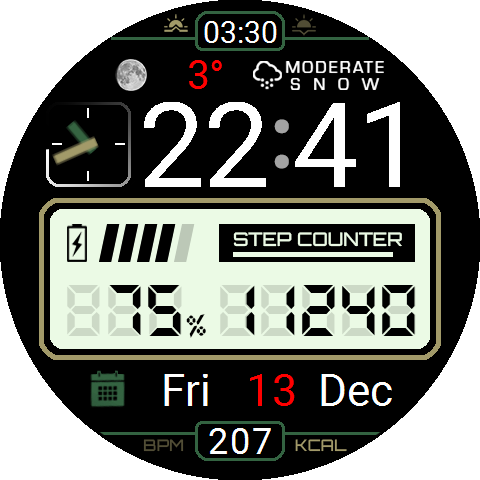
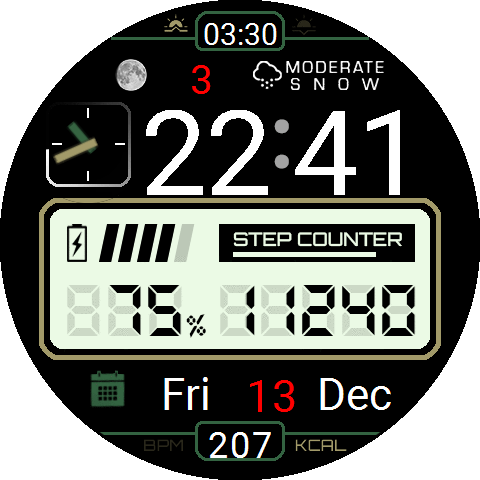
I would like to work much more with the function of the fonts, which actually saves a lot of work. Unfortunately, the result looks completely different from the preview in the editor. I don't use a Costom font, it's even worse there. But even with the Sytem font, the shifts in the design are serious.

Here is an example. To make the clock look like picture A, I have to arrange everything in the editor as shown in picture B. As you can see, everything has slipped down. (Except battery and steps, which are images)

This involves a lot of trial and error. The advantage over creating images is quickly lost. Is there anything I can do as a user or are there other reasons for this?
Spoiler
Image

Image
User avatar
SashaCX75
Posts: 812
Joined: 26 Oct 2019, 15:18
Location: Ukraine
Has thanked: 13 times
Been thanked: 1006 times
Contact:

Post by SashaCX75 »

@Lattenknaller
Unfortunately fonts, unlike images, have some indents that I can't access. So I can't exactly simulate the behaviour of fonts in the editor. I can only suggest to try to set vertical alignment in the middle. Maybe it will help to reduce the error.
Lattenknaller
Posts: 153
Joined: 09 Aug 2022, 08:43
Location: Hamburg
Has thanked: 57 times
Been thanked: 128 times
Contact:

Post by Lattenknaller »

SashaCX75 wrote: 10 Apr 2024, 11:12
@Lattenknaller
Unfortunately fonts, unlike images, have some indents that I can't access. So I can't exactly simulate the behaviour of fonts in the editor. I can only suggest to try to set vertical alignment in the middle. Maybe it will help to reduce the error.
Thank you for the quick reply. Unfortunately, I have already tried the vertical and horizontal center. Too bad, then I will probably continue to tinker with images. Many thanks and keep up the good work
Caravan8798
Posts: 7
Joined: 31 Mar 2024, 07:18
Location: United Kingdom
Has thanked: 2 times
Been thanked: 1 time
Contact:

Post by Caravan8798 »

Does anyone know of a way to get the Zeus compiled .bin files back into their original format. Somehow decompiling them?
wanders
Posts: 19
Joined: 02 Jul 2020, 00:06
Location: Austin TX USA
Been thanked: 1 time
Contact:

Post by wanders »

I'm trying to access Zepp OS API functions and constants in my included .js files, and I'm evidently messing up the namespace designation. Specifically, I would like to use something like:
Spoiler

Code: Select all

import {
	getTimeFormat,
	TIME_FORMAT_12,
	TIME_FORMAT_24 
	getTemperatureUnit,
	TEMPERATURE_UNIT_CENTIGRADE,
	TEMPERATURE_UNIT_FAHRENHEIT,
	getDistanceUnit,
	DISTANCE_UNIT_IMPERIAL,
	DISTANCE_UNIT_METRIC,
	getLanguage
} from '@zos/settings';
But I don't have a simulator, and the watch face code keeps dying. What is the correct syntax to use here? Thanks in advance...
User avatar
SashaCX75
Posts: 812
Joined: 26 Oct 2019, 15:18
Location: Ukraine
Has thanked: 13 times
Been thanked: 1006 times
Contact:

Post by SashaCX75 »

@wanders This forum topic is dedicated to the work of the editor. It is better to discuss creation of programmes for Zepp OS in a separate topic.

First of all, I advise you to read the official documentation. You are trying to combine settings and sensors edents into one block. This is wrong.

https://docs.zepp.com/docs/reference/de ... nsor/Time/
https://docs.zepp.com/docs/reference/de ... atureUnit/
https://docs.zepp.com/docs/reference/de ... /Distance/
https://docs.zepp.com/docs/reference/de ... tanceUnit/
https://docs.zepp.com/docs/reference/de ... tLanguage/
Lattenknaller
Posts: 153
Joined: 09 Aug 2022, 08:43
Location: Hamburg
Has thanked: 57 times
Been thanked: 128 times
Contact:

Post by Lattenknaller »

Hello everyone,

Is there a way to start the animation of a rotation manually by pressing a button? With the frame-by-frame animation you can start it with this command:

Code: Select all

normal_frame_animation_1.setProperty(hmUI.prop.ANIM_STATUS,hmUI.anim_status.START);
But I would like to use the rotation
User avatar
SashaCX75
Posts: 812
Joined: 26 Oct 2019, 15:18
Location: Ukraine
Has thanked: 13 times
Been thanked: 1006 times
Contact:

Post by SashaCX75 »

@Lattenknaller
You can create a dial with a smooth second hand and see how the rotation animation is triggered there. There, the trigger used as a start trigger is the switching on of the screen. If you use a button the animation start commands will be the same.
wanders
Posts: 19
Joined: 02 Jul 2020, 00:06
Location: Austin TX USA
Been thanked: 1 time
Contact:

Post by wanders »

Two comments on version 10.4:
  • In the Distance widget editor menu, when using the "Value in font" option, if the "units" box is checked, the result only is shown in KM - the widget does not track the user's units selection if "Imperial" is selected there
  • In the PAI widget editor menu, only the Weekly numerical value of PAI is an option for "Value in font" - the day numerical value is not available as a "Value in font". It would be nice to have both available in font.
Thanks for all you do, @SashaCX75
domenicopardo
WF maker
Posts: 38
Joined: 04 Sep 2021, 18:09
Location: Bologna
Contact:

Post by domenicopardo »

Sorry but I don't understand how to write a new message
Watch_Face_Editor_(ZeppOS).exe
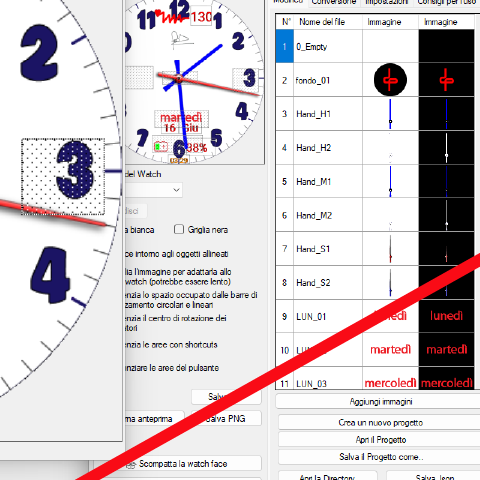
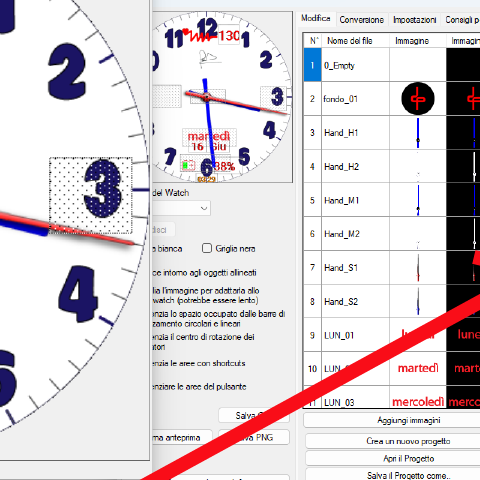
Why is the clock time incorrect if I activate "24h format"? I made a function that at 6 AM and 6 PM the dial changes. If 24h format is active, the dial changes automatically. If 24h is not activated, the dial does not change. What did I do wrong?
How should I send you documentation files?
Spoiler
Image

Image

Image

Image
User avatar
SashaCX75
Posts: 812
Joined: 26 Oct 2019, 15:18
Location: Ukraine
Has thanked: 13 times
Been thanked: 1006 times
Contact:

Post by SashaCX75 »

@domenicopardo
Many people complain about the Date() function on watches. I advise you to try to refuse it.
For example, your watch face already has the time_update() function. It has variables for hours, minutes and seconds. You can use these variables to define the time.
domenicopardo
WF maker
Posts: 38
Joined: 04 Sep 2021, 18:09
Location: Bologna
Contact:

Post by domenicopardo »

Thank you very much for the quick response. I am ignorant. Should I actually change this function? and how?

// Start combined color change
let colornumberCombined = 1;
const totalcolorsCombined = 2;

function click_HAND_S() {
if (colornumberCombined >= totalcolorsCombined) {
colornumberCombined = 1;
} else {
colornumberCombined++;
}

// Update second hand
let namecolorS = colornumberCombined == 1 ? "Red" : "Blue";
normal_analog_clock_pro_second_pointer_img.setProperty(hmUI.prop.SRC, "Hand_S" + colornumberCombined + ".png");

// Update background
let namecolor = colornumberCombined == 1 ? "Style 1" : "Style 2";
normal_background_bg_img.setProperty(hmUI.prop.SRC, "main" + colornumberCombined + ".png");

// Update hour hand
normal_analog_clock_pro_hour_pointer_img.setProperty(hmUI.prop.SRC, "Hand_H" + colornumberCombined + ".png");

// Update minute hand
normal_analog_clock_pro_minute_pointer_img.setProperty(hmUI.prop.SRC, "Hand_M" + colornumberCombined + ".png");

// Show toast message
hmUI.showToast({ text: `Colors Updated to ${namecolorS} and ${namecolor}` });
}

// Funzione per attivare automaticamente alle 6:00 del mattino e alle 18:00 di sera
function activateAtScheduledTimes() {
const now = new Date();
const currentHour = now.getHours();

if (currentHour === 6 || currentHour === 18) {
click_HAND_S();
}
}

// Imposta un intervallo per verificare l'orario ogni minuto
setInterval(activateAtScheduledTimes, 60000); // Controlla ogni minuto
domenicopardo
WF maker
Posts: 38
Joined: 04 Sep 2021, 18:09
Location: Bologna
Contact:

Post by domenicopardo »

Thank you very much for the quick response. I am ignorant. Should I actually change this function? and how?

// Start combined color change
let colornumberCombined = 1;
const totalcolorsCombined = 2;

function click_HAND_S() {
if (colornumberCombined >= totalcolorsCombined) {
colornumberCombined = 1;
} else {
colornumberCombined++;
}

// Update second hand
let namecolorS = colornumberCombined == 1 ? "Red" : "Blue";
normal_analog_clock_pro_second_pointer_img.setProperty(hmUI.prop.SRC, "Hand_S" + colornumberCombined + ".png");

// Update background
let namecolor = colornumberCombined == 1 ? "Style 1" : "Style 2";
normal_background_bg_img.setProperty(hmUI.prop.SRC, "main" + colornumberCombined + ".png");

// Update hour hand
normal_analog_clock_pro_hour_pointer_img.setProperty(hmUI.prop.SRC, "Hand_H" + colornumberCombined + ".png");

// Update minute hand
normal_analog_clock_pro_minute_pointer_img.setProperty(hmUI.prop.SRC, "Hand_M" + colornumberCombined + ".png");

// Show toast message
hmUI.showToast({ text: `Colors Updated to ${namecolorS} and ${namecolor}` });
}

// Funzione per attivare automaticamente alle 6:00 del mattino e alle 18:00 di sera
function activateAtScheduledTimes() {
const now = new Date();
const currentHour = now.getHours();

if (currentHour === 6 || currentHour === 18) {
click_HAND_S();
}
}

// Imposta un intervallo per verificare l'orario ogni minuto
setInterval(activateAtScheduledTimes, 60000); // Controlla ogni minuto
User avatar
SashaCX75
Posts: 812
Joined: 26 Oct 2019, 15:18
Location: Ukraine
Has thanked: 13 times
Been thanked: 1006 times
Contact:

Post by SashaCX75 »

@domenicopardo
You don't need setInterval() and activateAtScheduledTimes() functions
In the time_update() function you need to add a line like this

Code: Select all

if (hour == 6 || hour == 18) click_HAND_S();
Post Reply

Return to “Watchfaces tools”

Who is online

Users browsing this forum: No registered users and 1 guest